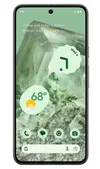
One of the most noteworthy upgrades in Android 15 beta 2 is the new Private Space feature. Designed for privacy and security, Private Space allows users to partition their app drawer — and secure sensitive apps behind an extra layer of authentication. Unfortunately, Google has just had to push and update to fix an annoying problem with Private Space — but only on Pixel phones.
Private Space users found that certain app icons were removed from their home screens when setting up Private Space for the first time. This is a minor problem in the grand scheme of things, but it could prove very irritating if you’re very particular about how your home screen looks.
However, it seems this issue may not affect everyone the same way. I set up Private Space on a Pixel 8a running Android 15 beta 2.0 and found that nothing had actually changed. Still, the prompt to update to 2.1 has arrived on my phone, allowing me to install the update now or let it happen automatically over the next five days.
The official patch release notes don’t mention any other changes to Android 15 beta. Android Police also notes that since the 2.1 update still has the same May 2024 security patch as 2.0 it’s likely that very little else has changed.
Google apparently wants Private Space to work as intended. That or it just happened to be a straightforward fix, and there wasn’t much point delaying the rollout for Pixel users. As for every other device running the Android 15 beta, they’ll apparently have to wait for their own individually numbered beta updates.
If you’ve already been hit by the Private Space bug, then your only option is to update your phone and try to piece things back together. Unfortunately, that’s the risk we take installing beta software because things don’t always work how they should. But figuring that out is why beta testing happens in the first place.
If you don’t have the Android 15 beta yet but would like to test it out, be sure to check out our guide on how to install the Android 15 beta. Alternatively, those of you willing to be patient can wait until the final release at some point later this year. When Android 15 will be released isn’t clear; only Pixel phones will get first access, as always.
Private Space is one of just a few new features coming to Android 15, but it is arguably one of the most exciting. It’s essentially a partition on your phone, storing apps and files that you would like to keep extra secure or hidden from prying eyes. Once Private Space is locked, it’s like those apps (and their notifications) never existed. It’s something Android has needed for a long time — and I’m glad it’s finally here.
More from Tom's Guide
- Google Pixel 9 color leak reveals some old favorites and two fresh options
- iOS 18 — here's how Apple can close the AI gap with Google
- Google Pixel 9 Pro XL rumored release date, price speculation, specs and more