







Google I/O 2026 may have only just happened, but that isn't stopping Google from announcing a bunch of new features for Android, as part of the June Android drop. This update focuses on security and personalization, with a small improvement in your ability to share content with iPhones.
Face Call Detection
The first, and easily most important, part of this update is the new "fake call detection." This feature has been built to spot when scammers are trying to impersonate your contacts. It can detect instances where a scammer has spoofed the number of one of your contacts, hoping you will drop your guard and be more susceptible to their schemes.
It may sound or even look like your mom, but in a world where AI technology is increasingly able to clone voices and appearances, that isn't always reliable.
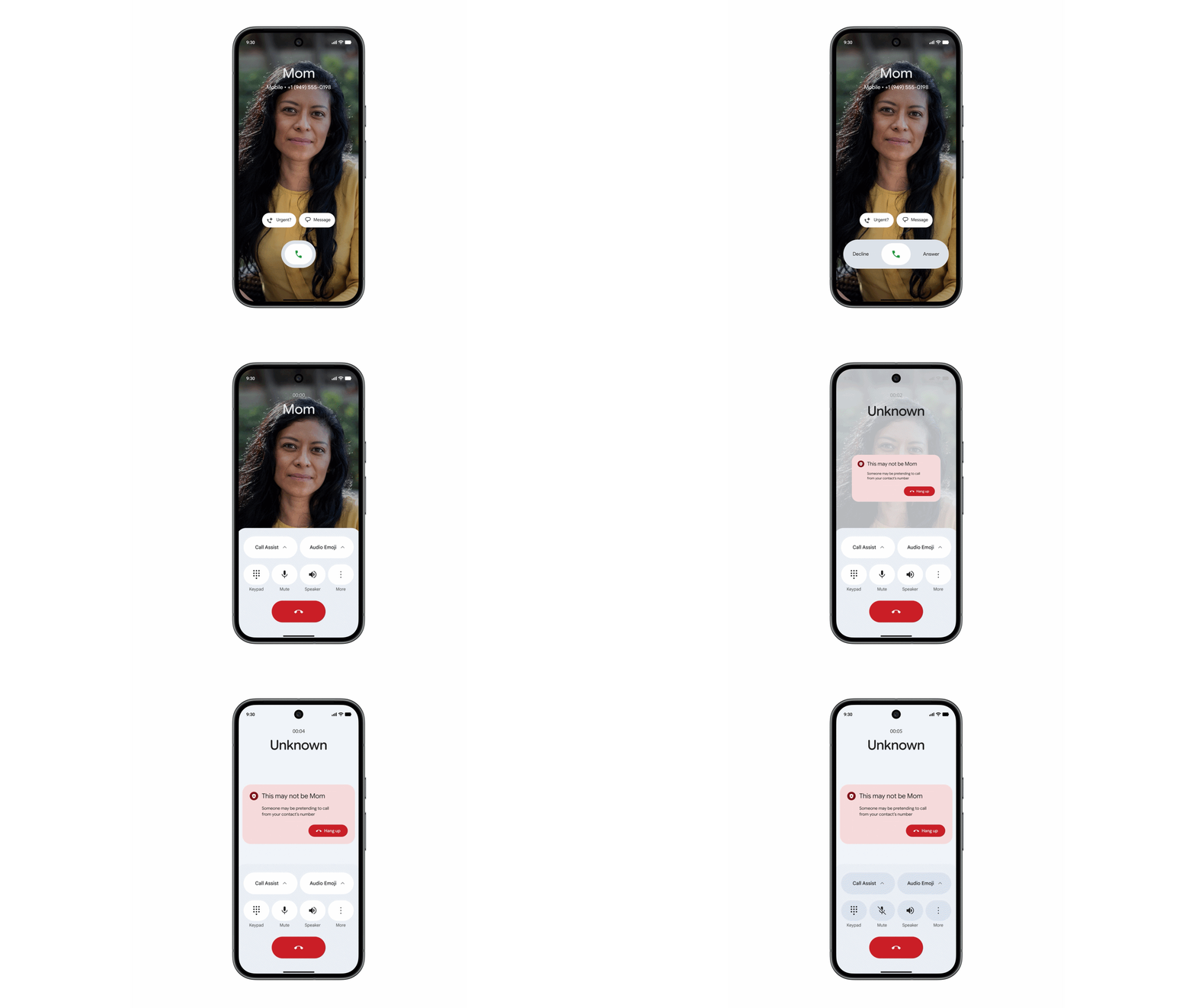
The caveat here is that the feature will only work if both you and your friends and relatives are using the "Phone by Google" app. The app on each device will send a silent confirmation signal, indicating that you really are on the phone with your wife, mom, kids, or whoever else might be calling. That signal uses encrypted RCS technology, which means it can't be spoofed by others.
If that confirmation signal is missing, your phone will ping that other phone to check what the deal is. If that other device indicates it's not calling you, then you'll get a warning that this call might be bogus. You can then hang up, safe in the knowledge that the person asking for your bank account details or Target gift cards isn't who they claim to be.
Fake call technology is rolling out globally to phones running Android 12 and above, and will be switched on by default in Google's phone app. But Google hopes that by using RCS technology, which is an open standard, a similar compatible feature will be available in other phone apps at some point.
Find a Look
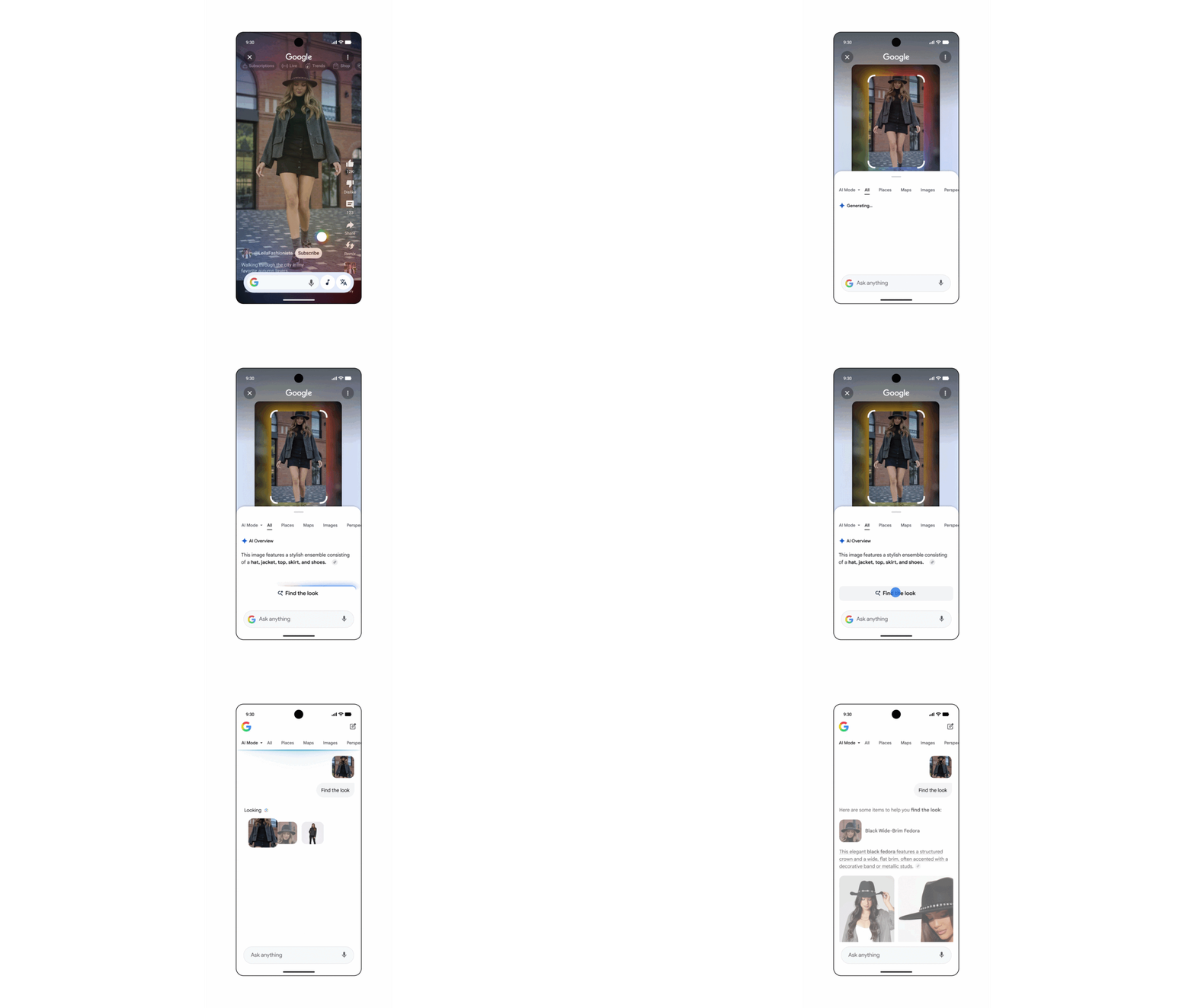
Next up, Google is expanding "Find a Look," which was added to Circle to Search earlier this year on the Galaxy S26 series phones and later, Google's own Pixels.
Rolling out to all phones running Android 14 and newer right now, this lets you search for an entire outfit in one go — meaning you don't need to search for each piece of clothing.
Google Photos Wardrobe
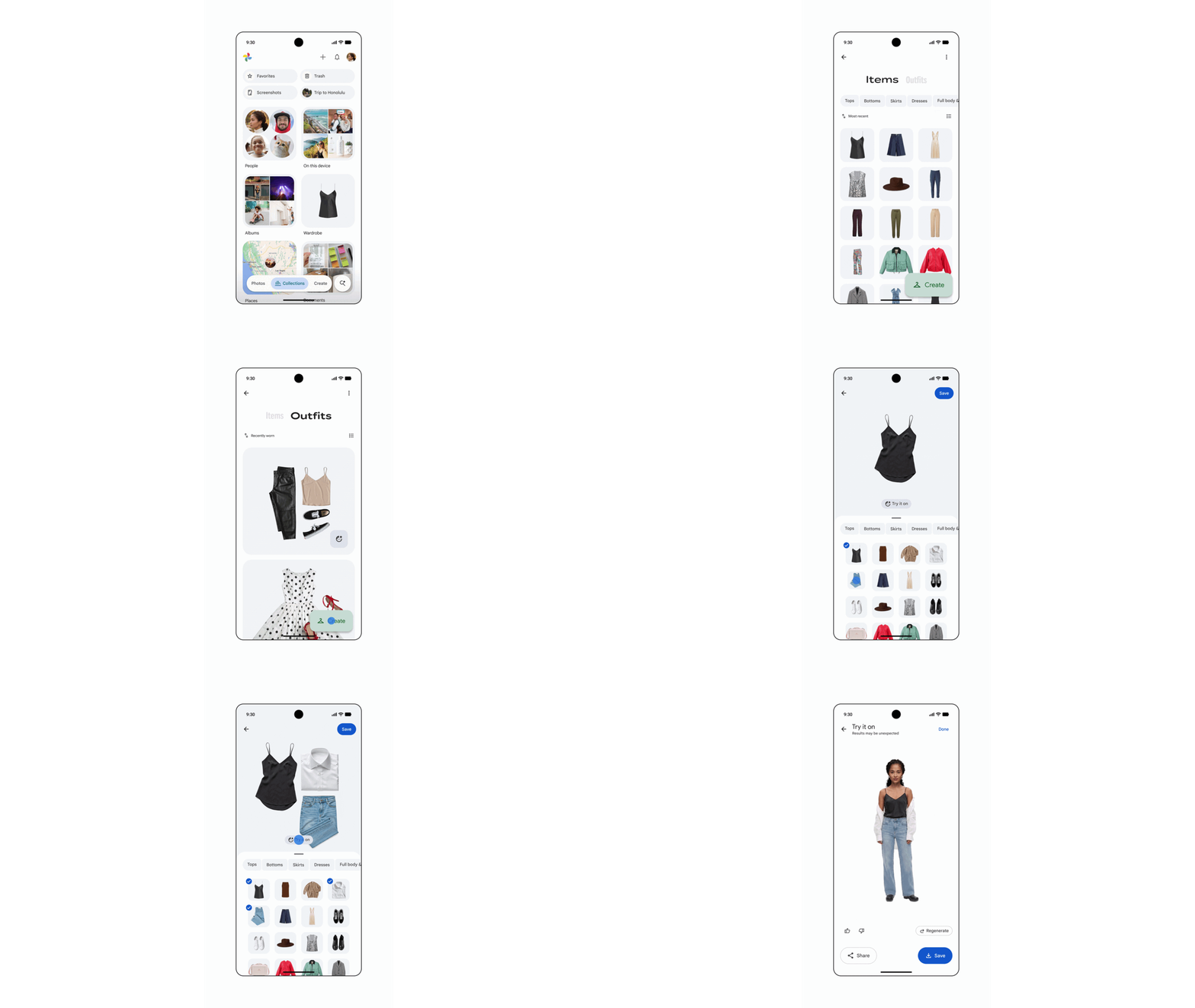
Google Photos is giving users their own "digital closet," which lets you try on virtual outfits to see what works for you. Dubbed Google Photos Wardrobe, this feature keeps digital copies of all the clothes you've been photographed wearing, and allows you to mix and match different pieces without actually having to go to the effort of trying them all on — and putting them away again.
Wardrobe will roll out to eligible users in the U.S., India and Brazil starting next week.
Personal Safety app
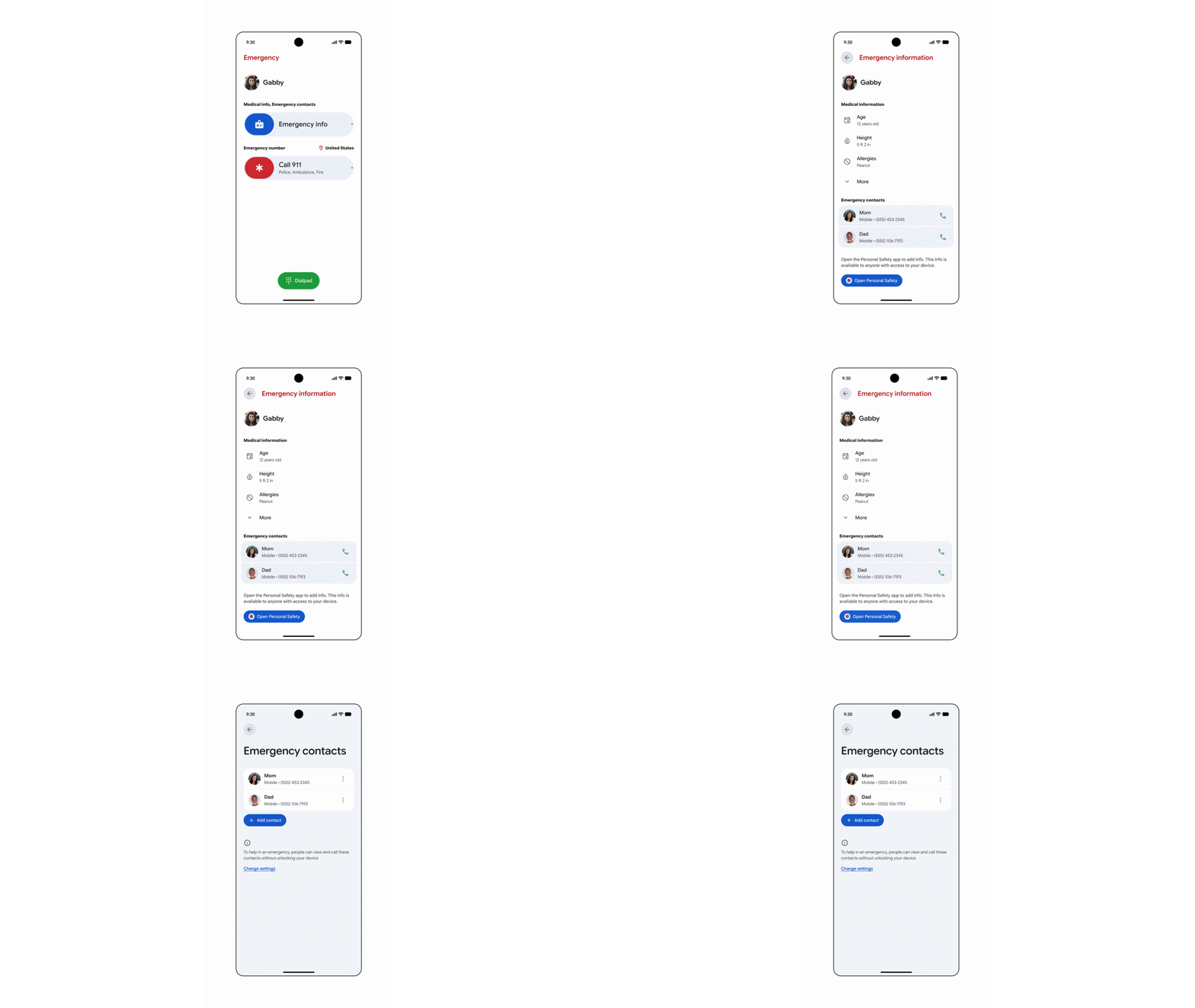
Android's Personal Safety features will start rolling out to a whole new audience, with Google adding some of those features to accounts for under-13s. The Personal Safety app will then be able to display medical information and emergency contacts on the lock screen, which could prove lifesaving in the right (or wrong, as the case may be) situation.
Kids will also be able to use the Personal Safety app's location features, including Safety Check, which lets them share their real-time location with emergency contacts. Emergency car crash detection is similarly available, and can automatically contact emergency services and contacts in the event of an accident.
Google Books insights
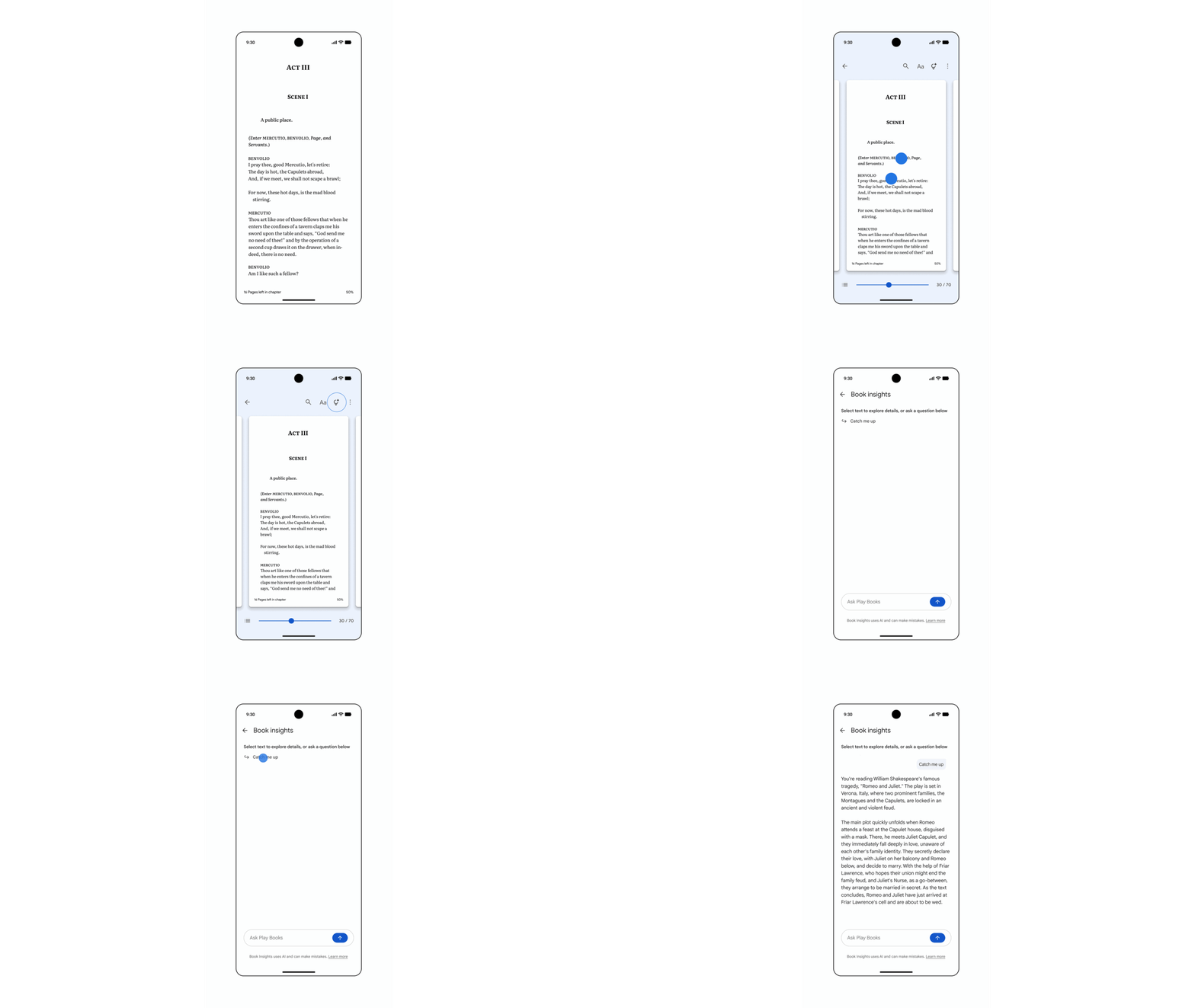
If you can never remember what's going on in your books, Google Books is adding new insights, including recaps, as well as the ability to deep dive into different themes, characters and the overall context of highlighted sections.
Which is the kind of thing every high school English student is going to be thrilled about. Google Books Insights are rolling out now for select English titles, including thousands of tree books.
QuickShare for more devices

Google has also confirmed it will be expanding QuickShare's AirDrop compatibility to even more devices, making file-sharing between Android and iPhone an absolute breeze. Emoji Kitchen has been updated too, with new love-based emoji combinations for you to test out.

Follow Tom's Guide on Google News and add us as a preferred source to get our up-to-date news, analysis, and reviews in your feeds. Subscribe to Tom's Guide on YouTube and follow us on TikTok. Finally, you can visit our dedicated Tom's Guide Savings Squad hub for expert help on getting the best products for less.
More from Tom's Guide

