






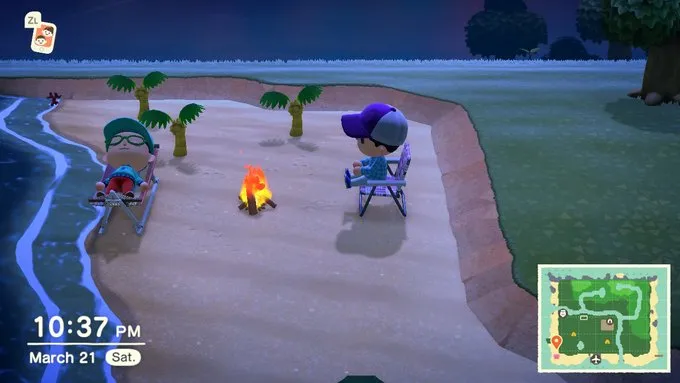
Island life in Animal Crossing: New Horizons is pretty fun on its own, but it's even better with friends. Animal Crossing: New Horizons multiplayer allows you to visit your pals' islands or invite them to yours, allowing you to exchange items, leave messages or simply hang out and take cool photos.
Figuring out how to invite friends to your island or visiting other people's homes may not be obvious at first glance, so we've put together this handy guide. Whether you want to snag new types of fruit or rack up your Nook Miles, here's how to use Animal Crossing: New Horizons multiplayer.
Some quick notes -- you'll need a Nintendo Switch Online subscription to play with friends online, though you can play with nearby friends via local wireless without one. There's no split-screen or same-console multiplayer option for New Horizons. Finally, each island can hold a maximum of 8 players at a time.
Getting started
In order to play Animal Crossing: New Horizons multiplayer, you'll have to unlock the Dodo Airlines airport. This happens fairly early into your first day in the game, after you have a few conversations with Tom Nook and crew. Once unlocked, the airport will be located towards the bottom of your island.
Once you enter Dodo Airlines, go to the desk and talk to Orville, who will give you a few options for playing multiplayer.
How to visit other islands

If you want to visit a friend's island, select "I wanna fly!' from the dialogue menu. From there, choose whether you want to play locally or online, and Orville will search for islands you can visit. From here, you'll have two options:
- Search for a friend: Visit players on your friends list that are accepting visitors
- Search via Dodo Code: Visit an island using a specific Dodo Code password given by a player
How to invite other players to your island

If you want players to come to you, simply tell Orville that "I want visitors," and choose whether you want to play online or locally. Here, you have a few options for letting people come by:
- All my friends: Allow anyone on your friends list to visit your island
- Only my Best Friends: Only allow people you have designated as a Best Friend in your Nook Phone (more on that later)
- Invite via Dodo Code: Only allow people to visit via a Dodo Code, which is a temporary password you'll be given. This is ideal for playing with people who aren't on your friends list.
Animal Crossing: New Horizons multiplayer tips

A big part of the fun of Animal Crossing multiplayer is simply seeing your friends islands and hanging out together, but there are also some key tips to keep in mind when both visiting and hosting guests.
- Bring your native fruit to other islands: Every island has its own distinct fruit (such as oranges, cherries or pears). So if you bring, say, oranges to an island whose native fruit is something else, you'll get a ton of Bells by selling them to Timmy in the Nook tent. Likewise, you should bring back foreign fruit to your own island for big rewards.
- Exchange items with friends: You can give items to friends while playing multiplayer by simply accessing your inventory and dropping anything on the ground you want a friend to take. This can give you a significant head-start -- for example, a friend gave me a shovel and vaulting pole well before I had the DIY recipe to craft my own.
- Add Best Friends: Once you've played with someone, you can send a request to be their Best Friend via the Best Friend List on your Nook Phone. You can send messages to Best Friends that are online, as well as choose to only allow Best Friends to visit your island.
With these tips, you'll be having fun digital island parties in no time. Happy vacationing!

