




Privacy suites are the new trend in the VPN industry, with many of the best VPNs packing their plans with tonnes of great features.
I use Proton VPN's suite every day, but ExpressVPN is turning my head thanks to its new apps and limited-time deal. For just over $5 per month you can access premium versions of ExpressVPN, ExpressMailGuard, ExpressKeys, and Identity Defender, with ExpressAI coming soon.
And what better time to protect your data than the Super Bowl weekend. Connect to a VPN to stream Super Bowl LX as if you were at home, securely store your Peacock login details in your shiny new password manager, and be warned of any Super Bowl-themed scams.
Two-year plans start at $2.44 per month ($68.40 upfront pre-tax). But the best value, ExpressVPN Pro, costs $5.24 per month ($146.80 upfront pre-tax). All two-year plans include four extra months of protection for free and a 30-day money-back guarantee.

The cheapest privacy suite out there
ExpressVPN isn't the first VPN company to transition to a privacy suite, but it's jam-packed full of unique features – for an incredibly affordable price.
I've never seen a privacy suite this cheap before and there are three tiers of plans to choose from:
- ExpressVPN Basic: $2.44 per month ($68.40 upfront pre-tax)
- ExpressVPN Advanced: $3.14 per month ($88.00 upfront pre-tax)
- ExpressVPN Pro: $5.24 per month ($146.80 upfront pre-tax)
ExpressVPN Pro gets you everything ExpressVPN has to offer and you'll get the most out of its five apps. You'll have access to all apps with ExpressVPN Advanced, albeit slightly watered down versions. ExpressVPN Basic doesn't get you the ExpressKeys password manager or Identity Defender.
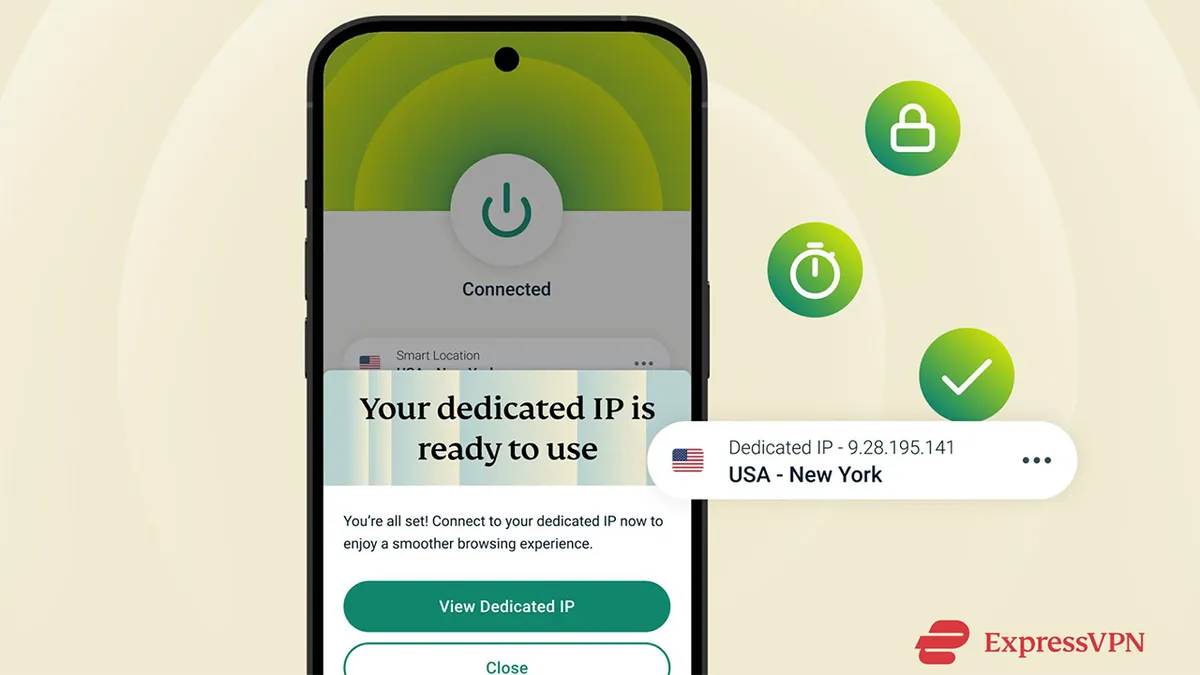
ExpressVPN Pro is even better value for money if you're US-based. Identity Defender is a US-exclusive but Dedicated IP is also bundled in for all ExpressVPN Pro plans.
What I like about Dedicated IP is it grants you your own VPN IP address and it's the reason I'd consider subscribing to the Pro plan. You don't have to share an IP address with any other VPN user, meaning you can select a US IP and stream the Super Bowl with no interruptions, connectivity issues, or annoying CAPTCHAs.
You can only select one Dedicated IP location however, so make sure you pick the best one for your needs. Dedicated IP usually costs a few dollars per month as a paid extra, so the fact it's included at a total cost of $5.24 per month is amazing value.
ExpressVPN Pro will also see you receive five days of unlimited holiday.com eSIM data.

Industry-leading core VPN
I run ExpressVPN everyday on both my phone and laptop. Its giant on/off button makes it very easy to use – even if you're a VPN beginner you'll know what to do.
Using ExpressVPN to stream the Super Bowl is helped by its US server coverage. It boasts a server in every US state, ideal for connecting to your home NBC or Peacock coverage.
Servers are super secure and ExpressVPN performed very well in my streaming testing, unblocking most major platforms including Peacock. If you're on Windows, the exclusive Lightway Turbo is capable of exceeding 1,000+ Mbps. Speeds sit between 500-700 Mbps for other devices. It's not the fastest VPN out there, but you only need 25 Mbps to stream in 4K and ExpressVPN won't slow you down. I've never had any trouble with daily streaming and browsing.
The apps have been fully audited and you can protect 10, 12, or 14 devices on one plan – perfect for if family and friends want to catch the Super Bowl too.

