







Do you type for a living? I do, and on average, I bash out around 1,500 words a day, five days a week. It's funny — you don't actually realize the importance of good ergonomic gear until you start experiencing discomfort in your wrists. As I approach my 30s, it feels more important than ever to look after myself. As Staff Reviews Writer, I get to review the best mechanical keyboards, and I feel like I've just struck gold with the Keychron Q14 Max — and it's the best ergonomic keyboard I've tested so far.
What makes an ergonomic keyboard good? A comfortable layout, switches that don't take too much force to activate, user-friendly companion software, the ability to program macros for maximum productivity, to name a few. And the Q14 Max checks all those boxes. If you type for a living, here's why I recommend Keychron's beast.
Why do I need an ergo keyboard?

Sedentary jobs — working for too long while seated — have increased by 83% since 1950 in the United States, according to the American Heart Association. Bad practices can lead to repetitive strain injuries (RSI) which damage muscles, tendons, nerves, and soft tissues in the body. You wouldn't think that sitting at a desk can lead to RSI, but it can. And while it can be treated early to ensure damage isn't permanent, I'd personally rather avoid it altogether.
This is where ergo gear comes in clutch. Ergo keyboards come in different shapes and sizes too. You can choose whether you want a full-size or 75% layout, a split keyboard (like the Keychron Q11), or one with an Alice layout — the Q14 Max falls into the latter category.
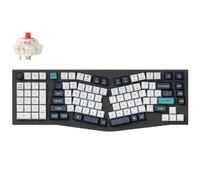
Wait, who's Alice?

The Alice layout isn't uncommon, and the Keychron Q14 Max isn't the first Alice keyboard I've tested — there's also the fantastic K11 Max. The Alice layout encourages a natural wrist position, thereby relieving stress in your hands. It's split and slightly tilted for added comfort. With non-Alice keyboards, you need to bend your wrists to type. The closer the keyboard to your body, the more the bend. This can stress out your wrists and hands over time, and the Q14 Max addresses this issue. It naturally bends your wrists, relieving tensions in your forearms and shoulders too. The other day, I used this keyboard for eight consecutive hours and I was so happy that there was no discomfort.
Not only that, but the Q14 Max also sports a southpaw design, which means the number pad is on the left. This isn't just for lefties either. Since the numpad isn’t on the right side, there’s more room for my mouse, and it feels more natural to use my left hand for the numpad while keeping my hand on the mouse. Win-win!
Will it break the bank?

Okay, ergonomic keyboards aren't the cheapest. We've seen keyboards like the Kinesis Freestyle Pro ($179), the ZSA Moonlander ($365) and the Keyboardio Model 100 ($349) cost a fortune. The Keychron Q14 Max isn't any different. It starts at at $209 at Keychron U.S. / £184 at Keychron U.K. for the barebones version. If you aren’t interested in building it from scratch, you can get the fully assembled version which costs $229 / £201.
I'm in a very privileged position where I get to test expensive keyboards but I'll tell you the truth: if I had to buy one board out of all the ones I've tested, I'd get the Q14 Max. Why? Because of all the benefits I listed above. It has earned a permanent spot on my work desk (for now) as it's a chonky boi, its full-metal body weighing a whopping 5.4lbs.
"Heavy hangs the crown" is what I titled my Q14 Max review, and it's true. Ergo keyboards rarely come better than this, and with Keychron's trademark premium build quality, double-shot PBT keycaps, hot-swappable switches, and lots more goodies, this board is a winner all-around.
More from Tom's Guide

