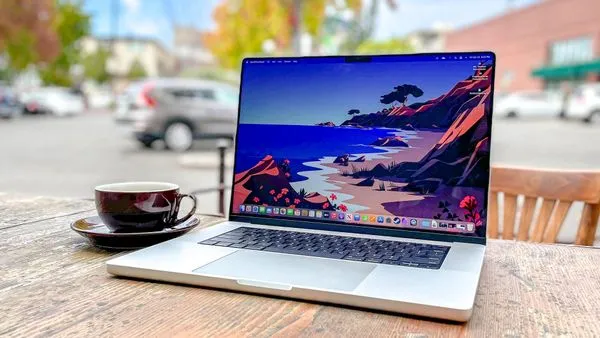
In case you missed it, Apple just turned fifty, and the company has made an indelible impression on the modern computer landscape. Whatever your thoughts on the Mac versus Windows debate, the two platforms have constantly pushed to innovate, each learning from one another.
To celebrate the last five decades, we wanted to take a trip down memory lane to check out what Apple has done to help make computing accessible for many consumers. We’re just focusing on computing here, but be sure to check out retrospectives from our mobile team if you’re looking for iPhone coverage.
Warm and GUI

Nowadays, terms like “desktop” and a “trash can” or “recycle bin” are commonplace, but that language had to start somewhere.
It wasn’t at Apple, admittedly, but through Xerox PARC’s Alto. Apple saw its graphical user interface (GUI), and worked to implement it on the Apple Lisa and the original Macintosh in 1983 and 1984, respectively. This didn’t just stop at icons — dragging files with a mouse, interacting with icons, and more were first formalised through Apple’s early PC hardware.
That led to the company’s Human Interface Guidelines in 1987, a sort of ‘bible’ for PC development and interfacing that remains influential to this day. The guidelines suggested that computer menus should be consistent across screens, that clicking an icon should have a visible response, and much more.
As Mac began to form its own path in the late nineties, Mac became even more visual, culminating in Aqua - a new design language in Mac OS X in 2001, offering translucent buttons, animations, and many of the same concepts we see today.
There’s an argument that this has been overtuned in some instances. While macOS itself has had a series of redesigns, the most recent Tahoe change has been met with mixed reception for its focus on form over function in some areas, while Windows is still more popular due to its ease of use for enterprise and gamers.
Laptop to MacBook

While we’re all very excited about the MacBook Neo, it would be fair to say that Apple’s earlier laptop designs weren’t quite as well-received.
The Macintosh Portable in 1989 was four inches thick, and weighed 16 pounds. You could potentially look past that if the thing even turned on, but often it simply… didn’t. It was a black eye for Apple’s laptop lineup, and subsequent laptops could only go up from here - right?
Well, the PowerBook 5300 had batteries that could potentially explode, and the 2015 MacBook set a worrying precedent with its unreliable ‘butterfly’ keyboard and a focus on thinness over just about anything else.
Nowadays, Apple Silicon means you really can’t go wrong with an Apple laptop. The switch from Intel was undeniably a risk that paid off handsomely, and the MacBook Neo showcases how even Apple’s mobile chips are up to the challenge of running macOS, too.
Computing for All

While Apple rightly gains plaudits for its focus on privacy in an increasingly data-hungry world, it’s often forgotten how much the company has done for accessibility.
VoiceOver, a screen reader that debuted in 2005, was transformative while Windows was charging for similar tools, followed by Voice Control in 2019 for controlling your device without the need for your hands at all.
System-wide zoom and color filters remain the norm, as well as the option to remove motion and scale cursor sizing. By making these components available through the OS and APIs, Apple makes them available to developers, too.
One Store to Rule Them All

The iPhone’s App Store was a revolution, with the shockwaves (both good and bad) still being felt today. Bringing it to the Mac felt like an obvious move, and in 2011, it finally happened.
Still, because of macOS, sorry, Mac OS X being more open than its handheld sibling, it was difficult for apps to get the permissions they needed to actually be useful. As Apple pushed apps into a ‘sandbox’, many of them lost features or had better versions available through installation outside of the store. It also didn’t help that the store was clunky, slow, and it took a long time to get apps approved.
In 2018, a redesign helped things, and it was more than a coat of paint. Apple softened some of the edges of its sandboxes, and even Microsoft paid a visit, bringing Office to the Mac App Store.

Follow Tom's Guide on Google News and add us as a preferred source to get our up-to-date news, analysis, and reviews in your feeds.
More from Tom's Guide