




Apple's AirPods are some of the most popular earbuds and headphones that you can buy today. It's no great surprise why, considering how well they work with iPhone devices and the sheer number of features available out of the box. But; did you know that there's loads about your AirPods that you might not know about?
There are loads of different hidden features built into the AirPods line, from funky extras that let you take photos with your earbuds to head gestures that can answer and reject calls. Whether you own a pair of AirPods 4, AirPods Pro 3 or AirPods Max, here are the hidden features you didn't know were in your AirPods.
1. Take a picture

I'll bet you didn't know you could use your AirPods as a remote control for the camera on your iPhone! It's super easy as well — you just need to activate it in the settings menu.
Head to the settings menu, and find your AirPods. Scroll down to the camera control section, and choose the option that suits you. You can choose a single or long tap to activate the shutter in the camera app.
From there, open the camera app, and try your new shortcut. You'll get a countdown on screen, and then your phone takes a picture. Perfect for group photos!
Airpods this works with:
- AirPods Pro 3
- AirPods Pro 2
- AirPods 4
2. Nod to accept a call

Ever found your hands full, only to need to answer a call on your earpuds? Don't worry, Apple thought of a solution. There's a setting that lets you nod your head to accept a call and shake your head to decline it. It's found hidden away in the settings menu.
Open the menu, and find your AirPods settings. Scroll down until you find head gestures, and toggle the option on. Now, you can accept and decline calls with a nod or a shake of your head.
AirPods this works with:
- AirPods Pro 3
- AirPods Pro 2
- AirPods 4
- AirPods 3
3. Make sure your AirPods fit correctly
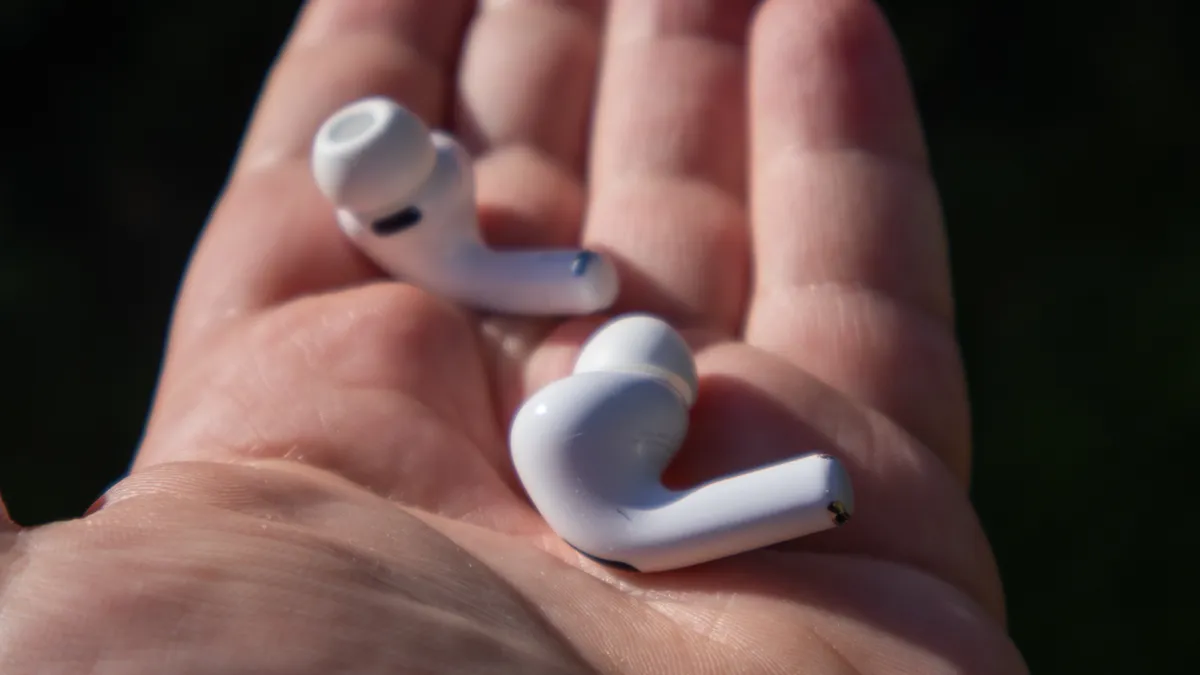
Finding the right fit with any pair of earbuds can be tricky. Which ear tips should you use? How do they slip in properly? Apple has made it easier to make sure that your earbuds are fitting properly with fit test.
Head to the settings menu, and select your AirPods. Navigate to Ear Tip Fit Test, and then run the test. Adjust their fit as needed with a new set of tips — remember, you might need one side to be bigger than the other.
Once it's all done, your AirPods will fit better, they'll even likely sound slightly better. and, as an added bonus, the ANC will block more noise. Make sure you run this test!
AirPods this works with:
- AirPods Pro 3 (it's called "Acoustic Seal Test")
- AirPods Pro 2
4. Chill out with relaxing sounds

Did you know that your AirPods can help you relax? There are built in sounds that can calm you down. They're called "Background Sounds," and there's a series of different options to choose from. Six, in fact.
Head to the settings menu, and go to the accessibility section. Then you'll choose the Audio/Visual menu, and navigate to the Background Sounds option. From there, choose your sound. Now you can sleep peacefully without being woken up by your snoring partner. Or the hamster wheel. Or, well, whatever it is that keeps you up.
AirPods this works with:
- AirPods Pro 3
- Airpods Pro 2
- AirPods Pro
- AirPods 4
- AirPods 3
- AirPods 2
- AirPods Max
5. Watch your movies without disturbing your family

If you've got an Apple TV, you can connect your Airpods and listen to the audio without waking anyone else up at more... interesting hours. It's super easy, and if your AirPods support Spatial Audio, then you'll get surround with some of your content as well.
To see if your AirPods are connected to your Apple TV, press the power button to bring up control center. Check the audio menu here and find your AirPods. Now you can watch all your movies and TV with your AirPods! Simple, and very useful.
AirPods this works with:
- AirPods Pro 3
- AirPods Pro 2
- AirPods Pro
- AirPods 4
- AirPods 3
- AirPods 2
- AirPods
- AirPods Max

Follow Tom's Guide on Google News and add us as a preferred source to get our up-to-date news, analysis, and reviews in your feeds.
More from Tom's Guide
- iPhone 18 Pro rumors: 2nm A20 Pro chip, variable aperture camera and under-display Face ID (plus new colors)
- 7 top new movies you can stream this week on Netflix, Hulu, Paramount+ and more (Jan. 13-19)
- This vinegar steam trick will rid your oven of grease and grime — here's how to do it

