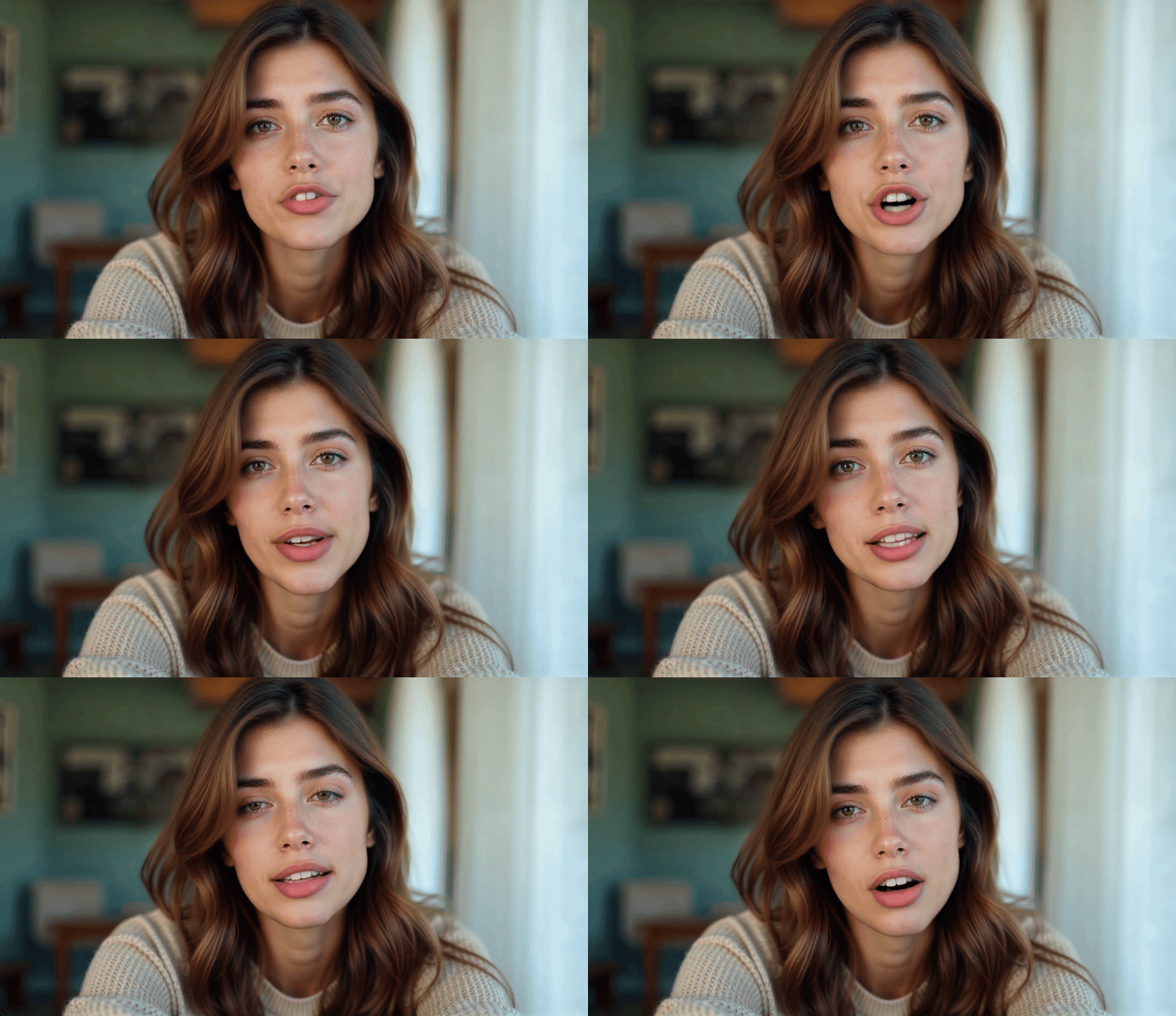
Kling, one of the best artificial intelligence video generators has added a new lip sync feature that is one of the most accurate I’ve ever used. It can even work on faces not directly looking into the camera.
Lip syncing is one of the holy grails of the AI video space as getting it right and making it look realistic opens the door to artificial actors — for better or for worse. This would, for example, allow a lone AI filmmaker to create an entire production with dialogue. Kling is getting close to that but it’s no Danny DeVito.
There have been a number of updates to Kling over the past few weeks including a new v1.5 model, community features and motion brush, a tool that lets you highlight the exact elements in an image that should be animated.
Currently lip-sync only works on human characters, although you can push this to work on humanoid aliens or animals if you give them a flat, human-like face (although I don’t know why you’d want to).
How does lip sync in Kling work?

When you use lip sync in Kling you start by generating a video. You then click “match mouth” and it will track the mouth movement throughout the video. This takes up to about ten minutes but is what makes Kling so effective.
Once the mouth movements have been tracked and isolated you can upload some audio. This can be from ElevenLabs, a real sound, or even a recording of Advanced Voice speaking in ChatGPT.
Kling will then perfectly match the sound to the video and animate the mouth to look as if the character is speaking — or singing — the words in the audio. Ther can be a slight uncanny valley but that’s in part due to how accurately the mouth movement is tracked.
Lip syncing over a ten-second video costs 10 credits and you can’t give it more than ten seconds at a time. While Kling advertises it as “no need for post-production”, if you need a longer monologue you’ll want to turn to another tool such as LibDubAI, HeyGen or Hedra.
What else was launched?

As well as the lip sync feature, the latest update introduced new community features where sharing your creations can earn you credits to make ever more creations. Not sure how long you can run this credit generation loop, but it’s worth trying.
Kling launched Motion Brush in the previous update. This is similar to the motion brush feature in Runway Gen-2. We are still waiting for this to return to Runway. It basically lets you select elements in an image and tell Kling how to make them move. The best example I’ve seen of this was for a yoga video.
Kling also confirmed it was releasing an API, joining Luma Labs and Runway in allowing developers to integrate AI video in their products.
Overall Kling has firmly cemented itself as a leader in the generative AI video space. It combines a range of useful production features with a degree of realistic motion and an understanding of physics that other models struggle to match.
More from Tom's Guide
- Apple is bringing iPhone Mirroring to macOS Sequoia — here’s what we know
- iOS 18 supported devices: Here are all the compatible iPhones
- Apple Intelligence unveiled — all the new AI features coming to iOS 18, iPadOS 18 and macOS Sequoia