
 Club Benefits





I know the daily grind of the commute. I've done my fair share of long bus rides for a few hours a day, entrapping myself in a screaming metal box underground and miles and miles of walking. I know there's only one thing that makes those journeys more tolerable — some of the best wireless headphones.
Noisy environments need not just headphones that sound great, but cans that can play anything, no matter where you are. After all, deafening underground trains can easily be blocked out by loud heavy metal, but play something classical and you'll hear those carriages screech over your music. We're going to need something wireless and noise-cancelling.
I spend, on average, about 20% of my day outside or on some form of transport — and I don't think I'm in the minority. In fact, I'd wager you're probably in the same boat if you've landed on this page. So, to help you find the best wireless headphones, I've run every single pair through a full gamut of tests to see which you should spend your money on.

So, let me and my extensive selection of headphones tell you that the Bowers & Wilkins PX7 S3 are the best wireless headphones that you can buy right now — but if you're looking for something cheaper or in-ear, then I've got you covered.
What I'm looking for
There's my normal testing parameters for headphones that I've spent years putting effort into of course — sound quality, comfort over long periods of time — but for this list I've come up with some more focussed criteria to help me find headphones that aren't just going to get you through your noisy commute but also through your work day as well.
Here's my testing criteria:
Setting up and ease of use
Why you can trust Tom's Guide Our writers and editors spend hours analyzing and reviewing products, services, and apps to help find what's best for you. Find out more about how we test, analyze, and rate.
I know this only something that's usually going to be done once, but how easy are they to get working out of the box? Are they easy to pair, or are things more involved? Do they have multi-pair, and how does it work when you get to the office? When putting them in the case, how do they need to be folded, and is it annoying or easy?
Nobody likes headphones that are annoying to use. I want to make sure they're as simple as 'put on head and listen to music' without any extra steps. What are their controls like, do you need to adjust anything?
How long do they last?
There's more to this than just battery life. I'll use them over the course of a normal work day, and break down the battery percentage during my use. Did they require a quick top-up before going home? Do they have some kind of quick charge feature? Real-world testing for real-world use.
Are they comfortable?
You're going to be wearing these headphones and earbuds for hours on end, so I want to make sure that what you're putting on your head is comfortable. That means testing on a number of differently sized heads, from my own extended cranium to smaller, more petite heads. Do they start to feel tight over time, or do you forget you're wearing them over the day?
Piercing wearers, I know your pain — I have some of my own. And luckily for you, they're in the two biggest pain points, the lobe and at the top of my cartilage. I'll report whether the headphones interfered with my piercings, and whether they will with yours.
Office experience
When you get to the office, you want to use your headphones not just for music but for other activities as well. Perhaps you're going to use them for group calls and other work-specific activities, or perhaps you're not allowed to use your phone and need something you can easily connect to your work computer.
Sound and ANC perfomance
This is the fun bit — well, it is for me. This is where I get to tell you about how they sound over a series of tracks and genres so that you can get an idea of the sound quality. I'll reference all the tracks I use, and don't forget to check out the Tom's Guide testing playlist on Spotify to see what music that Tom's Guide uses when testing headphones.
ANC performance is important for commuting and working, so I want to check that out too. I'll be taking them on the train, on the bus, and for a walk around a busy city to check performance, and ordering a nice cheeseburger at a busy McDonald's to see how the transparency mode works.
I can't wait — music and a cheeseburger? I'm excited.
Meet the testing team
When we conduct our in-depth reviews, I have the ever-helpful Tom's Guide reviews team at my back to thoroughly test every pair of headphones that comes across our desks. With strict testing criteria and extensive experience, here are the lovely people who test the headphones and earbuds at Tom's Guide.

I'm the one who's taken every single one of these headphones for their week's work testing and evaluated them for this guide. Before taking on the site's guides, I reviewed headphones — I know what you're going to be looking for.

Nikita has reviewed loads of headphones and earbuds for Tom's Guide, including one of the options on this guide. She's a massive music nut, and spends her free time devouring music with her favorite headphones.

Erin has tested some of Tom's Guides top scoring earbuds and headphones, and loves listening to music through her AirPods Pro 2. She's a tough critic though, so something has to be really good to get her seal of approval.
Best wireless headphones
Best overall


The Bowers & Wilkins PX7 S3 are my favorite headphones of 2025. I love the way that they look, the way that they feel on my end and most of all I love the way that they sound. So when it came to making sure they where fit for going to and from working and making said work more tolerable I was incredibly excited — and so I began my week long work testing period.
Setting up
Setting up the PX7 S3 was about as easy at it comes. I turned them on next to my Google Pixel 9 Pro Fold, and a quick pair window appeared for easy pairing. A couple of taps later and I was prompted to download the Bowers & Wilkins app — although I didn't have to use the app if I just wanted to get started with some music.
Read more of my experience setting up
Once I'd installed the app, I was completely good to go. I found the core sound such that I didn't actually need to make any adjustments, although thanks to the app and its EQ it was easy to make any quick adjustments to the sound.
When I got to the office, I wanted to connect the headphones to my laptop as well as my phone to make it easier to switch when I get a work call on my laptop. That was easy as well — I just put the headphones into pairing mode with the little switch, and found them in the pairing list on my MacBook. From there they automatically detected when I needed to switch over, although I did need to pause the music on my phone myself.
Putting them away was easy as well — just swivel the earcups down, and place them in the case. They do only go in one way, but you'll soon get used to it as I did. Charging is easy as well, just plug the USB-C cable into the port on the left earcup. Done!
Are they easy to use?
The Bowers & Wilkins PX7 S3 are very easy to use. The power switch is a simple switch on the left earcup, so you don't need to worry about holding any buttons down when you want to turn them on. The volume up and down buttons are textured to make them easier to find, and the ANC button is easy to differentiate between the power switch.
Read more about my experience
When I needed to switch between tracks in a crowded bus that I was standing on while getting to work, I found it easier to raise my hand for the buttons as opposed to the touch controls on some of the competition. They're all clicky and nice under your finger as well, and firm enough that you won't accidentally press something you don't want when activating a different control.
I'd say that these are about as 'slip on your head and listen to music' as they come. I didn't need to adjust the headband before putting them on my head, because the nice soft padding meant I could reliably press the earcups down on my head to get them to the right point on my head.
You don't really even need the app to use them — they really do just work straight out of the box.
How long do they last
The battery life on the box of the Bowers & Wilkins PX7 says 30 hours, and there's no spec about what happens when you turn the ANC off. I'd already done some light battery life testing for the full review of the headphones, but I now had the opportunity to test them on the train.
Read more about my battery testing
I tested the headphones over the period of a week, with ANC on and the volume to about mid-way for both my commute and my time in the office. If you turn the volume up or turn ANC off your battery life might change, but this gives as a good usecase to test with.
I ended up charging my headphones once over the course of the week, which would ring true with Bowers & Wilkins specs. I found they needed charging about every four days, after around 8 hours of use per day. That's my hour long commute each way, and around 6 hours of use at work.
I found the quick charge feature useful as I got to the end of the four day period, as it gave me a couple more hours as the battery reached it's end at around 4pm on Thursday.
I'd say that's excellent battery life, and more than enough to get you through a work day.
Were they comfortable?
The PX7 S3 where very comfortable during my testing. I found that even after around seven hours of wear the headphones didn't impact anywhere on my head, and there was no unwanted pinching anywhere. The foam is thick and plush, and the padding is placed in the perfect spots to keep them comfy throughout the day.
Read more about my comfort experience
As for my piercings (which have a habit of getting sore during use), I found no issues at as I spent my time with the headphones. The pads where large and thick enough that they didn't interfere with the cartalage piercing on my right ear, and the lobe piercing on the left ear didn't find anything to complain about either.
I gave the headphones to some of my colleagues as well for a few hours to see how they felt for a time, and things remained positive for the PX7 S3. Even larger headed people had no compaints, as the headphones got plenty big enough and the ample swivel made sure they sat right on the head. Smaller heads where well catered for as well — all around excellent comfort. The vegan leather is breathable as well, making sure you don't get hot ears if you wear them for a longer time.
Glasses wearers are going to fine as well — I found that they didn't interfere with my spectacles during wear. They didn't press on my head while listening, and neither did the seal get ruined by the presence of my glasses. Nice.
Office experience
Thanks to a USB-C-3.5mm cable in the protective case, you don't need to worry about connecting them to a work machine with Bluetooth if that connection is blocked. It does require the headphones to be turned on, but it makes it much easier to use them with locked down work machines.
Read more about my office experience
Call quality is excellent, especially when you connect them via a cable. I found it makes the microphone sound better as well, so the people on the other end of your call will be able to hear you more easily. You won't have any issues hearing the other people on the call either, with great sound quality for voices in the headphones themselves. I certainly didn't, and I made sure to ask every single person I had a call with how they sounded. The answer was a resounding "yeah, those sound really good."
Finally, there's the wired USB-C to USB-C mode if your laptop doesn't have a 3.5mm headphone connector. These can be more locked down than 3.5mm jacks, but it's a nice addition that I found useful in a pinch.
Sound and ANC performance
I had no problems with any horrible noises while I took the bus and the train to work. That was at some busy times too, and for the most part I had to stand up all the way. The sound of the engine was blocked out very well, and the people around me melted into nothing as I played my music.
Read more about my performance experience
I found the same thing when I took the headphones off the bus and into a busy city as I finished my commute. The sounds of people walking past me where completely silent, and only the loudest and most disruptive of noises managed to disrupt my otherwise peaceful listening of my favorite heavy tunes.
So I went to order my McDonalds breakfast (not sponsored, I just really like a bacon roll). The transparency mode did a very good job of picking out the person at the counter amongst the rest of the din, and I was able to order a delicious breakfast without needing to take my headphones off. Big win.
That was all rounded out with the excellent sound quality of the PX7 S3. They sound incredible, with excellent bass, great detail and wide mids. Rank and Defiled by Exhumed has blisteringly heavy, the thumping bass of Spice World from the Spice Girls was thick and chunky, and the operatic stylings of Adele in Skyfall where a joy to behold.
Best on a budget


When I first tested the 1More Sonoflow Pro, I was immediately impressed with the features, sound and ANC, considering how little they cost. They're a sub-$100 pair of headphones that are often found with deal prices that make them even cheaper, so they're the perfect commute and work companion if you want to save some money. This was my experience with the 1More Sonoflow Pro. Every single potentially harsh word I have to say is more than tempered by that low, low, price.
Setting up
Given their price, I wasn't expecting them to be quite as easy to set up as some of the more expensive models. That doesn't mean they're difficult, just slightly more involved than those with quick pair. The first time you turn them on they'll go into pairing mode, and from there you just find them in the pairing menu of your device.'
Read more of my experience setting up
Getting them into multi-pair was annoying. I had to turn the headphones off, and then hold the power button to put them into Bluetooth mode and find them on my second device. From there multipoint was working, but it is more annoying than more expensive headphones.
There is a 1More app as well, although you don't need to install it to get the best out of the headphones. Despite having it installed, I only touched it once — and that was to turn off the spatial audio and initiate the LDAC codec in-app. There is an EQ there to adjust the sound, and I found it easy to use, but I didn't need it.
Putting them back in the case was super easy, mind you. They fold up with a click, and there's no surround to keep them in so they just kind of hang out in there. The cables have no slot, though, which means they end up jumbled up at the bottom of the case — but they're really cheap, so we'll let them off. It was annoying when they fell all over the office floor, though. And embarrassing.
Are they easy to use?
Once they're all connected, the 1More Sonoflow are very easy to use, although there are a couple of hiccups I found during my week long testing period on the way to and from work. Turning them on and off takes a slightly longer press, making you wonder if they're going to work — and they they turn on, and all is right with the world.
Read more about my experience
The controls of the Sonoflow are clicky physical button, not a touch pad in sight. The volume and play/pause controls are found on the right earcup, and they're all easy to locate without looking. They're very clicky too which makes them feel lovely, but I found that the sound crept it's way into the music I was listening to.
They where much easier to use on the go, however, and when it was raining to work I found them much easier to click than a touch pad would have been in the same conditions.
The clicky sliding mechanism to make them the right size for my head meant I had to pre-adjust before slipping them on, but that made them more stable in use. I did find I had to adjust them a couple of times during wear, however.
Thankfully, they don't need any adjustment to the sound out of the box — apart from turning off the spatial audio and turning on LDAC (for compatible devices), they're pretty much ready to go out of the box.
How long do they last
1More claims a battery life of 100 hours with ANC on, and 65 hours of staying power if you leave the noise canceling turned off. My week long testing period didn't actually give me long enough to test out this massive figure, given that it was only about 50 hours all in, before you've taken the time I don't wear headphones into consideration.
Read more about my battery testing
I didn't have to charge the headphones once during my testing period, even though I used them at mid-volume with the ANC turned on for the full week. Again, that's a 2 hour total commute per day, and about 6 hours of office listening per day. The headphones had about 15 percent by the end of the week, so the 65 hours might be slightly over eager, but that's still loads of battery.
I didn't even have to use the quick charge — although it's useful to know that it's there when you might find yourself completely out of battery. That's a 5 minute charge for 5 hours of use.
Where they comfortable
"Comfy comfy headphones, the 1More Sonoflow are" is what I'm sure Yoda would say, if he could fit them over his big green ears. I found that I could wear the 1More Sonoflow Pro for the whole day, without feeling any kind of discomfort at all, with no hotspots or tightness. They're perhaps slightly loose in clamping force, but that just means you can't headbang as hard to your favorite tunes.
Read more about my comfort experience
I didn't have any complaints with my piercings either. The padding of the headphones made sure that they didn't get squished on either ear, with the cartilage piercing on my right completely disappearing into the padding. People with piercings are going to find no issues with the 1More Sonoflow Pro.
I made sure to check around to make sure that my comfort experience matched others in the office, who wore them for a couple of hours each time. There were some complaints amongst the smallest-headed that they felt a bit big, but larger-headed people had no problems at all with the comfort of the headphones.
Glasses wearers might find a bit of extra pressing from the headphones, but it's nothing you're not already used to. They do also compromise the seal and the ANC, however.
Office experience
While there's no dedicated slot in the case and it kind of dangles around in the case, there is a very useful headphone cable so that you can plug the headphones into a 3.5mm connector on any computer that might have its Bluetooth connection locked out. They do need to be on for it to work, however, but that does mean that it sounds better than the passive alternatives.
Read more about my office experience
Call and microphone quality is not very good when used wirelessly, but then very little at this price is. I used the headphones connected with the cable, and this improved the quality of my voice exponentially whole in work calls with my colleagues. My call partners always sound good, however. As long as you stick with the wired connection when making calls at work, you're going to have a good time with the Sonoflow Pro.
There's no USB-C mode, unfortanately, so you are stuck if your laptop doesn't have a 3.5mm headphone jack. In this case, it's worth picking up a dongle for your laptop — the wired mode is just much better for work calls.
Sound and ANC performance
The ANC of the Sonoflow Pro is remarkable considering their low price. I was expecting there to be loads of noise when I took the bus to work, but I never experienced any kind of untoward noises making life difficult for me. The ANC did a great job of keeping out the engine noise, and the noise of the people around me was well covered up.
Read more about my performance experience
Walking around the city was much easier as well, although there was some wind noise that I could hear over my music. It wasn't enough to make me rip the headphones off, but it was noticeable. Far less so than with other similarly priced options, however, which is always a massive bonus.
I wanted to grab my breakfast before I headed into work, so I ambled on into the local mcdonalds for a suasage and egg mcmuffin. Thanks to a solid transparency mode I was able to buy my breakfast without any issues at all — I could hear the staff clearly, without any kind of extra noise making its way in.
Sound is a great benefit of the Sonoflow Pro as well. They didn't hold a candle to the headphones above, but they where plenty detailed, and the bass was articulate and tight. Bass heads might want to use the 'bass booster' preset, but they're otherwise great out of the box. Heirs of Torment from Distant hit like a fully loaded freight train while I should have been working, making for an impromptu air drum session. Twice's Strategy brought the bass, and plenty of it, and then I rounded it out with the ever-smooth Hotel California by the Eagles — that guitar solo soared.
Best wireless earbuds


If you prefer not to wear something over your ears, you might be more interested in the CMF buds Pro 2. These earbuds have made the list not only thanks to their sub-$100 price tag, but also because they pack a wide range of features that perform as well as those that cost nearly three times as much. Comfortable, great-sounding, and good-looking. There’s little more you could want.
Setting up
Thanks to Google Quick Pair, setting up the CMF Buds Pro 2 is a cinch. You just open the little case next to your phone, and follow the instructions that appear in a dialogue box. iPhone users will have to dip into the settings menu and find them there, but it’s not too much trouble. From there, you’ll be prompted to download the Nothing X app.
Read more about my setting up experience
You don’t have to download the app, of course, but I’d suggest you do. It means that you can access all the buds' features, including the EQ adjustment and spatial audio. It’s all very easy to understand, with nice big buttons and clearly labelled sections for the various features.
Landing at my desk, I had to join a group call for work. To use the buds with my laptop, I had to initiate the multi-point connection, which can sometimes be a bit of a pain. Thankfully, it was nice and easy here — I just turned the “dual connection” setting on in the app, and put the buds back into pairing mode. Connecting my laptop was simple, and from there, they automatically switched depending on which device I was using.
They were super easy to get back in the case as well. The case is clearly labelled, so I didn’t have to worry about them falling out while trying to get them situated. They click into place and charge without issue.
Are they easy to use?
The CMF buds are simple enough to control, although their touch controls did throw up issues occasionally. While generally easy to activate, on occasion, it would take a second or third tap for them to register properly. The smart dial on the case is a fun extra, but it doesn’t do a whole bunch while it sits in your pocket.
Read more about my experience
You can customize the touch controls, which is a massive bonus that’s not always a given at this price. The options are available in the app, and it makes it much easier for the buds to do exactly what you want them to do. I did find it irritating to activate the controls when the bus was very busy, but this is a problem inherent to all in-ear buds with touch controls.
Fit-wise, things are pretty much spot on. The buds themselves are well-shaped, and I had no problem picking out the perfectly sized tips. You’ll want to try all the options in the box to find the best for you, and you’ll likely need different sizes in each ear for the perfect sound isolation. Just make sure you do it at home — you don’t want to learn your buds are too small when one falls into a bus seat.
As said in the setup section, the app isn’t totally necessary, but it’s a great way to control the buds. It's also simple to use — I had no problem finding anything.
How long do they last?
The stats that Nothing have given us are very impressive indeed — 11 hours of use out of the buds, and 43 in the charging case. That would make them some of the longest-lasting buds around, and during my workday testing period, I found that they matched Nothing’s claimed stats.
Read more about my battery testing
I did charge the little buds every day, but I found that my 10-hour-ish work day didn’t make the earbuds blink. I used them during a two-hour commute and a seven-hour workday, along with a one-hour lunch. I only popped them back in the case to charge overnight, and I frequently found that I had around 10% remaining should I want to keep using them.
There is a quick charge function, but I never had the need for it during my testing. Still, when I gave it a go, it boosted the power during a 10-minute charge sufficiently to not need to recharge them again until I was home.
Where they comfortable?
The CMF Buds Pro 2 are a very comfortable pair of buds. They seal well thanks to their soft, silicone ear tips, and the buds shape means they don’t press on any sore spots. I was able to wear them for 10 hours a day, after all, and they didn’t cause me any undue discomfort. Not that you should wear them for that long — but I did, and I didn’t want to rip them out by the end of the day.
Read more about my comfort experience
Sliding them into your ears is nice and easy, although I did, on occasion, have to adjust the fit throughout the day as they slowly pressed their way out of my ear canal. It’s no great irritation, but it’s something to remember. That and they wiggle a bit when you violently jab at the touch controls to get them to work.
Unless you’ve got a Tragus piercing, your ear jewelry isn’t going to get in the way of the buds and make them uncomfortable. Tragus people — I’m sorry. You chose a life of uncomfortable earbuds the moment you paid the piercer to put a needle through that part of your ear.
Office experience
Wireless earbuds can not be turned into a wired headset like headphones can. Instead, you’ll find it more difficult to connect them to office machines that might have locked down Bluetooth connections, so you’ll want one of the other options on this list if that’s important to you. Or just use the headset your work gave you.
Read more about my office experience
If you can connect them to your work machine, you’ll quickly find call quality that is pretty much fine. You won’t want to use them for professional calls, however, as the mic quality simply isn’t up to scratch. This is the case for all in-ear buds, though, so it's worth considering if this format is good for your needs.
For quick calls to your Mom, they’re going to be fine, but interviews with multi-national banks are a no-go. Instead, choose something with a wire, or use a separate USB microphone.
Sound and ANC performance
One quick caveat — these are cheap buds. Yet still, their ANC rivals some of the more expensive options out there, blocking out plenty of noise. I found them great for the noisy bus I ride to work, and they did a solid job of keeping my fellow passengers' conversations away as well. Music completes the effect, as you might expect, but they’re impressive nonetheless.
Read more about my performance experience
While outside things are similarly impressive. They deal with a wide array of different noises with aplomb, blocking out anything the world has to throw at them. Even the wind didn’t really cause an issue. They’re not “Bose good,” but they’re a great way to block noise without spending hundreds of dollars.
The excellent transparency mode came into its own when I went to order my McDonald's breakfast. I could hear the cashier perfectly as they took my order, and I had no problem hearing my number called over the morning Maccies din.
Sound is also top-notch. There’s some lovely bass on offer here, along with some very impressive detail — especially nice when you consider how little the cost. The grandiose metallic vampiric throwback of Worm’s Necropalace sounded perfect in its edgy symphonic fury, the guitar solo especially noteworthy for its clarity. Pop music was loads of fun too, with Dua Lipa’s Levitating bringing the disco bounce. T-Square showed off some lovely jazzy timing in Marmalade as well, with solid dynamism.
Also tested

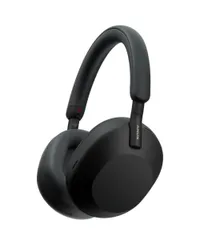
It would be entirely remiss of me not to mention Sony's brand new XM6, which are also an excellent headphone option if you're looking for something to fill time and block out the noise of your commute.
They're a better pair of headphones than the previous model with more intricate sound and better ANC, although they don't mark a large enough improvement for to suggest that you buy them instead of the headphones on the list.
During my testing, I found the sound and comfort to be inferior to the Bowers & Wilkins PX7 S3, and their higher-than-expected price makes them more difficult to recommend than the predecessor.
If you're looking for a replacement for your trusty XM5, you're better off waiting for the XM7 in a few years' time — or just opt for the superior Bowers & Wilkins option.
- Read the Sony WH-1000XM6 review
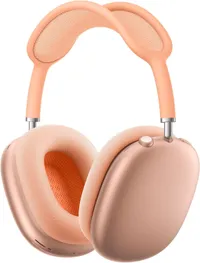
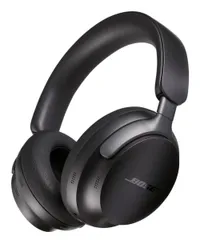
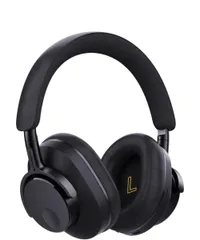
There where plenty more headphones that I've been testing to see how they rank on the list — but not all of them where going to make the final three. These are the headphones that are also worthy of your attention, but I'll also tell you why they didn't make the final cut when it came to writing this guide.
How I test the best wireless headphones
When we test headphones, we already make sure to put them through their paces with a variety of use cases in mind, but for this guide, I had to get more in depth with more focus to my testing. After all, I'm looking for the best headphones that take you to work and then keep you sane during your work day, so I had to put them through their paces in a similar environment.
That's why I broke the guide down into the separate sections, not only to make it easier for you to parse my experience, but also so that I could demonstrate the testing that I did when putting the guide together.
First and foremost was my testing time. I used the headphones in a normal work week of five days, during my workday. I wore the headphones for 6 of my 7.5-hour shift, and then for the entirety of my 1-hour commute each way.
During that time, I tested the headphones for each section. Here's the breakdown.
Setting up
I set up the headphones! Because each model had already been tested for their reviews, I reset them to factory settings. To see how well they perform on all platforms, I set them up on both my iPhone 17 Pro Max and Google Pixel 9 Pro Fold.
From there, I installed the application and, if available, dialled in the sound with any EQ so that they sounded their best to my ears. This is where the app gets evaluated. Is it easy to use, are the buttons clear and well-marked? To make sure that my experience was universal, I handed out the app to colleagues to see if their experience was similar to mine.
I also test out the multiconnection settings to see how easy it is to connect the buds to another source. Finally, I check how easy it is to get the headphones back in their case. Do they fold in a certain way, or can I just drop them in and zip it up? To make sure it's simple, I had it out to colleagues nearby.
Are they easy to use?
This is where I check out the controls of the headphones (or earbuds) and work out how easy they are to use. I use the controls in the office, but also on busy public transport — it can't always be easy to raise your hand to your head to adjust the playback or the volume.
I also test how easy it is to fit the headphones straight out of the box. Can you put them on your head and pull them to the right size, or do you need to adjust them before putting them on?
Finally, I see if you need the app to get everything out of the headphones or whether you can do without. Do they need work in the EQ, or are there settings you need to adjust before use, and are there settings you can only find in the app.
How long do they last?
This is the battery life testing section, and it's very easy. I just use the headphones for the 5 day period, see how often I need to charge them, and then compare my results to the spec that the manufacturer has given you.
I used all the headphones at mid-volume with the ANC turn on max so that the test was fair.
Were they comfortable?
Being comfortable is important, so I report my experience. While wearing the headphones, I took notes about any kind of quirks I found during wear, and made sure that the headphones were comfy for the period of my wear.
Because of my piercings, I'm also able to give fellow en-pierced people an insight into how the headphones affected my ears and their jewelry. That's the Tammy Rogers PromiseTM — I'll always let you know if my ears hurt.
I also recognize that my head isn't like everyone else's head, so to make sure we're being fair, I give the headphones out to colleagues to make sure that they're comfy for them for a couple of hours. That's with a range of head sizes and shapes — although I'm not sure they'd appreciate me picking out the largest and smallest heads at TG.
Office experience
Arguably one of the most important parts of the guide. I use the headphones in an office! That means checking out whether you can use the headphones with a potentially locked-down work laptop with a 3.5mm headphone cable, or with a USB-C cable if supported.
Of course, you spend most of your time at the office on work calls, so your new headphones need to be good at that. I test the microphone performance for you, and use the headphones during my own work calls to see how they fare. I note down my thoughts, and then use them to inform the construction of the list.
Sound and ANC performance
To test the ANC, the headphones come with me for my noisy commute. That means 40 minutes sitting on a bus, surrounded by screaming children, reluctant teenagers, and tired office staff. The bus itself is noisy, with a massive clattering diesel engine harmonizing with loud tires about as well as an angry hippo and a screaming baby.
I test the transparency mode by heading to my breakfast place of choice: McDonald's. There, I order myself my breakfast in transparency mode, making sure that the cashier is audible above the rest of the din.
Then it's my favorite bit — testing out the audio quality of the headphones. To do that, I listen to the Tom's Guide testing playlist, alongside my own musical choice,s to see how the headphones sound. From there, I take my testing notes, and report back to you as to whether they're worth their sonic salt. Here's the playlist we use to test sound:
How did we choose the headphones for the list?
At the start of the process, I chose six headphones that I wanted to put on the list. They were:
- Bowers & Wilkins PX7 S3
- Bose QuietComfort Ultra Headphones
- Sony WH-1000XM6
- Sony WF-1000XM5
- 1More Sonoflow Pro
- Sony WF-C710N
I chose these headphones because they all recieved at least a 4.5 star review from our dedicated and experienced review team or me.
I wanted a range of headphones and earbuds, so I chose both to make a more rounded selection of commute-friendly audio companions. I was also looking at the headphones' features.
They needed to have ANC on board so that you can block out the sound of the bus, train, or office, and I wanted them to be comfortable for the whole day so I chose options that tested well for comfort.
Once I had my full list of testers, I took them for their week-long testing period, whittling down the list to the final three. Those that didn't make the final cut ended up on my also tested list, so that you can see what other options are available.
My final picks are the headphones that I thought managed the 'great for a commute and office use' brief excellently, with their features, ANC and sound quality making them the perfect office companions.
Keeping the guide up to date
Doing a group test like we've done here does have its drawbacks — but we're prepared for every eventuality. As soon as a new pair of headphones is launched and we've written the detailed review, we compare them with the same gamut of tests to the headphones and earbuds that fill this list.
We take them out for a week, comparing their performance with what we've selected here to be the best. If they're even better across the board, then we replace the entry on the list so that you get the most up-to-date picture of the best wireless headphones.
