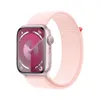
Remember the “Ghost Touch” issue that affected the Apple Watch Series 9 and Apple Watch Ultra 2? Well it sounds like that issue may also be affecting older models as well. Or at least that’s what an official memo, sent to Apple Authorized Service Providers has said, with the likes of the Apple Watch Series 8, Series 7 and Ultra 1 being affected.
For those who don’t know, the Ghost Touch issue is where taps and swipes are registered on an Apple Watch display — despite the fact nothing is actually touching the screen. The problem first appeared in 2020, and then made a reappearance earlier this year with Series 9 and Ultra 2 watches. This problem was supposedly fixed with watchOS 10.4.
Now it seems that the problem has spread, with older watches being affected by the problem. Fortunately Apple has recommended a fix, and told service providers that they shouldn’t be replacing watches because of this issue. All you need to do is force restart the affected Apple Watch.
Force restarting an Apple Watch is pretty easy. All you need to do is hold down the button and the digital crown together for 10 seconds. This should reboot the watch and stop the problem recurring — at least in the short term. The memo also says that service providers should encourage Apple Watch users to keep their watch up to date, suggesting Apple will have a more permanent software fix at some point in the near future.
So if you do have an older Apple Watch and have been noticing the Ghost Touch issue affecting your smartwatch, you don’t need to panic. You don’t even need to bother taking it somewhere for repair either, from the sounds of things. Simply reset the watch as needed, and be sure you know how to update your Apple Watch.
Better still, be sure to set the watch to update automatically and you may find this problem fixes itself in the coming weeks.
More from Tom's Guide
- Apple Watch X could get a battery life boost thanks to this display breakthrough
- Apple Watch X — 5 upgrades Apple needs to make
- iPhone 16 colors may have the widest selection of any iPhone so far — including two new options