







Lights: Off. Snacks: Bowled. Netflix: Engaged. Screen? One of the best projectors to make sure your re-binge-watch of Squid Game is the best it can be. Because what better way of watching your favorite movies and TV shows at home is there than a wall-covering screen to rival even the most impressive movie theatre? And you won't get charged top dollar for popcorn. Winner.
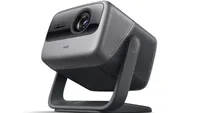
But which projector is going to carry you through your movie theater snack-fuelled K-drama binge? The Hisense C2 Ultra is currently our pick for the best projector, thanks to its excellent brightness and wicked color accuracy. And it can project a 300-inch screen if you want it to (and if you've got the space).
There are other options suiting a range of budgets and space-saving needs — and we've tested them to see if they're worth buying. We've also taken the time to recommend some things you're going to need to get if you want to get the most out of your projector — you can't just grab a projector, point it at the wall and say "job done" if you want the best experience possible.
Without further lollygagging, here are the best projectors of 2026.
Best Projector overall


It took hours of deliberation and discussion, but the Hisense C2 Ultra has taken the crown as the best projector that you can buy right now. It not only supports a wide range of different HDR formats, but it can also display a massive screen. 300 inches, to be exact. Not that you’ll ever really need anything that large. Add in the HDMI 2.1 for gamers, and you’ve a wonderful projector for just about everyone.
Everyone who can afford the $2,500 asking price, of course. That’s not the most expensive projector around, but it’s still a tall ask. Still, if you do stump up the cash, our reviewer was incredibly impressed with the performance of the C2 Ultra.
In a typically darkened room, we found that the projector created a bright, clear and smooth image. We did have to turn off the “unsightly” motion smoothing to get everything looking perfect, but then we were off to the races. Dune was a particular highlight in our testing; the sands of Arrakis were subtle and crisp. We checked the lag-free gaming mode too, and found very good response times for gamers.
Our technical testing showed 3,231 lumens, brighter than the official numbers from Hisense. That means it can handle even a brighter room. Black levels were very strong too, and 100% coverage of the sRGB and Adobe colorspaces shows how accurate the picture can be.
Considering the projector's size, the audio quality is good as well. We found that it filled a 150-square-foot room at 20% volume — very impressive indeed. Of course, if you want the best movie sound possible, you’ll want some separate sound gear, but it’s great in a pinch.
While restrictive, the OS on board is very quick and responsive, making it easy to use. Overall, the Hisense C2 Ultra aced all our tests to become the very best projector that you can buy right now.
- Read the full Hisense C2 Ultra review
Also Consider
Why you can trust Tom's Guide Our writers and editors spend hours analyzing and reviewing products, services, and apps to help find what's best for you. Find out more about how we test, analyze, and rate.
Best portable projector


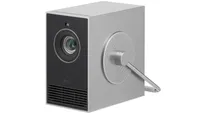
There are a couple of caveats we need to mention when it comes to 1. cheap projectors and 2. portable projectors. To be cheap, corners are cut. To be portable, compromises have to be made. So to cut so few corners and make so few compromises for a device that is both cheap and portable is something of an aluminum-clad miracle — and that miracle is called the Aurzen ZIP Tri-Fold.
This little projector packs a punch for the size and the price. It folds in a Z-shape and looks like a strange, flat snake rising for a strike when you get it folded correctly. The folding mechanism is smooth and sturdy, so you’ve got no worries about it loosening over time. It saw a fair amount of punishment during our testing, that’s for certain, and it's not come out any worse for wear.
In our dark testing environment, the picture was surprisingly bright, although nothing compared to the incredible brightness of the more expensive options on the list. Still, with the curtains closed and the lights off, you’ll find a lovely image to enjoy, with solid color representation.
There are some compromises to remember, of course. It’s only 720p, so it’s not the highest definition of devices. There’s only a USB-C port on it, so you’ll need to buy the wireless connection dongle to connect to devices like PlayStations and XBoxes. The built-in battery also only lasts for 90 minutes, but it also has to power a big ol’ light. So you can’t expect much.
Still, despite the obvious weakness, the Aurzen ZIP Tri-Fold is a great way to get a 50-60-inch display that fits in your pocket. Now everyone can watch your TikTok videos with you. Or the latest episode of TV. Whatever floats your boat.
- Read the full Aurzen ZIP Tri-Fold review
Also consider
Most flexible projector


The handle on the top of the Nebula X1 might make you think that it's a mobile projector — but while it can technically be lifted, it’s a big, heavy beast that you’ll want to find a home for and leave it there. What you get inside your beastly package has to be marvelled at, though, especially when you compare it to the rest of the competition; a claimed 3500 Lumens, 4K resolution, and a very fancy gimbal system that means you never have to touch a keystone control ever again.
The lens module on the front of the projector moves around as you tilt the whole unit, using a digital keystone adjuster to make sure it's all straight and proper, no matter where you place it. It’s very, very cool, and works pretty well — with a couple of caveats.
Our tester found that the digital keystone adjuster was sometimes a little unreliable, and the gimbal won’t face downwards. For most ordinary applications, however, like propping it up on a living room table with an uneven surface, it makes projector ownership a little easier.
Its specs are some of the best around, and our in-depth testing showed a projector that, in some ways, beats our best pick. We found that 3,491 lumens of the claimed 3,500 were pumped out by the RGB LED, and fairly accurate colors. Not quite as accurate as our top pick, but very impressive nonetheless.
Google TV is a very well-featured OS, but it lags behind the competition when it comes to responsiveness. Gaming is also not up to scratch with the C2 at the top of the list, and the audio quality isn’t perfect. Still, this is a very flexible device that can be put almost anywhere — and that’s why it lands a place on our list.
- Read the full Anker Nebula X1 review
Also consider
Other projectors tested
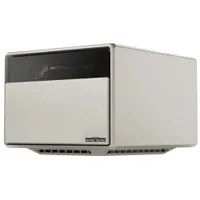
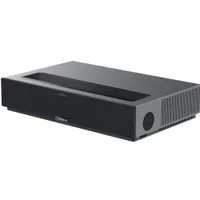
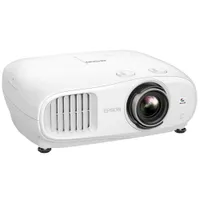
Projector benchmarks compared
We put all of the projectors we review through their paces in a series of performance tests. Below you'll find a full breakdown of our findings so that you may compare and contrast various models. You can read more about how we test projectors further down the page.
| Row 0 - Cell 0 | Hisense C2 Ultra |
Aurzen ZIP Tri-Fold |
Anker Nebula X1 |
Brightness (ANSI lumens): |
3,231 |
100 |
3,491 |
Contrast: |
1330:1 |
N/A |
1311:1 |
sRGB coverage: |
100% |
N/A |
N/A |
DCI-P3 coverage: |
96% |
N/A |
88% |
Input lag (default): |
51ms |
N/A |
150ms |
Input lag (gaming mode): |
51ms |
N/A |
50ms |
Lifespan: |
25,000 hours |
20,000 hours |
25,000 hours |
MSRP: |
$2,299 |
$399 |
$1,699 |
For most people, the most important specifications to consider (other than price) are brightness, lifespan, and if you're a gamer, input lag. A projector's brightness determines how well it will hold up when viewed during the day or in a room that isn't completely dark. Its lifespan is an estimation of how long you'll be able to use it before performance decline, and its input lag describes the delay between an input and an on-screen action.
Stuff you need for your projector
A screen for the wall
Unfortunately, you can't expect the best projector experience from the moment you pull it from the box. There are a couple of things you'll need to get hold of in order to get the most from your new movie watching box.
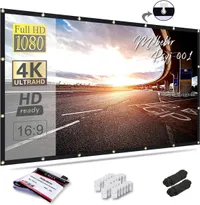
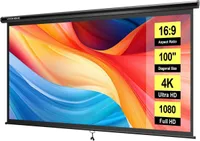
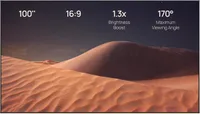
First up is a projector screen. The wall you'll likely start projecting on won't give the best surface for your projector, and your colors and definition are going to look off. A special projector screen gives your projector the perfect canvas it needs to paint some pretty pictures.
You can get a permanent screen, or one that rolls out from either the floor or the cieling. The latter are good if you have a TV that you watch normal TV on, and only want to use the projector for movies and cinematic TV shows. Here are a couple of options that will work great:
Audio upgrade
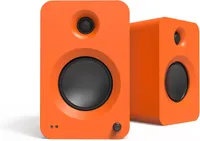
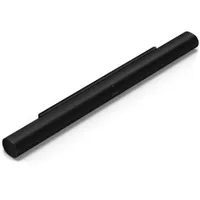
Now that we've made sure you've got better image quality, its time for a sound upgrade. Projectors are small, and often the built in speakers sound bad. In order to get that cinema-quality sound, you'll want a soundbar or set of speakers that complement your need for a cinema-quality picture.
A soundbar will give you an instant, potentially surround-sound upgrade. They're all in one, and don't take up much space. Speakers (and surround sound in general) often give you better, more separated sound but come at the price of space. If you really want the best surround sound, you'll want one of the best AV receivers.
What to look for when buying a projector

Brightness: Nobody wants a dim image, especially from a projector. A bright picture from your cinematic box of movies is paramount, and there are some important ways we talk about brightness to make it easier to understand. The word you’re looking for on this page is Lumens: a measurement we make to check just how luminous the projector’s picture is. The higher the better in this case, although it will depend slightly on the darkness of the room you’re using it in.
For lovely dark rooms, a slightly lower number of Lumens is acceptable. Think 1,500 or so. For brighter rooms with direct sunlight, you’ll want something with a higher lumen rating, between 1,500 and 2,000.
Color gamut: This is a fancy way of talking about the richness of the colors that the projector can produce. Imagine it like a scale — the higher the percentage, the more colors that the projector can reproduce. Without going into too much grim detail, we’re looking for as high a percentage as possible. 90% is a base minimum, although the options on the list here often land much higher up the color scale.
Contrast: Contrast goes hand in hand with brightness. If you have high brightness but low contrast, dark colors and shadow details will be washed out, ultimately marring the cinematic image you’re looking for.

Resolution: This is an important part of choosing a projector. Lower resolutions, stretched over larger screens, are going to look far less detailed and blurrier than on a smaller screen. As a minimum, generally, you’re going to be looking for 1080p. If you’re only going for a smaller, TV-sized screen, then 720p will be fine. For most, however, especially if you’re going for a screen size of 70 inches and above, you’ll want 4K.
Make sure you look out for “Native Resolution” as well. This means that the projector is capable of playing content at the desired resolution. Some will say “supports 4K,” or something similar. This means that you can play 4K content, but it will only display the content at 1080p or 720p.
Light source: You’ve got to imagine your projector like a really big lamp. And the better the lamp, the better the light and image. In the case of projectors, there are a few lights used, such as LEDs and standard lamps. The latter is cheap and bright, but doesn’t last very long. An LED, on the other hand, is more expensive but longer-lasting and cooler. Lasers are even more expensive, but offer the best brightness and color.
Ports: Generally, you’re looking for the same kind of ports that you’ll find on a TV. HDMI 2.1, eARC, and extras like optical for legacy audio gear are common. Just make sure that the gear you’re plugging in supports the same technology as your projector and you’ll be fine.
Speakers: Some projectors come with built-in speakers, but they’re generally… bad. Instead, you’ll likely want to add your own, in the form of a sound bar, or even a Bluetooth speaker.
How we test projectors

We test projectors in the real-world conditions a buyer would use a projector in. That said, we do have a degree of control, with heavy, light-blocking drapes and an ambient-light rejecting projector screen to test on. But since not everyone will use such a screen, we also view the projection against a bare wall.
While some of our testing is subjective, observing the projectors’ capabilities as we watch movies and play games, we also take measurements that allow for comparison between projectors. Projector brightness is measured using each projector's brightest mode (and occasionally other modes if the brightest mode results in a worse overall image), using a light meter to measure the luminance of an all-white image at 9 points evenly spaced across the image and multiplying those by the projected area to derive an ANSI lumen measurement. Contrast is roughly estimated by comparing the average lux measurement of an all white image against a lux measurement of an all black image.
Color coverage is measured using a SpyderX Elite colorimeter and DataColor’s calibration software. The colorimeter sits a foot away from a 1.1-gain projection screen, angled to avoid seeing its own shadow, and then measures the color gamut of the projectors light reflected off the screen.
To measure input latency, we run a timecode displayed on a laptop and mirror the display to the projector over HDMI. We then take a high shutter-speed (over 1/1000th of a second) photo of the timecode on both the laptop display and projector to see how many milliseconds the projector is behind the laptop display.

