




It's not often that I test a gadget that I don't want to box up. It's a rare occurrence, sort of like a blue moon, or someone on the internet admitting, "You know what? You're right, I'm wrong." So when it does happen, I get really excited. It happened recently when I tested the Inkwon Tag, and originally, I was skeptical. "The world's first 4-in-1 portable inkjet printer? Really?" I thought to myself.
Well, skepticism begone. After having used the Tag for over a month, I can confirm that it's surprisingly competent — and I can't stop thinking about what I'll create next with it. As a 4-in-1 printer, the Tag does way more than just print paper. It can create temporary tattoos, stickers, and even heat transfers for designing your own t-shirts.
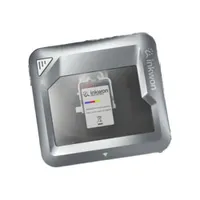
The Tag is a great little printer that's extremely easy to use — I wager even a 10-year-old could use it. Feeding in paper is easy, using the app is even easier, and it takes just over a minute to print out temporary tattoos, light fabric heat transfers, and more. Here's why it's the ultimate gadget for DIY projects — and for being the life of the party.
Setup and use? Easy as pie

It couldn't be easier to get started with the Inkwon Tag. Inkwon happily includes a starter cartridge (for 60 prints) that features a magnetic mechanism, so all you need to do is pop it into the printer after taking its top cover off. Once that's done, you need to download the AiYin app on Android or iOS and connect it to the printer via Bluetooth.
And you're ready to print! The app is super straightforward to use. You can either select your own design and edit it before printing, or choose a pre-made design to print out. The latter is handy for creating temporary tattoos as there are plenty of designs to choose from, such as animals, birds, seashells, and more.
Alongside easy setup and use, the Tag's other big selling point is its pocketable design. It measures just 4.13 x 3.82 x 1.77 inches and weighs 8.29oz, which means it's extremely easy to carry in your handbag, backpack or even pocket. It doesn't take up much space, so it's the perfect gadget to take to parties.
Call me a DIY guru


I've made a lot of prints with the Inkwon Tag. I've printed photos I've taken on Instax film-like paper (which has white space at the bottom for writing); and I've printed stickers which I've then cut and stuck on my laptop and phone. The quality of these prints is surprisingly good, too, so you shouldn't underestimate the Tag.
It utilizes a CMY three dye-based ink system, and it has a print resolution of 600 dpi, which is suited to small-sized prints. You can see a few examples in the gallery above. Images look detailed enough, and the colors look lovely too. One of the Tag's drawbacks is that it doesn't feature a dedicated black ink so blacks don't appear as deep and inky — but this isn't really a deal-breaker.


When I first heard the Tag is capable of printing temporary tattoos, I knew I had to test the claim. I've got nearly 20 tattoos — the permanent kind — and I'm always planning my next one. But given that I'm running out of space on my arms, I appreciate being able to visualize a tattoo's placement before getting in touch with a tattoo artist.
And the Tag makes that possible. There are several pre-made designs to choose from, so I printed out one featuring sharks, as you can see above. I then applied it to my skin and held a wet cloth over it for a few minutes. It instantly transferred to my skin and as you can see, it looks lovely! The colors look great, especially the rich blues.


Finally, I used the Tag to customize my own t-shirt too, using some pre-made designs as well as one my partner (who's an artist) made ("We are bodies of water"). Transferring the light fabric heat transfer designs on to a white t-shirt and a small tote bag was a walk in the park as I used the included transfer paper and a hot iron to do so.
As you can see above, the prints look beautiful on the t-shirt and the bag. The inks haven't bled and the designs haven't lost their resolution either. The Tag gives you very little to complain about, really.
Take it anywhere

If you attend a lot of fun parties or social gatherings, or you're into scrapbooking and creating physical prints of memories, then you need the Inkwon Tag in your life. Funded through Kickstarter, the Tag has a retail price of $299 for the basic pack which includes 60 sheets and one ink cartridge. The Mega Pack bundle costs $349 and it includes two cartridges, 120 sheets, a photo frame, a tote bag, and a plain white t-shirt.
Although initial costs are a little high, running costs aren't — around 33 cents per print, and $19 to $25 for paper (packs of three). Few other portable printers are as competent as the Tag, and if you want be the life of the party with temporary tattoos, create the ultimate scrapbook, and more, this is the one for you.

Follow Tom's Guide on Google News and add us as a preferred source to get our up-to-date news, analysis, and reviews in your feeds.
More from Tom's Guide
- I just tried ‘the world’s first 4-in-1 portable color inkjet printer’ — and the Inkwon Tag is perfect for stickers, temporary tattoos, and even designing your own t-shirts
- The 5 best all-in-one printers in 2026 worth your money, tested by experts
- The DJI Osmo Pocket 4 is already getting an update — I spent 3 days with the Osmo Pocket 4P in Malta and here's what I'm allowed to tell you (with sample footage!)

