Tom's Guide Verdict
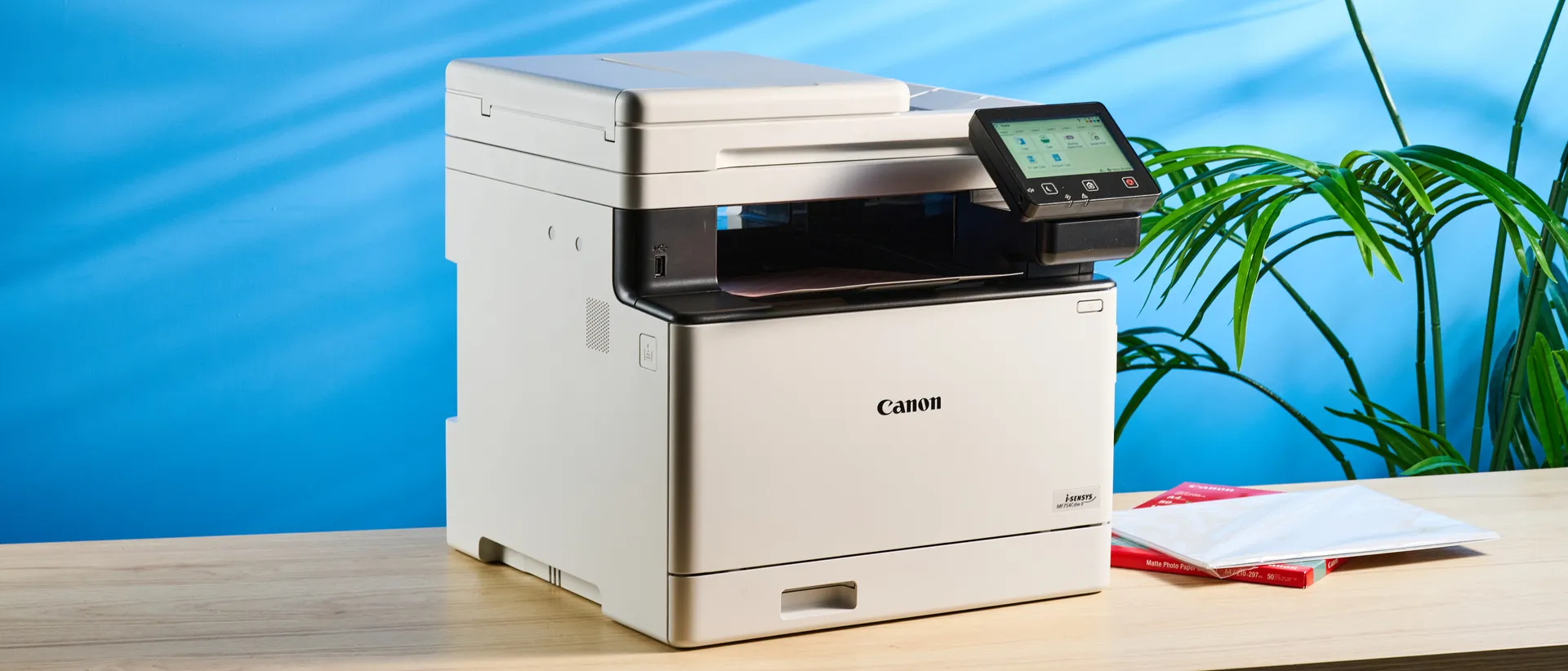
The Canon Color imageCLASS MF753Cdw II is an excellent all-in-one printer that can print, scan, copy and fax, and it’s ideal for small offices. It boasts rapid speeds across the board, and features a large paper output tray (as well as an additional accessory to increase input capacity). Its touchscreen is responsive and customizable too. However, the running costs are high, and the printer itself is quite heavy — neither of which should stop you from buying the printer.
Reasons to buy
- +
Rapid print, scan and copy speeds
- +
Great print quality
- +
Responsive and customizable 5-inch touchscreen
- +
Large paper output tray
- +
Reasonably priced
Reasons to avoid
- -
Expensive toner
- -
Quite heavy
Why you can trust Tom's Guide Our writers and editors spend hours analyzing and reviewing products, services, and apps to help find what's best for you. Find out more about how we test, analyze, and rate.
If you’re after the best laser printer for your small office or personal use, look no further than the Canon Color imageCLASS MF753Cdw II. Its inconspicuous, all-white design makes it fit into most professional spaces, and it comes with four cartridges to get your started — and they’ll last you a while, too.
What makes the MF753Cdw II an outstanding choice in a crowded market are its rapid print, scan and copy speeds. The printer is outfitted with a larger paper output tray, and if you want to increase the input capacity, you can buy an additional accessory for around $250. Oh, and the printer’s got a customizable and responsive touchscreen too.
To find out if this is the best all-in-one printer for you, read my full Canon Color imageCLASS MF753Cdw II review.
This printer goes by two different names: Canon Color imageCLASS MF753Cdw II in the U.S., and i-SENSYS MF754Cdw II everywhere else. For the purpose of this review and your convenience, I’ll refer to it as Color imageCLASS MF753Cdw II, its American name.
Canon Color imageCLASS MF753Cdw II review: Specs
Price |
|
Ink system |
Laser, 4-cartridge |
Max printing resolution |
600 x 600 dpi |
Max printable paper size |
Legal (8.5 x 14 inches) |
Printable area |
Border |
Paper capacity |
250 + 50 sheets |
Print speed (tested) |
26.5 ppm |
Copy speed (tested) |
8.75 ppm |
Scan speed (tested) |
10 ppm |
Cartridge & yield |
4x toner cartridges (2,100 mono, 1,110 color) |
Connectivity |
Wi-Fi, Ethernet, USB-A |
Dimensions |
18.2 x 16.8 x 17 inches |
Weight |
48.5lbs |
Canon Color imageCLASS MF753Cdw II review: Price & availability
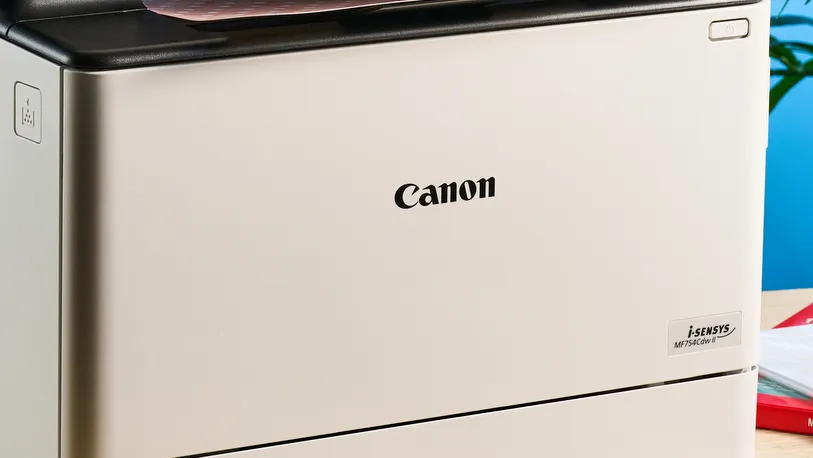
The Canon Color imageCLASS MF753Cdw II is a solid mid-range printer, and it retails for $702 at Amazon U.S. We’ve seen it drop to $499 in the past though, so it’s good to keep an eye out during sales events. Outside of the U.S., the printer goes by i-SENSYS MF754Cdw II, and is available for £539 at Amazon U.K. Similar to the States, the printer can be bought for around £390 during sales events.
This printer is available in white only. As a 4-in-1 laser printer that can print, scan, copy and fax, the MF753Cdw II finds itself competing with the likes of the Brother MFC-L8930CDW ($899), the Brother MFC-L2750DW XL ($689), and the HP Color LaserJet Pro MFP 4301fdw ($859). It’s ideal for small office owners and those who work from home.
Canon Color imageCLASS MF753Cdw II review: Design
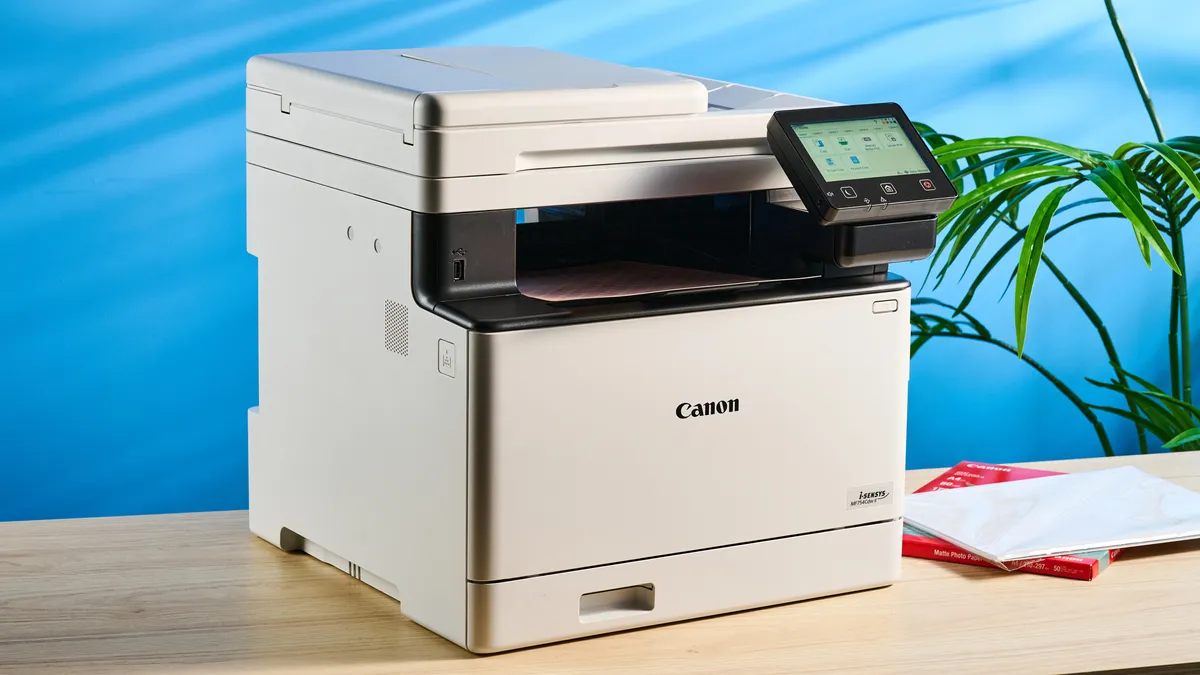
The Canon Color imageCLASS MF753Cdw II sports an all-white design with black accents, and it fits right into a professional office space. It doesn’t look too loud so it doesn’t draw eyeballs to your desk. It’s big but not too large, measuring 18.2 x 16.8 x 17 inches. It’s a little heavy, though, weighing 48.5lbs so it’s best for it to stay put in one spot.
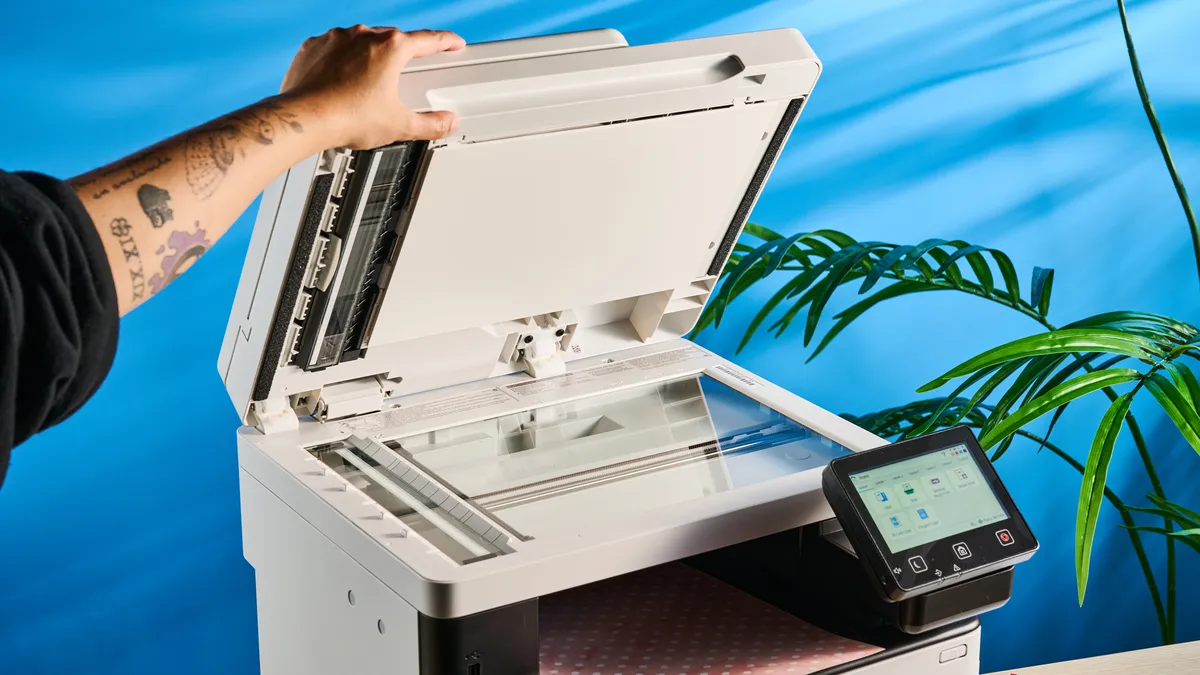
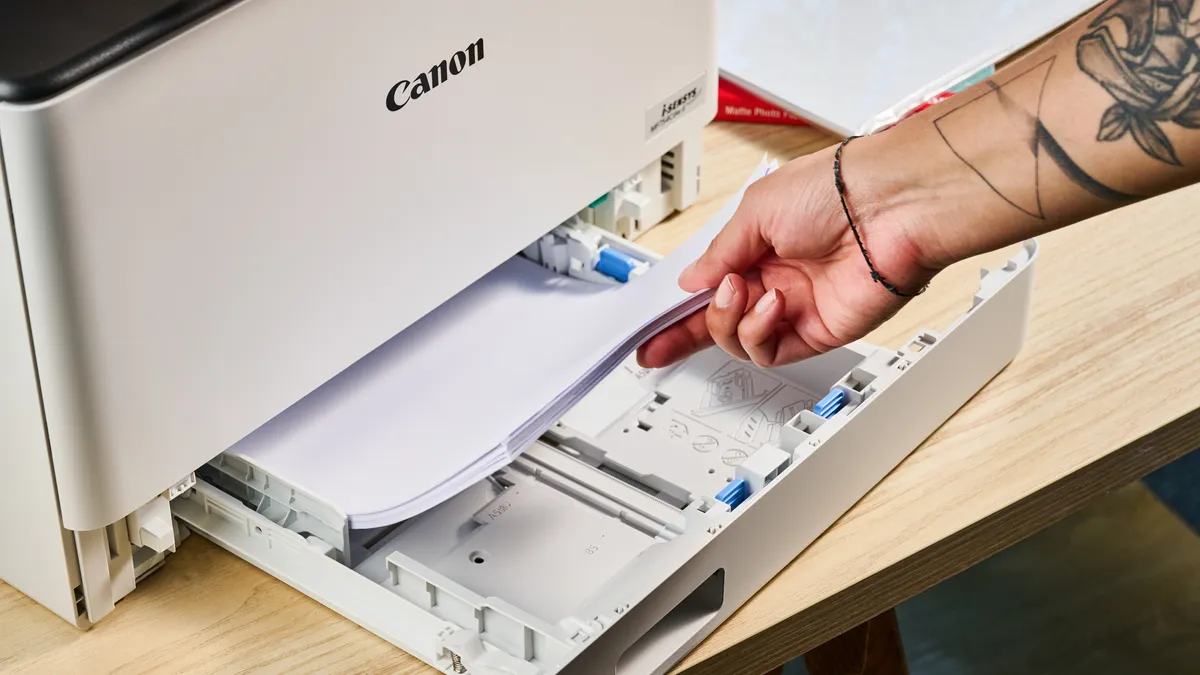
As a multifunction printer, the MF753Cdw II can scan, fax, print and copy, and it’s well-equipped to do so. It features a 50-sheet Automatic Document Feeder (ADF) on top with a glass scanner located underneath it. There’s a main paper in-tray at the bottom which can hold up 250 sheets, and an out-tray which can accommodate 150 prints in the middle. If you want even more print storage — say, 550 sheets of letter or A4 paper — you can grab the Canon PF-K1 Optional Cassette for $284.
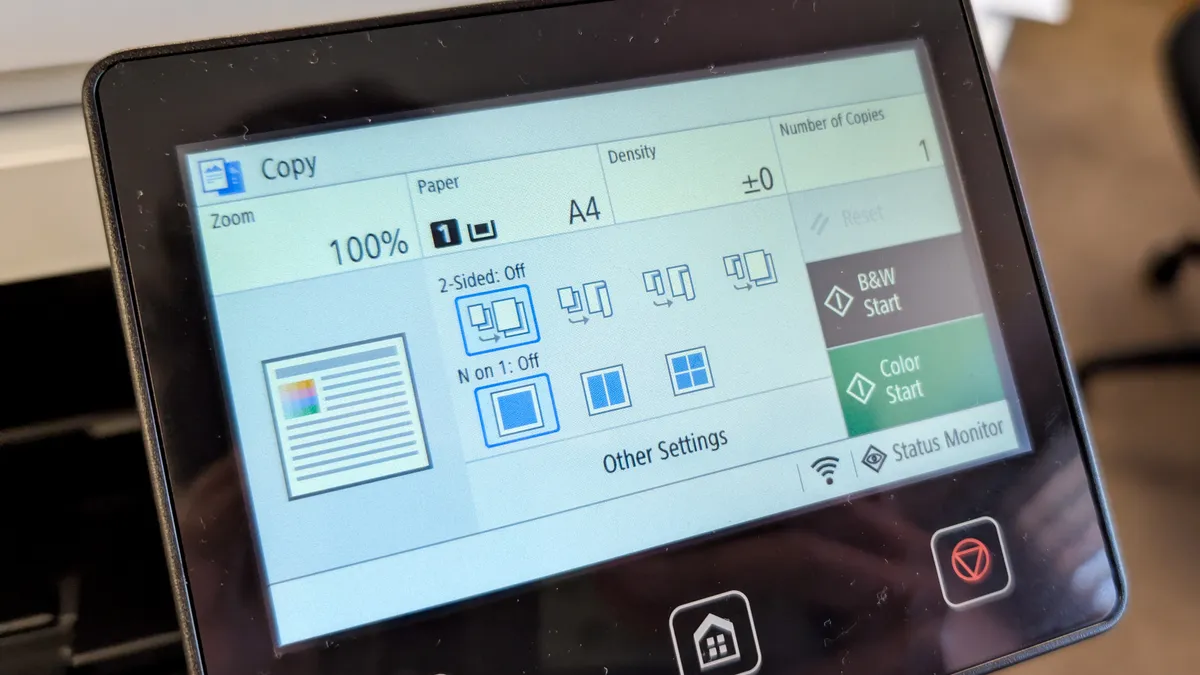
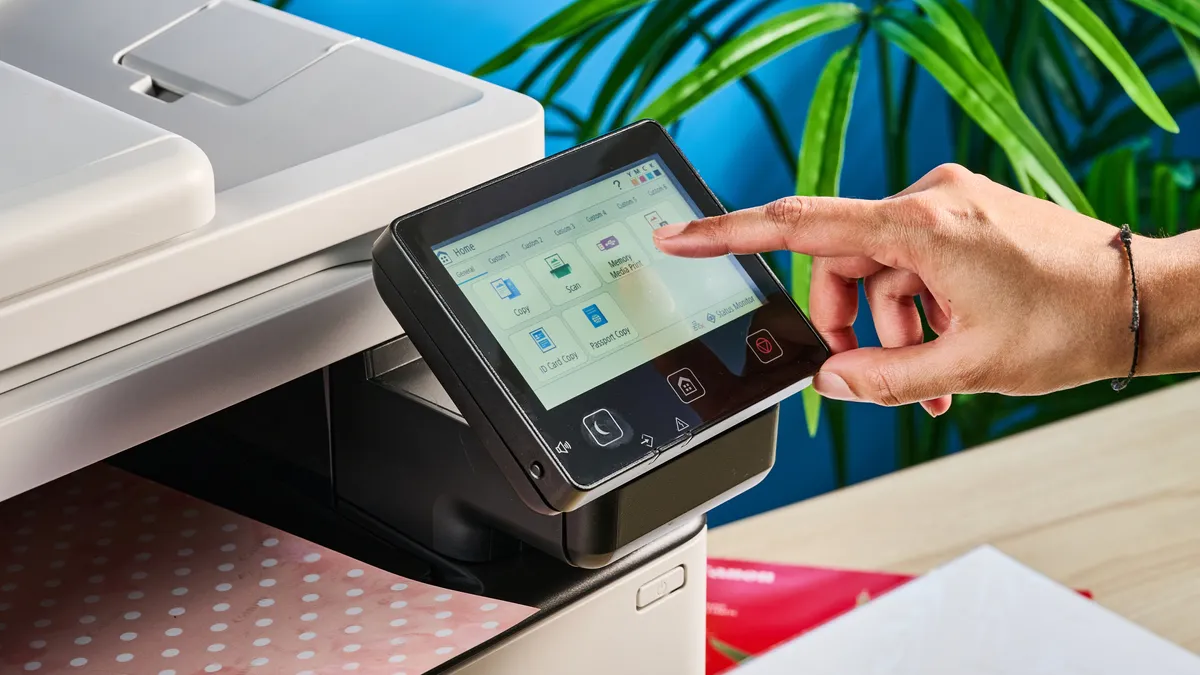
Located on the right-hand side is a 5-inch color LCD touchscreen that can be tilted vertically to optimize the viewing angle. It can be customized too, to display functions and settings you use the most. There’s a power button located under the screen to switch off the MF753Cdw II or wake it from sleep (takes about seven seconds).
Overall, the MF753Cdw II is designed well, and the settings on the touchscreen feel accessible and easy to understand. Additionally, the build quality feels solid too, and you can rest assured that you’re getting bang for your buck here.
Canon Color imageCLASS MF753Cdw II review: Setup
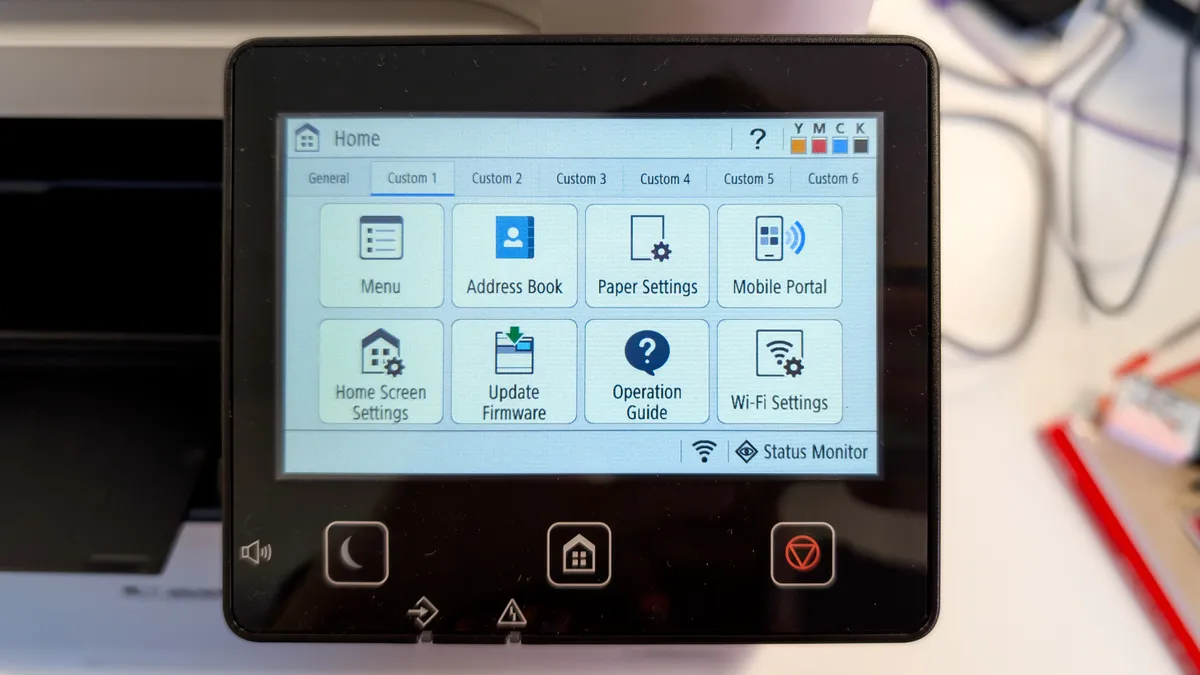
Setting up the Canon Color imageCLASS MF753Cdw II couldn’t be easier. It takes about 14 seconds for it to warm up from a powered-off state, or seven seconds when waking from sleep mode.
When using it for the first time, all you need to do is plug the printer into the mains and follow the on-screen instructions. It took me just a few minutes to get the printer up and running. Fitting or replacing the ink cartridges is fairly straightforward too, as all you need to do is open the tray, align the cartridge with the color-coded slot (Black, Cyan, Magenta, or Yellow), and press down firmly until it clicks into place.
There are two ways to use the MF753Cdw II: wired or wirelessly. You’ll find ports for Ethernet and fax modem cables at the rear, and a USB-A port on the front. You can use the front USB-A port to print directly from USB sticks too, which is quite handy and doesn’t require any settings to be changed.
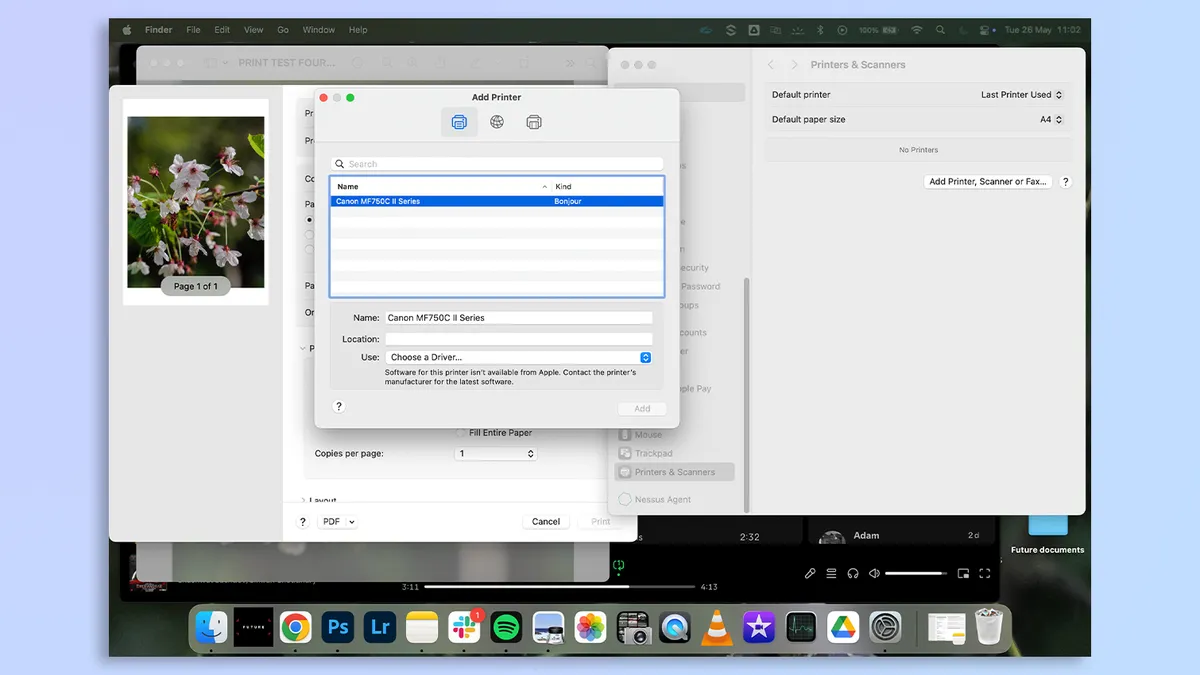
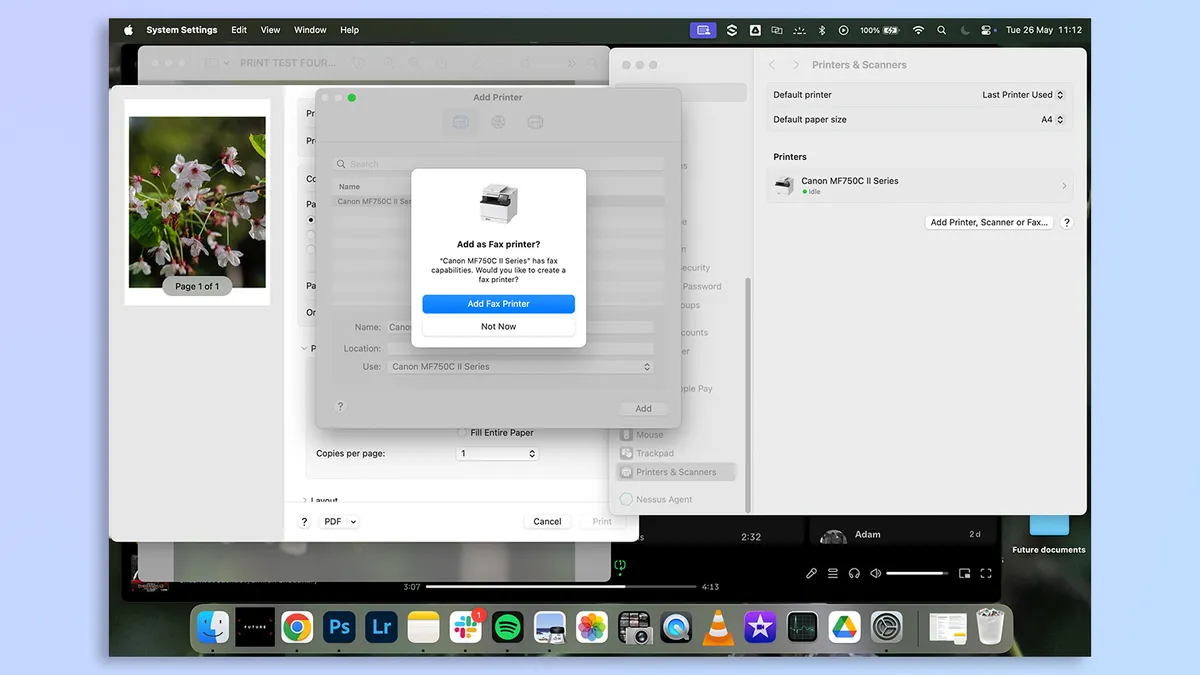


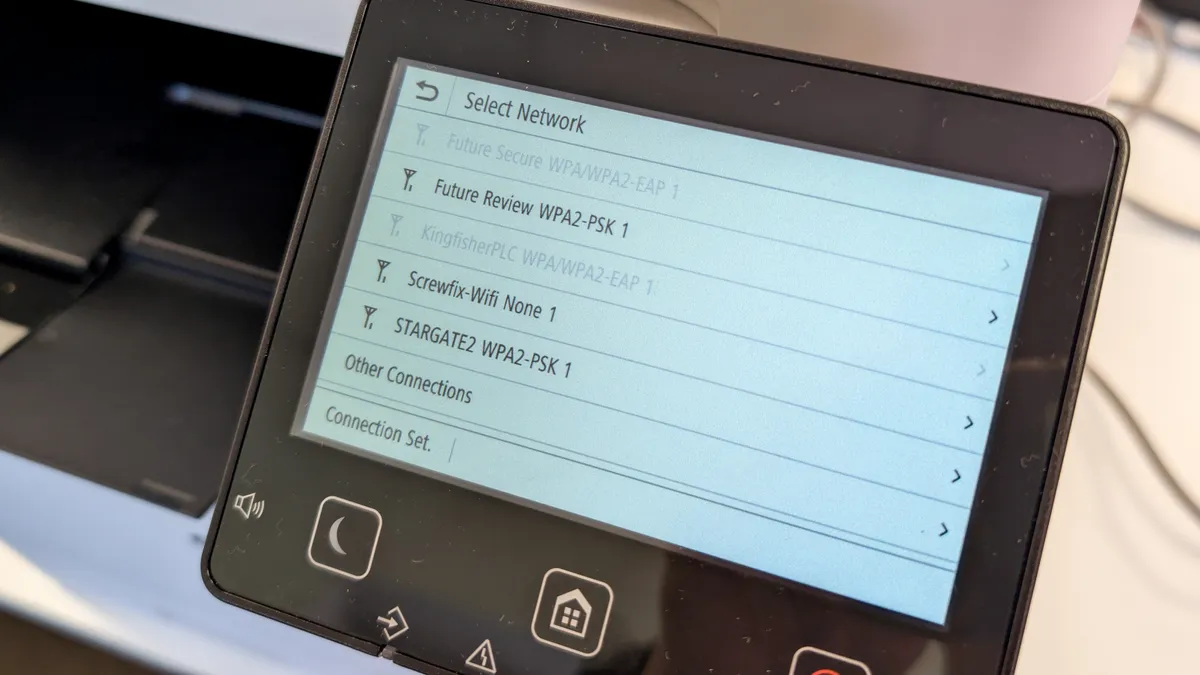
To print wirelessly, you’ll need to use the touchscreen to enable Wi-Fi and input your network’s password. Once that’s done, you’ll see the printer pop up in your computer’s (or phone’s) settings. You may need to download the printer’s driver from the Canon website if your laptop doesn’t automatically detect it. I found this easy to do, and Canon happily provides a QR code on the printer’s touchscreen that you can scan with your phone to access the Quick Start guide, if you’re in a pickle.
If you’re in a literal jam when paper gets stuck in any of the trays, the touchscreen will show you step-by-step instructions to remove the blockage too. I encountered paper jam only once in my testing, and I found the on-screen instructions super easy to follow.
Canon Color imageCLASS MF753Cdw II review: Print speeds
The Canon Color imageCLASS MF753Cdw II’s print speeds are extremely impressive. If it’s rapid printing you’re after, this is the printer for you. I put it through its paces by printing a variety of documents. It took the MF753Cdw II 11.31 seconds to print a five-page text document — or 26.5 pages per minute (ppm). That’s really quick, and the MF753Cdw II bests the likes of the Brother MFC-L2750DW XL and its 18.5 ppm.
I then printed a two-side text document, which took 9.55 seconds, and the MF753Cdw II managed to print a 10-page text document onto five double-sided sheets in 30.13 seconds. These are the fastest printing times of our most recently reviewed laser printers.
The MF753Cdw II is capable of printing mixed documents rapidly too. I put this to the test by printing a six-page mixed PDF consisting of text and color graphics, such as charts and graphs. It took the printer 18.74 seconds to do so, or 19.21 ppm. The Brother MFC-L2750DW XL, on the other hand, can do only 11 ppm, making the MF753Cdw II the better choice.
Laser printers are better suited to printing documents and inkjet printers are best for photo printing. Even so, the MF753Cdw II is capable of printing decent color prints. I printed an 8 x 10 hi-res image, taken on a Leica SL3-S, on Canon Photo Paper Glossy II. In 7.06 seconds, the print was ready. I’ll get into print quality shortly to discuss what the print looked like — but as speediness goes, the MF753Cdw II doesn’t give you much to complain about.
Canon Color imageCLASS MF753Cdw II review: Copy & scan speeds
The Canon Color imageCLASS MF753Cdw II boasts best-in-class copy and scan speeds. In my testing, it took 6.86 seconds for a black-and-white copy and 8.6 seconds for a color copy. It’s faster than the Brother MFC-L2750DW XL which takes 8.4 seconds to make a copy.
Scanning is just as quick. I inserted a USB-A stick into the front port and chose that as the save destination. A color scan took 6.22 seconds while a black-and-white scan took exactly six seconds. Again, it’s faster than the Brother MFC-L2750DW XL which takes 8.4 seconds to scan a monochrome document, and a snail’s pace 38.4 seconds for color scanning in JPEG format.
Canon Color imageCLASS MF753Cdw II review: Print & copy quality
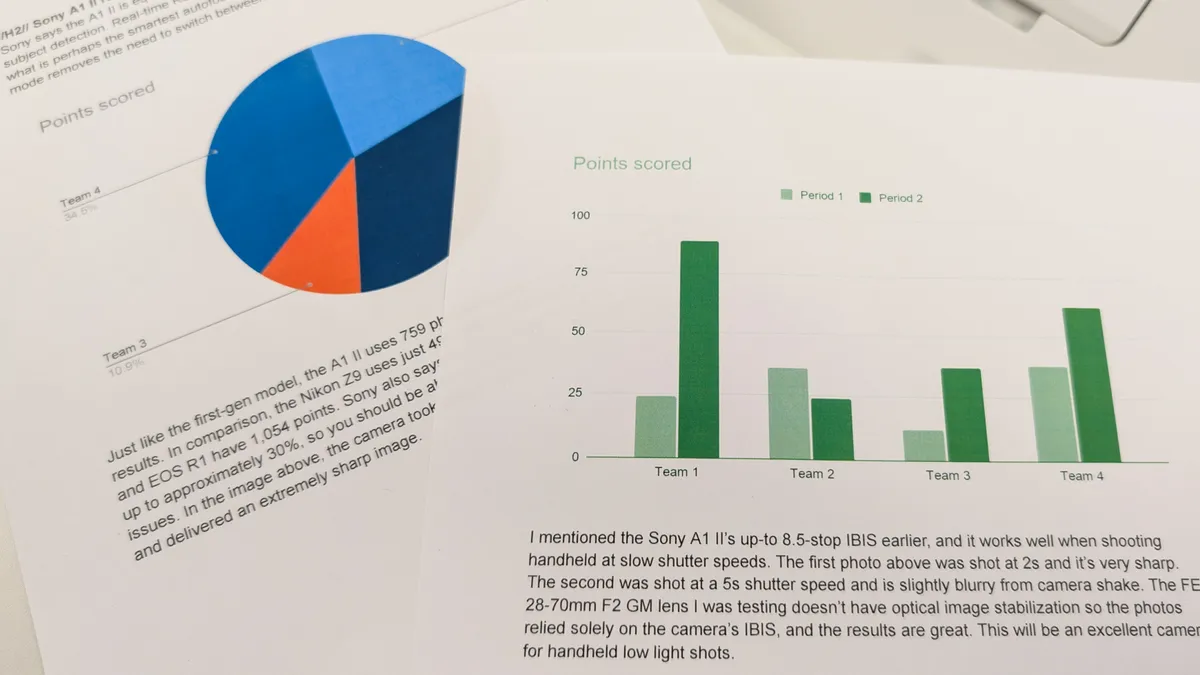
The Canon Color imageCLASS MF753Cdw II makes attractive prints and copies, both color and black and white. The text-only documents I printed came out with sufficient contrast, and looked just as they did on my screen. I found the text easy to read, and none of it was misaligned on any of the prints.
Graphic prints were fairly attractive too, as the colors appeared natural and the different hues and tones appeared well-balanced. The colors didn’t appear oversaturated or heavily edited. I didn’t notice any bleeding either.
I was very surprised by the quality of the glossy photo print. As I mentioned earlier, inkjet printers are better suited to photo printing. Still, the MF753Cdw II’s photo quality is respectable. The print packed plenty of detail, such as the flowers’ stigma and the patterns in the petals. Greens appeared vivid while pinks appeared bright — albeit slightly more saturated than I’d have preferred. But again, this isn’t a photo-first printer. You may want to consider the Canon PIXMA TR8620 ($199) or the Canon PIXMA Pro-200S ($647) if you want a photo printer.
Canon Color imageCLASS MF753Cdw II review: Ink cost & yield
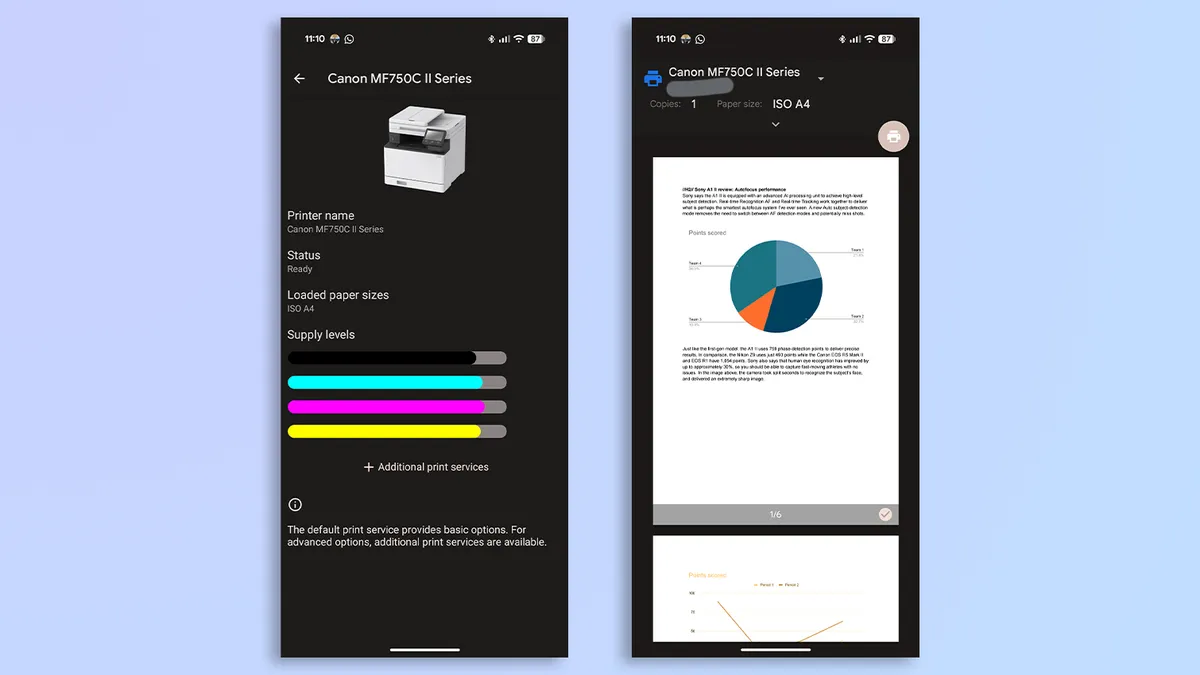
The Canon Color imageCLASS MF753Cdw II’s box comes bundled with four starter toner cartridges, and Canon claims that these can last you 1,100 color pages or 2,100 monochrome prints. This should be enough to get you started.
It’s important to note that it isn’t cheap to run the MF753Cdw II. The printer’s 069 cartridges cost $142 each, which is quite a bit. For four cartridges, you’re looking at an expenditure of $568 — or 51 cents per color page and 27 cents per mono print. The Brother MFC-L2750DW XL offers lower printing costs, approximately 3.75 cents per page.
If you don’t want to buy the cartridges manually every time you’re about to run out, Canon offers an Auto Replenishment Service which you can sign up for at checkout. An order is automatically placed with Canon when your printer is running low on toner. You can do so after you’ve bought the printer, too.
Canon Color imageCLASS MF753Cdw II review: Verdict
The Canon Color imageCLASS MF753Cdw II is an exceptional all-in-one laser printer designed for small offices. You can print, copy, scan and fax — and speedily too. The MF753Cdw II delivers blazing-fast output speeds across the board, and the resulting text prints are sharp while color graphics are bright and detailed.
Beyond raw performance, the MF753Cdw II provides a seamless user experience. Setup is ridiculously easy, and the 5-inch customizable touchscreen makes navigation a breeze. The all-white design, though unremarkable, fits right into any workspace — but its 48.5lbs footprint means you’ll need to find a fixed spot for it.
While some people may find the high cost of replacement cartridges a tough pill to swallow, I don’t think that should put you off from getting the MF753Cdw II. If it’s a robust, reliable workhouse you’re after, few laser printers are better than the MF753Cdw II.