TVs are getting a whole lot smarter. These days, even the cheapest TVs out there have software of some kind, eliminating the need to buy an external streaming box to watch content from all your favorite apps. Well, in theory, anyway.
However, there's still a huge market for external streaming boxes, including everything from the inexpensive Roku Streaming Stick 4K and Amazon Fire TV Stick to the high-end Apple TV 4K and Nvidia Shield.
Why? Well, there are a number of reasons. In many instances, external streaming boxes are better than using the software built in to your TV.
So when should you buy an external streaming box instead of just relying on your TV’s own software? Here's a list of the main reasons you might want to go out and upgrade to a streaming box, and one reason why you might not need to.
Reason 1. Better software support
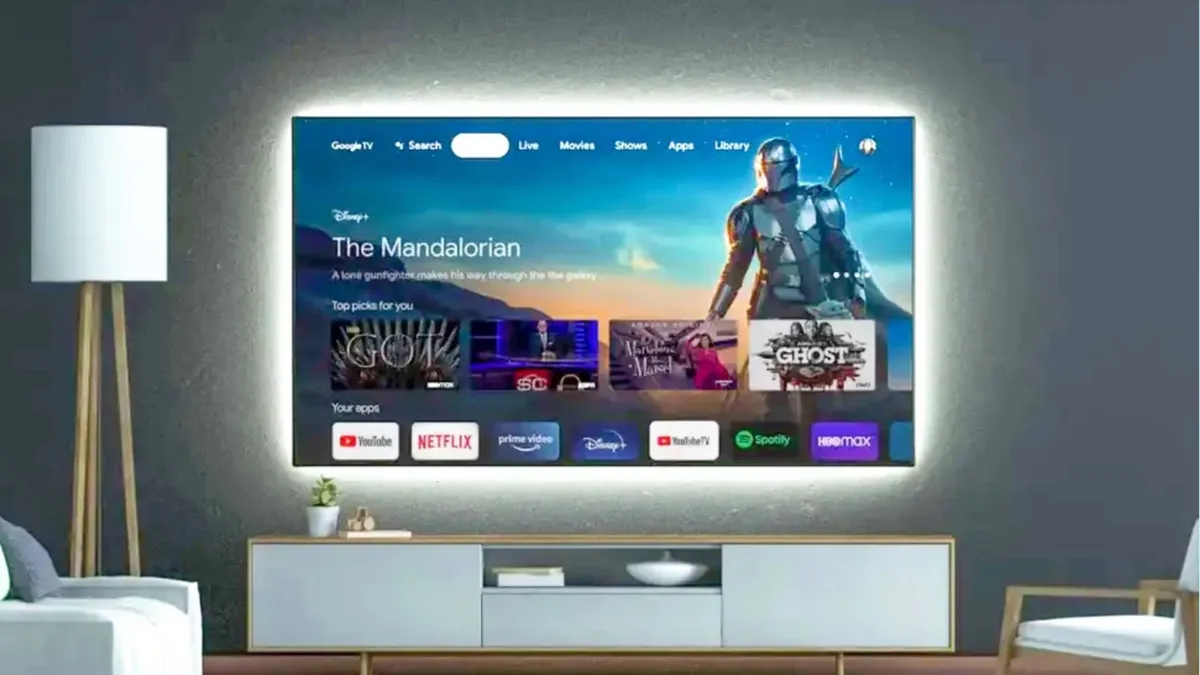
Perhaps the best reason to buy an external streaming box is simply because you like its software better. Different TV manufacturers, after all, use different operating systems — LG uses its WebOS platform, Samsung uses its Tizen platform, and plenty of others use Google TV or Roku.
All of these platforms have their strengths and weaknesses, however for the most part, Google TV and Roku are easier to use and more feature-rich than the likes of WebOS and Tizen. Only one problem — LG and Samsung TVs make up many of the best models.
There’s another problem. If you’re in Google’s ecosystem, a TV with Google TV makes sense — but what if you’re a die-hard Apple user?
The good news is that these days many TVs support Apple features like AirPlay and HomeKit, and they all support the Apple TV+ app. Sometimes, however, you might just want deeper integration, like support for AirPods or the ability to play your Apple Arcade games. In that case, buying an Apple TV is really the only option.
Reason 2. Processing power
This will help with all kinds of situations — from simply making the user interface more responsive, to helping apps load quicker.
Another big reason to buy an external streamer is for better processing power. This will help with all kinds of situations — from simply making the user interface more responsive, to helping apps load quicker.
The fact is that the processors built into TVs are often a little underpowered, especially when it comes to mid-range and budget models. That’s because processing power isn’t necessarily a major point of competition for TV makers — certainly not like display quality and at times, audio quality.
But, processing power is a major point of differentiation for external streaming devices. These devices don’t have things like display quality to lean on — they’re built to be tiny computers that run TV platforms. That doesn’t mean that they’re super-fast, especially when it comes to the budget models, but at the very least mid-range and high-end external streamers should feel a whole lot snappier than budget TVs.
Reason 3. Better upscaling technology

Could an external streamer actually improve your TV’s image quality? Well, it’s possible — though certainly not a guarantee.
These days, TVs and streamers alike have upscaling tech that can make non-4K content look like 4K content. This gets harder the lower resolution the source material is. For example, 1080p content is likely to look a whole lot closer to 4K when upscaled than 480p content. But, some TVs and streamers have better upscaling technology than others.
Unfortunately there’s no hard and fast rule here though. It wouldn’t be true to say that streaming devices, as a rule, have better upscaling than TVs alone. But, like with processing power, upscaling is one point of competition for streaming devices. More expensive streaming devices (like the Apple TV, which starts at only $129) generally have better upscaling than mid-range and budget TVs. Premium TVs often have better upscaling, though you likely won’t notice much of a difference between an Apple TV and a high-end Samsung or LG TV in that regard.
The truth is that upscaling alone probably isn’t a reason to buy a streaming box. That’s because all kinds of hardware and services try their hand at upscaling, and you can’t turn off upscaling much of the time. Between your streaming service, your TV, and any streamer that you use, hopefully lower-resolution content will look halfway decent.
Of course, there's a reason not to get one...
Unfortunately buying a TV and a streamer costs more than just buying a TV. At most you should be prepared to shell out around $90-$150 to get a great streamer that will last you the next few years. With TVs costing hundreds of dollars, a streaming device might be a good stopgap between an older smart TV and a new model, but that's a decision that only you'll be able to make.
Keep in mind that good streaming devices cost a decent chunk of change. Cheaper streaming boxes might not blow you out of the water — perhaps you won’t notice a difference either way. But, that doesn’t mean you won’t notice when apps load slowly and you don’t get support for your preferred smart home features. If you care more about features than image, a streaming device is a good idea, as it will allow you to buy a cheaper TV and still get good feature support through your streamer.
However, if you care about image quality but still want your preferred operating system, you may have to spend a little more for a higher-end TV combined with a streaming device.
Smart TV vs streaming player: how to make a decision

So, when should you rely on a streaming device instead of your TV’s built-in operating system? If your TV is too slow, but you don’t mind its image quality, a streaming device is a good way to extend the life-span of your TV.
That’s also the case if your TV is responsive enough but you simply don’t like its software and software-related features. Alternatively, if you like your TV’s built-in software and find it to be perfectly quick, then simply stick to what you’ve got.
And lastly, if you’re thinking of buying both together, we recommend trying out the TV’s software before buying a streaming device, so you can find out if it works for you — unless you already know for a fact that you won’t like it.
Not sure which streaming box is right for you? Check out our in-depth guide to the best streaming devices.