



Ever since the iPhone 17 launched last fall, I’ve been eager to see how Apple Intelligence would define the company’s hardware. Unfortunately, new AI features were minimal at best throughout the life cycle of iOS 26.
Now that WWDC 2026 is upon us, Apple has a massive opportunity to redeem itself by introducing more robust Apple Intelligence features into the fold. Leaks have been rampant over the last month leading up to the keynote event on June 8. Most notably, we’re likely to hear about a completely overhauled Siri powered by Google Gemini.
While Apple Intelligence should have a major presence within Siri — like deeper system-wide task automation — I’ll be sharing the specific rumored AI tools outside of Siri that genuinely have me excited. Here’s what they are.
Adding new elements with an Extend tool


I’m big on AI tools for photo editing, especially how they save me time from manual edits. That’s why I’m stoked about iOS 27 getting an editing tool that’s been long available with rivals Google and Samsung.
I’m referring to the rumored Extend feature that would tap Apple Intelligence to generate additional image content beyond the original photo. For me, this would be handy if I’m capturing photos in landscape — but later on need them to be in portrait to share on social media.
By using this Extend feature, it would essentially use generative AI to extend the horizontal photo so that it becomes a vertical one. You can see from the gallery above about another similar AI tool that does exactly this and how effective it is at extending the scene.
Reframing spatial photos

Another rumored Apple Intelligence feature coming to iOS 27 is a Reframe tool. Initially, I thought it would be for static photos, but the latest rumors indicate it’s going to be primarily for spatial photos.
Similar to the Extend tool, Reframe would allow users to change the perspective of an image. Rather than showing something from the front, you could reframe the view so that it’s slightly off to the side. Think of it like snapping a portrait of your pet, only to realize later that you needed a perspective that was a bit off-center.
Custom AI generated wallpapers

One thing I love about some of the best Android phones is that they share the same AI wallpaper tool — and it looks like iOS 27 is going to gain a similar feature. Unlike the implementations I’ve used on phones like the Pixel 10 Pro XL, which generate images based on pre-selected keywords and scenes, Apple’s version would allow you to create wallpapers from scratch simply by describing what you want.
More realistic creations with Image Playground

When I put Apple’s Image Playground to the test against rivals like Google’s Pixel Studio, I found its creations to be pretty underwhelming. That’s because they often come out looking far too cartoony for my taste.
With iOS 27, Apple is rumored to be improving Image Playground by not only updating the interface, but also making the generated images significantly more lifelike. That’s a comforting prospect because, as you can see in the photo above, there is currently a massive disparity between the iPhone and the Pixel.
More realistic looking Genmojis

Apple’s Genmoji feature is also slated for a welcome upgrade with iOS 27. Apple is reportedly planning a new Suggested Genmoji option that automatically creates custom graphics by pulling context directly from your personal photos and commonly typed phrases.
This ties right back into the underlying improvements Apple is making to its image generation models. Just like the updates coming to Image Playground, these tweaks are designed to seriously level up the overall quality and make your custom emojis look a whole lot more realistic and less cartoony.
Organized tabs in Safari

One particular Apple Intelligence feature coming to Safari is the ability to better tidy up all of your open tabs with a tool called “Organize Tabs.” This would automatically sort them into respective topics like shopping, sports, entertainment, and more. It sounds like a fantastic way of cleaning them up when you forget to close tabs out, only to realize a week later that you’re sitting on closer to 100.
Clean Up tool update
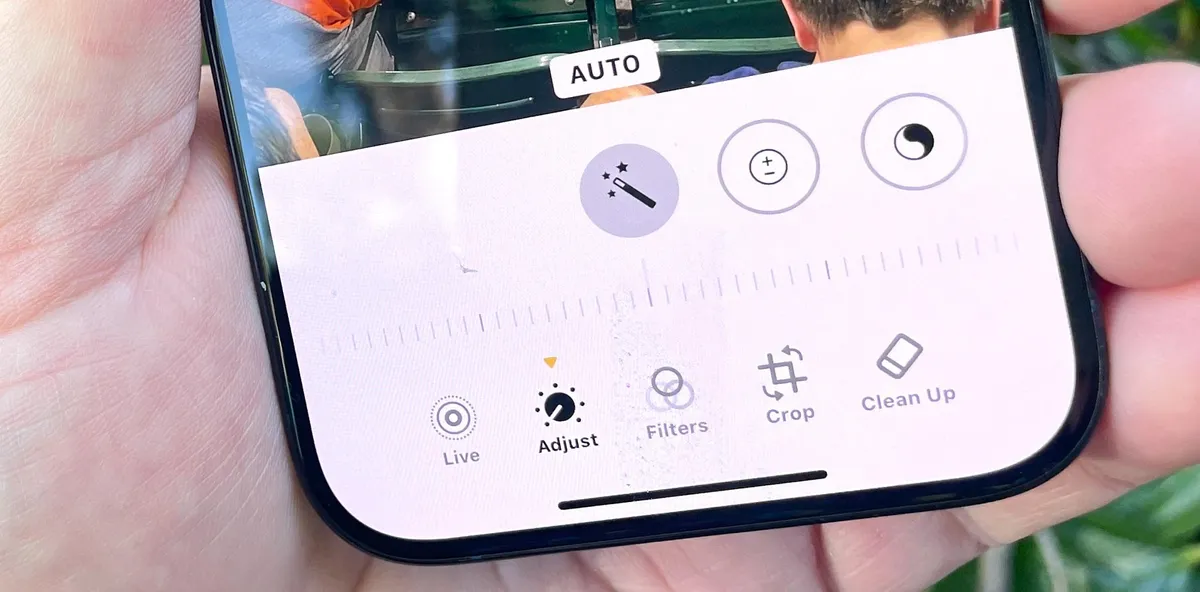
Finally, there’s an update expected for Apple’s Clean Up tool, which was one of the first Apple Intelligence features to launch. Even though it’s proven intuitive to use, rivals have surpassed it in performance — as seen when Apple's tool came in last during my three-way matchup against Google and Samsung. This new update should hopefully make the object-eraser experience a whole lot more reliable.

Follow Tom's Guide on Google News and add us as a preferred source to get our up-to-date news, analysis, and reviews in your feeds.
More From Tom's Guide

