



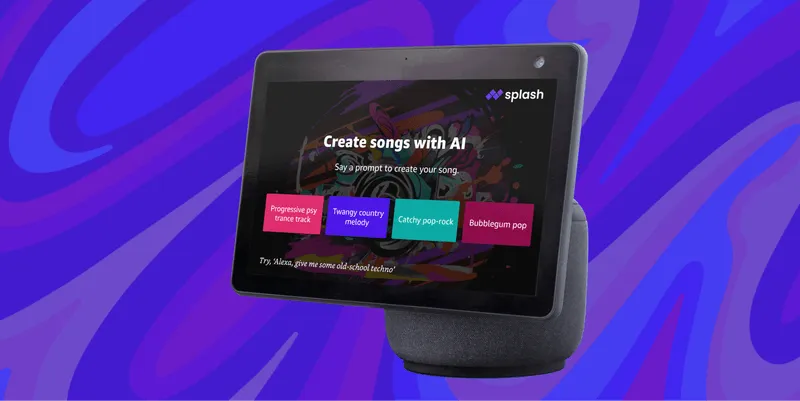
Amazon announced it would allow developers to incorporate large language models into skills for Alexa late last year.
The first three to launch include a customizable character chatbot, a 20-question game and a music creation tool called Splash Music.
There will be more AI-based games and activities on the smart assistant in future, and Amazon is giving Alexa itself a ChatGPT-style personality later this year. For now I decided to take a closer look at making music with Alexa.
How to use Alexa to make music
Splash Music is an Australian AI startup available through a range of services including Discord, Roblox and as a pro tool online. It is also a new AI skill for Alexa, allowing you to talk your way into a song. This is how it works.
1. Start the Splash Music skill

As clever as Alexa is becoming, it can’t create more than a simple pre-programmed beat on its own. This new feature is available thanks to a new large language model-based skill called Splash Music. To access the skill just say Alexa, Open Splash Music.
2. Give it an initial idea for your tune

At this point it just wants a rough idea to kick things off.
This could be as simple as a genre — in which case say “rock n roll” or “funk”. It could also be a mood. In which case say something like “happy” or “pensive”. Or you could say “a summer day with a can of coke” and it will do the best it can to reflect that feeling.
That last idea gave me an electro-funk track called Kinetic. For now lets go down the rock n roll route.
3. Customize your song and make it your own

Next up you can customize any feature of the song. Simply say something like “add some violin” or “make the bass heavier." This will update the song and play you a 10-second sample. After which Alexa will ask for more details or customization.
4. Keep going and add some lyrics

At this point you have a range of options including stopping and accepting the song is done. For me I wanted some lyrics so I asked it to generate lyrics for the song. It created a relatively short chorus but they were performed and not just Alexa saying them. Just say “add some lyrics” or “make it a rap”.
5. Change things up if you don’t like it

You may decide you hate the song it generated. I wasn’t a fan as the first take was slightly bland, so I asked it to “add some violins with reverb and distortion”. But you can ask for pretty much anything musical.
6. You might need new lyrics or a new name

If you add a specific instrument and it changes the way the song works or sounds then you can ask for new lyrics, or even say make it a rap. You can also say change the song title.
7. Have it generate the full song

When you’re happy with the sample you can ask Alexa to generate a complete song. Don’t expect a three minute, radio ready masterpiece. This is a fun diversion activity not a replacement for Ableton Live. But it will give you up to a minute of musical fun.
8. Ask it to send you the song

This next step will send a link to the song to any installation of the Alexa app on a smartphone. Say send me the song and it will send you the link. Click the link to listen to the song.
9. Go to the player to download or listen again

The link goes to a Splash Music player where you can listen or download your creation. Just click the download button if you want to keep it and share it.
You now know how to use Alexa to make music. If you'd like to see more ways you can use AI, we have plenty of tutorials to help. Check out our guides on how to use ChatGPT, how to create your own chatbot with ChatGPT, how to use Microsoft Copilot on iPhone and iPad, and how to use Google Bard AI to plan a vacation.

