Auto-Backup

By Rachel Rosmarin, published on February 18, 2009
Source: Tom's Guide US | Keywords: , , | Themes: Digital Entertainment

5. Auto-Backup

Western Digital’s WD Anywhere automated backup software, formerly branded by Memeo, is an extremely elegant “set-it-and-forget-it” option for PC users, and pre-Leopard OS Mac users. It probably isn’t very useful for those running Leopard, since Apple has limited NAS device functionality to its Time Machine compatible NAS drive called Time Capsule, for now. I wouldn’t suggest that a Mac Leopard user use another automated backup system beyond Time Machine, so WD Anywhere wouldn’t do much for these users unless it worked with Time Machine. There are ways to get any NAS device working with Time Machine, but these tricky methods are not for the faint of heart.

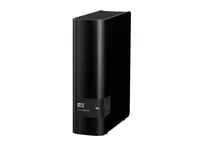
For the rest of us, the software installation disc that comes with the World Edition includes WD Anywhere Backup Software that begins by placing an icon on your desktop and taskbar, and scanning your network for a WD storage device (mine found the World Edition Instantly). Note: WD Anywhere has been provided by the company as backup software for storage devices in the past, but usually on a subscription basis, or tied to a hard-to-find product key. With the World Edition, this software just works and won’t expire.

After finding my drive, the software begins the process of customizing your backup plan, and tells you which files will be omitted by default (temporary, program, virtual, log and system files—mostly). WD Anywhere runs in the background (so as not to consume system resources) unless otherwise specified. After selecting a backup location (creating a folder for each particular computer on your network), I selected exactly which files I wanted to back up on from each computer. These are “Smart Picks.”

The computer I was most concerned with backing up was my MacBook. It has been my personal at-home computer for nearly three years, and with its puny 60GB hard drive, I desperately needed to offload its contents to a secure location. Trust me—Western Digital’s auto-backup tool isn’t the first I’ve tried. Since I’m not running Leopard, I can’t use Time Machine. But, as I’ve learned the hard way, very few third-party auto backup companies understand OSX’s file structure, especially when it comes to file extensions like Apple’s iPhotofiles.

I was thrilled, then, when WD’s scan of my system revealed that it had found more than 40 GB of files to back up—that meant WD had located my thousands of iPhoto files and knew just where they were hiding on my system.

Once I set the backup process in motion on the MacBook, the software alerted me that it would take about 30 hours to complete the initial full backup. Whoa, you’re thinking, 30 hours is a ridiculously long amount of time. Yes, and no. When I backed up this computer via USB 2.0, it took 5 hours. But this time the backup took place over WiFi. It did take a full 30 hours to complete, but because of the security I feel with WD’s Anywhere backup software, and the ease with which I can restore any missing file (because WD replicates my computer’s file and folder structure, I can find anything I’ve lost very quickly), I don’t think I paid too high a price in total backup time. As WD Anywhere has continued to back up new files I’ve created or modified since the original backup, I have not noticed the software’s presence, running in the background.

Comments | Print | Send to a friend

Sponsored links

Comments

hpp_83 02/18/2009 6:11 PM
Hide
-0+

I have an original MBWE and the interface and mionet are just terrible. I don't know if WD still restrict that file types you can share over the net (no media files etc.) but I was much happier after I had zapped the WD stuff and used the built-in linux--http://mybookworld.wikidot.com/start

Tomsguiderachel 02/18/2009 7:26 PM
Hide
-0+

hpp_83 :
I have an original MBWE and the interface and mionet are just terrible. I don't know if WD still restrict that file types you can share over the net (no media files etc.) but I was much happier after I had zapped the WD stuff and used the built-in linux--http://mybookworld.wikidot.com/start


hpp,
Streaming filetypes was a big problem on the old version of the World Edition, but from my tests, the only limiting factor when it came to file types was what your Xbox 360/PS3/PC/etc could handle.

Rachel Rosmarin
Editor of Tom's Guide

stephenpmorgan 02/26/2009 7:17 PM
Hide
-1+

Don't judge the new MBWE by the old one. The file system has been completely re-written, from scratch. It is much, much faster, especially on a LAN. -- Steve Morgan

Anonymous 03/01/2009 10:19 PM
Hide
-0+

It would have been nice to see some independent tests performed on the ethernet speed of this device (read:not WDC's propaganda tests). As is witnessed from the customer reviews on newegg:
http://www.newegg.com/Product/Prod [...] 6822136138

the "gigabit" ethernet speeds of the first version weren't anywhere close to even 100 megabit. So a verification of this problem being fixed would have been nice.

Also, I don't get the assumption that the average "home" user would use it via wireless. Being a NAS device, it doesn't matter where you put this device in your home and for most people it's even easier to plop it down next to your router and plug it in than to put it else where and have to configure the wireless encryption on it.

To me, the whole point of a 2TB NAS would be to store all of my media files and transferring a 4GB or 8GB movie file over 54Mb wireless would render having this thing pointless. And while we're on this subject, why was wireless N not included as an option??? That would have been a lot more useful than the older and much slower b/g.

a1exh 03/02/2009 3:20 PM
Hide
-0+

What a crappy review! The new MBWE beats all other NAS boxes for the capacity ($/GB) and performance ($/MBit/s) but they don't mention that!

Why review a product that does not have native wireless support via a wireless connection? With no comparisons?

skibumtx 03/30/2009 4:25 PM
Hide
--1+

Ok,

To make this the perfect hub in my house I would also be able to connect my printer to the device and utilize it from any PC. My printer works great and I really don't want to replace it just to get a network-ready one. Anyone working on that?

Anonymous 05/15/2009 2:28 AM
Hide
--1+

Did you actually test this with a PS3 or just an XBOX360? I ask because I cannot see any files on my PS3.

kennedyusa058 06/18/2009 4:38 AM
Hide
--1+

Why review a product that does not have native wireless support via a wireless connection?


[color=#F5F5FF]pret auto[/color]

Anonymous 06/26/2009 3:08 AM
Hide
-1+

if anyone knows how to get the mbwe working with the wd tv...please share...i'm cracking my head open trying to figure it out

teinturman 07/16/2009 10:48 AM
Hide
-1+

Hi , i agree with a1exh,

The price review is comparing storage prices from Nas devices and direct attached storage but does not compare the price of this NAS with other NAS !

The Mybook World WhiteLight is one of the cheapest NAS, can stream media over dlna, have correct performance when wired. ( it will probably go thru CPL instead of wifi when streaming to your console...)

Additionnally, you can even add more features to your Mybook if you want to apply some modifications (voiding your warranty) described on some sites.

Comments are closed on this page.

Sponsored links