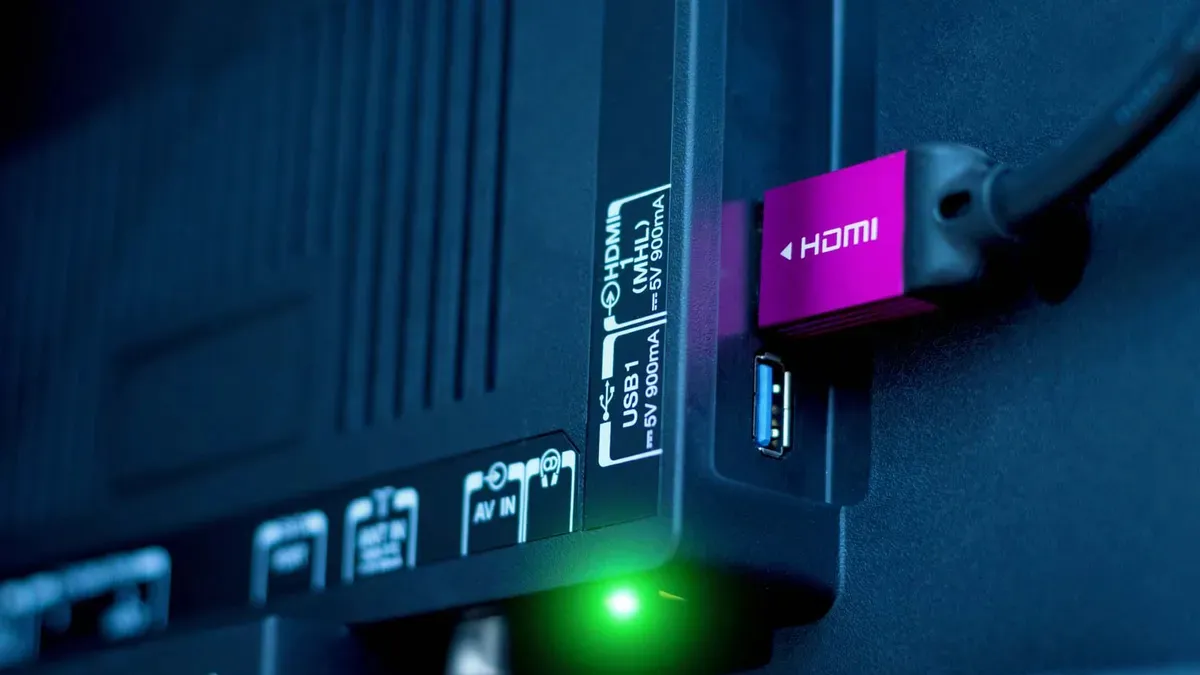
Turns out, not all HDMI ports are the same. Around five years ago, HDMI 2.1 was released, bringing with it higher bandwidth that supports 8K video, uncompressed audio and variable refresh rate. Now, five years later, TV manufacturers have adopted HDMI 2.1 in at least some of their HDMI ports — but many TVs still only support the newer tech in two HDMI ports.
HDMI supports higher resolutions, more advanced technologies, and even new audio tech. But what does that actually mean for you? Does it really matter if all of the HDMI ports on your TV support HDMI 2.1?
Here’s a deeper look into the world of HDMI 2.1.

What is HDMI 2.1?
At its core, HDMI 2.1 represents a bandwidth boost for the HDMI standard. While HDMI 2.0 supported a bandwidth of 18 Gbps, HDMI 2.1 ups that to 48 Gbps. That’s a pretty massive increase.
The extra bandwidth represents real-world advantages, too. 48 Gbps is enough for 4K content at 120Hz with HDR. It’s also enough for 8K content and even 10K content, though to be fair there isn’t much content at those resolutions just yet.

HDMI 2.1 adds support for other features too. For example, while HDMI 2.0 supported ARC, HDMI 2.1 supports the newer eARC. eARC allows for uncompressed 5.1 and 7.1 audio at up to 192kHz/24-bit. It also better supports formats like Dolby Atmos, DTS:X, and Dolby TrueHD, so you can get more immersive audio that’s also uncompressed.
Lastly, while HDMI 2.0 did technically support refresh rates of up to 120Hz, HDMI 2.1 offers much better control over refresh rates. Notably, HDMI 2.1 supports variable refresh rate (VRR) technology that can change refresh rates on the fly.
Why would you need HDMI 2.1?
So what are the real-world applications for HDMI 2.1? Well, as mentioned, the specification supports video at up to 8K, though that’s barely a real-world application right now considering the fact that there’s not really any content at 8K just yet.
While HDMI ARC supported an audio bandwidth of around 1 Mbps, eARC steps that up to 37 Mbps.
A better real-world usage for HDMI 2.1 is in improved audio. If you have a high-end surround sound speaker system that supports immersive object-based formats like Dolby Atmos, you’ll be able to use that system at a high bitrate for more detailed audio. And, if you have a system that supports 5.1 or 7.1 audio, you’ll be able to listen completely uncompressed. That’s thanks to the fact that while HDMI ARC supported an audio bandwidth of around 1 Mbps, eARC steps that up to 37 Mbps.
There are real-world use cases for gamers, too: The addition of VRR essentially means that game consoles get the same kind of technology as AMD FreeSync, meaning that consoles will be able to deliver super-fast and smooth-looking frame rates while keeping the experience stable overall. There’s even the new Quick Frame Transport (QFT) technology that reduces latency for an even more responsive feel.
HDMI 2.1 cables and connections
As if the HDMI standard weren’t confusing enough, HDMI cables don’t necessarily match HDMI versions. That’s because most HDMI cables support most HDMI features, which is kind of a good thing, as it means that in previous versions of HDMI you didn’t necessarily need to think too much about whether or not you had the right HDMI cable. And, it means that for basic usage, you don’t need to worry about whether or not you’re using the right cable.
But if you’re reading this, you’re not a basic HDMI user, are you? Things changed a little with HDMI 2.0. So-called High-Speed HDMI cables that were used before HDMI 2.0 supported bandwidths of up to 10.2 Gbps, which was enough for previous versions of HDMI. With HDMI 2.0, the need for a new cable arose, which is where new Premium High-Speed HDMI cables came in. These cables were built to support the 18 Gbps bandwidth of HDMI 2.0 along with HDMI ARC.
Of course, 18 Gbps isn’t enough to get the most out of HDMI 2.1, though. Thus was born yet another kind of HDMI cable called the Ultra High-Speed HDMI cable. These cables do support HDMI 2.1 bandwidths and all the features on offer by HDMI 2.1.

Look for “Ultra High-Speed” HDMI cables. These cables will be a little pricier than others, but they’ll support the maximum 48 Gbps bandwidth and features like eARC.
All that to say, you’ll need to make sure that you have the right cable to get the most out of HDMI 2.1. Look for “Ultra High-Speed” HDMI cables. These cables will be a little pricier than others, but they’ll support the maximum 48 Gbps bandwidth and features like eARC.
It’s important to note that the way HDMI 2.1 has been implemented is extremely confusing, and you may need to check for support for the features you want. The HDMI Licensing Administrator has said that because HDMI 2.1 replaces the HDMI 2.0 spec rather than serving as an upgrade, only HDMI 2.1 can be licensed, and features of HDMI 2.1 are optional. So, you may need to check if features like Variable Refresh Rate and eARC are supported by the ports individually – and in some cases, different ports may support different technologies. For example, the Hisense U8N offers eARC on one of its HDMI 2.0 ports.
It’s an incredibly dumb way to release a new technology, and we’re hoping that the rollout of future HDMI versions is approached completely differently.
So, how many HDMI 2.1 ports do you need?
So the question remains, how many HDMI 2.1 ports do you actually need?
The basic gist is that you’ll need an HDMI 2.1 port for a modern gaming console like a PlayStation 5 or Xbox Series X. If you have both of these consoles, that’s two HDMI 2.1 ports. And if you have a modern sound system that supports features like Dolby Atmos, you’ll want a third HDMI 2.1 port that works with eARC. Usually, these ports are labeled separately from the other HDMI ports on offer by a TV. And, again, sometimes eARC is separated from the other HDMI 2.1 ports, and used in what is otherwise a HDMI 2.0 port.

Problems arise a little when you have multiple high-end consoles and a sound system that works with eARC, as many TVs are advertised as offering two HDMI 2.1 ports but use one of them for eARC. It’s worth keeping that in mind when you’re looking for a new TV.
You probably don’t need an HDMI 2.1 port for other use cases, though. For example, you don’t really need HDMI 2.1 for streaming devices like an Apple TV, considering the fact that you’re likely watching at a frame rate of up to 30 fps, and the fact that HDMI 2.0 supports 4K content with HDR at those frame rates.
What TVs have the best HDMI 2.1 support?
Five years into HDMI 2.1, most TVs offer at least a few HDMI 2.1 ports. It is a little frustrating that not all TVs have only HDMI 2.1 ports, though, so it’s worth considering how many newer ports a TV has before you buy.
Thankfully, the best HDMI 2.1 TVs like the Samsung S95D OLED and LG G4 OLED come built-in with four HDMI 2.1 ports. Not only that, but most mid-range Samsung and LG TVs have HDMI 2.1 too — like the Samsung Q80D and the LG B4 OLED, which is the cheapest 2024 LG OLED TV.
TVs from other companies don’t necessarily have the same support, though, even in the highest-end options. The Hisense U8N, for example, is Hisense’s highest-end Mini-LED TV, and it has two HDMI 2.1 ports and two HDMI 2.0 ports. The same is true for the new TCL QM8.
Hopefully, within a few short years, TVs will only support HDMI 2.1. But, there's a very good chance that, once that happens, we’re sure to have to start the process all over again with a switch to the next big HDMI standard.