




Smart thermostats are a convenient way to keep the temperature of your home comfortable, and curb your energy costs. Installing the thermostat doesn't take long, but once connected, you can use your phone to control the temperature, set schedules, and remotely change the heating or cooling as needed.
We've been testing smart thermostats for over a decade, so know that convenience, ease of use, and longevity are the most important factors here. That's why until not that long ago, a Honeywell thermostat from 2012 was still in our guide. Well, until we got the chance to try the Honeywell Home X8S Smart Thermostat.
Honeywell Home's past devices were more like traditional thermostats with smart features, but the X8S puts it toe-to-toe with Google's Nest and Ecobee's platforms, with a smart home display and the ability to control multiple devices from one small wall-mounted unit.
But that not to sideline Ecobee and Nest; these are the two most recognizeable names in the smart thermostat market and Nest Learning Thermostat (4th Gen) and Ecobee Smart Thermostat Essential are fantastic options if you prefer Google's ecosystem or are after a more budget-friendly device.
Since 1992, the Energy Star program has labeled energy-efficient electronics, including smart thermostats, and devices verified by the program could be eligible for rebates in certain parts of the country. In early 2026, the Trump administration moved the program from the EPA to the Department of Energy. The Energy Star program continues, but federal rebates for smart thermostats are largely gone, unless you get one as part of a whole home energy retrofit. Some local utilities continue to offer rebates, so check with your provider before you purchase.
The best smart thermostats you can buy today
Why you can trust Tom's Guide Our writers and editors spend hours analyzing and reviewing products, services, and apps to help find what's best for you. Find out more about how we test, analyze, and rate.
The best smart thermostat overall


The Honeywell Home X8S Smart Thermostat is actually more like a smart home display that can also set the temperature in your home. The company has actually been making smart thermostats for longer than better known names like Nest and Ecobee, but these didn't quite look the part, so the others got more recognition.
But the X8S changes all of that, as the practical color display isn't just there so you can adjust temperatures. It looks quite a lot like the Nest Hub and Amazon Echo Show 5, which isn't a bad thing. And apart from tweaking settings, you can also view your smart doorbell's feed (so long as it's a Ring doorbell or First Alert device).
Our experience with this integration was a bit mixed; the video feed worked really well, but audio performance was patchy. But, it's not really the main point of your smart thermostat, so I think of it more like a perk of this reasonably-priced thermostat, rather than why you'd buy it in the first place.
The installation wasn't quick (it's quite fussy, and if you've not done a thermostat installation before, you might want to look for a professional to help), but once it's in place, it's one of the most straightforward (in a good sense) smart thermostats. The screensaver which shows current temperatures in text is also really useful.
But one of the highlights is the room-based controls. You need additional remote sensors to do this, but once those are set up, you can tell the thermostat to prioritize temperatures in different rooms. While we were testing, we used it to pump up the heat in the bedroom, which is often colder than the rest of the house.
And you automate routines around which room you want to use. As our reviewer noted: "I could set the X8S to use my bedroom's temperature as the priority around 9:30 p.m. to heat it up prior to me going to bed, then have it switch back to the thermostat as priority around 10 p.m."
- Read our full Honeywell Home X8S Smart Thermostat review
Best budget smart thermostat

While the Ecobee Smart Thermostat Premium is a great alternative to the Honeywell Home X8S, it's the Smart Thermostat Essential that I think is the more interesting option. It strips the device back to its, erm, essentials and focuses on keeping the initial outlay down and controlling temperatures.
The device also supports Ecobee's remote sensors, so you can prioritize or adjust temperatures in different areas of your home. It works well, but you need to buy them separately. Even adding just one brings the cost almost to the price of the Smart Thermostat Premium (which has a sensor included).
But if you're after a smart thermostat that you can set and forget (to a degree) this is the best option without breaking the bank. The most useful function here is the integration with Google, Apple and Amazon's smart assistants. So you can adjust or check the temperature with quick voice commands and automations.
The device itself doesn't scream premium, but it's not going to look wildly out of place in most homes. But for the most part, you won't actually need to interact with it, especially if you make good use of the scheduling feature in the app, which allows you to set daily, weekly, and nighttime schedules to keep your home comfortable.
- Read our full Ecobee Smart Thermostat Essential review
Best Nest thermostat


For the fourth generation of the Nest Learning Thermostat, Google gave it an AI upgrade and a makeover that means that it looks a lot like a larger version of the company's Pixel Watch 4. The design is much sleeker this time around, but if you're upgrading from a previous model, it's the new software that'll matter most.
But before you even get to any of that, there's one other hugely important change; you don't need a C-wire to power the device, which should mean it's easier to install in a wider number of homes (and you don't need to buy an adaptor kit) and puts an end to taking it off the wall to recharge when the battery runs out.
And that change makes the new motion-activated Dynamic Farsight feature, which is a bit like an overview of temperature, time and weather, a lot more useful, as it's always there at a glance as you walk by, if you want it. Plus, the thermostat's learning capabilities are AI-powered now, so can learning more about your habits.
This now falls under a new Smart Schedule feature in the Google Home app, where scheduling suggestions will line up for you to approve or reject. These micro-changes may not seem like a lot, but right now (as of March 2026) energy prices may rise, so any way to keep costs down seems like the right move.
The thermostat also now considers the outdoor weather when making these changes too. So on a sunny and warm day, it may drop the heating inside to allow the house to warm naturally in the sun. The Nest Learning Thermostat is also the only one on this list which comes with a room sensor included.
You can buy additional ones, but if you have a spot in the house where the temperature varies a lot, you can add the sensor and get the Nest thermostat to manage that area separately.
One of the biggest improvement comes from Google's support for other smart home platforms, like Amazon Alexa, Samsung SmartThings, Apple Home, and for the first time on a Learning model, Matter. So if you have other smart home devices or prefer to manage them outside of Google's ecosystem, you can do that.
Is the Nest Learning Thermostat (4th Gen) a long-term investment?
My only reservation with recommending anything made by Google is that the company has a propensity for discontinuing products and services. The Google Graveyard lists almost 300 products that Google ended, and while there's no suggestion that it'll do the same to Nest, the inclusion of AI features worries me.
Those are very 'of the moment' and there's no telling what'll actually happen to the tech over the next decade. If you buy it based on those functions and then Google ends them (as it did to features on several Fitbit watches after buying that company) you don't have a choice but to get a new device.
In early 2025, the company also announced the end of support for the first and second generation Nest devices from the pre-Google days, which also killed all smart features. Those had only been in the wild for a decade, and once the switch off happened, you had to get a new thermostat.
Of course, no device lives forever but it's hard to be fully behind Nest, especially when Honeywell released the Honeywell RTH8580WF back in 2012, and still supports it 14 years later, even though it was discontinued several years ago. That hypothetical aside, the Nest Learning Thermostat (4th Gen) is easily the best in Google's ecosystem.
- Read our full Nest Learning Thermostat (4th Gen) review
Also tested
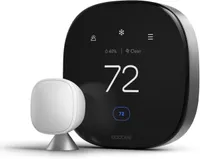
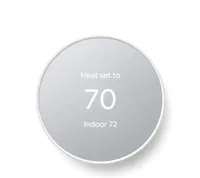
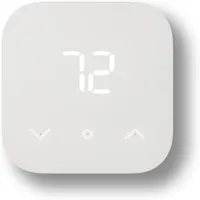
How we test smart thermostats
The best way to test a smart thermostat is to use it first-hand in your home, and that’s exactly what we do. We assess how easy it is to install and set up, which is important considering most smart thermostats are designed to be installed by the homeowners themselves.
During the trial period, we put each smart thermostat through a set number of tests to see how it handles different situations. We consider how well it responds to changes in temperature and whether we can easily create a schedule. If it comes with an app, that’s also assessed for navigation and effectiveness.
The same goes for connectivity to smart home hubs or devices; if it works with Alexa, Google Assistant and Gemini, or HomeKit, we check its performance there too. Any additional features are trialed as well so we can get a full picture of the product.
How to choose the best smart thermostat for you
Before you pick up one of the best thermostats, there are a few factors to consider to make sure that the model you choose is the right one for your home.
If you have a large house, or areas where the temperature is quite different to other rooms, then you'll want to go for a model that supports additional sensors. You can place these at specific points and have the thermometer adjust the temperature separately in those places.
All of the models in our guide can do this, but only the Nest Learning Thermostat (4th Gen) comes with a sensor. For the Ecobee and Honeywell Home models, you'll need to buy any you want to use. And with the Nest device, it only has one, so if you have multiple areas to control, you'll also need to invest in more.
You should also look into other features of interest, such as geofencing, where you can set the ideal temperature for when you're out of the house and for when you return. It’s also worth checking if the smart thermostat is compatible with Alexa, Google Assistant/Gemini, and Siri.
While most smart thermostats will work with Alexa or Google Assistant, fewer will work with HomeKit. However, the newer Matter smart home standard will make it easier for smart home devices to connect and talk to one another, which should, in theory, open up HomeKit to a greater number of gadgets.
FAQs
How to install a smart thermostat
Installing a thermostat is usually a fairly quick and easy process, taking around 30 minutes, and all you need is a screwdriver.
Most smart thermostats need a C-wire connection, which gives consistent continual power to the device. If you have a central AC system, you probably already have a C-wire to connect up to.
But for non-AC households, first take the time to explore why you need a C-wire and what do you if you don't have one. You'll need to buy and install a C-wire adapter kit, often from the same brand that makes your smart thermostat.
Are smart thermostats worth it?
In the long run, yes. On average, the U.S. Department of Energy estimates that a smart thermostat will save you 8%, or around $50 per year on your heating and cooling costs. So, if you were to purchase a smart thermostat that cost $250, it would pay for itself in five years.
The main reason you get these savings is that smart thermostats allow you to control the temperature accurately and set schedules. So rather than being just on or off, it can come on at specific times or when certain conditions are met.
If you currently have a standard (ie. non-smart, traditional) thermostat, it's worth paying closer attention to the temperature and when you have the heating come on. You'll likely see savings from intervening like this, especially if you've not done it before.
This is more efficient with a smart thermostat, not least because you don't always have to manually adjust it. However, as several brands have shown, Google included, you shouldn't expect more than a 10-year life out of your smart thermostat.
Before investing in a smart thermostat, it's worth looking at passive ways to make your house warmer during the winter months. Keeping your home naturally warmer is going to be cheaper in the long run than using energy, just less of it.
What temperature should I set my thermostat?
The answer may surprise you, but according to the U.S. Department of Energy's Energy Star program, you should keep your home at 78 degrees while at home, 82 degrees when asleep, and 85 degrees when away. Even if you set your temperature lower, you're unlikely to feel that much of a difference, and you'll be using a lot more energy.
Do I need an electrician to install a smart thermostat?
In most cases, you can install a smart thermostat yourself, and should only take about a half hour of your time. However, it's important to follow the manufacturer's instructions, and be sure to turn off the power to the thermostat before starting, to avoid hurting yourself or damaging either the thermostat or your HVAC system. And, if you're unsure of anything, it's best to consult a professional.
What's the difference between a programmable thermostat and a smart thermostat?
A programmable thermostat lets you create a schedule that will increase or decrease the temperature in your home at set times. A smart thermostat will also let you create a schedule, but it will also let you control it remotely from your phone.
Some smart thermostats can also sense your presence in your home — or even a particular room — and then adjust the temperature accordingly. And they can also connect with other smart home devices to work in concert with each other.
Do smart thermostats work if the power goes out?
Unless your smart thermostat has a battery backup, it will stop working if your power goes out. However, it stores all the pertinent information — such as your heating and cooling preferences and your Wi-Fi — so that you don't have to reset everything when your power comes back on.
Is there a monthly fee to use a smart thermostat?
Typically no. None of the thermostats listed in this guide require a monthly fee to use them, and they're all very good options. Don't waste your money on a smart thermostat that requires you to pay a monthly subscription.
Will a smart thermostat work with my HVAC system?
Generally, yes! Most smart thermostats will be compatible with your HVAC system.
You should be able to install it yourself, although you should be careful to follow the manufacturer's installation instructions. You should also make sure you turn off the power to the thermostat before starting, to avoid hurting yourself or damaging either the thermostat or your HVAC system.
It's also always a good idea to check with the manufacturer as to whether or not your HVAC system will work with a smart thermostat before purchasing one.
Do I need a C-wire for a smart thermostat?
The majority of smart thermostats need a C-wire to power them, yes. The one exception on this list is the Nest Learning Thermostat, which does not.
The good news is that if you have a central AC system, you probably already have a C-wire to connect your smart thermostat to.
Do I need room sensors with a smart thermostat?
You don't necessarily need room sensors with a smart thermostat, but there are some reasons you may want room sensors along with your smart thermostat; for example, if you find your home has uneven temperatures,
By using a smart thermostat with a room sensor, you increase the amount of data your smart thermostat receives about your house, allowing it to make more informed adjustments.
With this being said, the majority of the smart thermostats on this list do not include room sensors. If you do want a smart thermostat with a room sensor, then the Nest Learning Thermostat comes with one included.

