




If you get yourself one of the best MacBooks, know that you aren't just getting a sleek, reliable machine, no matter the model; you're also choosing one of the best laptops on the market. I know, as I've been using a MacBook as my daily driver for years.
We here at Tom's Guide have put together this guide to help you find the best one for your needs, after reviewing all the latest MacBooks for nearly 20 years.
The MacBook Air M5 is an easy recommendation as the best MacBook for most people. All-day battery life and even better specs under the hood compared to previous models make it a winner, despite the bump in price. But if you're all about affordability, the MacBook Neo is an exemplary budget laptop for the price. It's a win for students, first-time Mac users and, well, anyone looking for plenty of value.
If you're a creative pro and need the extra performance, I’d steer you toward either the MacBook Pro M5 or, for the monster GPU to nail professional-grade video edits and AI, the MacBook Pro M5 Pro. However, we're expecting to see an all-new "MacBook Ultra" with a touchscreen be announced sometime this October, which will likely include the supercharged M6 chips. With this in mind, it may be worth waiting to see what the next-gen MacBook Pro has to offer.
For MacBook owners and first-time buyers, you'll want to know that macOS Golden Gate has arrived, and it's available to download and install now. This brings a bigger focus to the all-new Siri AI and other Apple Intelligence features. It's not a big update, but to make the most of Siri AI, it's worth downloading. Find out more in our FAQs, and for more hands-on testing and expert advice, this guide will help you find the best MacBook for your needs.
The best MacBooks you can buy today
Why you can trust Tom's Guide Our writers and editors spend hours analyzing and reviewing products, services, and apps to help find what's best for you. Find out more about how we test, analyze, and rate.
The best MacBook overall
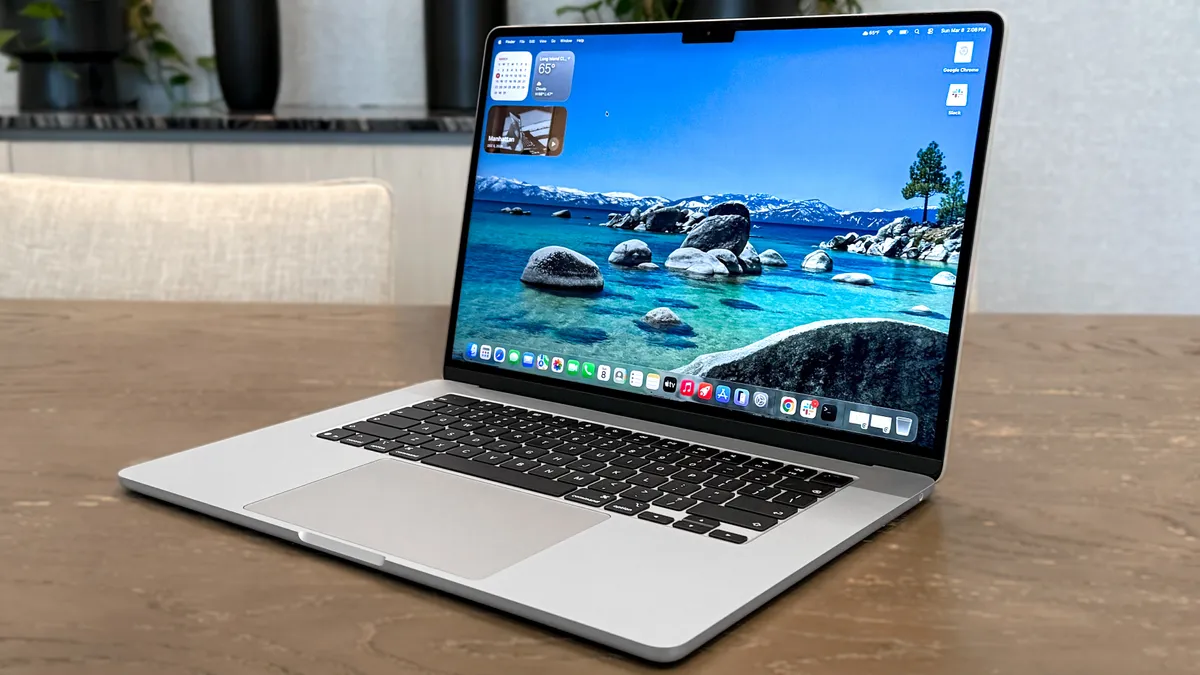


The MacBook Air 13-inch M5 offers nice upgrades over the M4 version while keeping the same sleek design, vibrant display, and long battery life. M5 performance impresses, and the doubled 512GB storage and better wireless connectivity are nice bonuses. Yes, it costs an extra $100 (and an extra $200 after Apple's price hikes) for most of the same features as the M4 model. Still, the MacBook Air M5 is a fantastic laptop for most folks, especially anyone looking for a premium notebook (that you'll definitely find for under $1,000 during a sale).
Who is the MacBook Air M5 13-inch for?
This is the go-to MacBook for most folks. Why? The MacBook Air M5 13-inch brings even faster performance under the hood thanks to the M5 chip, which also results in even greater battery life at over 15 hours. That's all wrapped up in the familiar yet fantastic, sleek, lightweight design, especially with the 13-inch model. Aside from those who already have an M4, or even an M3, MacBook Air, this is hands down not just the MacBook, but also the laptop to beat.
Why is it the best overall MacBook?
As with its predecessor, the MacBook Air M5 comes out on top because it ticks all the right boxes. Premium performance for a laptop under $1,500 (and even less when those discounts start pouring in)? Check. Faster M5 power for seamless multitasking, especially for web surfing, video editing and even demanding gaming? It's got it. Now offering over 15 hours of battery life, Wi-Fi 7 connectivity and an upgraded 512GB base storage? You know it. It's got it all for most.
MacBook Air 13-inch (M5) Performance Results
Slide through to see our performance
and battery life test results
Geekbench 6 (single-core)
| Product | Value |
|---|---|
| MacBook Air 13-inch (M5) | 4168 |

What do we like about the MacBook Air M5 13-inch?
👍 Fast M5 performance: In our benchmark tests, the M5 knocked it out of the park in both single- and multi-core performance, allowing for seamless multitasking for multiple tasks.
👍 Even longer battery life: Now boasting a battery life that lasts 15 hours and 30 minutes, the latest MacBook Air delivers one of the longest-lasting laptops around.
👍 Useful upgrades: While its price hike hurts, the Apple N1 wireless chip for Wi-Fi 7 support and boosted 512GB base storage make this MacBook Air better than ever.
What don’t we like about the MacBook Air M5 13-inch?
👎 Prepare to pay more: Sure, the upgrades are useful, but being $100 more for both the 13- and 15-inch models stings, especially when the design hasn't changed at all. Keep an eye out for discounts.
👎 A modest upgrade over M4: This is the same laptop, just with boosted performance. There's a noticeable jump in power, but not enough for an upgrade from M4.
MacBook Air M5 13-inch: Bottom line
Apple has done it again, making the do-it-all MacBook even better with faster M5 performance, longer battery life, Wi-Fi 7 connectivity and a much-appreciated 512GB base storage. It still boasts the same impressively sleek and lightweight design, making this the MacBook for travelers, students, workers and more.
- Read our full MacBook Air M5 review
The best budget MacBook


This system ticks all the right boxes for its low price, with a premium aluminum design, a rich and bright display you’d normally find on $1,000 laptops and good-enough performance from its A18 Pro chip. I also like the side-mounted speakers, as well as the comfy keyboard and smooth touchpad. And the more than 13 hours of battery life is very impressive at this price.
Who is the MacBook Neo for?
At $699 (and $599 for education), the MacBook Neo is a reliable, sturdy laptop with a fun pop of color for students, workers on the move and anyone after a budget laptop. With its A18 Pro chip onboard, expect solid performance for general, day-to-day tasks, including writing in documents, editing photos, exploring the web and more. If you don't mind a lack of keyboard backlight or no Touch ID (you'll have to pay $100 extra), this MacBook is well worth considering.
Why is this the best budget MacBook?
The MacBook Neo's price beats that of the MacBook Air M2 (even a refurbished model), even after the $100 price hike from Apple. The Neo's performance is nearly on par with that chip, too, showing just how far Apple's A-series chips (generally made for iPhones) have come. So, instead of paying over $1,000 for a MacBook, you can now get one for a fraction of the price. And a reliable one with plenty of fun colors, too.
MacBook Neo (A18 Pro) Performance Results
Slide through to see our performance
Geekbench 6 (single-core)
| Product | Value |
|---|---|
| MacBook Neo (A18 Pro) | 3535 |
What do we like about the MacBook Neo?
👍 Solid A18 Pro performance: Compared to other Chromebooks and Windows machines at the same price, the MacBook Neo outperforms these laptops with good speeds for multitasking and juggling multiple tabs or apps.
👍 Long battery life: Impressively, the MacBook Neo can last 13 hours and 28 minutes, which is more than enough to breeze through a full workday without needing a charger.
👍 Design that pops: Fan of the sleek, lightweight design of the MacBook Air? Well, the MacBook Neo takes the best parts of this (aluminum design included) but adds a splash of colors, making for an attractive laptop that works for the office, classroom and while out and about.
What don’t we like about the MacBook Neo?
👎 Annoying trade-offs: I mean, sacrifices had to be made. Expect to pay $100 extra for Touch ID and double the storage, no keyboard backlight and 8GB of RAM being the limit.
👎 No Thunderbolt support: If you need a laptop with Thunderbolt for speedy data transfer or to connect to peripherals (like a monitor), the MacBook Neo has no such support, so prepare to have a USB-C hub on hand.
MacBook Neo: Bottom line
The MacBook Neo finally makes Apple's lineup of laptops supremely more affordable, and it's amazing what $699 can get you. If you're looking to get started in macOS but don't want to spend $1,000 or more and only need it for everyday tasks, the MacBook Neo provides.
- Read our full MacBook Neo review
The best MacBook for creatives
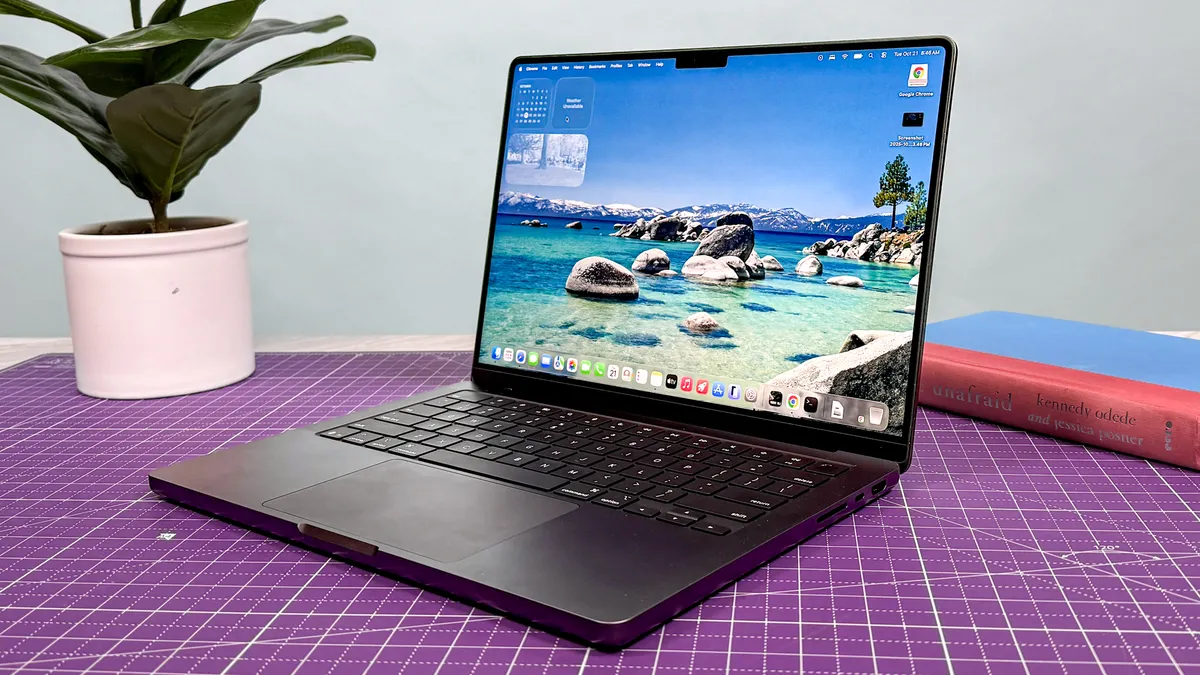
The new 14-inch MacBook Pro M5 isn’t a huge upgrade from the MacBook Pro M4, but it’s still one of the finest laptops for power users. I like the powerful M5-driven performance, which can deftly handle my workload and even run Apple silicon-optimized games at smooth frame rates. On top of that, the bright and colorful 14-inch mini-LED display makes everything pop, while the laptop’s relatively thin and light design makes it easy to travel with. It’s the best overall MacBook Pro.
Who is the MacBook Pro M5 14-inch for?
Like last year’s model, the MacBook Pro M5 is for creatives and those after more performance than the Air models who want a dependable machine wherever they go. It offers a perfect mix of portability, performance and battery life.
Why is this the best MacBook for creatives?
The MacBook Pro M5 is the best MacBook for creatives because it nails the basics for power users. Namely, strong performance, epic battery life and easy to travel with. It offers more ports than a MacBook Air (three Thunderbolt 4 / USB-C, one SD Card slot and an HDMI port). Its 14-inch display size is also in that sweet spot when it comes to easy readability, and with a fan, it's able to deliver better performance than the regular Air.
MacBook Pro 14-inch (M5) Performance Results
Slide through to see our performance
Geekbench 6 (single-core)
| Product | Value |
|---|---|
| MacBook Pro 14-inch (M5) | 4288 |
What do we like about the MacBook Pro M5 14-inch?
👍 Strong M5 performance: The new Apple M5 chip provides a notable performance boost over its predecessor and Windows-based competitors. If you’re a video editor, you can render 4K videos much faster than before, and if you’re into gaming, the new MacBook Pro can also deliver impressive performance for titles that are optimized for M-series Macs.
👍 Vibrant display: Like last year’s model, you can spend an extra $150 for a nano-texture display, which radically reduces screen glare. Trust me, the investment is worth it, especially if you work near a window or outdoors. And as before, everything looks bright and colorful on the 14-inch mini-LED display.
👍 Astonishing battery life: The MacBook Pro M5 is no joke when it comes to battery life. In our testing, the laptop endured for an incredible 18 hours and 14 minutes! The Dell 14 Premium lasted for a comparatively paltry 8 hours and 16 minutes. If you want a laptop that can potentially last for two full work days on a single charge, this is it.
What don’t we like about the MacBook Pro M5 14-inch?
👎 A minor spec bump: The MacBook Pro M5 deserves its spot on this list, but it’s a modest spec bump over the MacBook Pro M4. If you have an M3 or older MacBook, then you can consider upgrading. But if you own last year’s 14-inch M4 MacBook Pro, you can skip this M5 model.
MacBook Pro M5 14-inch: Bottom line
The 14-inch MacBook Pro M5 is one of the most powerful and longest-lasting laptops out there. I love its practical design, lovely display and insanely long battery life. The nano-texture display option is also a worthwhile upgrade.
- Read our full MacBook Pro M5 review
The best big-screen MacBook
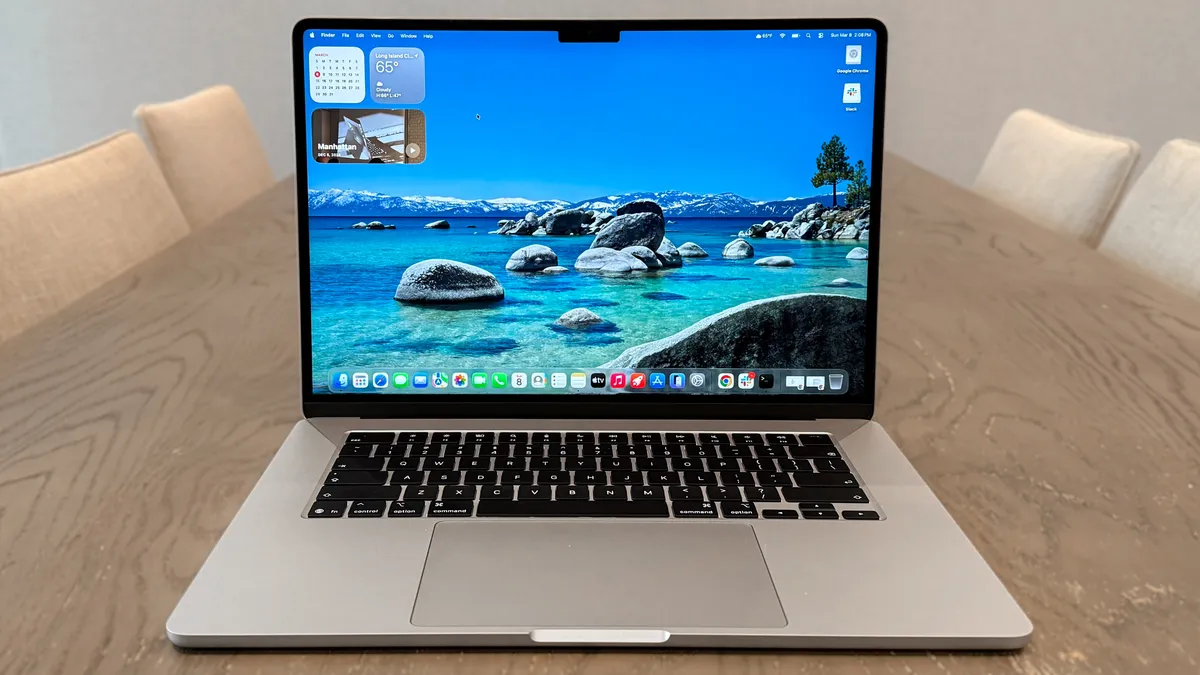
The 15-inch MacBook Air hits a real sweet spot — offering that spacious, immersive screen without the steep price of the 16-inch MacBook Pro. While it’s not a pro-level video editing machine, the latest M5 chip has no trouble powering through my daily workload and multitasking, and it’s ready for Apple Intelligence, too. Battery life is stellar at over 15 hours, making it a great pick for anyone who needs all-day performance in a slim, silent package. I just wish Apple gave it more than two USB-C ports.
Who is the MacBook Air M5 15-inch for?
This is for the people who have those casual-to-moderate productivity demands, but really want a big-screen laptop experience. The M5 chip performs just as well here as the 13-inch, but you’re getting the benefit of a larger display (and bigger battery, too).
Why is this the best big-screen MacBook?
Previously, a giant screen was limited to just the 16-inch MacBook Pro, so a 15-inch Air is warmly welcomed! Put simply, this is the cheapest way to get a MacBook with a large display. But with that, Apple hasn’t forgotten about what makes the Air so great — making it slim, light and incredibly portable.
MacBook Air 15-inch (M5) Performance Results
Slide through to see our performance
Geekbench 6 (single-core)
| Product | Value |
|---|---|
| MacBook Air 15-inch (M5) | 4191 |
What do we like about the MacBook Air M5 15-inch?
👍 Gorgeous display that goes big: You don’t really know how big a 15-inch display will be until you see it. This thing is big. Not only that, but it packs an impressive average brightness of 454 nits and a lot of color, so this is great for both work and binge-watching.
👍 Same Air design with one key improvement: What’s even more impressive is the fact that Apple keeps the 15-inch MacBook Air just as slim as the 13-inch at 0.45 inches. For something of this size and stature, that aluminum construction feels almost impossible in the hands.
👍 Incredible battery life: The difference between the 13- and 15-inch models may be slightly less compared to their predecessor, but the latest 15-inch MacBook Air still delivers an amazing 15 hours and 30 minutes.
What we don’t like about the MacBook Air M5 15-inch?
👎 Desk view is awkward to use: With that higher megapixel count and wider field of view, you can use desk view using the MacBook Air's webcam, but it does look a little awkward!
👎 No fan = lower sustained performance: Over a longer period of work or gaming, you’re best off sacrificing an inch of screen size and going for the M5 MacBook Pro, which has a fan to keep the M5 running at 100% for longer.
MacBook Air M5 15-inch: Bottom line
Regardless of our criticisms of ports and sustained performance, it’s hard to really knock the 15-inch MacBook Air in real-world use. The M5 chip affords impressive power and battery life, and Apple has made the thinnest big-screen laptop you can buy right now.
- Read our full MacBook Air M5 15-inch review
The best MacBook for power users
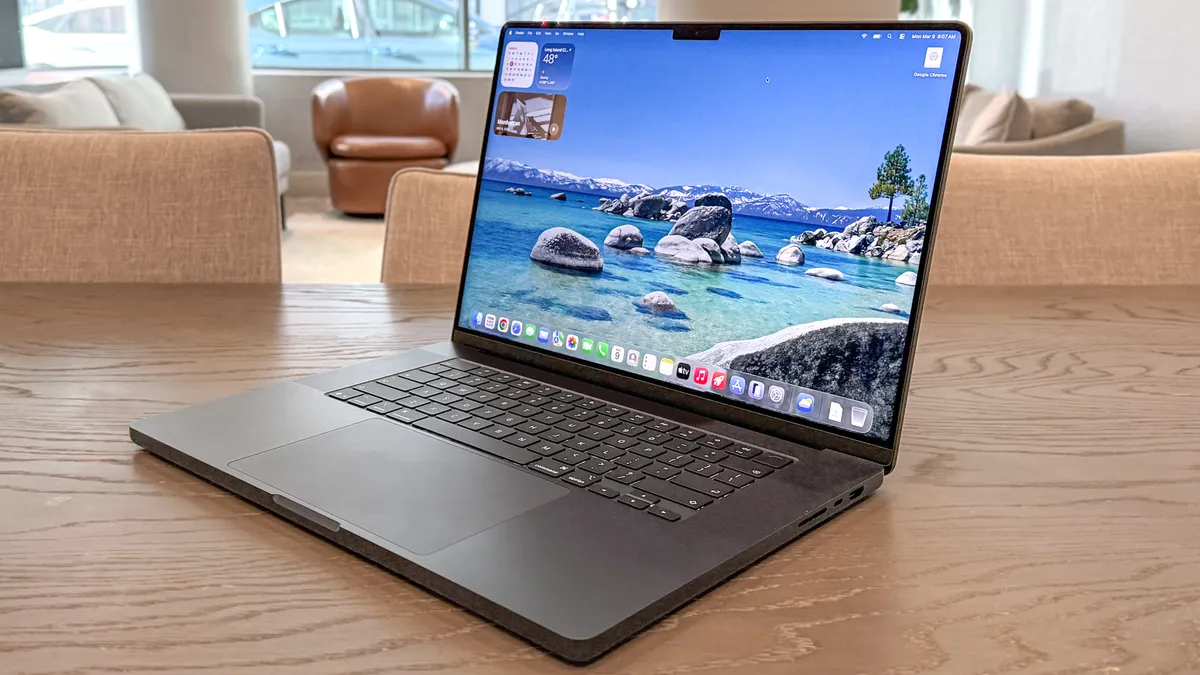
The MacBook Pro 16-inch M5 Pro is a beast of a laptop for anyone new to Apple or upgrading from older models like the M3 Pro. It's not a revolutionary leap from the M4 Pro, especially considering its price increase these days, but that M5 Pro chip delivers serious gains and phenomenal battery life. If you need a powerhouse MacBook for heavy video editing, 3D rendering, or optimized gaming, this is the laptop I recommend.
Who is the MacBook Pro M5 Pro 16-inch for?
The MacBook Pro M5 Pro 16-inch not only launches laptops into a new realm of performance but also delivers insanely long battery life. In fact, it’s the longest-lasting laptop we’ve tested to date, at over 21 hours. This one’s for all the creators and power users looking for a mighty, portable machine to take with them on the go, without worrying about battery life.
Why is this the best MacBook for power users?
Just from the benchmarks alone, the MacBook Pro with M5 Pro soars ahead of its competition. M4 Pro is still fast, but the latest chip brings a significant performance bump that makes video editing, coding, creative design work and more faster than ever. While the M5 Max undoubtedly boasts even higher power, this model is the sweet spot between price and performance for most power users.
MacBook Pro 16-inch (M5 Pro) Performance Results
Slide through to see our performance
Geekbench 6 (single-core)
| Product | Value |
|---|---|
| MacBook Pro 16-inch (M5 Pro) | 4306 |
What do we like about the MacBook Pro M5 Pro 16-inch?
👍 Speedy M5 Pro performance: The highlight of the latest MacBook Pro is its M5 Pro chipset, and it’s a beast, to say the least. It easily outperforms its competition, and that’s not even talking about the next step up: the M5 Max. Expect to breeze through everyday workloads, edit 4K video faster than ever, utilize on-device AI and more.
👍 Epic battery life: When a laptop reaches nearly a full day of battery life, you know it’s a machine where you can leave the charger at home. Lasting over 21 hours, the 16-inch MacBook Pro M5 Pro is the go-to laptop for work during the day and entertainment at night, whether that be web surfing, streaming videos and gaming.
👍 Gorgeous 16-inch display: No, this isn't any different from the last few MacBook Pro models, but it's hard to deny the sheer brilliance of the M5 Pro's 16.2-inch Liquid Retina Display (3456 x 2234). We go as far as to say it's the best non-OLED screen around. It makes it great for creative work and watching shows.
What don’t we like about the MacBook Pro M5 Pro 16-inch?
👎 That’s one big price tag: Now, anyone looking to buy a MacBook Pro knows how expensive it will be, but this time, it's more expensive than ever. At $2,999, that’s $500 more than the 14-inch MacBook Pro M5, so be sure to know exactly what you’ll need this mighty machine for before taking out your wallet.
👎 Not a major upgrade: It's become the norm to expect Apple to deliver more of a spec bump than a revamp to its MacBook Pro lineup. That's okay, as these laptops continue to be fantastic machines, but for anyone waiting for a change in design or an OLED screen, it's best to wait.
MacBook Pro M5 Pro 16-inch: Bottom line
The MacBook Pro 16-inch (M5 Pro, 2026) strikes that balance between being just powerful enough to justify its price tag and being an absolute workhorse, offering the big-screen treatment. It may not match the performance of the M5 Max, but it’s certainly more affordable, and for many power users, the M5 Pro offers more than enough performance to power through their intense workloads.
- Read our full MacBook Pro M5 Pro 16-inch review
MacBook performance tests
MacBooks are among the most powerful laptops on the market, and we have to the testing to prove it. Using the Geekbench 6 benchmark to see the single-core (for simple tasks) and multi-core (for complex tasks) results of each MacBook we get in, along with the Handbrake test to see how fast a laptop is at converting a 4K video to 1080p, we can gauge the performance of each MacBook. Here's how each compares.
Best MacBooks Performance Test Results
Slide through to see Geekbench
and Handbrake tests compared
Geekbench 6 (single-core)
| Product | Value |
|---|---|
| MacBook Pro 16-inch (M5 Pro) | 4306 |
| MacBook Pro 14-inch (M5) | 4288 |
| MacBook Air 15-inch (M5) | 4191 |
| MacBook Air 13-inch (M5) | 4168 |
| MacBook Neo (A18 Pro) | 3535 |
MacBook battery life tests
Our big test for every MacBook is the battery life. We run our custom battery test to see how long each MacBook (at 150 nits of brightness) can last browsing the web over Wi-Fi until it runs out of juice. Here's how all of the best MacBooks stack up.
Spoiler alert: they're some of the best laptops for battery life you can snag right now.
Battery Life Benchmarks
In our battery test, we set the laptop's display to 150 nits of brightness and have it endlessly browse the web via Wi-Fi until it runs out of juice.
Battery life (hh:mm:ss)
| Product | Value |
|---|---|
| MacBook Pro 16-inch (M5 Pro) | 21.166666666666668 |
| MacBook Pro 14-inch (M5) | 18 |
| MacBook Air 15-inch (M5) | 15.5 |
| MacBook Air 13-inch (M5) | 15.466666666666667 |
| MacBook Neo (A18 Pro) | 13.466666666666667 |
Best MacBook: Frequently Asked Questions

Should I buy a MacBook now or wait for the next model?
We can expect a new set of next-gen Air, Pro and now even Neo MacBook models annually. However, don't feel you need to upgrade every year.
That being said, no one wants to buy a current-generation MacBook only for Apple to launch the next-gen model the next day (I would feel that pain!). To avoid that, here's our expected calendar of upcoming MacBooks:
- MacBook Ultra (Fall 2026): A true generational shift is reportedly coming for the MacBook Pro, or should we say "Ultra." Not just moving to the 2nm M6 chip, but also sporting an OLED touchscreen! MacBook Pros normally launch late every year, and we'll keep you up to date with the latest once it arrives.
Each jump for Apple's laptops is a more modest upgrade with the same design and display. The improvements tend to come under the hood, but unless you're jumping from, say, a MacBook Pro M1 to a MacBook Pro M5, don't expect huge leaps in performance.
Apple's latest lineup of MacBooks is the best around, but don't worry about upgrading if you only got the previous year's model. However, when a revamp is expected, or a new launch is right around the corner, it's often best to hold off on buying the current-gen MacBook you had your eye on.
That's because you'll get the latest and greatest MacBook right when it launches, and for (hopefully) the same price you'd pay for the model that would instantly be considered the "last-gen" model. It will prolong how many more years of use you'd get out of it, but there's also something to be said about saving on an earlier MacBook; although expect these to be "renewed" models at major retailers.
In any case, if we're hearing about a MacBook launch that's just around the corner, or a fully revamped model, your best bet is to wait to upgrade.
How much to MacBooks cost now?
As of June 25, 2026, Apple increased the price of its range of MacBooks, which is now in effect at the Apple Store. While it's unfortunate, it's the result of the ongoing RAM crisis, with costs rising from $100 to a staggering $500, depending on the model.
If you're shopping for a new MacBook, it's a good idea to check third-party retailers like Amazon, Best Buy, Walmart and more to grab a laptop at the older, lower price (or even with a deal).
Right now, here are the prices of each MacBook after the increase in the U.S. and U.K.
- MacBook Neo: $699 / £699 (up from $599 / £599, $100 / £100 increase)
- 13-inch MacBook Air: $1,299 / £1,299 (up from $1,099 / £1,099, $200 / £200 increase)
- 15-inch MacBook Air: $1,499 / £1,499 (up from $1,299 / £1,299, $200 / £200 increase)
- M5 MacBook Pro: $1,999 / £1,999 (up from $1,699 / $1,699, $300 / £300 increase)
- M5 Pro MacBook Pro: $2,499 / £2,499 (up from $2,199 / £2,199, $300 / £300 increase)
- M5 Max MacBook Pro: $4,099 / £4,099 (up from $3,599 / £3,599, $500 / £500 increase)
What is macOS?
macOS is Apple's own operating system for its lineup of Macs, and it's an intuitive, seamless OS that tightly integrates with the rest of the Cupertino tech giant's products, like the iPhone and iPad.
Every year, macOS gets a major update, bringing new features and tweaks to check out. Right now, we're on macOS Golden Gate (macOS 27), which is available to upgrade to now. This is mainly focused on bringing Siri AI to the forefront, so it is largely the same as the previous macOS Tahoe (macOS 26).
Here's what to expect in the latest macOS 27 update:
- Siri AI and Apple Intelligence: Apple's rebuilt take on AI is integrated throughout the system, with contextual awareness, conversational capabilities and improved natural-language support. For example, through the Siri AI app in the Dock, Menu or Spotlight, it can help write and proofread drafts from scratch, find a PDF invoice in one of your emails in Spotlight and use Visual Intelligence to answer questions based on what's on screen. This works in a similar way to ChatGPT and Google Gemini.
- Liquid Glass Slider: The design overhaul introduced in macOS Tahoe will now be easier to customize, with sliders to change the opacity and color of windows, tiles and apps, along with edges of apps now being more defined to stand out more in the background.
- Spatial Reframing: As with iOS 27 and iPadOS 27, Spatial Reframing is a new feature in the Photos app that lets you reframe existing photos and adjust the perspective however you like. It's a great tool to have if you're looking for a different angle, and it can now be done on macOS.
Which MacBooks support Apple Intelligence?
Back in 2024, Apple released the initial version of Apple Intelligence for Macs, iPads and iPhones. The launch has been, well, rocky to say the least. But now, we're getting a completely built-from-the-ground-up Apple Intelligence in the form of Siri AI, coming with macOS Golden Gate.
This brings smarter suggestions across Apple's range of apps, such as scheduling an event or reminder in the Calendar app after someone messages about an upcoming appointment, understanding what's on your screen with Visual Intelligence, analyzing files and bringing up what's most relevant, and more.
Every MacBook on this list will meet these requirements, touting a Neural Engine on the chipset and over 16GB of RAM. However, MacBooks with Intel chips will not support Apple Intelligence (i.e., those sold in 2019 and earlier).
Should I buy a MacBook Air or a MacBook Pro?
Buy a MacBook Air for everyday work, study, web browsing, light creative tasks and the easiest portability. Buy a MacBook Pro when you need higher sustained performance, more ports or a higher-end display. The MacBook Air M5 is our best overall choice because it combines strong everyday performance with a thin, light design and long battery life.
Choose the Pro if you regularly edit video, compile code, work in demanding creative apps or even game during your usual week. Even with the MacBook Pro M5, its cooling fan helps it sustain heavy workloads for longer, and it has a better selection of ports.
How much RAM and storage do I need in a MacBook?
It's important to choose enough memory and storage for the work you expect to do over the laptop’s lifetime, because both are fixed once bought (you can always ad an external SSD for storage, though). For browsing, documents and streaming, a base configuration of 16GB and 512GB is enough to get through work tasks, video editing work and light gaming. For frequent multitasking, creative apps, development work or longer ownership, prioritise more memory above all.
Storage needs depend on whether you keep large photo, video or project libraries locally. The current MacBook Air M5 starts with 512GB now, and the MacBook Neo offers 512GB for an extra $100/£100, which gives many buyers more flexibility than its previous smaller capacities.
How to choose the best MacBook for you

As of 2026, there are three types to choose from:
- MacBook Neo: The budget pick that boasts more than enough power for browsing the web with multiple tabs and handling apps, wrapped up in a compact, sturdy frame with a splash of fun colors.
- MacBook Air: The go-to option for everyone that ticks all the boxes for everyday productivity, creative work, web browsing, some light gaming and the like in an ultra-thin and light form factor.
- MacBook Pro: The powerhouse for those who want to get into more demanding work like video editing, coding, music production or even gaming.
Each comes with its own set of strengths, but it all depends on your needs and budget. Here's a breakdown of what to check out:
- Performance: The transition to Apple Silicon breathed new life into the MacBook lineup — pairing seriously impressive performance with peak power efficiency and downright bafflingly low operating temperatures (even under max load). Of course, the question of how much of that face-melting speed you need comes down to individual use cases. Not really doing much beyond casual productivity? The MacBook Neo is perfect. Need a little more? Bump up to the MacBook Air M5. If you're a power user with creative tasks, the M5 MacBook Pros are the way to go.
- Graphics and gaming: If you want to work by day and play by night on your MacBook, anything with an M3 chip (or above) is the way to go. These 3nm chipsets pack the best GPUs, which enable huge graphical capabilities such as hardware-accelerated ray tracing. Plus, this additional power means you can breeze through graphically intense productivity tasks, too.
- Size and weight: If portability is important to you, the MacBook Airs are a must-buy from this selection. From a weight of just 2.7 pounds for the 13-inch version (and a mere 3.3 pounds for the 15-inch), these are so easy to carry around. If portability isn't the biggest concern, you could go all the way up to 4.3 pounds for the 16-inch MacBook Pro. But as far as dimensions go, all of these models are seriously sleek and carryable.
- Battery life: The 16-inch M5 Pro MacBook Pro is the longest-lasting MacBook there is, posting a Tom's Guide battery test time of 21 hours and 10 minutes. But the whole MacBook lineup lasts 13 hours and above, so if longevity is your primary concern, each model will have you covered for a full workday.
How we test every MacBook

Outside of putting them through their real-life paces in our day-to-day, we have an advanced suite of lab tests to truly see what performance and power efficiency are like in every single MacBook. Go behind the scenes and check out all the lab tests we do!
To get straight to the point of the key reasons people buy a MacBook — speed and battery life — we use our Geekbench 6 performance testing and the speed of transcoding video (Handbrake) to find out how well each MacBook performs, along with battery test to see how long these machines last before needing a charge.
Beyond these, we test the display with a high-end colorimeter and brightness tester — to ensure you're getting a great panel for the price. Then, we move on to professional performance and graphics-intensive tasks like Pugetbench benchmarks with Adobe apps.
And finally, as Apple is now really going hard on MacBook gaming, we have plenty of game benchmarks, including Cyberpunk 2077!

