







Windows 11 preview build 25120 is now available in the Windows Insider Program's Dev channel. The test build doesn’t bring much that's radically new to the operating system. However, the build introduces an optional web search bar that’s located in the middle of the desktop. The search bar could benefit some users, but others may find it wholly unnecessary.
This search bar is similar to the one currently located in the Widgets panel on Windows 11. You won’t be shocked to learn that the new search bar is powered by Bing, which is Microsoft’s own search engine. As ZDNet reports, users say that search results open in Microsoft Edge and not whichever browser you’ve set as your default. It will definitely not open in Internet Explorer, which will not exist in Windows 11 outside of a legacy viewer in Edge. At present, it appears that you cannot change the search engine this search box uses.
The widgets tab is located on the far left of the taskbar, and can also be summoned by pressing Windows key + W. As we said in our Windows 11 review, widgets might be useful for some but we found them superfluous and hard to configure. I disabled widgets after installing Windows 11 and have never missed them. This new search bar is similar in that regard.
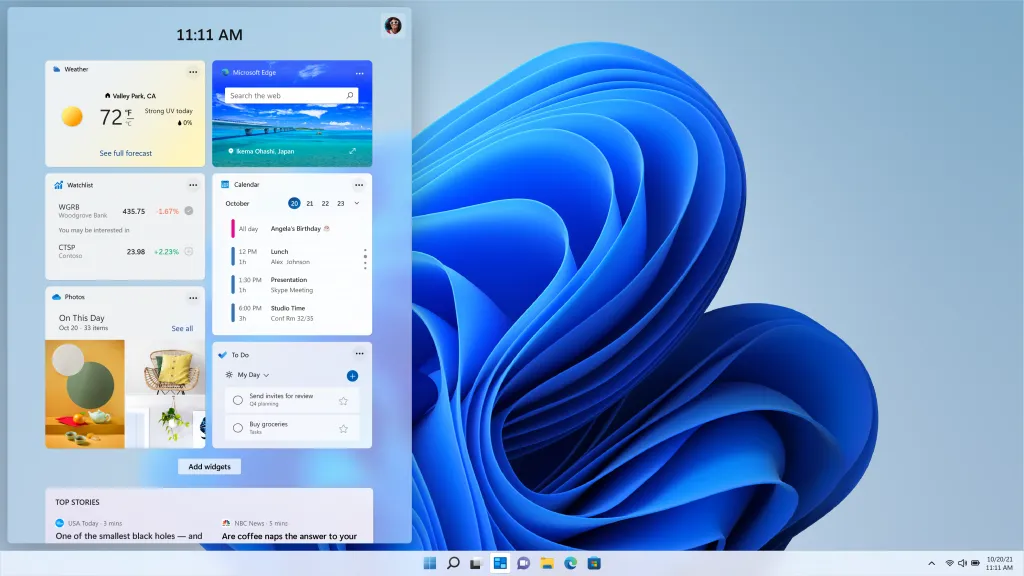
Though this search bar isn't entirely a bad idea, it's hard to imagine someone opting to use it over their search engine of choice on their preferred web browser. I don’t know about you, but I’m not exactly the biggest Microsoft Edge or Bing fan. In fact, I’ve probably used Bing a handful of times at most. But I suppose Edge and Bing users may appreciate having a search bar that’s more easily accessible. In that sense, this new search bar could be a major change.
This feature is currently being tested and may never be part of an upcoming Windows 11 update. With that said, it’s good to see Microsoft continue testing new features on its latest operating system and gauging user feedback to see which will become public. At the moment, Windows 11 isn’t a vital upgrade for Windows 10 users, but it could become an impressive OS in the future.

