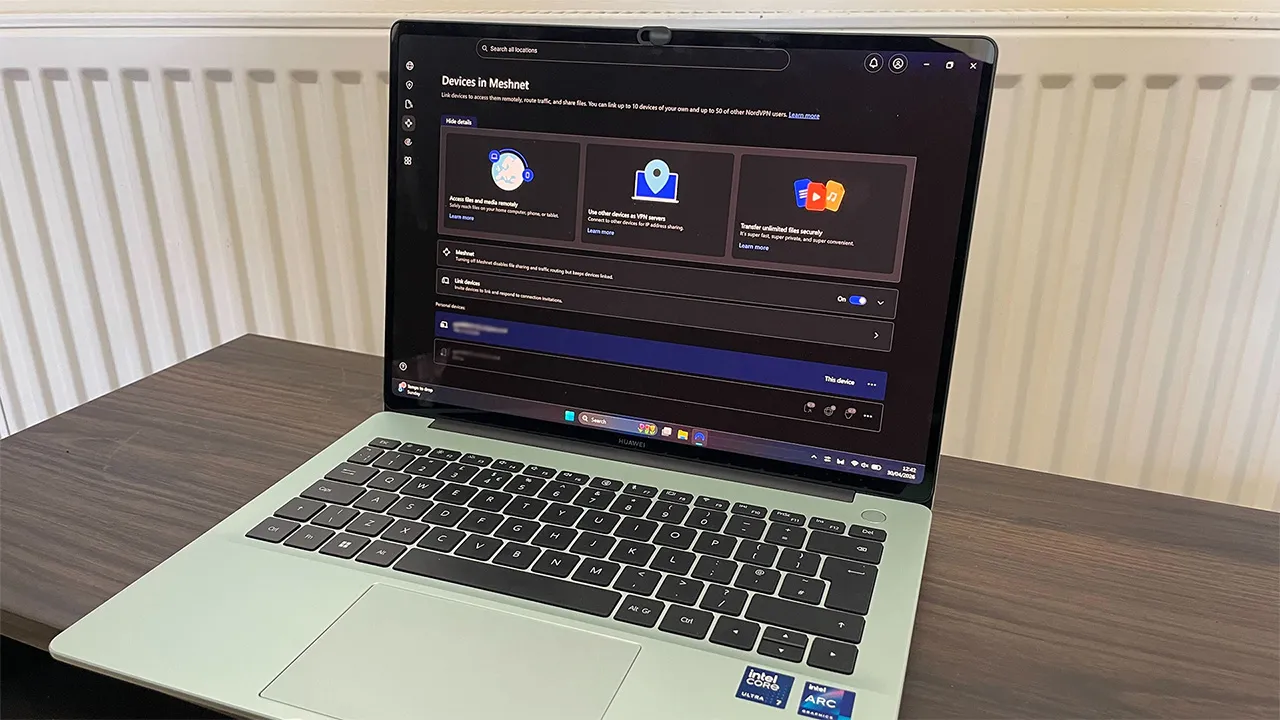
NordVPN makes a lot of claims about what Meshnet can do – from LAN gaming and remote access, to NAS and traffic routing. It's a great tool to create a virtual network that enables you to access your own devices from anywhere – connecting to them directly.
It's ideal for file sharing, collaborative work, and gaming. Meshnet brings fast speeds, low latency, and top-tier security.
However, there's one big caveat: if you're not technically proficient, it's difficult to use it to its fullest potential.
Meshnet launched in 2022 to some high expectations and matching fanfare. After a seemingly low adoption, the feature was due to be shut down in December 2025 before the decision was overturned at the last second.
Vocal support from the community was enough to keep Meshnet alive, but why aren't more people using this handy networking tool? To find out why, I got hands-on with the most underrated feature from the best VPN.
Setting up Meshnet
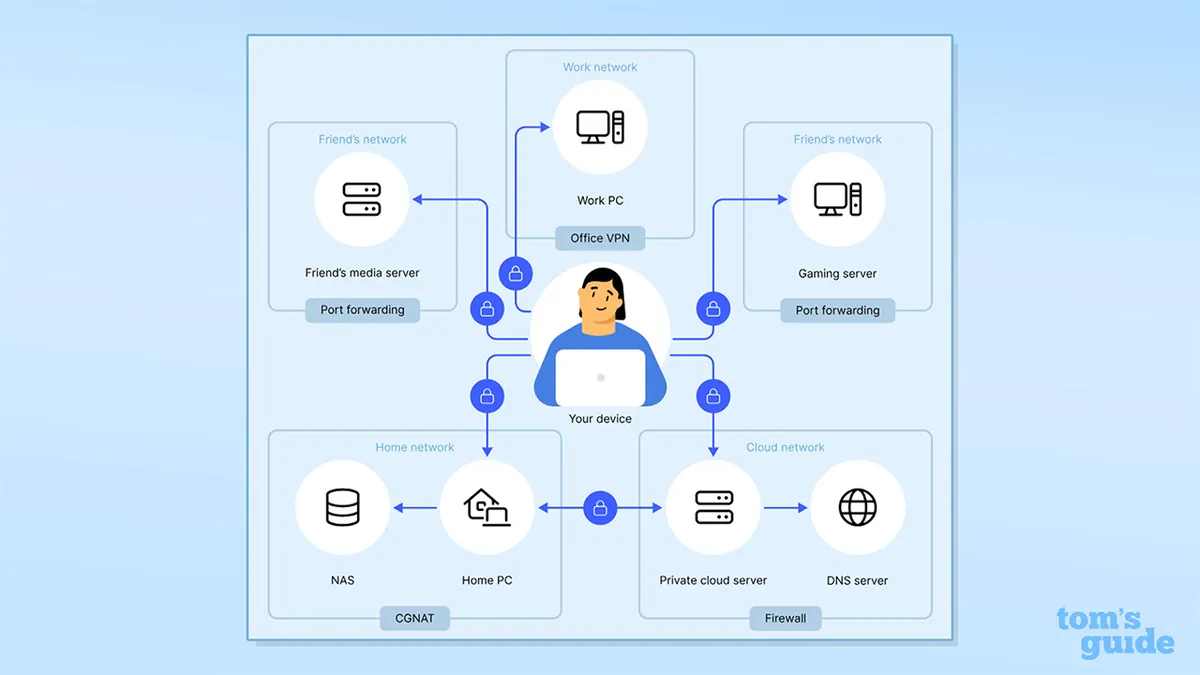
To get started with Meshnet, I first had to activate it on each of the devices that I wanted to be in my network. Open up the NordVPN app and hit the Meshnet tab in the toolbar – it's diamond shaped, with four bold points. For mobile apps, Meshnet is located within the Products tab.
All major NordVPN platforms support Meshnet, including Windows, Mac, Android, iOS, and Linux.
You can connect up to 10 devices on a single Meshnet account, with an additional 50 external devices able to be supported. Meshnet is included in all NordVPN plans, and you can also create a Meshnet account for free.
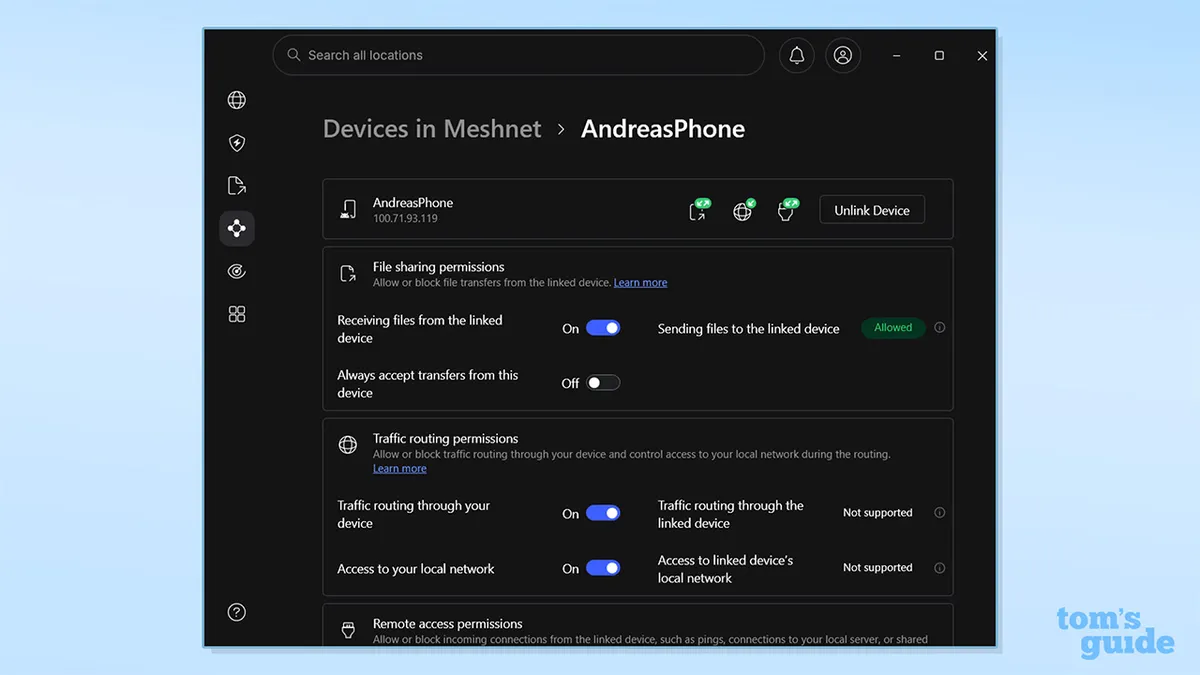
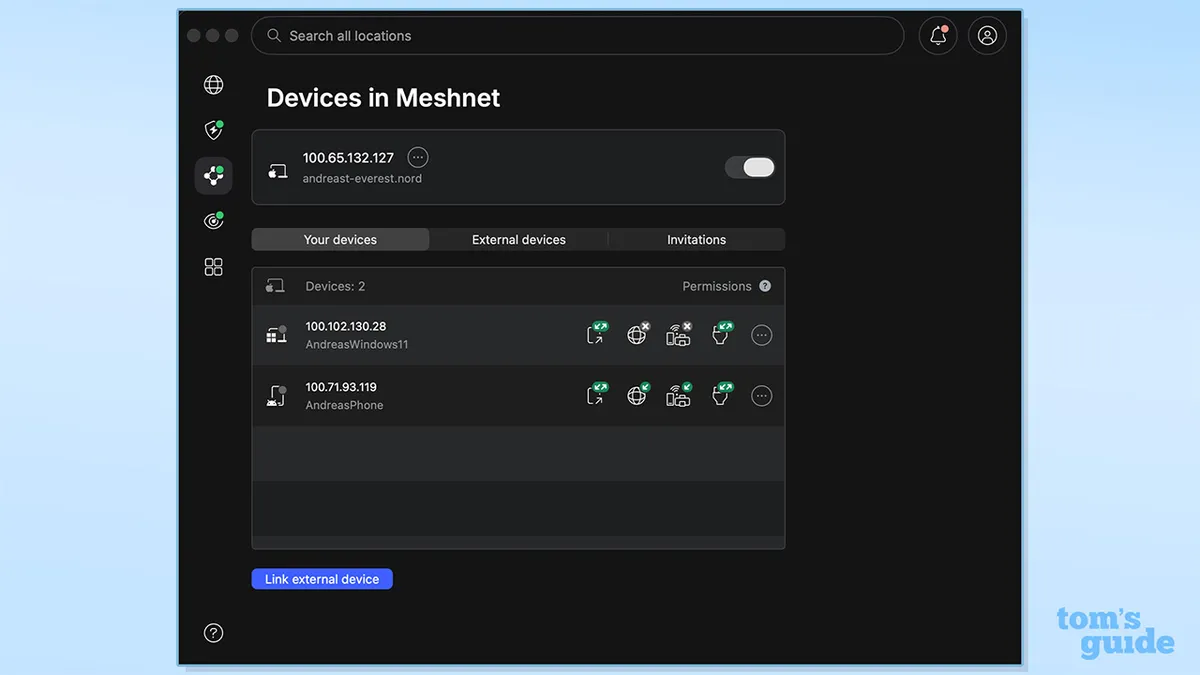
Once you've activated Meshnet on your devices, you need to determine what settings you want to enable for each of those devices. For each device you can toggle:
- Sharing and receiving: to send and receive files and folders
- Traffic routing: letting you use your own devices as part of your VPN network
- Remote access: for personal server creation and network-attached storage (NAS)
- Local network access: letting you print documents and use connected devices in your home network
Having the option to permanently accept file shares is a nice usability touch, and saves the hassle of having to accept every file share manually.
You're able to control those settings for all devices in the virtual network from any device in that network, so if you're adding in any devices that aren't your own into the network, you need to make sure you trust them wholeheartedly, or you may be putting yourself at risk.
It's worth noting that you'll need to keep your devices on if you want to do anything with Meshnet. That's fine for things like mobile devices and NAS servers, but if you're not looking to skyrocket your electrical bill, you're probably not going to be running your gaming PC 24/7. If you find yourself stuck at any point setting it up, there are plenty of handy guides for Meshnet on NordVPN's website.
It's not the most intuitive when it comes to actually using the Meshnet features itself. A lot of the associated features aren't actually in the Meshnet tab – they're elsewhere in the apps. There's a File Sharing tab on Windows, but not on Mac or Android, which is a bit confusing. Contrastingly, routing your IP through one of your Meshnet devices is within the VPN server menus, which makes sense.
An under-appreciated feature
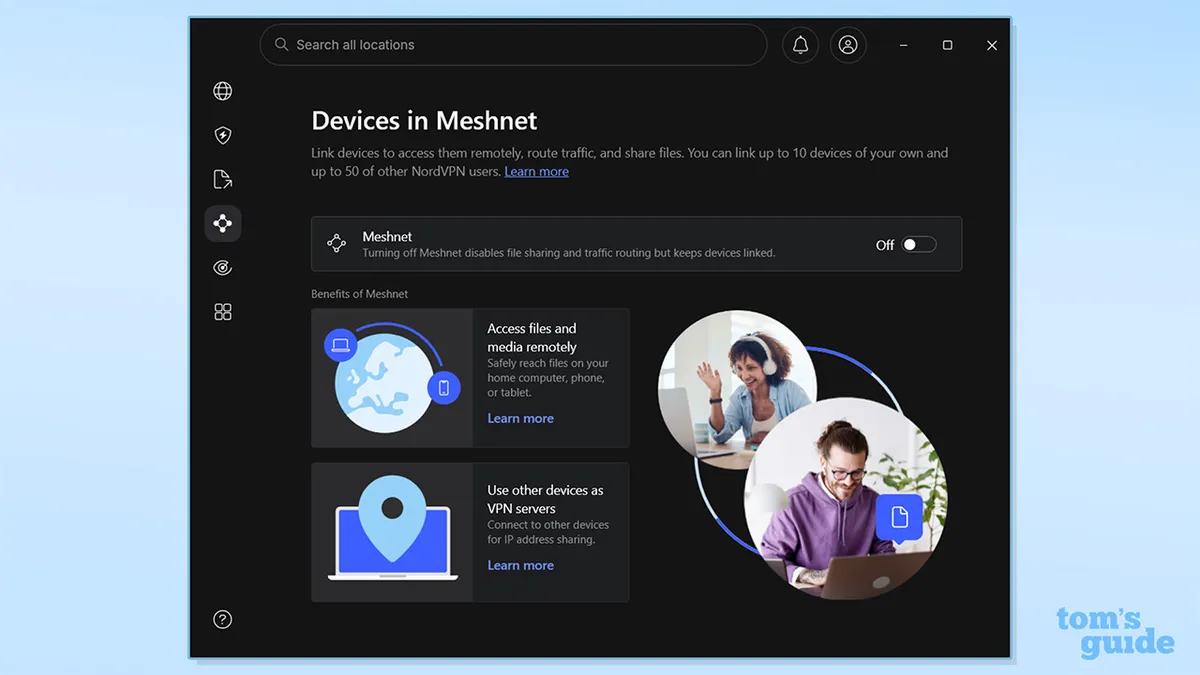


If you're technically capable enough to make the most of Meshnet, it's a wonderful tool for anyone looking to create their own Plex/Jellyfin servers, NAS, or even a family cloud server to centralise photos and files. Alternatively, if you wanted to route your traffic through a specific home device IP it makes it much easier to access your streaming services securely.
I used Meshnet to send myself some files between my phone, desktop and laptop. The transfers were pretty seamless, but one thing I did notice was that there was no queuing option, and if I shut down the sending device before the transfer completed, the transfer was lost altogether.
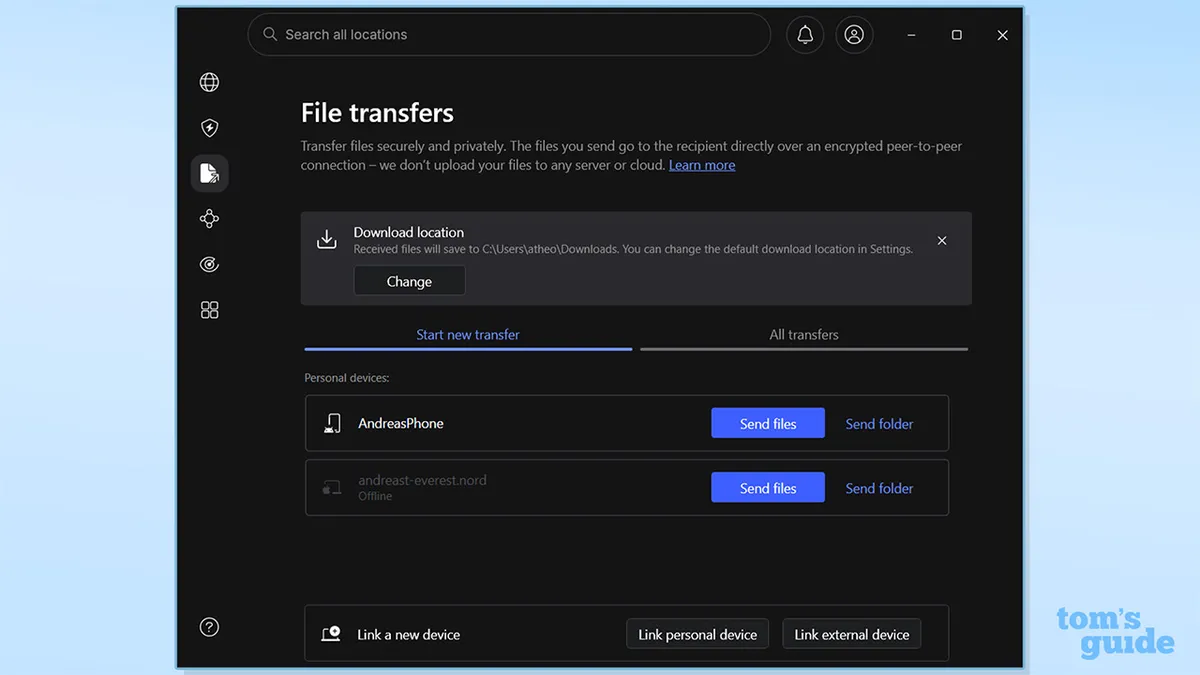
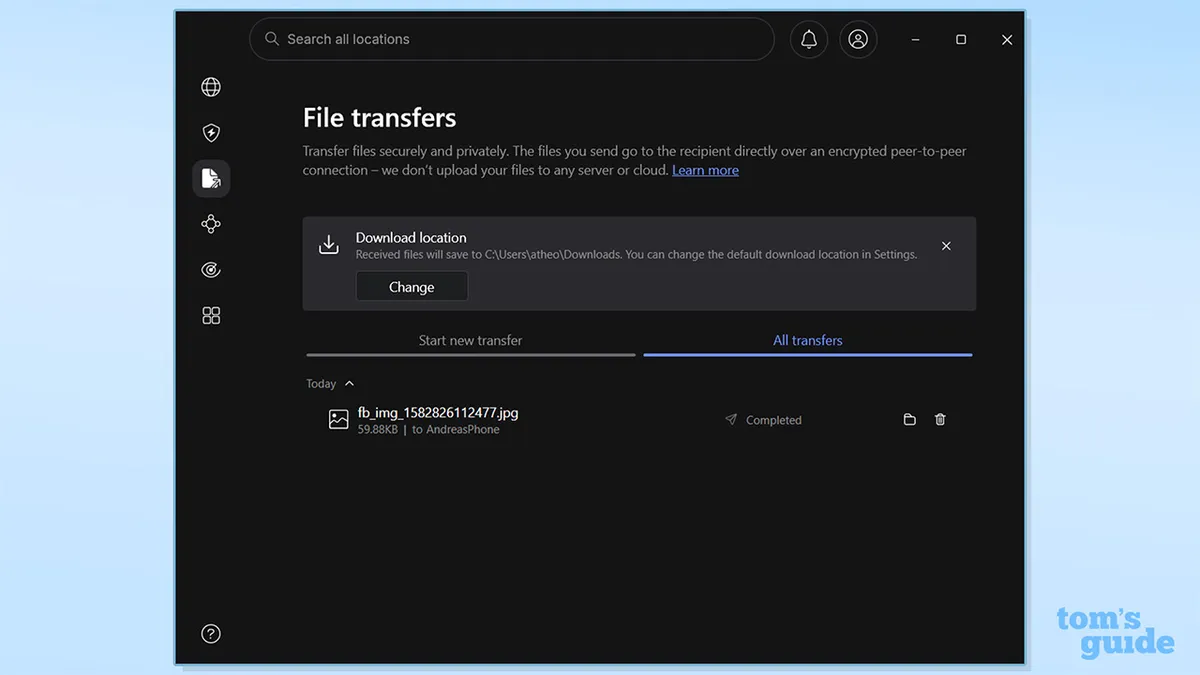


This makes sense from a security perspective – Nord isn't taking your data through any unnecessary intermediaries and storing it when it shouldn't. But, it's a minor inconvenience to have to ensure all devices are on, especially if you're away from one of those devices. It's a sacrifice I'd happily take for the security and privacy stance, though.
Additionally, the "remote access" is less of a TeamViewer-esque remote access, and more akin to making shared and syncable folders. It's a little frustrating because it means you won't be able to access all of your files on a device, but you'll be able to access that shared folder while the device is online.
A great idea that needs more
After using Meshnet for a while, there's one thing that truly stands out to me: this is a great feature, but it needs some polishing. If Nord wants Meshnet to be usable by everyone, it needs to make the features more beginner-friendly.
Right now, Meshnet's true potential is only accessible to the technically proficient – those who are willing to go into the terminal and execute commands. I'd love to see NordVPN integrating greater functionality into the apps to help people get the most out of it.
Even as much as an option to create a shared folder on a person's device through the Meshnet tab on the desktop app would take the difficulty out of setup for non-technical users.
Ultimately, if you're willing to look through the guides, Meshnet is a great tool, and I'm glad that NordVPN chose to keep it. It's incredibly useful and still has tons of potential.
We test and review VPN services in the context of legal recreational uses. For example: 1. Accessing a service from another country (subject to the terms and conditions of that service). 2. Protecting your online security and strengthening your online privacy when abroad. We do not support or condone the illegal or malicious use of VPN services. Consuming pirated content that is paid-for is neither endorsed nor approved by Future Publishing.