The best meat thermometers make it a breeze to cook your meat perfectly every time for a delicious (and safe) meal. But there are a lot of types to choose form, depending on how you like to cook and how many people you're catering for.
Accuracy is the most important feature, though. Which is why we put these meat thermometers to the test, to check the manufacturer's claims against our own results. That's one of the (many) reasons we rated the ThermoWorks Thermapen ONE as the best meat thermometer for most people.
It's simple, quick, and accurate, making it ideal for professionals and everyday cooking. However, if you frequently entertain and enjoy flame-grilling multiple cuts of protein, we’d recommend the Meater Pro XL, but it’s not cheap. Which is why we've also listed budget, flexible, versatile options as well.
The quick list

The CHEF iQ Sense smart thermometer is a handy aid in the kitchen when cooking meat to the perfect temperature. Once set up, it’s easy to use, the app guides you through the cooking process, and it even has a voice alert. it also comes in a neat storage case.

This thermometer is popular among professionals and home cooks and gives reading in one second that proved to be the most accurate in our testing. It super simple to use be used for a whole range of food items from making candy to roasting meat.

A premium meat thermometer that offers more features than simply checking the temperature of your roast. It accurately estimates the cook time and lets you know when your protein will be ready to eat. Plus, for extra flexibility it offers four probes, perfect for multiple proteins.

The Ninja ProChef Wireless Thermometer is a good performer. It takes the guesswork out of cooking protein to the correct temperature, and you can connect it to your other Ninja cooking appliances. It's also powered by batteries, so there's no need to rummage around for a charging cable.
Read more below

The Typhur InstaProbe gives a fast temperature reading, has an easy to read display and an attractive design, plus it's the best budget pick. It also performed well in our accuracy tests and gave a reading in less than one second.

The GoveeLife Smart Wireless Meat Thermometers offer four wireless probes, so you can cook several different joints of meat in different ways, all at once.
The best meat thermometers you can buy today
Why you can trust Tom's Guide Our writers and editors spend hours analyzing and reviewing products, services, and apps to help find what's best for you. Find out more about how we test, analyze, and rate.
Best meat thermometer overall


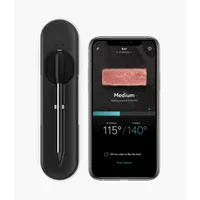
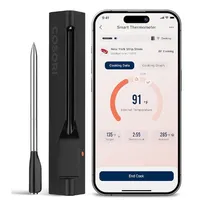
The CHEF iQ Sense smart thermometer is operated via an app. But don’t worry, even if you are not tech-savvy, it is easy to use. It comes with one probe, which is inserted into the meat, but if you require more, you can purchase a double or triple probe set. This wireless thermometer sits securely in a black case, which is the hub.
Overall, it feels sturdy and robust. Firstly, you’ll need to charge the probe with the USB cable provided, which will take about 45 minutes. The hub itself takes longer, but once charged for 3 hours it will last for 20.
What does the hub do? It charges the probe and relays data from the probe to your smart device, where you’ll receive alerts and audio alerts via its built-in speaker. I was a bit alarmed at hearing the alerts at first, but I soon got into the swing of it.
To power up, you’ll need to depress the button on the hub for 3 seconds and connect the device to your phone, so make sure you’ve already downloaded the CHEF iQ app. Once up and running, you can set up a cooking program from the app and set the cooking time and temperature by running through the options. You can also save your regular cooking programs to favorites, to save you running through the process each time.
The app is intuitive to use, and it’s easy to monitor the progress of your cook throughout the process. You’ll receive alerts if the probe needs repositioning or if your protein needs turning, and you’ll be given a warning before the meat is ready to rest.
- Read our full CHEF iQ Sense review
Best instant-read thermometer

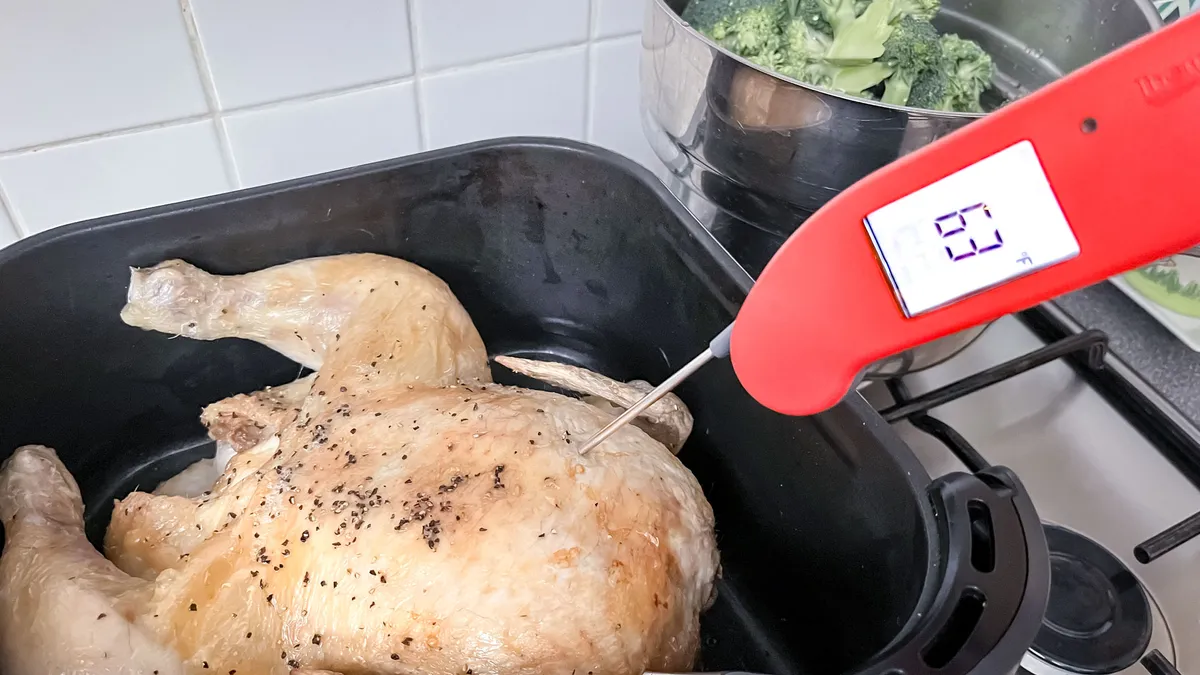


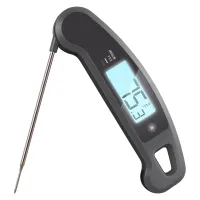
The ThermoWorks Thermapen ONE is pretty much the go-to meat thermometer for many professionals and home cooks. You pull out the probe, push it into the meat, the thermometer automatically turns on, takes the reading, then you put it away.
It's easy to use, uncomplicated and accurate. It doesn't have the same smart features as others in the market, and it won't connect to an app, but if you're looking for the best meat thermometer for most people and uses, this is it.
The probe folds away into the main body for easy storage (so you don't need to find an extra long drawer space), and the sloped design is easy to hold while you're waiting the incredibly short time it takes to measure the temperature (about one second).
And while we did our own tests to validate it's accuracy, you don't necessarily need to. The Thermapen ONE comes with its own Certificate of Calibration which demonstrates that your specific version of the thermometer has been checked for accuracy.
Because the aim is to make it simple to use (and it definitely is), the settings are a little buried. And I don't mean deep in a digital menu; literally buried beneath the battery compartment.
So, if you want to adjust the temperature unit, change the display brightness or tweak the displayed temperature to get as accurate reading as possible, you need to unscrew the compartment and reassemble before use.
- Read our full Thermapen ONE review
Best premium meat thermometer


The Meater Pro XL is one of the most premium smart meat thermometers money can buy, but it comes at a steep price to the tune of $349, although remember that you are getting four probes instead of one. I put the meat thermometer through the wringer and was impressed with its overall ease of use and accuracy when cooking small and large proteins. I would certainly be happy to use it to cook my Christmas turkey, without a doubt that the meat would be perfectly cooked.
With four probes that can withstand up to 1000°F, this meat thermometer is ideal for those summer open flame grills when you've got multiple cuts of protein that you want to cook at the same time. And, everything is super easy and intuitive to set up on the app, although you will need an internet connection.
While I'd be happy to use the meat thermometer in its standalone mode, I found it simple and intuitive to set up and follow on the app, and I'm not particularly tech-savvy. I was able to set up a cooking program, receive alerts, and adjust the settings remotely. But although it is a smart device, I was surprised that it didn't come with some basic printed instructions to get you up and running.
This is a premium product and it looks the part. The probes are housed in a sturdy wooden casing, along with the standalone unit. It has a metal pull-up stand, so you can view the display more easily when it's in use on your countertop. It's much more sophisticated than cheaper plastic alternatives, but you pay for the privilege, and it's sure to impress your friends when you're entertaining.
The Meater Pro XL has a USB-C charging port on the reverse of the case, and once charged, I found it held its charge for 24 hours, as Meater claims. So, you can rest assured that your meat thermometer won't run out of juice while cooking your Thanksgiving Turkey.
- Read our full Meater Pro XL review
Best smart meat thermometer


The Ninja ProChef wireless thermometer is operated via Ninja’s ProConnect app, which you can download from the App Store or Google Play. It’s a smart meat thermometer with a single probe that is placed into your food while it cooks.
As you would expect from Ninja, the Nina ProChef is well-packaged and is presented in an attractive natural-colored box, which you’ll discover once you remove it from the first one! The wireless thermometer sits within the box, with the probe positioned within the hub.
Before you use the probe for the first time, Ninja recommends leaving the battery in place for one hour. You’ll need to place the probe into position on the hub, as the hub holds the charge. As it runs on one AAA battery, it leaves your kitchen free of additional charging cables. You can also check how much power is gone, so you’re not left mid-cook with a thermometer that’s out of juice.
The set-up instructions are limited, but it’s fairly easy to get up and running. Once you’re all connected, you can select a cooking program for your chosen protein. However, you can also select a manual setting to choose the end temperature you require.
I enjoyed using the Ninja ProChef; it’s easy to set up, neat and compact and performs well. You can also improve the experience by pairing the device with other Ninja cooking appliances. Although I don’t have any major quibbles with the thermometer — for instance, it has an impressive heat resistance to 700°F, stays connected, and is designed to be used inside and outside — I do have a few small gripes. The printed instructions were minimal, and the resting alerts were a bit hit-and-miss. However, it’s perfectly capable of performing a good job to ensure your protein is cooked to perfection.
- Read our full Ninja ProChef Wireless Thermometer review
Best budget meat thermometer

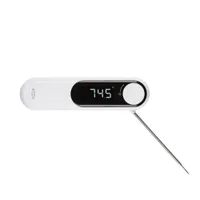
The Typhur InstaProbe promises to read food temperatures even faster than the ThermoWorks Thermapen One. And though it comes close in certain circumstances, a few design choices prevent it from overtaking ThermoWorks’s industry-leading instant-read thermometer.
The screen of the InstaProbe is an attractive black that makes it easy to read the high-contrast, backlighted digital display, however, its glossy nature and the outer casing can make it difficult to grip when wet or the air is steamy.
As for the display, it rotates, but only when the InstaProbe is held horizontally—you don’t get vertical readings. In addition, the probe, when folded, doesn’t click into the case; it just sits free on the back, making it possible to catch on things.
We found that the InstaProbe lives up to Typhur’s less-than-1-second speed claims and its accuracy claims in all instances but one: our boiling water test. While the best thermometers we’ve tested eventually settle on a number, the InstaProbe never did. It flipped constantly between numbers across a range of nearly 2.5° F—not that much, but enough to risk throwing off candy making or just missing that perfect medium rare.
Good as the InstaProbe is, you’re probably better off giving back that 0.5 seconds and getting more accurate overall readings and a better design with the ThermaPen one—unless you can’t live without the InstaProbe’s ultraswank look.
Best multi-probe meat thermometer


If you need to keep an eye on several joints of meat at once – or even different parts of the same animal – you need a thermometer kit with multiple probes like this.
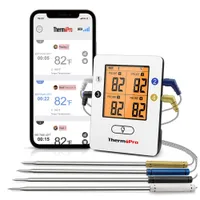
The GoveeLife Smart Wireless Meat Thermometer has four different probes. Easy to use, these wireless probes give you both the internal and ambient temperature of a given joint of meat.
The app has lots of temperature presets to help you cook. Once your meat reaches the correct internal temperature you get a notification on the probe case and in the app. We found the presets great for achieving the correct doneness for steaks, though chicken was a little undercooked.
Small touches set this apart, too. Unlike the Meater Pro XL probes, which are always on display, these probes can be stored in a case, which is more hygienic. They can also be propped up at an angle, which makes it easier to read the temperature.
However, these meat probes' greatest strength – their wirelessness – is also their greatest weakness. They need to be charged every time you use them, and sometimes that isn't practical. These probes are great, but you'll inevitably have an evening when you're cooking something, want to check the internal temperature, and can't, because the probe is out of power.
The instructions could use a little work, and despite several attempts, we could never get the Bluetooth function working, which is a little frustrating if you're hoping to use these to grill outside away from a Wifi connection.
- Read our full GoveeLife Smart Wireless Meat Thermometer review
Also tested
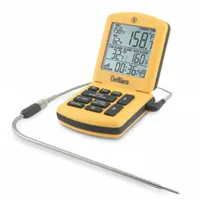
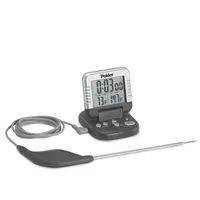
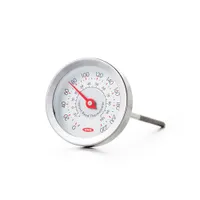
To make sure we only recommend the very best meat thermometers, we test a lot more than make it into our main roundup. But that doesn't necessarily mean they're a bad choice, so if you're after more options, here are those we've also tested.
How we test the best meat thermometers

To assess the kitchen thermometers, we put them through a series of objective and usability tests that would allow us to determine their overall technical capabilities and how well they worked in everyday kitchen tasks.
To measure speed and accuracy of instant-read thermometers, we set up water baths at three different temperatures: one filled with ice water at just barely over 32° Fahrenheit, one with water kept at a constant temperature (approximately 125°, or where you’d expect to pull a piece of beef for medium rare doneness) via a sous vide machine, and a pot of water boiling at just over 204° (the boiling point affected by the altitude of our test space).
We dipped each thermometer’s probe in the water, timed how long it took the temperature reading to stabilize, and compared its temperature reading with one from a freshly calibrated, lab-quality reference thermometer.
For digital remote-style probe thermometers with cables, we used the 125° water bath and the reference thermometer to track temperature consistency over a period of 5 hours.


We then enlisted the thermometers for an all-day cooking marathon, roasting four-pound slabs of top sirloin until they reached medium rare. For instant-read and clip-on thermometers, we also deep-fried French fries and tortilla chips, in each case using multiple units to compare accuracy and usability.
Along the way, we tried as many of the thermometers’ special features (such as temperature alarms or mobile apps) as possible, so we could mimic how they would function in the real world.
Once we were finished cooking, we also went through the process of cleaning and storing them, to see how well they could withstand those everyday maintenance.
Finally, any special features, such as smart connectivity or multiple probes, were tried out. We then compiled our results to find the best meat thermometers for every situation.
How to choose a meat thermometer
Style
There are a number of different types of thermometer on the market, and what you like to cook will be the primary decider for which style you buy. If you rarely cook anything more than roast beef or chicken, a simple, leave-in meat thermometer may do the job (and, in most circumstances, will be highly affordable). You can up your game with a digital remote probe-style thermometer, which thanks to cabled probes lets you see the meat’s current temperature from outside the oven, set temperature maximums and alarms, and more. These are also good for deep frying or sugar work, if you have a model that clips on to the side of the pan. If you’d prefer a single, go-everywhere model, an instant-read can work in all these places, though these make it more difficult to chart temperatures over time.
Analog or digital
Analog thermometers are typically less expensive than digital, but they’re also invariably slower and usually more difficult to read. This matters less with a thermometer you’re going to leave in the Thanksgiving turkey for a few hours than it does with a thin steak or caramel sauce, where every change in degree can spell the difference between success and failure. As some good digital thermometers are available for $35 or less, you’re better off getting one of those if you can.
Instant-read features
The most important features for instant-read thermometers are the size and design: you want one that isn’t too small or too big, that has an easy-to-access probe, and that you can firmly grip even if steam or grease interfere. Many newer instant-read models also have displays that light up or rotate in two or four directions (so you can see the temperature no matter where you or the food are located); these are helpful, but may add a lot to the final price.
Number of probes
Most remote probe-style thermometers only include one probe, so you can only track the temperature of a single dish at a time. Some, however, include up to four probes, letting you prepare wildly different recipes with just a single device. This is handy, particularly if you entertain a lot or frequently prepare multiple meats at once, but can also be logistically difficult (as you may have a lot of probes and cables to organize) or expensive (for models where each probe is sold separately).
Resolution, scale, and calibration
Home thermometers measure in either whole degrees or tenths of a degree; make sure you know how much detail you want, as not every thermometer does both — and those that do should make it easy to switch between the resolutions. Similarly, the thermometer should display the temperature in both degrees Fahrenheit or degrees Celsius, so you can use it no matter where you live, and allow you to easily flip between the two. Though it’s not a necessity, calibration is an excellent additional feature; by measuring a known temperature (such as ice water) and adjusting the readout accordingly, you can continue using your thermometer even if its initial accuracy diminishes over time.
Smart functionality
Smart thermometers can connect with a mobile app so you can follow what’s happening in the oven even when you’re away from the kitchen. This is still something of a gimmick, and is of limited utility unless you’re making a long-cooking dish that might suck up most of your day. But, apps that allow long-term temperature tracking and have presets for certain kinds or cuts of meat may help take some of the guesswork out of the process. Use one that’s customizable, though, as your cooking equipment and personal preferences can be difficult to hard-code into any software.
FAQs
Is a meat thermometer worth it?
With meat thermometers costing as much as $100, you might ask yourself if they’re really worth the expense. It all comes down to what you cook and how precise you want to be with your cooking. If you often prepare thick joints of meat for guests, a meat thermometer can guarantee the quality of the results without cutting into the meat and losing some of the moisture. Similarly, if you need to cook to a finishing standard you’re not used to, such as well-done, a meat thermometer can help you achieve the perfect internal temperature without overcooking.
A meat thermometer can be used in all sorts of cooking circumstances — you can check whether ingredients have cooked all the way through and confirm that the food is safe to eat. Consequently, with one of these, you don’t have to worry so much about foodborne illnesses. Ultimately, a meat thermometer can be useful in more ways than you’d think. At the very least, it’s good practice to have a basic model in your kitchen drawers, to make sure any meat or eggs you cook are safe to consume.
How much should you pay for a meat thermometer?
The price of a meat thermometer can range from less than $10 to over $100. Naturally, the more you spend, the more features you’re going to get, such as app connectivity and additional probes. However, that’s not to say you can’t get a good meat thermometer for a good price.
Decide on your budget as well as what you need before browsing for a new thermometer. Consider what you will use it for and whether the extra features would prove useful. If you want one from a premium brand, such as ThermoWorks, be prepared to pay a premium price. However, even ThermoWorks offer options for those on a budget, such as the ThermoPop, so be sure to do your research before you invest.
Where should I insert a meat thermometer?
It's crucial to insert your meat thermometer into the right part of a carcass. Getting this right is essential for accuracy and, therefore, hygiene. If you put the thermometer in the wrong spot, you'll get an inaccurate reading, and you could end up with unsanitary, undercooked meat.
In general, you should insert the thermometer into the thickest part of whatever you're cooking. The thickest part takes the longest to reach temperature, so if you hit the target temperature in the thickest part of the animal, you can be sure you've hit a safe temperature in the rest of it.
In a chicken, the best place for a meat thermometer is the breast. The thigh can also be a good spot.
For joints for roasting like beef and lamb, just place the thermometer as close to the center of the joint as you can.
For thin cuts like pork chops, steak, and chicken fillets, insert the thermometer sideways along the cut of meat.
You should avoid bone, fat, and gristle, because these will give you an inaccurate reading.