





Tom's Guide Verdict
The Steam Machine does what I want it to do — a well-designed box that brings together the complexity of PC gaming into a couch console experience that’s really enjoyable when it clicks. But at $1,049, the underpowered parts are exposed and it’s left feeling lost in the sea of better-priced competition.
Pros
- +
Really well-designed hardware
- +
Steam OS brings PC gaming to the couch
- +
Great for indie titles, old games and emulation
Cons
- -
Underpowered internals for AAA
- -
That $1,049 starting price is rough
Why you can trust Tom's Guide Our writers and editors spend hours analyzing and reviewing products, services, and apps to help find what's best for you. Find out more about how we test, analyze, and rate.
I thought the Steam Machine was going to be that perfect middle ground between console and PC — giving you your entire Steam library and the versatility of Linux alongside that pick-up-and-play goodness of something like a PS5 Pro.
But I’m just going to get straight to the point. With a starting price of $1,049/£879, it feels less like finding the middle ground and more like being lost in no man’s land. I can’t deny it does the thing I wanted it to do, but the smaller bang for a giant buck is a tough pill to swallow.
There is a lot to like here — I love the small 6-inch cube form factor with the swappable face plates (shout-out to the whisper quiet thermal management), Steam OS is a stellar big screen console UI rivaling the simplicity of PlayStation or Xbox, and it nails the console niceties that a PC can’t do without extra fiddling.
I'm talking about things like HDMI CEC to control your TV with your controller, or even turning on your system with the Steam Controller to begin with, or that customizable LED light bar upfront, all while also packing Linux to be a semi-decent mini PC.
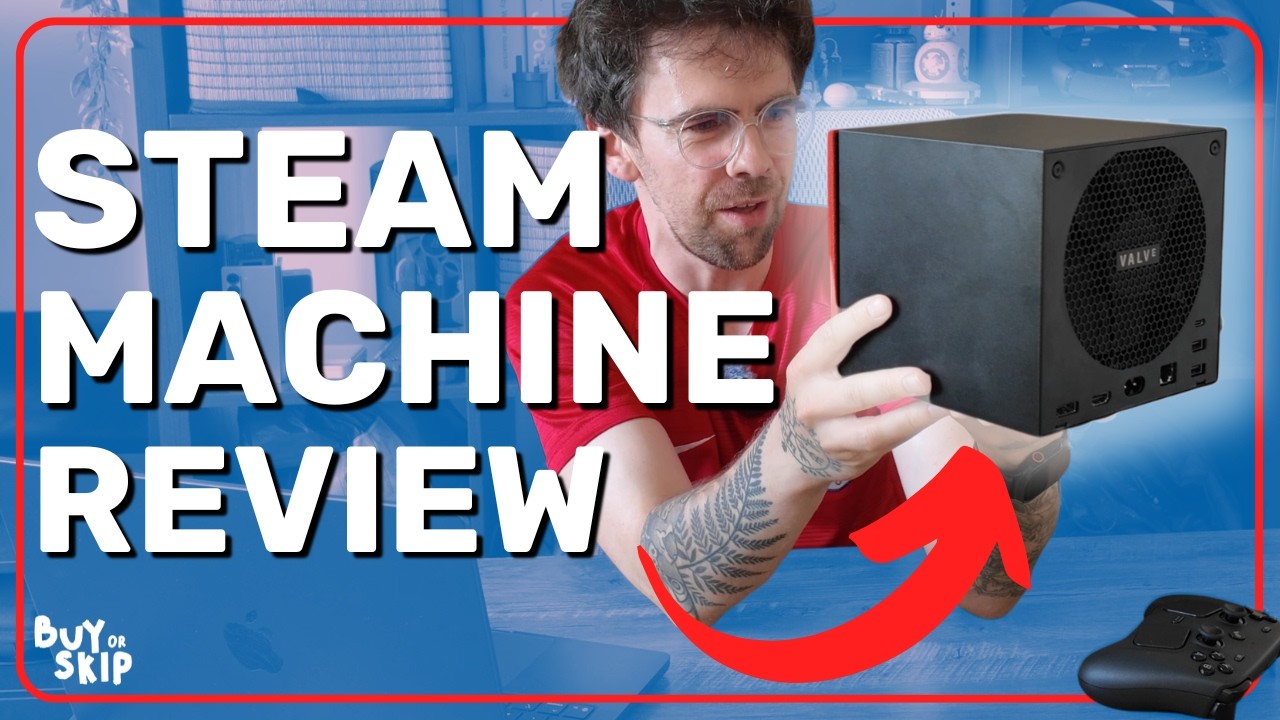
However, when you put it in the context of that large RAMageddon-induced price, performance is underwhelming compared to similarly-priced PCs, and you’ll find yourself tinkering with settings a lot to get things just right (unlike a console). With AAA titles over the past couple of years struggling here — especially when you put ray tracing on — it feels like this is underpowered right out of the gate.
Still, I can’t help but admit I’m slightly enamored by the Steam Machine after the hours I’ve sunk into it. Once you put on some older or Indie titles (Steam’s bread and butter), it all starts to click. I particularly enjoyed dipping back into old classics like Portal 2 or getting back into my indie obsessions like Hades II!
Valve is onto something here, and it would’ve been a breakthrough at $6-700. But it’s not, and it becomes hard to recommend to anyone other than “Console PC” aesthetic purists and the die-hard Steam devotees.
Steam Machine: Cheat Sheet
- What is it? This is a console/PC hybrid gaming system.
- Who is it for? This is for those who want that couch console gaming experience without the limitations of a console OS.
- What does it cost? Brace yourself. Starting price is $1049/£879 for the 512GB version, and goes up to $1,349/£1,149 for the 2TB model. These are without a controller, which you’d need to bundle up for an additional $69/£69.
- What do we like? The Steam Machine does exactly what I wanted it to do on paper — it takes something as vast and complicated as PC gaming and stuffs it into a slick console UI, which is housed inside a beautifully monolithic cube that challenges the beefier aesthetics of the PS5 and Xbox Series X.
- What don’t we like? At $1,049, this is expensive for what you get. Nice to have the console-esque experience, but underpowered parts mean you’re getting a rather limited gaming experience in any more graphically challenging titles. And don’t even think about running ray traced gameplay on this thing!
Steam Machine: Specs
Price |
from $1,049/£879 |
Processor |
Semi-custom 4.8GHz AMD Zen 4 CPU (6 cores/12 threads) |
GPU |
Semi-custom 2.45GHz AMD RDNA3 GPU with 8GB GDDR6 video memory (28 compute units) |
RAM |
16GB DDR5 |
Storage |
512GB SSD or 2TB SSD |
Ports |
HDMI 2.1(ish), DisplayPort 1.4, 2x USB-A 3.2 Gen 1, 2x USB-A 2.0, 1x USB-C 3.2 Gen 2, Gigabit ethernet |
Connectivity |
WiFi 6E, Bluetooth 5.3, Integrated Steam Controller wireless adapter |
Dimensions |
6.1 x 6 x 6.4 inches |
Weight |
5.7 pounds |
Steam Machine: The ups
And so, I took it all out of the (fully) recyclable packaging, picked my front plate (love the orange fabric one — reminds me of The Orange Box on my Xbox 360 back in the day), and got into playing on the Steam Machine. FYI, these additional faceplates are part of the 2TB model + controller bundle only.
Small and stylish

I must admit that I felt a little lovestruck when I pulled the GabeCube out for the first time. This almost-6-inch cube is a premium-feeling piece of kit that will proudly take its minimalist pride of place next to any TV or on any desk.
The port array is minimal compared to your average PC, but you’ve got everything you need for peripherals and a wired internet connection too. And compared to the behemoths that are the PS5 and Xbox Series X, it really is no competition in terms of design. This fades into the background rather than making a statement, and I love it for that.


Also, shoutout to the thermal management going on here. Air is pulled in through the front via a gap created behind that faceplate, through a gigantic heatsink (literally about 75% of that internal cube space is heatsink) and out the back via a single giant 120mm fan. The end result is near-silent operation even at high loads. My PS5 could never!
SteamOS delivers the goods

I love it on my Steam Deck, and it ports well to the big screen — Steam OS is a fantastic console gaming UI for getting straight into your titles or discovering more. Pair it with a Steam Controller, and it gets much better too with the touchpads making it zippier to get around a keyboard or work your way around the desktop mode (though that’s a rarity).
That’s not to say it’s all the way there yet. There’s a weird thing with having to set the resolution for each game — if you get a Steam Machine and are confused as to why it’s only showing 1080p, go into game properties and change resolution from the confusingly named “Default” to “4K.”


Valve has confirmed to other reviewers that they’re looking to make this simpler/clearer in a future update.
When it all comes together, it’s a console beater

I know it may sound like I’m digging for any kind of positive with that subheadline, but let me explain. The whole is bigger than the sum of its parts and when it all starts to sing in harmony together, you can make some sweet hypothetical music.
The little touches are what grabbed me at first — HDMI CEC meaning that when I turn on the Steam Machine with my controller, it turns on the TV too. That’s something my PC with the long HDMI cable connected could ever do (without serious dongle help). That LED status bar on the box itself is customizable, and it fills up as you’re downloading a game file.
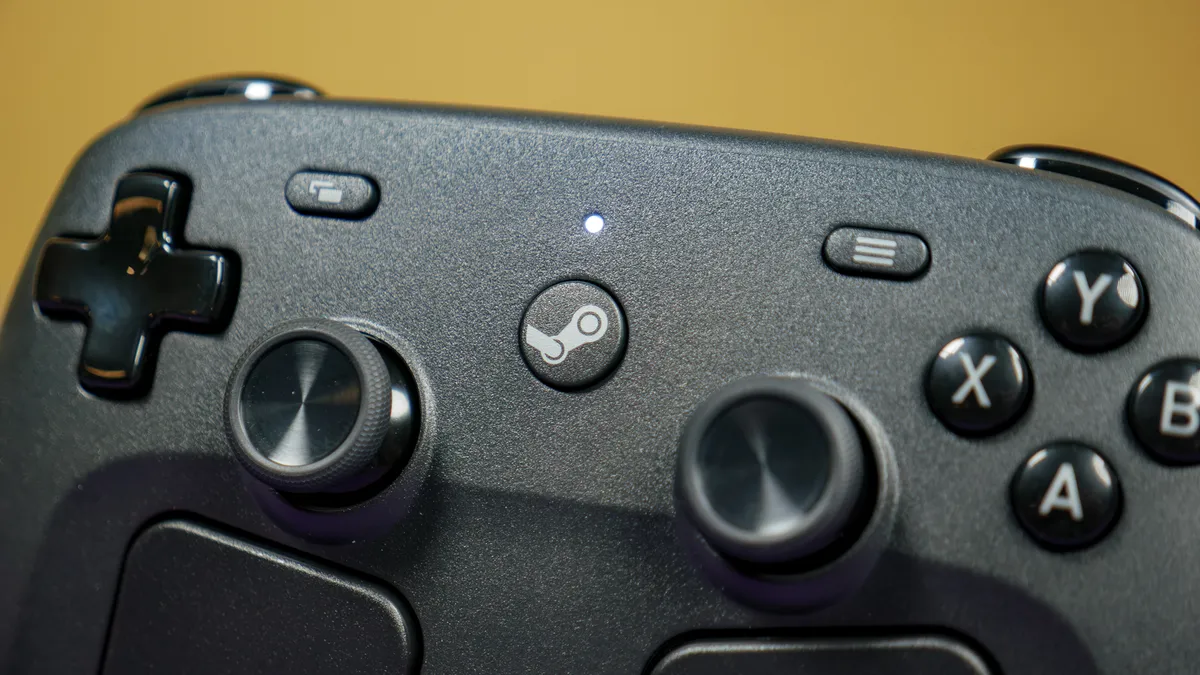
And then as you enter your gaming flow state with something a little less challenging to the internals like an indie title, older game or emulation (btw, emulation works like a dream on this thing), Steam OS becomes your canvas to jump in and out of your games, and it shows Valve can perfectly capture that couch play experience while giving you openness unlike any of those consoles.
It shows the company’s got the right idea here, and I applaud them for that.
Steam Machine: The downs
One of these downsides has been the talk on social media, so I don’t need to dwell too much on it. But with it, that does expose some other issues in a far more negative light.
Performance can be lacking

Now, I've built a bunch of PCs and tested a bunch of GPUs in my lifetime, so I’ve become accustomed to where systems land on my internal scale relative to the price you pay for it. I get that the Steam Machine is a different kind of beast — half console/half mini gaming PC — but when asking for this kind of money, it has to go on the scale.
And while the Steam Machine does do well in less challenging games, the moment you try to throw something AAA at it, things start to fall apart.
Game |
Steam Machine (custom AMD GPU) |
RTX 5060 PC |
|---|---|---|
Black Myth: Wukong (1080p Medium) |
36 FPS |
82 FPS |
Black Myth: Wukong (4K Medium) |
19 FPS |
30 FPS |
Cyberpunk 2077 (1080p RT: Ultra) |
17.7 FPS |
45.42 FPS |
Forza Horizon 6 (1080p Ultra) |
50 FPS |
101 FPS |
Red Dead Redemption 2 (4K Medium) |
22 FPS |
31 FPS |
For reference, to my eye, the PS5 Pro runs at a mixture of medium-high settings on Black Myth: Wukong, while upscaling to 4K from a far higher resolution. With FSR and settings tweaks, you can make 4K work at 60 FPS, but by that point you lose the detail.

Cyberpunk 2077 is the ultimate proof that ray tracing is this machine’s kryptonite, as it simply did not run in 4K.
Cyberpunk 2077 is the ultimate proof that ray tracing is this machine’s kryptonite, as it simply did not run in 4K. That’s a problem given we’re rapidly closing in on the moment where ray tracing becomes a requirement in some games.

Basically, your two problems here are the lower amount of power being pumped through the parts, and 8GB of video memory is simply not enough for the raw rasterized performance. But If you are dipping into AAA games, here are my three common rules:
- This is not a 4K gaming machine, this a 1080p system with some QHD on the side
- Turn settings down to medium if the game’s come out in the last two years
- FSR is an absolute necessity
Then if I want to use this as a Linux mini PC, the OS offers a lot to do, but don’t expect to be doing too much of it, as that laptop-suited chip is a little limited on the performance.
System |
Geekbench single-core |
Geekbench multicore |
|---|---|---|
Steam Machine (Custom AMD CPU) |
2596 |
8579 |
MacBook Neo (A18 Pro) |
3535 |
8920 |
Interpreting these numbers into real-world use means you’re going to be able to attack your casual daily workload, web browsing with a few tabs, and maybe a little bit of photo editing. Anything more intense and you start to feel it chug.
$1,049 is crazy

Like I said, you’ve probably seen the memes and roasts already. You all dunked hard on this in the comments of the unboxing TikTok I did a few days ago, so let’s talk about it!
Just over $1,000 puts it out of reach of competing with consoles and into the budget gaming PC territory, which is a whole different ballgame. I know people have been using PC Part Picker and showing what you can get for the budget, but I want to go down the road of pre-builts too.

Take the Stormcraft Sirius with RTX 5060 for example and a 1TB SSD — currently $899. Granted, this is a sale price and you’re not getting the tiny cube premium build. But the original price is $1,099, which even though its fifty bucks more, gives you more bang for your buck as you see in the numbers above.
Realistically, what you’re getting in the Steam Machine performance and visual-wise (having to use FSR to do some heavy lifting) hangs somewhere between the standard PS5 and PS5 Pro. That would be fine if it was priced more similarly to one, but at over a thousand dollars, it becomes a tough sell.
Steam Machine: Verdict

I really wanted to love the Steam Machine, but it’s complicated. On one hand, it’s that intersection between gaming PC and console that I love with my Steam Deck — taking all of its complexities and simplifying the pick up and play nature of it all.
But on the other hand, it’s $1,049, which exposes the underpowered internals that much more, and makes the ever-rising prices of other consoles feel kind of reasonable in comparison.
Rather than being the middle ground, it’s in no man’s land. If you want console gaming, grab a PS5 Pro. If you want PC gaming, grab a PC. Until this price comes down to something like $700, it’s a “close, but no cigar” situation.

