




Having people over during the holidays is part of the fun, but letting their devices onto your home network can introduce some not-so-festive risks. From malware-infected phones to smart toys with shady software, your guests may unknowingly bring digital baggage that could put your private data and devices in danger.
The good news? You don't need to ban phones at the door. A few simple steps can dramatically reduce your exposure, starting with setting up a guest Wi-Fi network. This creates a safe space for friends, family, and even smart gadgets to connect, without touching your main devices. Add one of the best VPNs on your router, and you'll keep everyone's browsing encrypted and secure while they're on your Wi-Fi.
Here's how to quickly lock down your home network without playing the Grinch.
Set up a guest network
One of the easiest ways to protect your home network from unwanted intrusions is by creating a guest Wi-Fi network. This feature is built into most modern routers and acts like a virtual waiting room: visitors can get online without ever gaining access to your personal devices or files.
That matters, because even well-meaning guests might unknowingly bring trouble. Their devices could be infected with malware or poorly secured, and once connected to your main network, that risk is shared with your laptop, smart TV, or work computer. Worse still, some types of malware are designed to spread through local networks, meaning one compromised phone could try to infect everything else it sees.
A guest network creates a separate connection point that only provides internet access. It isolates visitors from the rest of your home network, shielding your personal data, smart devices, and internal settings from harm. You can even connect smart home gear, like smart bulbs or speakers, to the guest network too, reducing the risk they'll be used as a gateway by hackers.
Setting up a guest network only takes a few minutes. Here are the required steps in most cases (the exact process will vary from ISP to ISP):
- Log into your router settings (usually via an IP address like 192.168.1.1).
- Look for a section called “Guest Network” or “Wireless Settings.”
- Enable the guest network feature.
- Set a unique network name (SSID) and a strong password.
- Turn on “Access Isolation” or “Allow guests only internet access” to block access to your main network.
- Save your settings.
Set up a router VPN
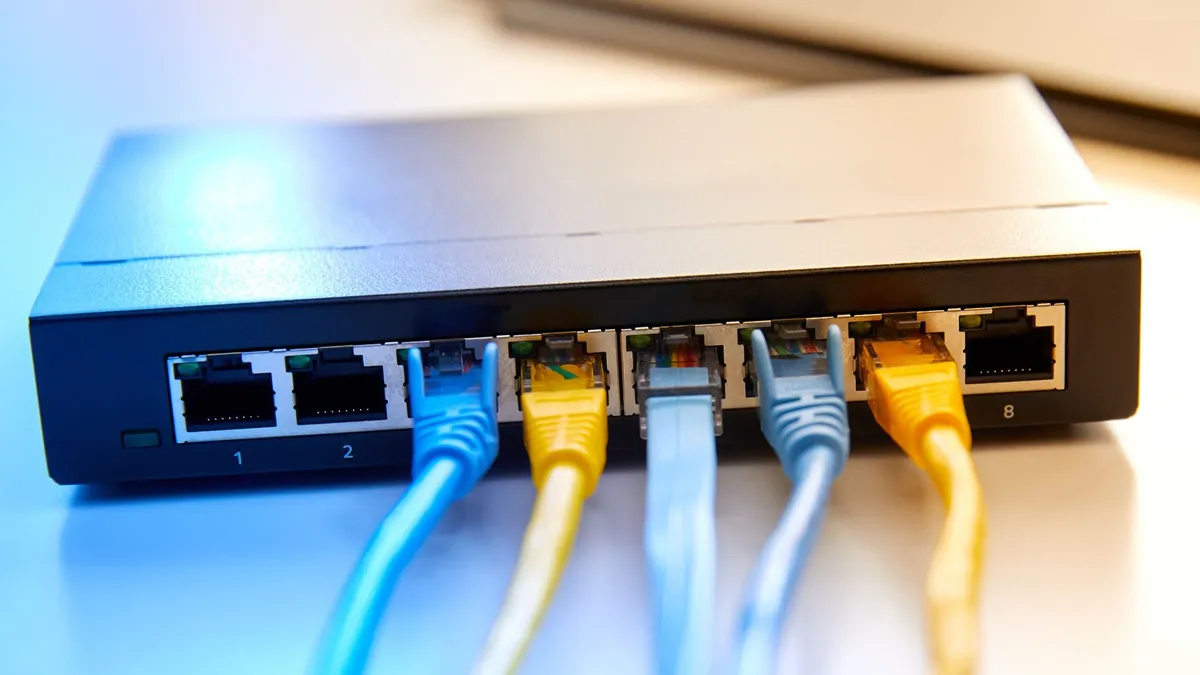
Even if you trust the people using your Wi-Fi, you may not want their internet activity (or yours) exposed. That's where using one of the best router VPNs comes in. Unlike a regular VPN app that only protects one device at a time, a router-level VPN encrypts all the traffic going in and out of your home, across every connected gadget, including smart TVs, game consoles, and voice assistants.
This adds a powerful layer of privacy. Your ISP can't track what sites your guests visit, advertisers can't build profiles based on household activity, and hackers can't snoop on unencrypted data. For frequent hosts or smart home users, it's a smart long-term investment.
The good news? Getting set up is easier than it used to be. Providers like ExpressVPN offer custom-built Aircove routers with their VPN already installed, plus a simple dashboard to manage devices. If you already own a compatible router, ExpressVPN also has a dedicated router app and setup guides.
NordVPN is another great option with detailed walkthroughs for popular router models and excellent all-around speeds and streaming performance. While there's no router app, its guides are beginner-friendly, and you can also buy a pre-configured FlashRouter if you'd rather not tinker.
For budget-conscious households, Surfshark allows unlimited device connections. While it requires manual router setup, its 24/7 support and simple apps make it easier than most.
If you want to keep your entire network private without asking guests to install anything, a router VPN is the stealthy way to do it.
We test and review VPN services in the context of legal recreational uses. For example: 1. Accessing a service from another country (subject to the terms and conditions of that service). 2. Protecting your online security and strengthening your online privacy when abroad. We do not support or condone the illegal or malicious use of VPN services. Consuming pirated content that is paid-for is neither endorsed nor approved by Future Publishing.
