Tom's Guide Verdict
Someone had to do dual MX/HE compatibility properly, and Keychron stepped up to the mark. The Keychron V6 Ultra Hybrid 8K HE offers dual magnetic and mechanical switch compatibility, plus the widest array of magnetic hot-swappability I’ve yet seen. It’s formidable for gaming, beautiful for typing, built well and reasonably priced. It’s a little bland-looking, but that’s a minor point, and we had a small QC issue, although I’d expect that to be fixed in full production units.
Reasons to buy
- +
Dual MX/HE compatibility
- +
Actual HE hot-swap potential
- +
Great for typing
- +
Bags of gaming performance
- +
Reasonable price
Reasons to avoid
- -
Same old Keychron design
- -
Minor QC issues (hopefully fixed by full production)
Why you can trust Tom's Guide Our writers and editors spend hours analyzing and reviewing products, services, and apps to help find what's best for you. Find out more about how we test, analyze, and rate.
The Keychron V6 Ultra Hybrid 8K HE (catchy name, right?) attempts to forge ‘The One Ring’ of keyboards. One keyboard to rule them all, to do and be everything for everyone. The master keyboard.
As such, it’s the latest in a very small selection of keyboards that offer dual mechanical and magnetic capability. If you want to hot-swap from magnetic back to mechanical switches, you can. But the V6 takes things further with, as I alluded to above, an altogether more holistic approach. The V6 Ultra Hybrid 8K HE also packs everything else Keychron has to throw at a keyboard — which essentially means every feature that actually exists right now.
8K polling, tons of magnetic features and customization in the Launcher app, gasket mounting for comfortable typing — all with a reasonable price tag. It also offers my holy grail feature at checkout: a magnetic and tactile switch, for elite gaming and typing without even needing to hot-swap in the first place.
So, like, is this legitimately the perfect hybrid board? The best gaming keyboard and the best mechanical keyboard all rolled into one? I think so. Keychron has done it. Find out more in my full Keychron V6 Ultra Hybrid 8K HE review.
Keychron V6 Ultra Hybrid 8K HE review: Cheat sheet
- What is it? A dual mechanical/magnetic compatible keyboard.
- Who is it for? People equally serious about gaming and productivity
- What does it cost? $164, although it’s on Kickstarter as I write this
- What do I like? The switch compatibility, gaming features, productivity features, and reasonable price tag
- What don’t I like? It’s a little bland-looking, and my first test unit had some QC issues
Keychron V6 Ultra Hybrid 8K HE review: Specs
Price |
|
Switches |
Gateron Ultra-Fast Lime Magnetic |
Keycaps |
Double-shot PBT |
Construction |
ABS plastic |
Mount type |
Gasket |
Layout |
100%, 104-key |
Operating system |
Windows, macOS, Linux |
Backlighting |
RGB |
Polling rate |
8,000Hz |
Connectivity |
Wired, Bluetooth, 2.4G |
Battery |
4,000mAh |
Measurements |
17.6 x 5.8 x 1.64 inches |
Weight |
2.5lbs |
Colors |
Black; Gray; Blue |
Keychron V6 Ultra Hybrid 8K HE review: The ups
Where to even start? Proper MX/HE hot swap, bags of gaming and productivity performance, reasonable price — this is a Goldilocks keyboard.
Proper MX/HE hot swap
The V6 Ultra Hybrid 8K HE’s main feature is denoted by the “Hybrid” part of its (terribly convoluted) name. This board is dual mechanical/magnetic switch compatible, meaning you can swap between the two.
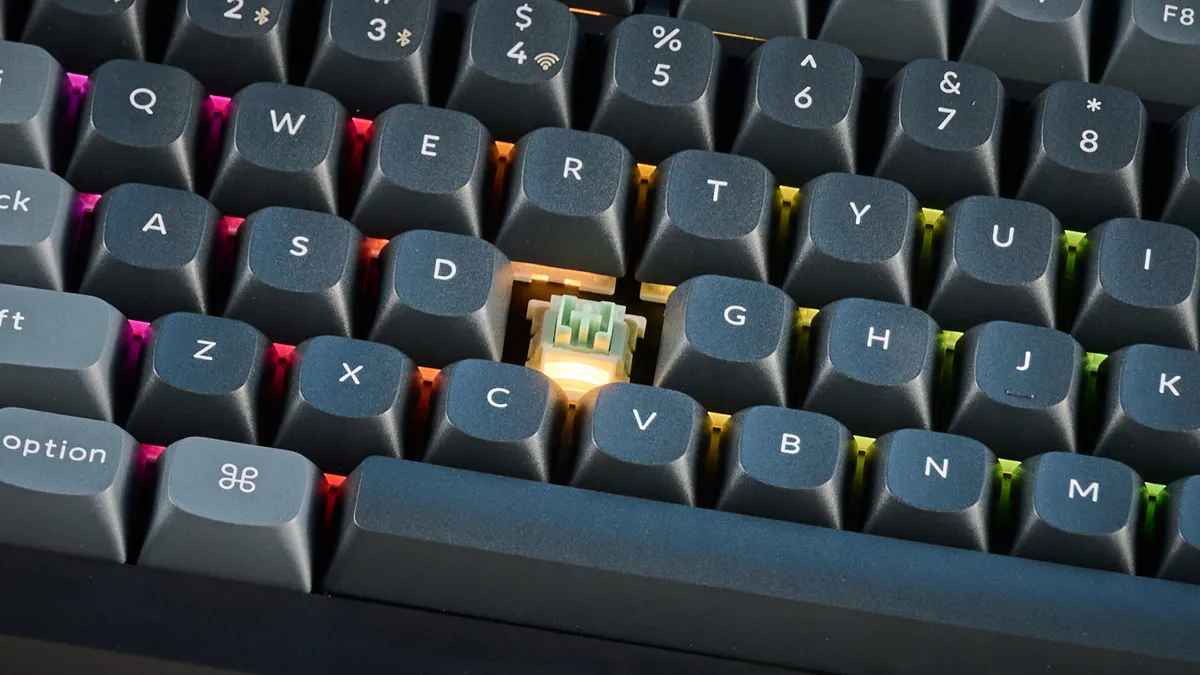
The V6 Ultra Hybrid takes any standard 3-pin or 5-pin mechanical switches. It also supports a wide range of magnetic switches with the N Pole facing downwards — that means Gateron x Wooting Jade switches, Gateron KS-20 switches, and any of Gateron’s ever-growing line of dual rail magnetic switches. Neat.
Now Keychron isn’t the first to do dual MX/HE. Glorious did it a while back with the hilariously overpriced GMMK 3 HE. More recently, Lofree had a pop with the Hyzen, but with typically Lofree results: great looks and typing but rank amateurism in the software department (pivotal to a magnetic board). Keychron, in usual Keychron fashion, is the first to do a proper job of it, with the widest magnetic hot-swap scope while still keeping things affordable.
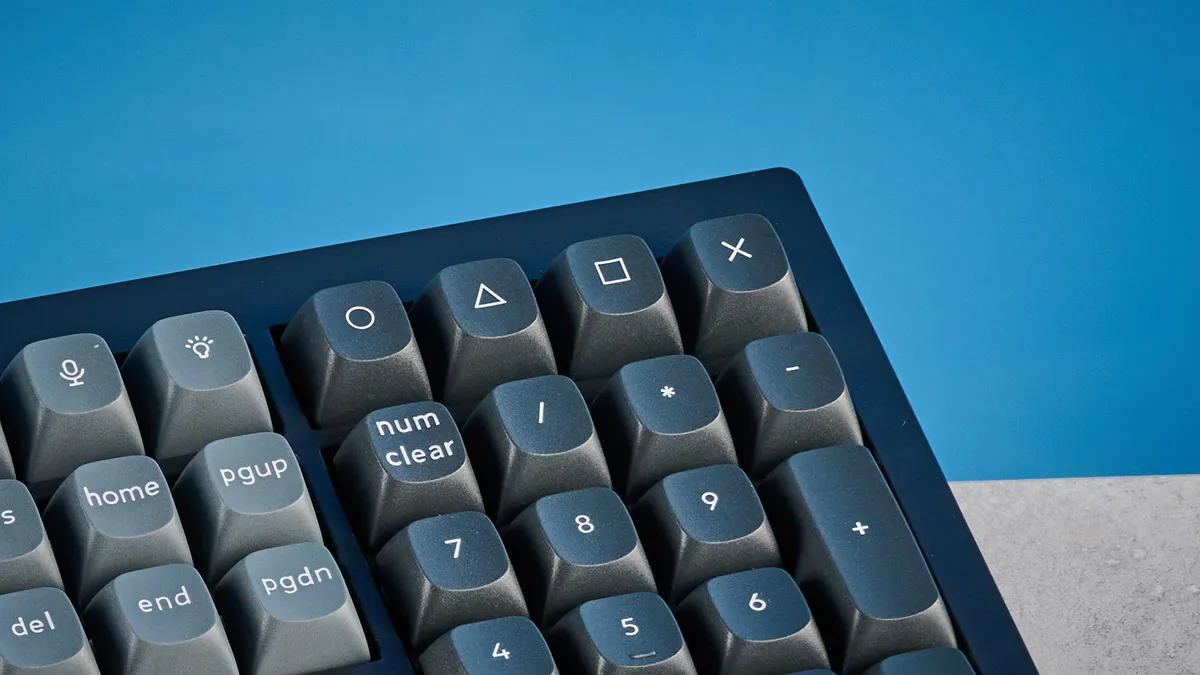
The long and short is that the V6 Ultra Hybrid has more actual hot-swap potential than any other magnetic board that I know of. Most magnetic boards claim to be hot swappable, but only support a couple of switch variants from the same specific magnetic switch line — often the variants available at checkout. In reality, that usually makes hot-swap claims severely hamstrung at best; meaningless at worst. Not so here. Again, the Lofree Hyzen also supports an impressive roster of compatible magnetic switches, but lacks the professional polish of Keychron’s boards.
A true hybrid for work and play
The “hybrid” moniker also has another related meaning. The V6 Ultra Hybrid is a hybrid board for both work and play, offering powerful gaming performance while capable enough to handle the rigors of work and heavy typing.
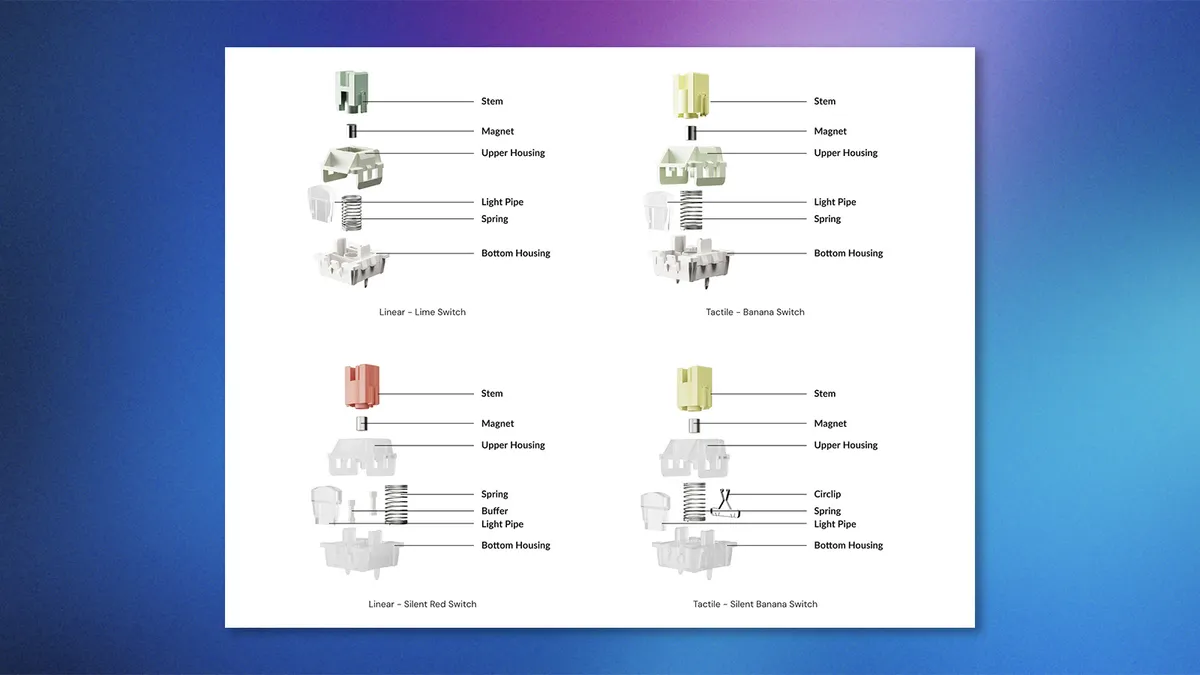
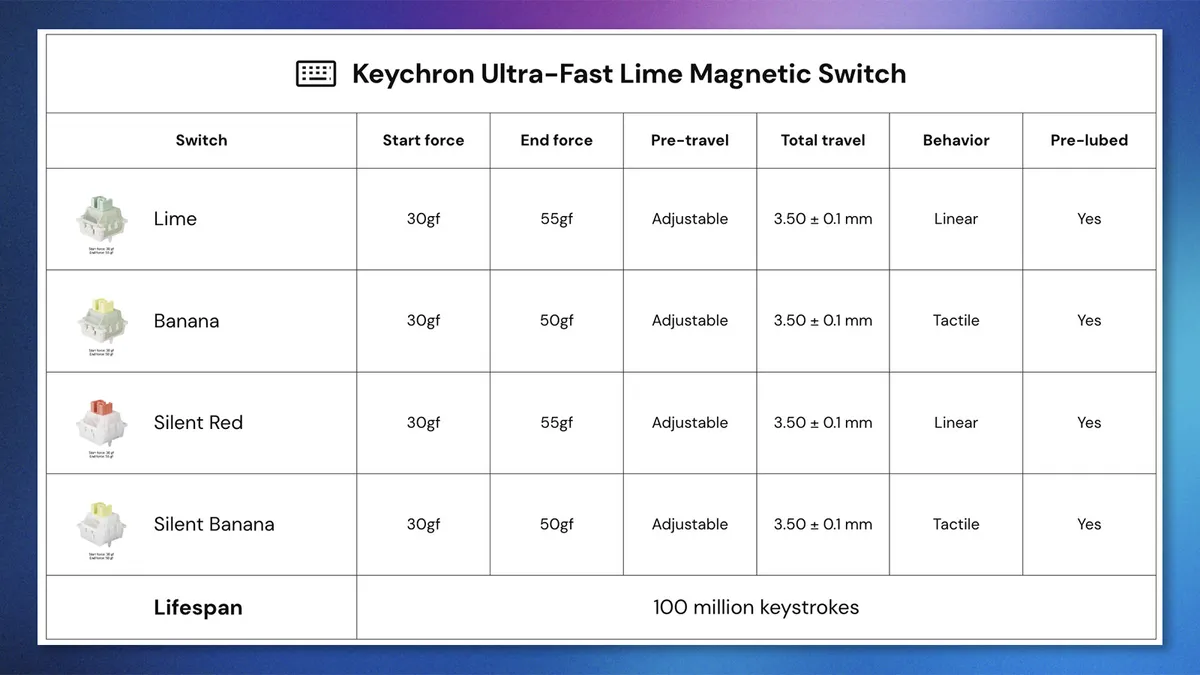
The bit that excites me most are two of the magnetic switch choices available from stock. The V6 Ultra Hybrid ships with one of four Gateron Ultra Fast Lime magnetic switches, two of which are tactile. Yes, tactile magnetic switches — this is the biggest news in my opinion.
All magnetic switches up to now have been linear in operation. Sure, being able to hot-swap those is fine, but swapping out 108 switches from a full-sized keyboard is a ginormous time suck. So it’s not like you can just quickly switch from tactiles for work to magnetic for gaming. If, like me, you enjoy tactile switches but want magnetic gaming performance, you’ve so far been left out in the cold. Not anymore.
Typing
The V6 Ultra Hybrid also packs plenty of Keychron’s productivity heritage. There’s a gasket mount, for bouncy and comfortable typing; Keychron’s steeply-raked and deeply-sculpted OSA profile keycaps, which I find ideal for fast typing; and screw-in stabilizers for minimal big key wobble. As you can see, my typing speed and accuracy were both above average on the V6 Ultra Hybrid, helped by paring back the actuation to 2.6mm — my personal sweet spot and where I type-test all magnetic boards. I could (and indeed did) type on this thing all day.
Keyboard |
Switch Type |
Actuation level |
Words per minute |
Typing accuracy |
Keychron V6 Ultra Hybrid 8K HE |
Hall Effect |
2.6mm |
101 |
90% |
Lofree Hyzen |
Hall Effect |
2.6mm |
105 |
93% |
Logitech G Pro X2 Rapid |
Hall Effect |
2.6mm |
100 |
89% |
Hall Effect |
2.6mm |
95 |
87% |
|
Hall Effect |
2.6mm |
105 |
96% |
|
NuPhy Field75 HE |
Hall Effect |
2.6mm |
101 |
90% |
Hall Effect |
2.6mm |
106 |
94% |
|
NuPhy Air60 HE |
Hall Effect |
2.6mm |
101 |
88% |
Hall Effect |
2.6mm |
100 |
91% |
|
Hall Effect |
2.6mm |
99 |
92% |
|
Hall Effect |
2.6mm |
104 |
87% |
|
Keychron Q16 HE 8K |
Hall Effect |
2.6mm |
104 |
87% |
Pete's rolling averages (all keyboards) |
Row 13 - Cell 1 | Row 13 - Cell 2 | 95.47 |
88.39% |
Gaming
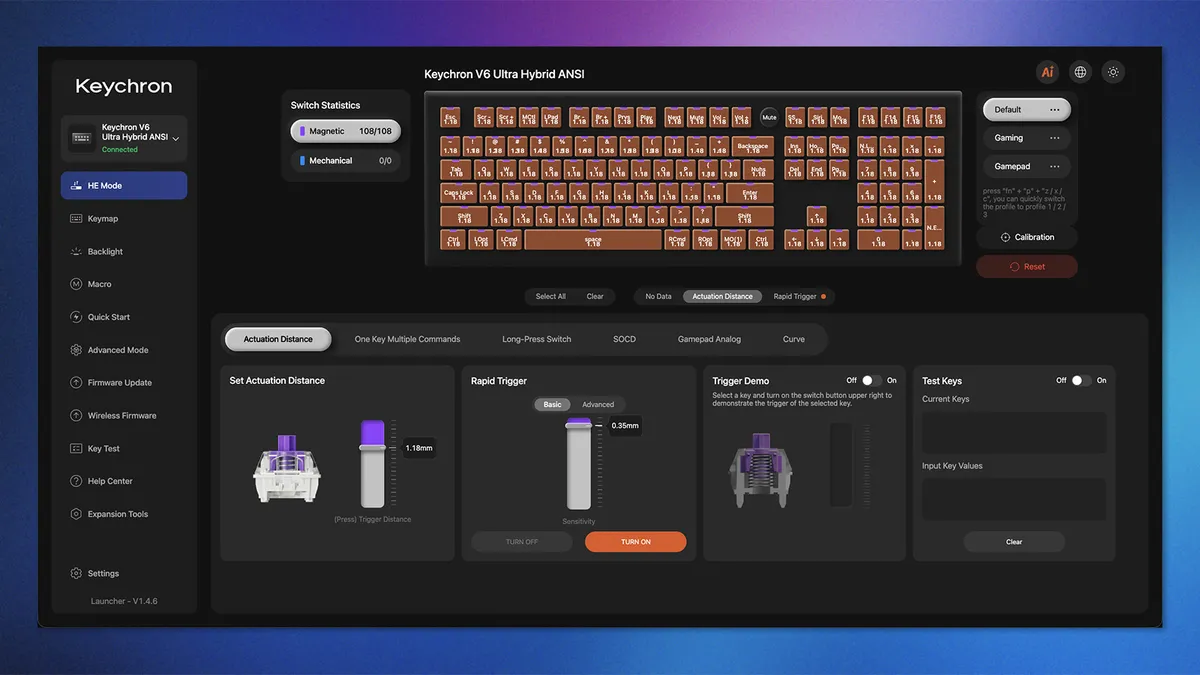


Thanks to Gateron’s magnetic switches, you also get every elite gaming feature under the sun right now: adjustable actuation; rapid trigger; dynamic keystroke for multiple commands per actuation; custom SOCD resolutions for last key prioritization (A.K.A. ‘Snap Tap’). There’s 8K polling too, although on a keyboard this is tantamount to snake oil, if you ask me. All of this is customizable through Keychron’s fantastic web launcher.
I used the board for everything, from competitive gaming on “Counter-Strike 2” and “Wardogs,” through to more relaxed titles like “Total War: Rome II,” “Valheim,” and “Dune: Awakening.” It never put a foot wrong.
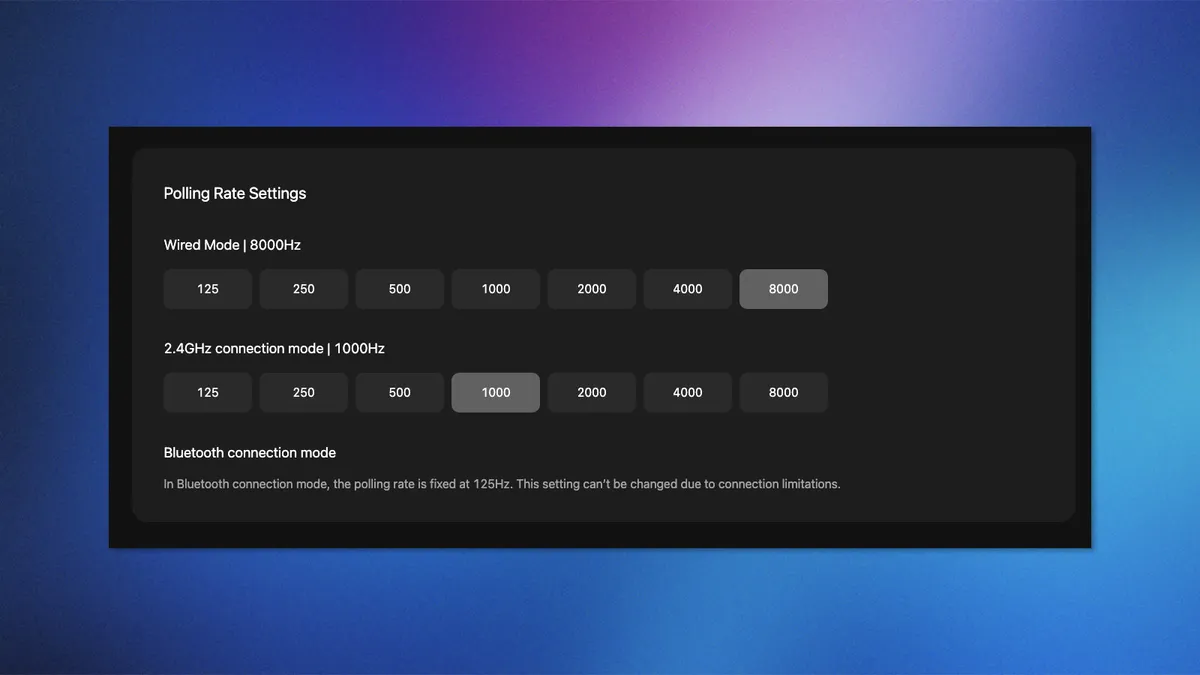
Admittedly, if you want a board purely for competitive FPS gaming, you’re probably better off with a plate-, tray-, or top-mounted magnetic board like the NuPhy Air60 HE, NuPhy Field75 HE, or Keychron Q16 HE 8K — these mount styles aren’t as comfortable, but move around less than a gasket mount, making them less likely to cause accidental inputs at super low <0.5mm switch actuations.
If you need an all-rounder for both work and play, though, I seriously can’t think of a better board than the V6 Ultra Hybrid.
The usual Keychron goodies
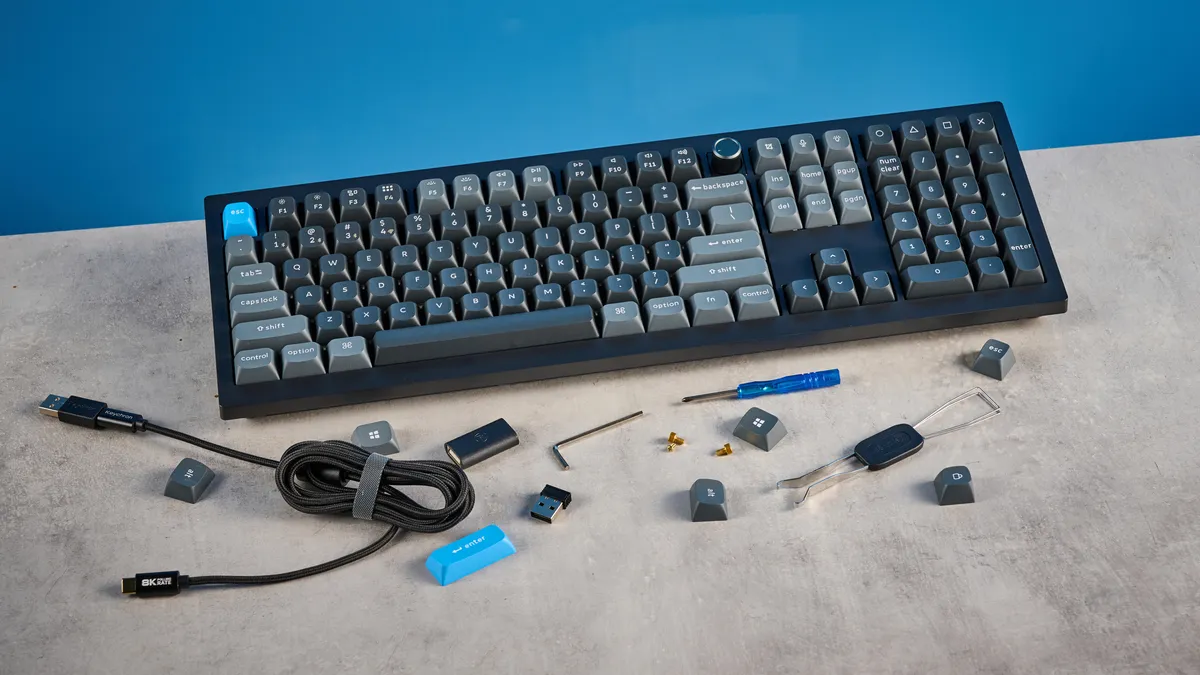
As this is a Keychron board, you get all the expected goodies. Aside from some QC issues I’ll cover later, the board is built well, using premium materials. The case is sturdy ABS plastic with very little bend and flex — impressive given this is a long board.
The keycaps are doubleshot PBT, which will stand up well to wear and tear without going shiny, unlike ABS keycaps. PBT is also grease resistant. I did my usual test, typing on the keyboard after eating Monster Munch (a fried corn snack here in the U.K.), and the V6’s keycaps picked up a lot of grease but were easy to wipe down. Not quite as impressive as the caps on the Logitech G Pro X2 Rapid, which completely resisted the same grease altogether — like not even a single smear.
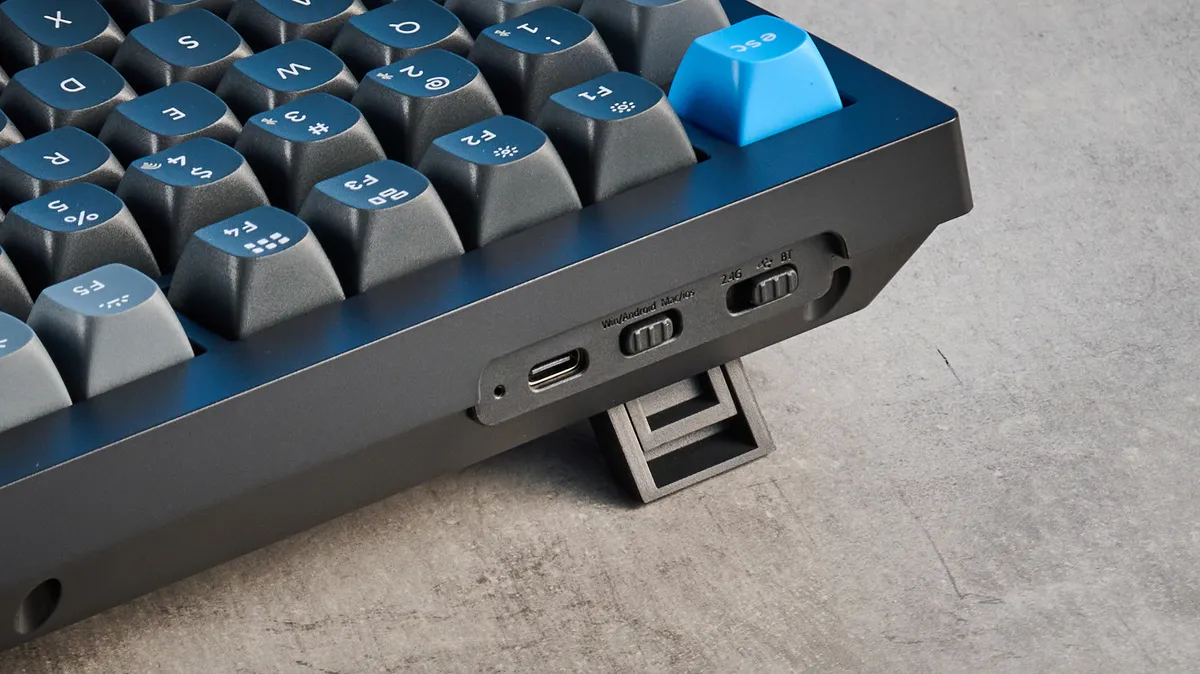
The V6 features a decent 4,000mAh battery, plus triple Bluetooth, 2.4G and wired connectivity, toggleable via a switch on the case. There’s a macOS/Windows toggle, too, but Keychron still supplies separate sets of Windows and macOS command keys rather than dual-labeling its keycaps. This is a longstanding frustration of mine. I switch between the two OS’ constantly for work. It’s great to have the toggle, but it undermines the ease if I have to switch keycaps too. A small issue, but one that’s so easily solvable by dual labelling — as proved by the Lofree Hyzen and Lofree Flow 2.
Reasonable price
When I reviewed the original Keychron V6, which I awarded a full five stars, one of my favorite features was the price. It offered major performance for a very reasonable sum. The V6 Ultra Hybrid 8K HE is pricier. It costs $164 versus the $99 basic V6 and the $119 V6 Ultra (which has faster polling, better internal damping, nicer switches, etc — just an all-round upgraded package).
However, the V6 Ultra Hybrid packs a lot more functionality than the lower-tier V6 models thanks to the dual MX/HE switch compatibility, and way more gaming features when using HE switches. An extra $45 over the standard V6 Ultra is fair game for all that, at least in my book.
Let’s look at the hybrid MX/HE competition, too. The Lofree Hyzen costs a whopping $279 — sure it’s made from aluminum and is beautiful to behold, but the software is janky as hell. The Glorious GMMK 3 HE starts at $179, but you can easily get up to near $500 for choice productivity upgrades (and to make it look less ugly than stock). By those two yardsticks, the V6 Ultra Hybrid 8K HE is the best value-for-money hybrid board on the market, and it ain’t even close.
At the time of writing, the V6 Ultra Hybrid 8K HE is in pre-order, after its Kickstarter campaign, with estimated shipping starting December 2026.
But a word on that Kickstarter campaign...
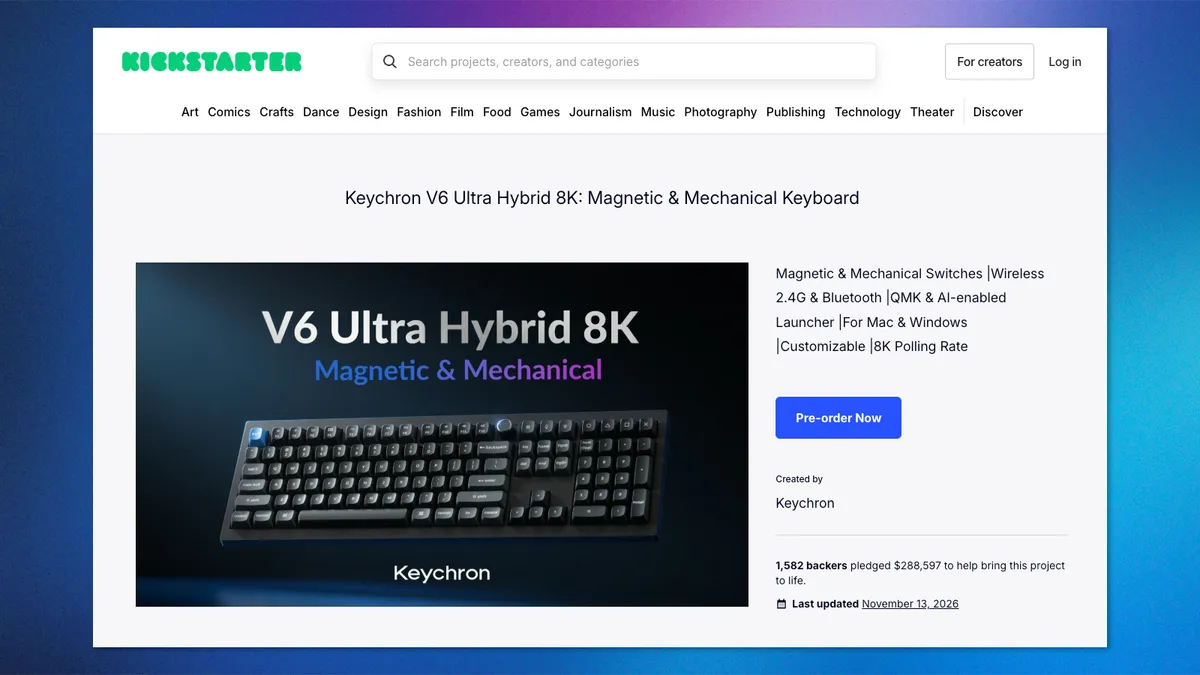
As I’ve mentioned in previous reviews, I absolutely hate that Keychron floats its new boards on Kickstarter. Keychron is a major keyboard brand (arguably the dominant productivity market force) that absolutely does not need to crowdfund its boards. Besides, as someone who has tested several of Keychron’s crowdfunded boards, I can tell you they’re already developed and practically finished by the start of the campaigns (because most Keychron boards are 95% the same under the hood). Oh well. That’s just unfortunately how Keychron chooses to operate, but you can rest assured that there’s usually very little chance of a crowdfunding rug pull from this brand.
Keychron V6 Ultra Hybrid 8K HE review: The downs
There’s very little I don’t like about the V6 Ultra Hybrid 8K HE, aside from its ridiculously long-winded name. It’s a little boring to look at, I guess, and I saw some QC teething issues, but nothing that should seriously dissuade you.
A little bland?
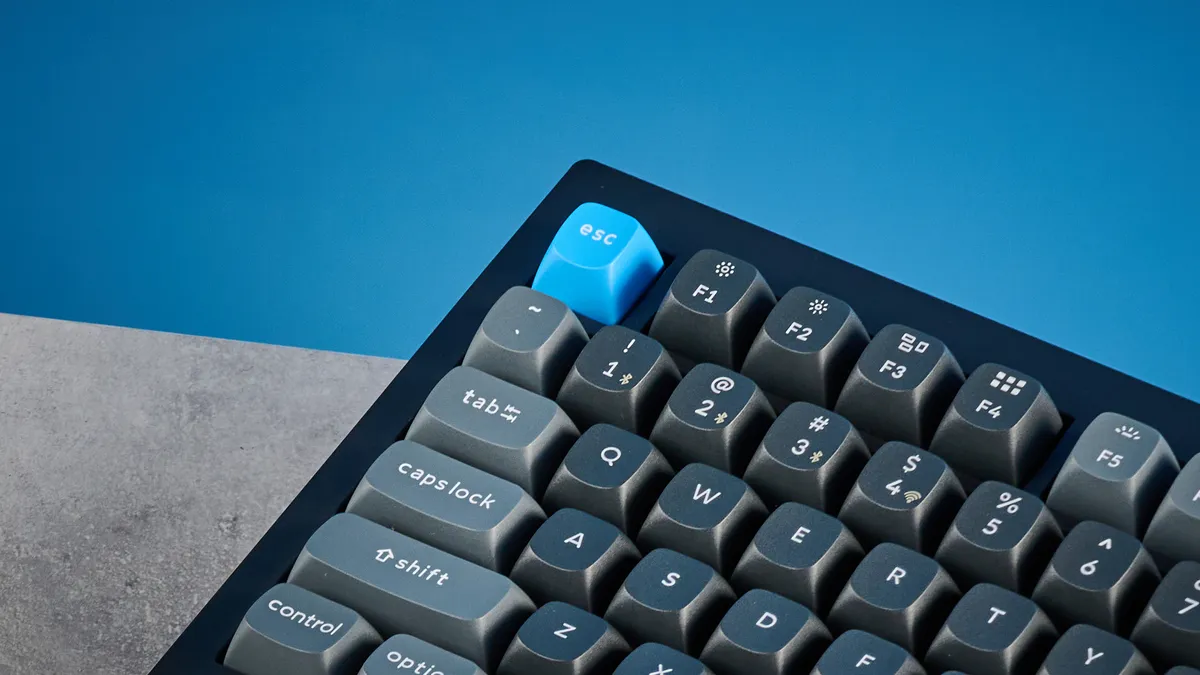
Ah, look: black plastic case, gray rounded keycaps, a tiny bit of color on the ESC key. It must be a Keychron! Yawn. I’m not saying the V6 Ultra Hybrid is bad-looking, but it’s the same old Keychron design we’ve seen for years now. And it’s getting kinda boring.
Now, as someone who has owned, tested, used, or edited the reviews of literally hundreds of keyboards, this probably affects me more than you. I see a lot of Keychrons; you’ll probably only see the one you buy.
But man, I wish Keychron would make some more exciting decks in its more affordable V- and K-series sometimes. Pretty boards with plenty of color, like the NuPhy Halo75; or handsome futuristic designs like the Lofree Hyzen and Lofree Block. Come on, Keychron, spice it up a bit.
QC teething issues
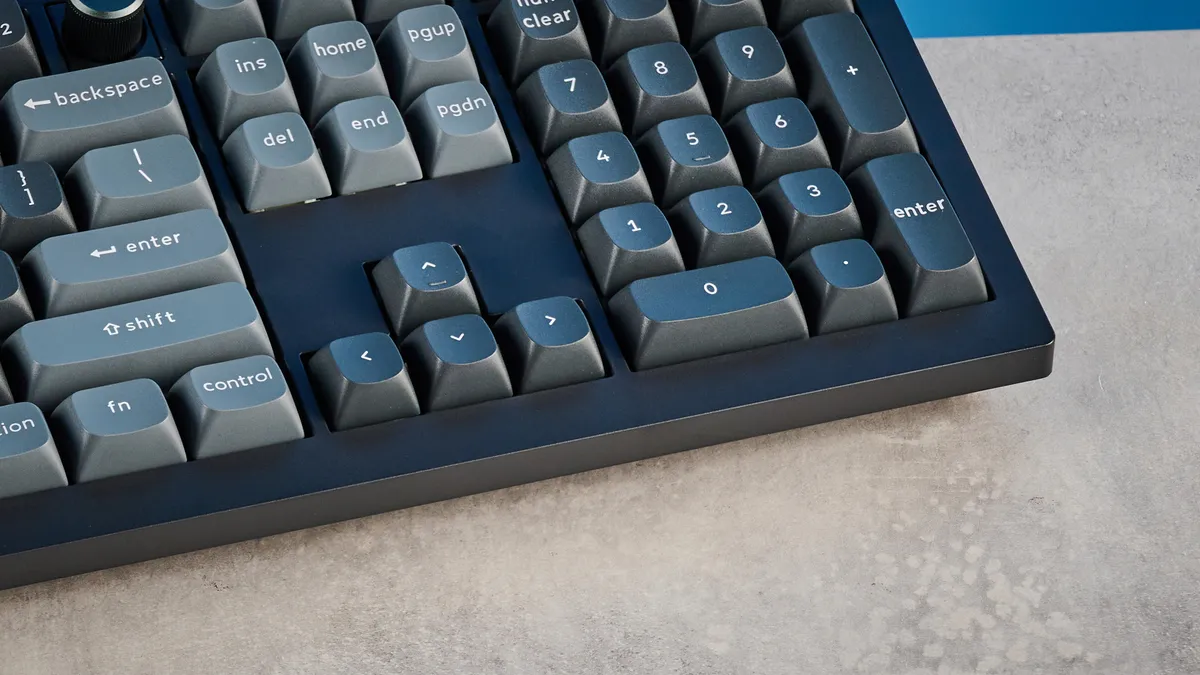
As Keychron has grown, I’ve seen firsthand its once stellar reputation for build quality start to drop. A few years ago, every single Keychron board we tested was built like a tank. Now we’re seeing frequent issues with sticky switches or other build quality concerns. Not all the time, I must say. And Keychron is always keen to hear from us when this happens, so we always tell its representatives and receive a replacement in quick order. But it’s getting to the point now that I’m seeing a pattern I can’t ignore.
My first V6 Ultra Hybrid review unit suffered both a sticky switch (solved by adjusting debounce time) and a USB dongle port that was far too large with no magnet inside, meaning the 2.4G receiver would fall out. Keychron’s representative has assured me this was a pre-production teething issue, and issued me a full production unit where the problem has been fixed. But as I said above, similar issues are becoming too common now from this once wholly reliable brand, and it’s a problem I need to call out. Keychron, if you’re reading, please step your game back up.
Keychron V6 Ultra Hybrid 8K HE review: Verdict
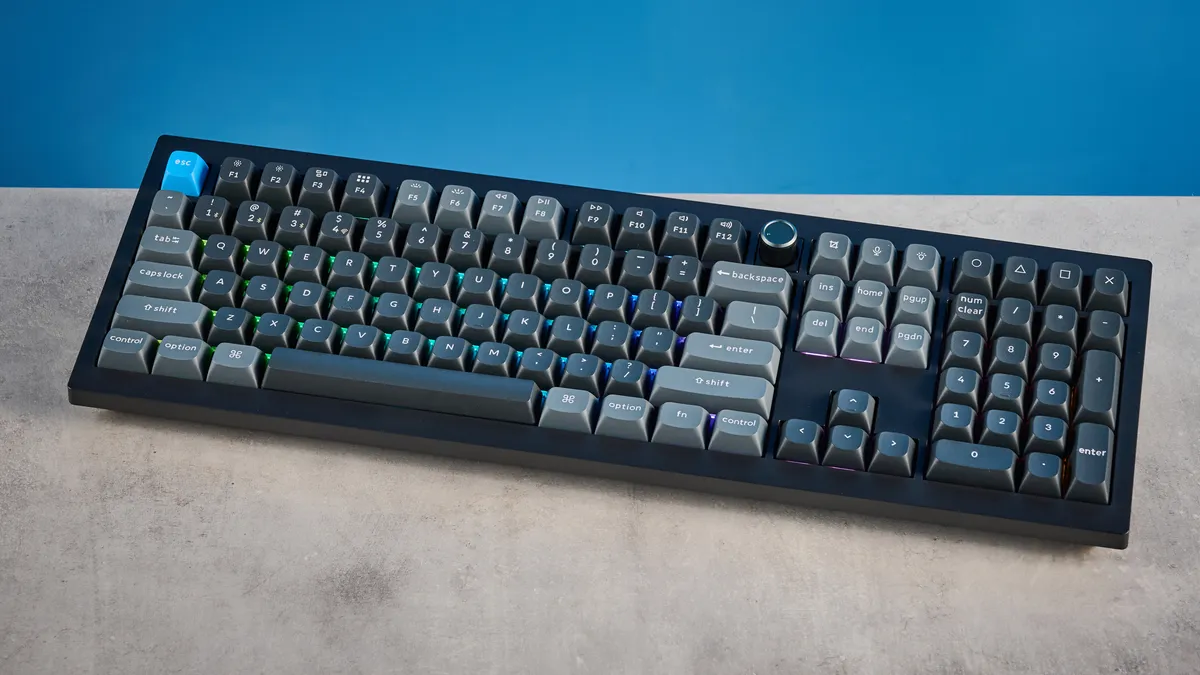
I utterly adore this keyboard. I won’t be using it long-term because I prefer a 75% layout (so I‘m eagerly waiting for a V2 Ultra Hybrid 8K HE). But I absolutely love what this deck signifies.
As is so often the case in the productivity keyboard arena, it takes Keychron to turn its attention to an innovation to truly bring that feature into the mainstream and make it work. Dual MX/HE compatibility is now here, with proper wide-ranging switch support for both mechanical and magnetic. And there’s a tactile magnetic switch on offer to boot.
If you want one keyboard that excels for literally every purpose, without breaking the bank, it’s the Keychron V6 Ultra Hybrid 8K HE. End of story.