Tom's Guide Verdict
The HP OmniBook 5 14 impresses thanks to its lovely design, sharp OLED panel, strong performance, and astonishing battery life. Though it lacks HDR and has a so-so webcam, it’s a worthy alternative to the MacBook Neo for Windows users.
Reasons to buy
- +
Sturdy, ultraportable design
- +
Shark 2K OLED panel
- +
Nearly 20-hour battery life
- +
Strong everyday performance
Reasons to avoid
- -
No HDR support
- -
Grainy webcam
Why you can trust Tom's Guide Our writers and editors spend hours analyzing and reviewing products, services, and apps to help find what's best for you. Find out more about how we test, analyze, and rate.
The HP OmniBook 5 is the latest MacBook Neo rival on the market, and it makes a strong impression. Like Apple’s notebook, this budget laptop isn’t “cheap,” thanks to its striking color options and aluminum design. Along with its strong productivity performance and nearly 20-hour battery life, this also gives the equally wallet-friendly Dell XPS 13 reasons to sweat.
The compact, lightweight design is built for all-day travel, while the 14-inch display delivers strong colors and sharp 2K resolution. After class or work, you can unwind by watching your favorite videos.
Even though the display is more vivid than those on other budget Windows laptops, it doesn’t support HDR — which is odd for an OLED panel. Speaker quality is decent but rather thin, and the 1080p webcam can be a bit grainy even in well-lit rooms.
Despite some flaws, you’re getting your money’s worth with the HP OmniBook 5. Right now, it’s one of the best budget laptops and a worthy alternative to the MacBook Neo. Find out why in my full review!
HP OmniBook 5 review: Cheat sheet
- What is it? The HP OmniBook 5 is a colorful, budget-friendly Windows laptop that directly competes with the MacBook Neo.
- Who is it for? It’s for budget-conscious folks who want a reliable laptop for the basics without it looking or feeling cheap.
- What does it cost? The HP OmniBook 5 starts at $649 on HP’s website and is currently on sale for $599.
- What do we like? We like the fun color options, vibrant display, strong performance for everyday tasks, and epic battery life.
- What don’t we like? We don’t like that this OLED laptop lacks HDR support.
HP OmniBook 5 review: Specs
| Header Cell - Column 0 | HP OmniBook 5 (starting) |
HP OmniBook 5 (tested) |
|---|---|---|
Price |
$649 |
$749 |
CPU |
Intel Core 5 315 |
Intel Core 5 320 |
GPU |
Intel Graphics |
Intel Graphics |
Display |
14-inch 1920×1200 OLED |
14-inch 1920×1200 OLED touchscreen |
Memory |
8GB |
16GB |
Storage |
256GB |
512GB |
Ports |
1x HDMI, 2x USB-C, 1x 3.5mm headphone jack |
1x HDMI, 2x USB-C, 1x 3.5mm headphone jack |
Connectivity |
Wi-Fi 6E, Bluetooth |
Wi-Fi 6E, Bluetooth |
Dimensions |
12.3 x 8.62 x 0.46 inches |
12.3 x 8.62 x 0.46 inches |
Weight |
2.56 pounds |
2.56 pounds |
HP OmniBook 5 review: The ups
Don't let the relatively low asking price fool you, as the HP OmniBook 5 is anything but cheap thanks to its eye-catching design, long-lasting battery life, and other excellent features.
Premium design
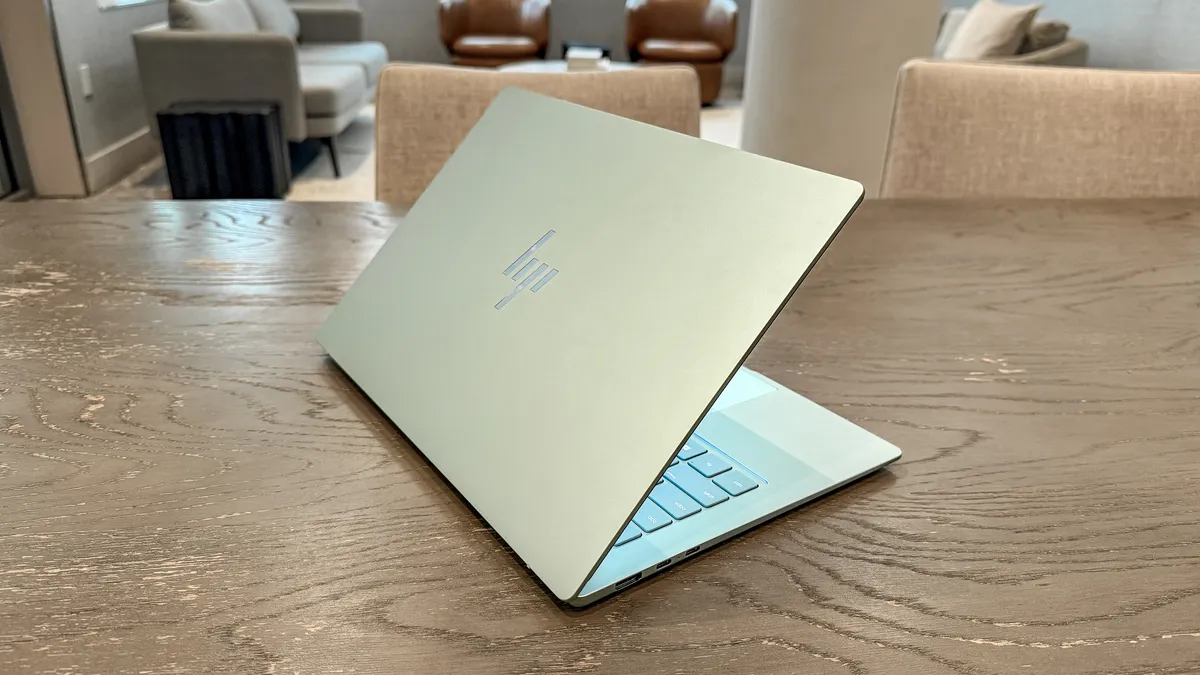
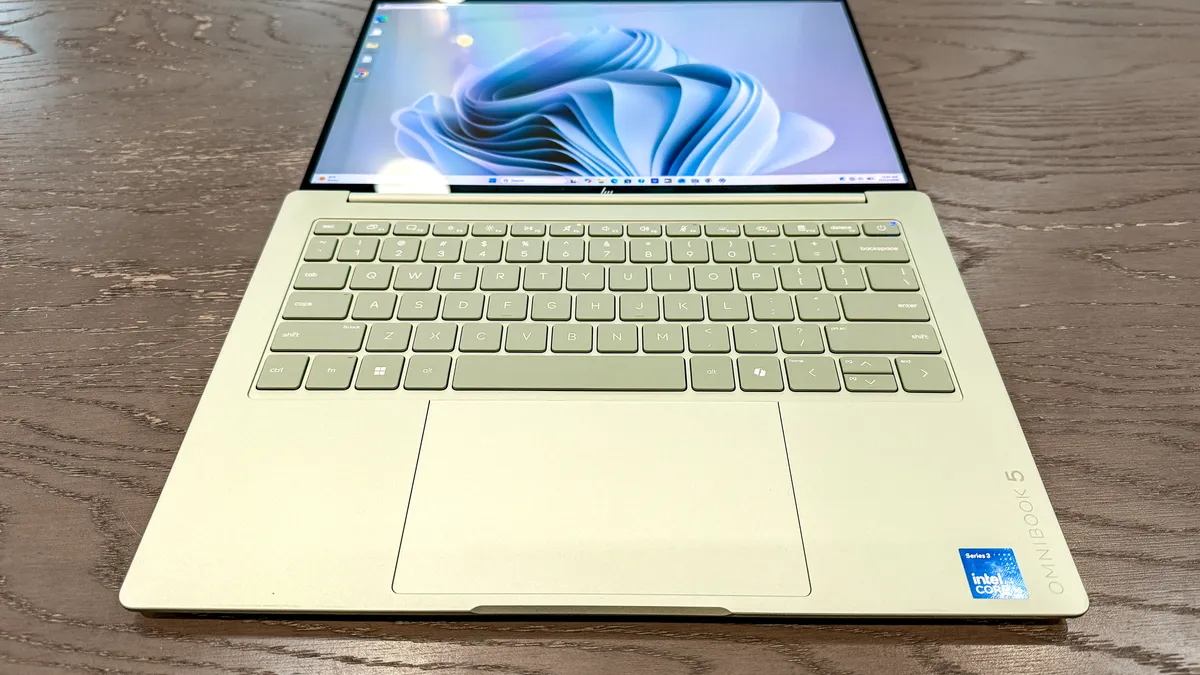
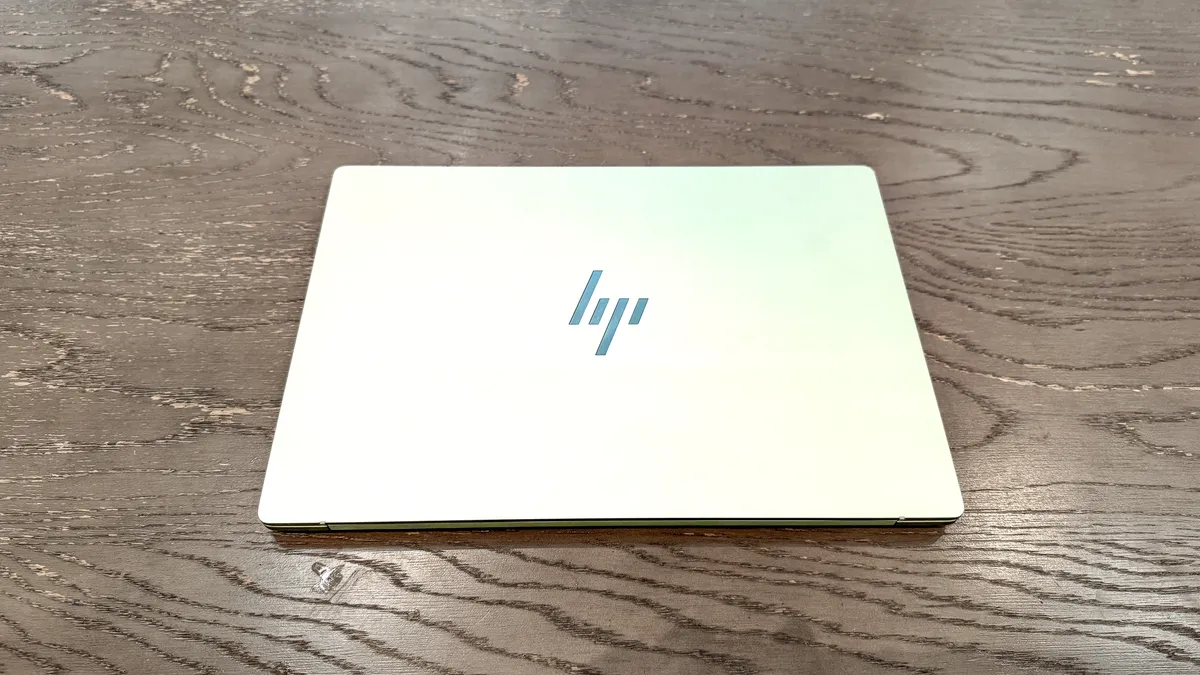
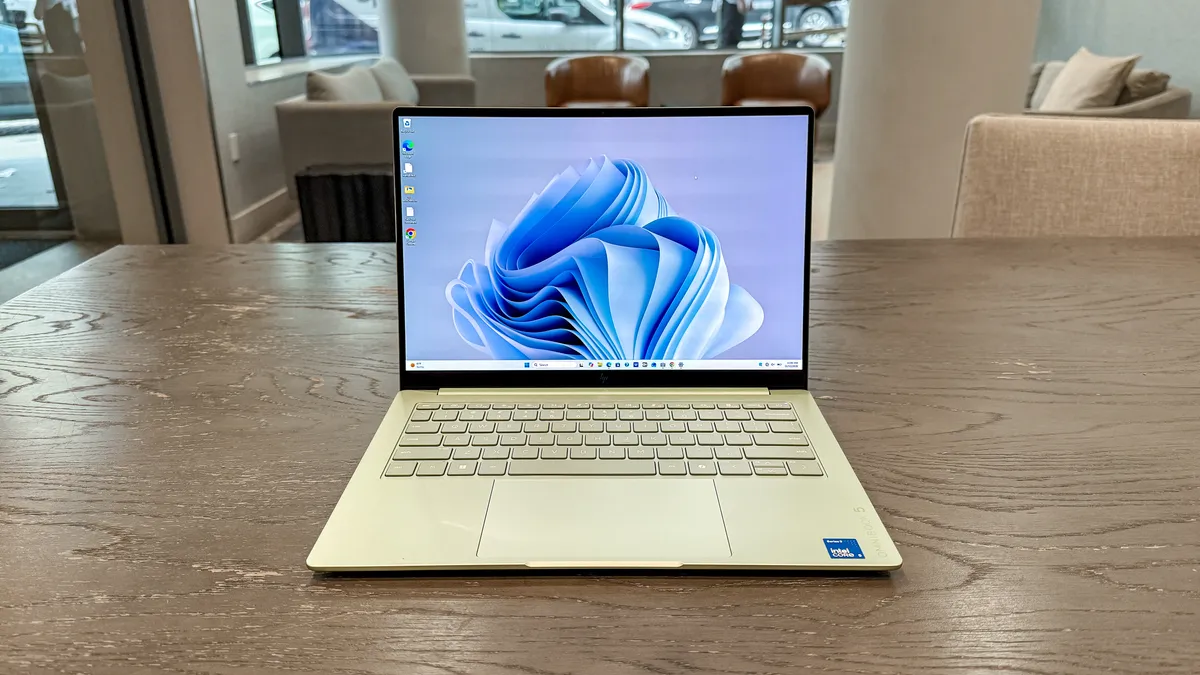
Like the MacBook Neo and Dell XPS 13, the HP OmniBook 5 doesn’t look like a typical budget laptop. That's thanks to its thin, elegant all-aluminum design, which looks great and feels good to hold.
The lid flexes a bit when you press in on its center, but the laptop is otherwise very sturdy. At 12.3 x 8.62 x 0.46 inches and 2.5 pounds, this is a perfect laptop for all-day travel, since you’ll barely feel it in your backpack.
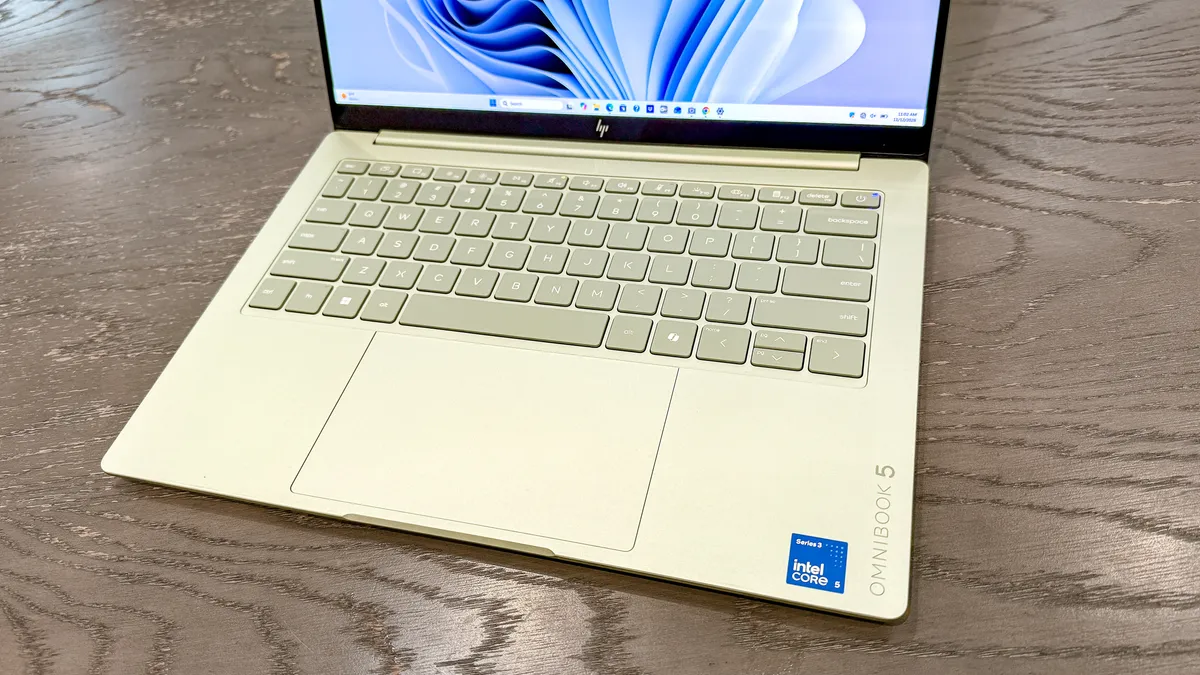
I’m a big fan of the keyboard deck, thanks to its relatively spacious size and thick keycaps that make typing a breeze. The backlit keys are nicely spaced and have excellent travel distance. The touchpad isn’t as large as I’ve seen on other laptops, but it's plenty responsive and never fails to register your gestures.
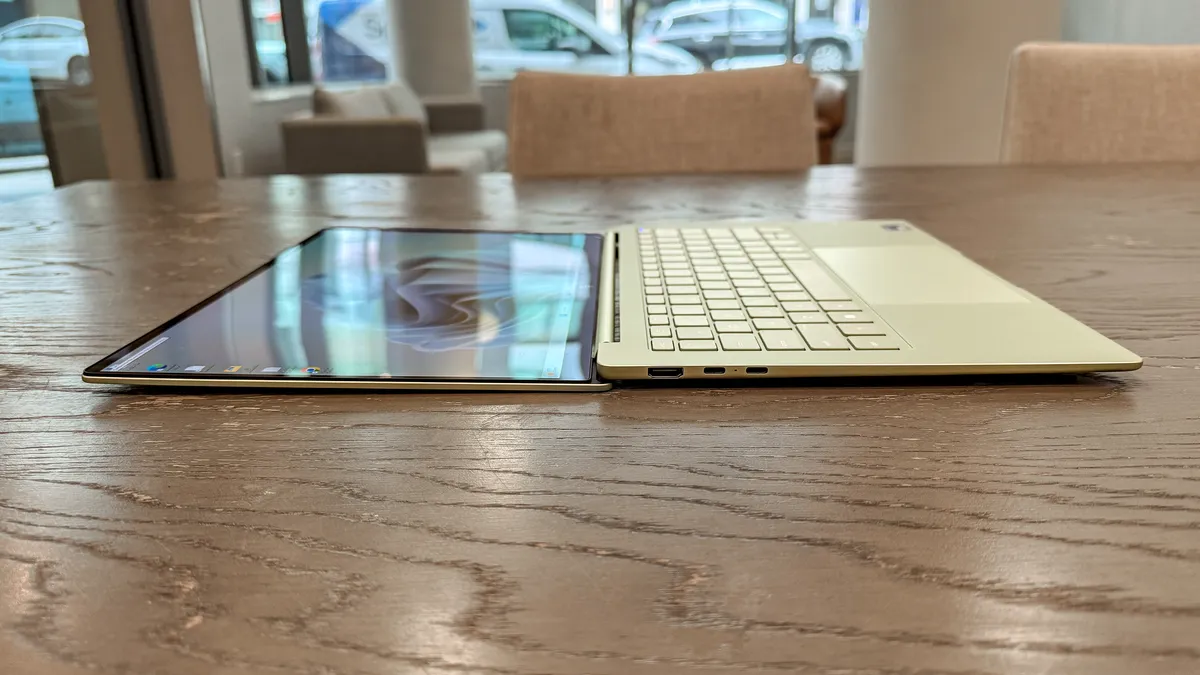
You can technically open the laptop with one hand, though the lid is a bit too sturdy to make that easy. Even though it’s easier to open the laptop with two hands, I appreciate that the lid doesn’t wobble when you’re walking around with the laptop open.
Port selection is fairly generous for a laptop this thin. The left side has an HDMI port and two USB-C ports, while the right side has a single 3.5mm headphone jack. The USB-C ports are USB3, whereas the MacBook Neo has one USB3 port and a slower USB2 port. That means you can charge the OmniBook 5 via either USB-C port.
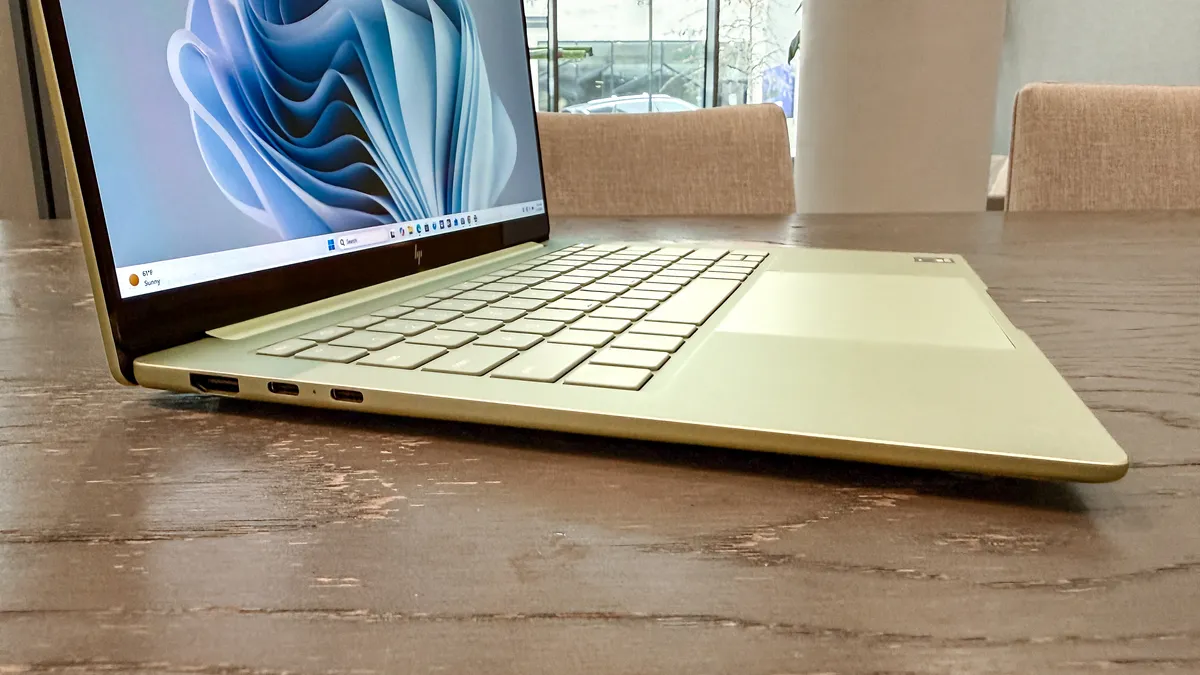
Lastly, the OmniBook 5 comes in one of four colors: Peony Pink, Smoke Silver, Soft Honeydew, and Starlit Blue. Our review unit’s Soft Honeydew (green) color is quite nice and certainly more striking than the silver or black laptops I typically review.
Sharp OLED display
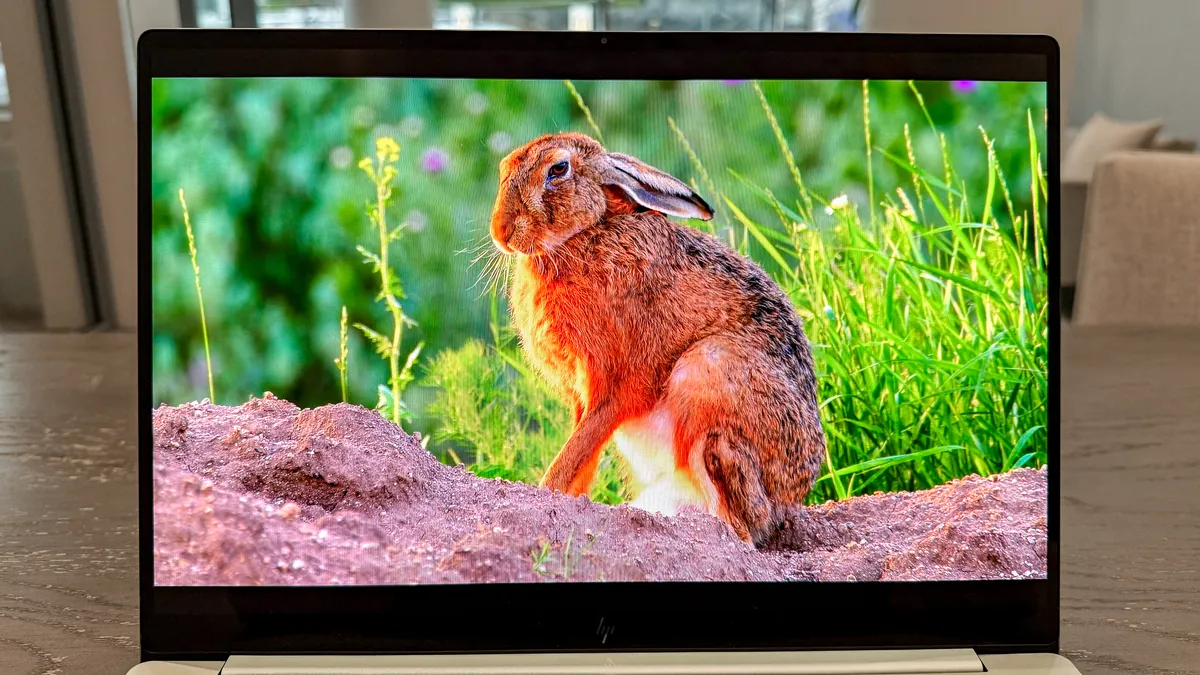
The 14-inch 1920 x 1200 OLED panel on the HP OmniBook is pretty solid for a laptop in this price range. It delivers decent brightness and oversaturated colors, which helps colors pop. You can see this in the image above, where a video clip of a rabbit basking in the sun appears bright, colorful, and sharp.
| Header Cell - Column 0 | HP OmniBook 5 |
Dell XPS 13 (2026) |
MacBook Neo |
|---|---|---|---|
Nits (brightness) |
272 |
398 (SDR) | 420 (HDR) |
452 (SDR) | 480 (HDR) |
sRGB |
192.4% |
112.6% |
110.9% |
DCI-P3 |
136.3% |
79.1% |
78.6% |
Delta-E |
0.26 |
0.21 |
0.22 |
Our display benchmark results corroborate my eyes-on experience. The display’s brightness averages 272 nits, which is just shy of the marketed 300 nits. This is as bright as it gets, since the display doesn’t support HDR. Color reproduction numbers for the sRGB and DCI-P3 color gamuts are well above 100%, which accounts for the oversaturated hues.
As you can see above, the displays on the Dell XPS 13 (2026) and MacBook Neo can get much brighter with SDR content, not to mention HDR. Color reproduction is also closer to 100%, so colors look more natural. Color accuracy (Delta-E) is also slightly lower (0 is best) on the HP laptop compared to its rivals.
The touchscreen is as responsive as you’d expect from a Windows 11 machine. It always registered all my taps and swipes accurately. Since the hinge can drop flat, you could theoretically draw on this display more easily. However, since it lacks stylus support, you’d have to draw with your finger, which likely won’t be comfortable or as precise.
Strong performance
The HP OmniBook 5 has modest specs fitting its price. The $649 starting configuration has an Intel Core 5 315 “Wildcat Lake” chip, 8GB of RAM, 256GB of SSD storage, and lacks a touchscreen. Our $749 review unit is a step up, packing an Intel Core 5 320 CPU, 16GB of RAM, 512GB of storage, and a touch display.
This laptop is designed to handle the basics, such as web browsing, working in word processors, and streaming videos. I had no problem using HP’s notebook for my everyday work, which usually involves a dozen open Chrome tabs, light photo editing in GIMP, and the occasional YouTube video running in the background.
| Header Cell - Column 0 | HP OmniBook 5 |
Dell XPS 13 (2026) |
MacBook Neo |
|---|---|---|---|
Geekbench 6 (single/multi-core) |
2583 / 7855 |
2570 / 8136 |
3535 / 8920 |
Handbrake (mins: secs) |
11:03 |
10:08 |
9:57 |
Blackmagic SSD test (write/read) |
2111 / 3469 |
3714 / 5026 |
1440 / 1585 |
As you can see above, the HP OmniBook 5 fares well against similarly-priced budget laptops. In the Geekbench 6 CPU benchmark, its single- and multi-core scores are fairly close to the Dell XPS 13, which has the same Wildcat Lake processor and amount of memory. However, its SSD speeds (Blackmagic) and Handbrake (video transcoding) scores are noticeably lower.
Even though the MacBook Neo we reviewed has only 8GB of RAM, it still outperforms both of its Wildcat Lake-powered rivals by a large margin. The only area where Apple’s affordable MacBook lags is SSD speed. That says a lot about the rock-solid performance the Neo delivers.
| Header Cell - Column 0 | HP OmniBook 5 |
Dell XPS 13 (2026) |
MacBook Neo |
|---|---|---|---|
3D Mark Wildlife Extreme (score/fps) |
2922 / 18 |
2995 / 17.9 |
3661 / 21.9 |
Borderlands 3 |
10.5 fps |
10.7 fps |
9.6 fps |
Wildcat Lake is perfect for basic tasks, but it’s decidedly not built for graphically demanding gaming. In the 3DMark Wildlife Extreme test, which measures a machine’s graphical performance, the HP OmniBook 5 scored 2922 and averaged 18 frames per second.
That’s similar to the Dell XPS 13, though the MacBook Neo has an edge over both. Using its built-in benchmark tool, Borderlands 3 is unplayable at 10.5 fps at 1080p. The same is true for the Dell XPS 13 and MacBook Neo.
Exceptional battery life
Even if the Dell XPS 13 and MacBook Neo have better displays and faster performance, HP’s OmniBook 5 smokes both in battery life.
| Row 0 - Cell 0 | Time (hours: mins) |
HP OmniBook 5 |
19:52 |
Dell XPS 13 (2026) |
14:57 |
MacBook Neo |
13:38 |
In our battery life test, which involves continuous Wi-Fi web surfing with the display set to 150 nits of brightness, the OmniBook 5 ran for an astounding 19 hours and 52 minutes! As you can see below, its competitors don’t even come close. It's impressive that this humble laptop can last as long as a MacBook Pro.
HP OmniBook 5 review: The downs
There's a lot to like about the HP OmniBook 5, but its budget nature comes with some compromises.
No HDR
If the HP OmniBook 5 were the only budget laptop like it, I’d likely overlook its lack of HDR support. However, given that the MacBook Neo and Dell XPS 13 do have HDR support, it’s something I can’t entirely ignore. That's why the display doesn’t get nearly as bright as those of its competitors.
In fairness to HP’s laptop, it does sport an OLED panel — something the MacBook Neo and Dell XPS 13 do not. As a result, this panel offers stronger contrast between dark and light elements than the Neo and XPS’ respective IPS panels. It also delivers bolder colors, which could be a plus for some folks.
Grainy webcam

The HP OmniBook 5 has a 1080p FHD IR camera. That’s certainly better than the 720p webcams that budget Windows laptops tend to pack. However, don’t expect the best picture or video quality here.
Even in my building’s well-lit lobby lounge, the picture I snapped is pretty grainy. Yes, you can still see me and the background clearly enough, but don’t expect to look your best.
HP OmniBook 5 review: Verdict
The HP OmniBook 5 is yet another fantastic MacBook Neo rival for folks looking for a comparable budget Windows laptop. The sturdy design and long battery life are highlights, while the impressive OLED panel and strong everyday performance make for an all-around solid laptop that won’t break the bank.
The MacBook Neo still arguably has an edge thanks to its strong performance, brighter display, and seamless interoperability with Apple’s devices. But if you prefer Windows or want astounding battery life, the HP OmniBook 5 is a solid choice.

Follow Tom's Guide on Google News and add us as a preferred source to get our up-to-date news, analysis, and reviews in your feeds.