
Over the years, Amazon has come out with a bunch of really goofy products with Alexa inside: fashion assistants, wall clocks, light-up buttons, and even a smart ring. Yet, it's taken until now for the company to release a smart photo frame.
Perhaps the wait was worth it. While the new Alexa Photo Frame doesn't break any new ground design-wise when compared with the best digital photo frames, Amazon is using Alexa+ to intelligently curate all of those photos you have stored on your phone or elsewhere. You actually might finally see that picture you took during you vacation to Aruba five years ago.

The Alexa Photo Frame looks like your standard digital photo frame. It has a 10-inch high-definition anti-glare touchscreen, and comes in three finishes: black plastic ($199), or birch or walnut wood frames, which cost $229. All models are available starting today (Oct. 28).
However, once you set up the photo frame, Alexa+ will start to work its magic. First, it will analyze all of the pictures in your library, and then its classifies them based on who's in the pictures, what people are doing, the time of year it was taken, and more.
Then, it will display the photos on the Frame based on factors like the time of year. So, for example, you'd see holiday photos in December, and beach pictures in the summer.

But, Alexa+ can also understand context, so it might pull two pictures of your kid, taken years apart, of them doing a similar activity, and display them side-by-side.
Of course, you can also curate what appears on the Frame, or if you decide to gift a frame to a parent or loved one. So if you give one to your parents, you can make sure that they only see pictures of your kids, for instance.
Also, if you want to tug at the heartstrings a little more, you can also attach audio clips to photos, so that when you tap on a picture on-screen, grandparents can hear their grandkids wishing them well.
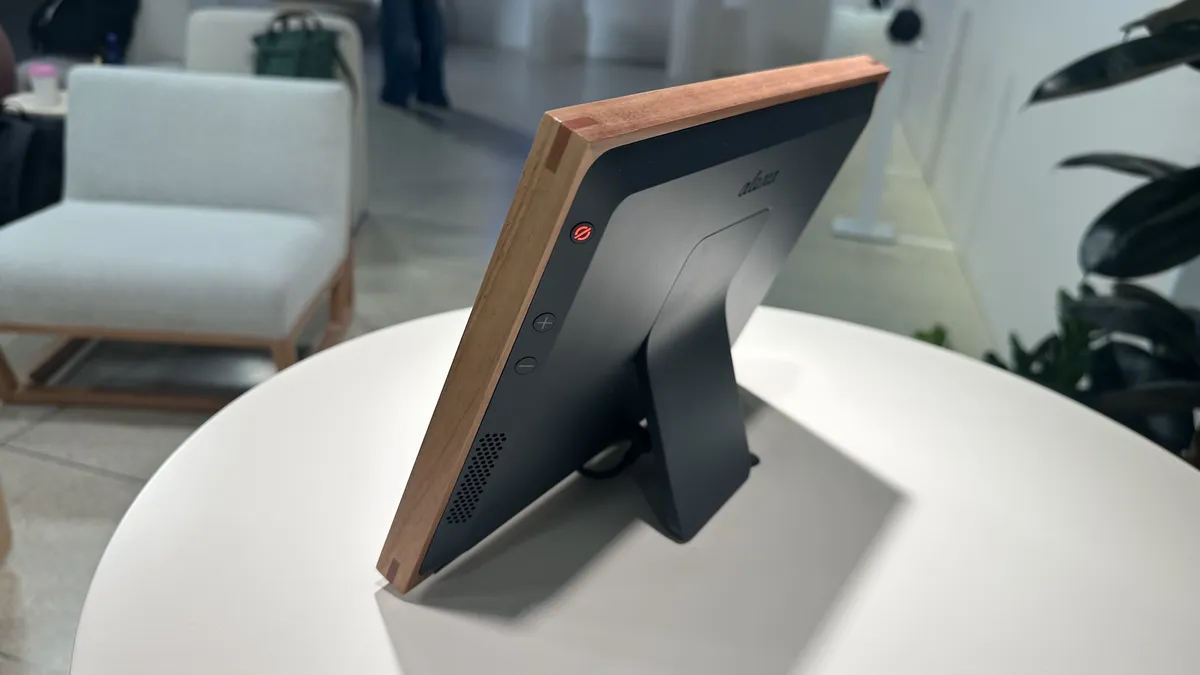
The Alexa Photo Frame also acts as a smart speaker — not that you'd want to play music on it — so you could ask Alexa+ to display photos of your dog at a park, or pictures from a particular year.
Like other Alexa devices, you can turn off the microphone on the Photo Frame, select the notifications you receive, adjust the brightness of the screen, and more. However, it only works in landscape mode.

While the Alexa Photo Frame can be used by anyone, it makes the most sense for those who are Amazon Prime members, as they can store an unlimited number of photos in the cloud, and use certain Alexa+ features as part of their subscription. If you don't have a Prime subscription, you get 5GB of free cloud storage, with plans starting at $1.99/month for 100GB of storage.
At $199, the Alexa Photo Frame is priced competitively with some of our favorite models. For example, the Aura Aspen, which is a 12-inch model, costs $229. Coming in time for the holidays, I can easily see this being a popular gifting item.

Follow Tom's Guide on Google News and add us as a preferred source to get our up-to-date news, analysis, and reviews in your feeds.
More from Tom's Guide