I didn’t expect to order dinner with my voice — but that’s exactly what Alexa+ can now do.
Amazon just gave its AI assistant a surprisingly useful upgrade: you can order food from Grubhub and Uber Eats just by asking — no app switching or scrolling required. It builds your order conversationally, based on what you’re craving in the moment.
Here’s how it works — and whether it’s actually easier than reaching for your phone.
Ordering takeout through Alexa+ can now be done with your voice
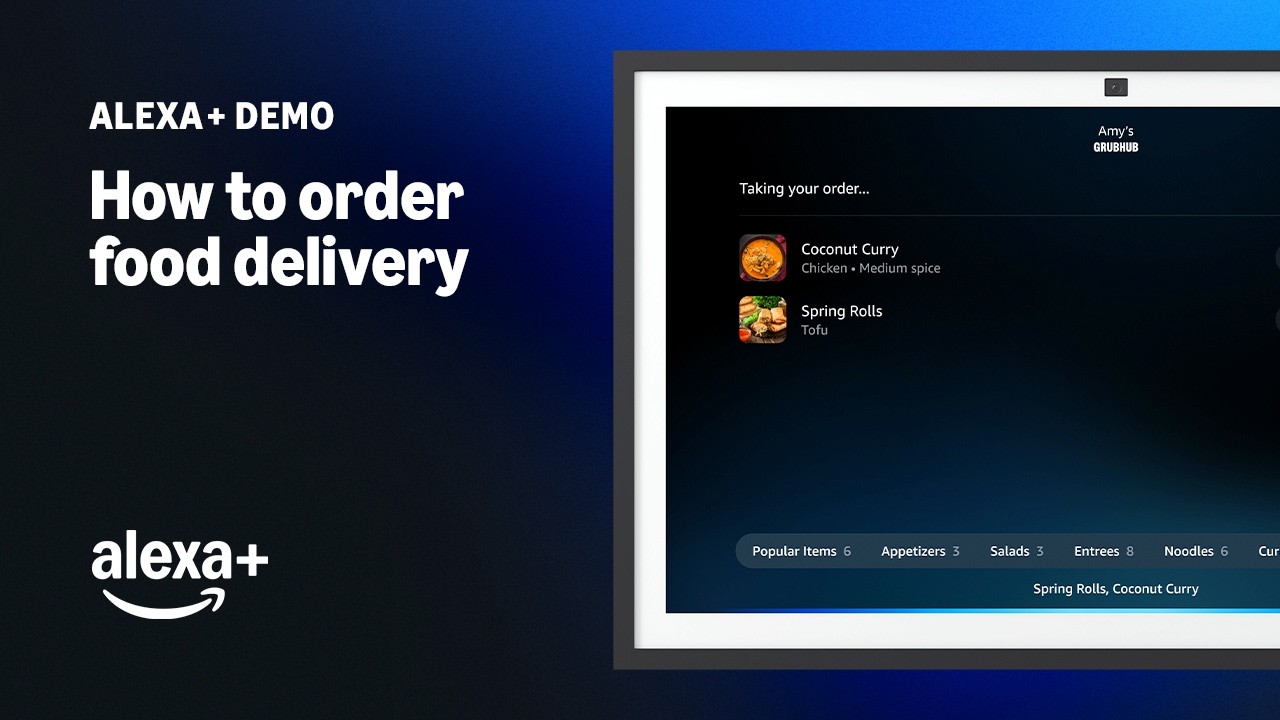
This new food ordering experience is starting to roll out to Alexa+ customers with modern Amazon Echo Show speakers or displays.
With it, you can have a conversation with your device by browsing different restaurants through Grubhub and Uber Eats, customizing your order, asking relevant questions and even changing your mind about what you want to eat mid-conversation. To start the process, users must link their Grubhub or Uber Eats account through the Alexa app by tapping More, then selecting the Alexa+ Store option, and finally going to Food & Reservations.
Afterward, all your saved restaurants and previous orders will automatically sync and become available through your Alexa+-enabled device.
Amazon laid out several tips for hungry Alexa+ users to get started:
- Discover restaurants you may not have known about before: Simply say, "I need to grab dinner, show me some Italian restaurants," to browse various options and seamlessly transition to ordering with "Let's order from [restaurant name]." And if you know exactly where you want to order from, just tell Alexa.
- Build your food cart through conversation: Whether you're ordering for yourself or coordinating a large group order, you can add and modify items through requests like "Add a double cheeseburger with extra ketchup, no onion." Adjust quantities, customize orders, and make changes as you go. Ask for something like “meat lovers pizza,” and Alexa will automatically match your request to the most similar item on the menu.
- Browse and ask any questions that come to mind: Explore the menu and ask questions while viewing your cart. Want to see desserts? Tell Alexa to "Show me desserts." Curious about popular items or need kid-friendly suggestions? Simply ask.
- Review your food picks: You'll see a complete summary of everything in your cart, item names, quantities, individual prices, and your total cost before you make the purchase. Plus, Prime members can enjoy Grubhub+, which is free with Prime membership, offering $0 delivery fees on eligible orders, lower service fees, 5% credit back on pickup orders, and exclusive offers.
- Stay updated on your order’s arrival: After placing your order, receive status updates in your "For You" section and check progress anytime by asking "Alexa, where's my food?"
Bottom line
Alexa+ is already capable of performing a wealth of helpful actions in the home — it can add important event details to your online calendar, help plan a birthday party based on your kid’s favorite things, and even give you summaries about the visitors and packages caught by your Ring camera.
Now that it has direct Grubhub and Uber Eats integration, users can finally experience the joy of ordering a late-night pizza pie while Alexa+ talks to them through its Chill personality type. We’re excited to see how Alexa+ continues to evolve from here.

Follow Tom's Guide on Google News and add us as a preferred source to get our up-to-date news, analysis, and reviews in your feeds.
More from Tom’s Guide
- Alexa+ — here's everything you need to know
- Alexa+ now available for everyone — and there's even a free tier for non-Prime members
- Alexa+ now lets you customize its personality — here’s how it works