



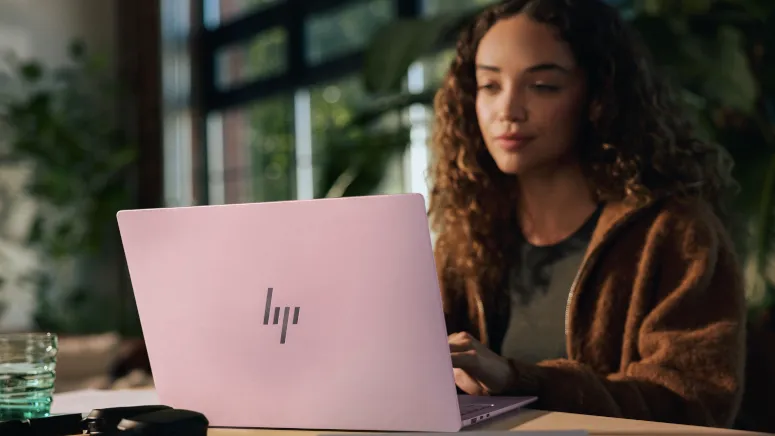
Your teen has some big decisions to make, but a laptop shouldn’t be one of the tough ones. When equipping a new college student, you’re going to want to set them up with specs powerful enough for essays and research, not to mention streaming their favorite shows. It needs to be a laptop they can comfortably carry, with a battery life that means they aren’t going to be chained to an outlet all day. Your teen is going to want a laptop that looks as good as it performs, too. Luckily, the HP OmniBook 5 has plenty of features to keep both of you happy.
The Rundown
- The HP OmniBook 5 is a lightweight laptop that's great for coursework and streaming.
- An OLED display and up to 42 hours of local video playback1 without charge help teens make the most of their downtime.
- Two full-function USB-C ports, HDMI and an audio jack let teens plug in accessories without extra adapters.
- You can purchase the HP OmniBook 5 on HP's website or at Best Buy.
Pick something they’ll want to take with them
A laptop has to be practical for both work and play. Size and weight matter, especially if it's going in a bag with textbooks.
Weighing as little as 1.16kg, depending on the configuration, and just 11.77mm thick, the 14-inch HP OmniBook 5 is a great option to slip into a backpack or tote. This laptop is practical and lightweight, so it's easy to bring to school or a friend's house.
The laptop color isn’t just a practical choice, either, but a way to show off some style. Color options, such as Starlit Blue, Peony Pink, Soft Honeydew and the understated Smoke Silver, give your teen a chance to show off their personality. The optional backlit keyboard will keep the keys bright enough during late-night study sessions.
Your teen will want to use this laptop for streaming too. Available OLED display configurations offer 10-bit color depth for vivid, immersive and lifelike colors for videos and photos. There’s a touchscreen option, too, for those who want to scroll through pages or tap to control apps without using a touchpad.
Keep the charger in their bag for longer
You don’t want your teen’s new laptop running low on battery all the time. The HP OmniBook 5 is capable of up to 42 hours of battery life1 on a single charge, so they can easily watch a movie without having to stay plugged in. With an Intel® Core™ 5 or 7 processor, there’ll be plenty of power to handle the everyday coursework, too. Select configurations also include a powerful built-in NPU, a dedicated processor that can handle AI tasks in the background while your teen gets on with their work. Meanwhile, up to 16GB memory keeps apps running smoothly, while up to 512GB of storage provides plenty of space for new projects and apps, not to mention all those social media videos.
Packing the charger isn’t going to take up much extra space in their bag, either. The HP 65W USB Type-C GaN Mini Wall Charger is 40% smaller and 42% lighter than previous-generation HP power adapters. In a bag filled with books and supplies, that means one less bulky thing for your teen to carry.
They won’t need a bag full of dongles to connect their accessories, either. The HP OmniBook 5 includes two full-function USB-C ports, an HDMI port and an audio jack. You’ve got options to hook this laptop up to an external monitor at their desk, with headphones to keep them focused on their work, then unplug and take the laptop away when they’re done.
Your teen’s first laptop is going to get plenty of use, so you’ll want to choose one that they’ll be happy with day in and day out. With the HP OmniBook 5, your teen is ready to transition into college life and explore where their interests, not to mention their coursework, take them.
1 Disclaimer: Battery life tested by HP using continuous FHD video playback, 1080p (1920x1080) resolution, 200 nits brightness, system audio level as image default, player audio level at 100%, played full-screen from local storage, headphone attached or through speaker (if no audio jack port), wireless on but not connected. Actual battery life will vary depending on configuration and maximum capacity will naturally decrease with time and usage.
