




If you’re looking for a laptop for school, you need something reliable that’ll get you through classes without needing to ask your professor where the closest outlet is. You need a laptop that is both sturdy and light, so you don’t feel like you’re lugging around a bag of bricks. Some of these textbooks are heavy enough as it is.
As long as you know what you’re looking for, you can suss out the perfect laptop out of a crowd. Don’t worry, I’m going to help guide you along through the key features you need to keep an eye out for when shopping just before the semester starts.
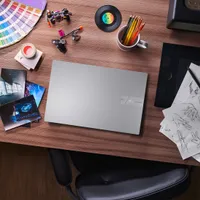
A great example is the Asus Vivobook 16. It encompasses all of the qualities that you want out of a school laptop.
Here’s what you should be looking for.
Portability
You’re going to be zipping around from class to class, so you want a laptop that is light to carry and won’t shatter to pieces if you drop it.
Larger laptops are more likely to be heavy, so usually I’d recommend something around or under 4 pounds. The Vivobook 16 does ride that line, at 4.14 pounds, but it is a 16-inch laptop, so you’re getting a lot of real estate in exchange. And it still manages to stay relatively thin, at 0.78 inches. Any laptops within this range should be able to slip into your pack with ease, and hopefully you remember it’s there before you toss your bag to the floor when you get home.
However, if you do hurl your bag across the room, a proper school laptop will be fine. With regard to durability, the key feature you’ll want to look for on any laptop is that US MIL-STD 810H badge. It’s proof that the laptop underwent 12 military-grade tests, which include pitting the laptop against drops, vibrations, extreme temperatures, sand and dust, humidity, and more. The Asus Vivobook 16 underwent these tests, and you can see them in greater detail here.
With the external portability aspects covered, the next thing you should worry about is battery life. Being able to carry a laptop anywhere with ease is great and all, but if it dies before your first class ends, then what’s the point? I recommend looking for laptops with at least over 10 hours of battery life. That should be enough to get you through a school day.

Comfortability
If I’m interacting with a laptop for a full day between classes and homework, it sure better be comfortable. But what does comfort for a laptop entail? Well, it comes down to the keyboard, touchpad, and even the display. Your key points of interaction with a laptop will define your entire experience with it.
With a keyboard, you want something that’s well-spaced, distinguishably-shaped, and offers decently high key-travel. It’s tough to get an idea of these features from afar when shopping online. However, manufacturers will list things like key travel. For example, the Asus Vivobook 16 offers 1.4mm of key travel, which is enough depth that it should provide some solid feedback. I do recommend hitting up your local laptop seller and testing out a few keyboards.
I could say the same about touchpads. It comes down to the experience, but you can get an idea of what a touchpad might feel like depending on the materials listed on a product’s website. If you find something with a glass touchpad, you’re in for a silky smooth surface. Plastic can be hit or miss, and Mylar is generally smooth but not as much as glass.
Then there’s the display, which you’re going to be staring at all day long. It’s ideal if you can find a gorgeous OLED display to watch all your favorite shows after class. However, eye-strain is real, so I would look into finding a laptop, like the Vivobook 16, with a TÜV Rheinland-certified display. These screens are tested to ensure there are low blue-light emissions and that they’re flicker-free. Both of which can reduce eye-strain and the potential headaches that come with staring at a screen for an ungodly amount of time.
Value
The last thing you need is to spend thousands of dollars on a laptop that offers more power than you can possibly need. What you do need is a laptop with an excellent price-to-performance ratio. In other words, we’re looking for good value. But what constitutes a good value? This is where we get a little crunchy and look at specs.
For example, the Vivobook 16 is currently on sale for $549 and is outfitted with an Intel Core i7-13620H processor, 16GB of RAM, and 512GB of SSD storage. Most budget laptops around this price would’ve already taken you down to 8GB of RAM and a Core i5 CPU. The storage is just about right, but there are cheap laptops that do drop down to 256GB.
Want to make sure you’ll survive school with no performance hiccups? Look for an Intel Core i7, an AMD Ryzen 7, or a Snapdragon X2 CPU with 16GB of RAM. Storage is up in the air unless you think you’re going to be hoarding gigabytes worth of essays, so use your own judgement. As far as the overall price goes, keep it under $800. There are plenty of great laptops out there that’ll manage school work just fine under that price. You can go even lower if you think you’ll be carrying a light load.
Overall, the Asus Vivobook 16 is a great example of a school laptop and should be worth considering if you’re looking for a solid performer in a portable package with a large screen and high-travel keyboard.

