This story is part of an ongoing DIY smart home series. Be sure to check out the latest installments to follow the renovation process from start to finish.
As a smart home writer, I spend a lot of time with both Alexa and Google Assistant. I’m keen on staying up-to-date with the best Alexa skills and best Google Assistant skills, so I’ve managed to juggle both virtual butlers in my personal life. Scandalous, I know.
But when it comes to my parent’s DIY smart home renovation, I want to avoid complicating their system of connected products. That’s why I’m committing to one assistant for purchasing any of the best smart home devices, setting up routines and enabling hands-free controls. And that assistant is Alexa.
- Our favorite Alexa tricks and easter eggs
- The best cheap smart home devices
About a year ago, I favored Google Assistant. At the time, I appreciated how well Google Assistant extended outside of the house. I could view train times on my Google Nest Hub Max when I woke up, and my commute would appear on my phone’s Google Maps app once I walked out the door. I used Google Assistant as a translator during international travel, and broadcasted messages to my family back home through a Google Nest Mini, letting them know I missed them.
I accumulated several of the best Google Home compatible devices, and even bought my dad the in-brand Google Nest Thermostat E for his birthday. He never installed it — seriously, it was sitting unopened in our garage until I found it a few weeks ago. As I brushed the dust aside, the staleness reminded me of Google Assistant’s current state.
That’s not to say Google Assistant is bad. It’s still a great aide and Google Nest speakers are some of the best smart speakers around. It’s also better than Apple’s HomeKit platform, which we passed on since my parents aren’t fans of Siri on their iPhones. But compared to the recent Alexa upgrades, (and what’s expected of Alexa in 2021) Google’s Assistant has fallen behind. New Alexa features that make your home a smarter place when you’re home and when you’re away have pulled me back into Amazon’s universe.
Alexa Guard and Alexa Hunches are two of the standout skills I’m excited to demo when I show my parents how to use Alexa in their newly intelligent home. Alexa Guard is a home security tool that relies on an Echo speaker’s mics to identify when a smoke alarm goes off or glass breaks in your home. That way, when my parents are out at work or running errands, they’ll be notified if Alexa senses something amiss.
Similarly, Alexa Hunches will be able to sense and respond to their habits. When the house goes quiet late at night, Alexa can assume everyone has gone to bed and it can turn the kitchen lights off, if no one did so already. It can adjust the thermostat — yes, even the Nest Thermostat E, since it plays nice with Alexa.
Knowing how to create an Alexa smart home routine will also benefit my parent’s lifestyle more than knowing how to set up a smart home routine with Google Assistant. Alexa’s skill library is larger than Google Assistant’s, meaning we’ll have more options for self-starting smart home controls. Either at a certain time, when we enter a certain location or when we say a specific phrase to an Alexa, the assistant can carry out the appropriate series of actions.
Many of the reasons I once preferred Google Assistant related to a pre-pandemic way of life. Now we’re home more, and my family and I do a lot of contactless shopping via Amazon. With Alexa speakers in the renovated home, any of us could order more toilet paper or cleaning supplies by just asking aloud. You can do this with Google too, but you’re subject to Google shopping results instead of Amazon Prime.
This kind of automation is exactly why I decided to outfit my parents home with the best Alexa compatible devices, from the best smart locks to the best Alexa speakers.
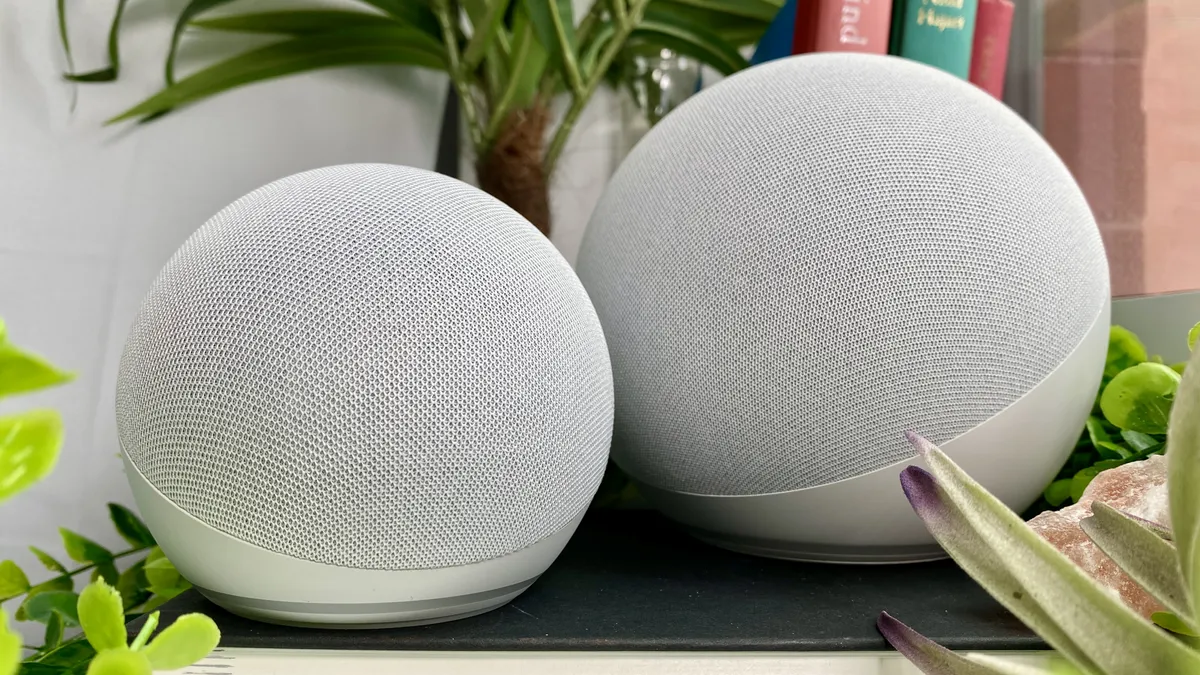
Speaking of speakers, the affordable Amazon Echo (4th Gen) we’ve opted for in our home is Tom’s Guide top pick among the best smart home hubs. The built-in Zigbee radio will let us connect compatible low-power smart home devices directly to the Echo, rather than needing a third-party hub like Samsung SmartThings v3 to manage a large number of gadgets.
For a smaller space occupied by someone with a on-the-go lifestyle, perhaps I’d still recommend Google Assistant. But for people hoping to make their home as smart as possible, Alexa is the obvious choice. At least until Google takes greater strides to catch up.
Have any questions about Alexa or Google Assistant? E-mail me at kate.kozuch@futurenet.com or leave a comment below, and I’ll try to address it in my DIY smart home series. Check out the previous installment, DIY smart home: Why I’m skipping ‘smart’ kitchen appliances, too.