







In theory, you can game on any TV if it has HDMI ports. But the best gaming TVs come with HDMI 2.1 ports (for improved bandwidth and reduced input lag) and higher refresh rates (120Hz for consoles, 144Hz or 165Hz for PC gaming).
That's the hardware side of things, but many brands now equip some models with specific software or game enhancement features to free up the TV's resources. Put it all together, and that's why I rate the Samsung S90F as the best gaming TV right now.
Samsung's Tizen software has a load of gaming optimization options, there are four HDMI 2.1 ports, and it has a 120Hz refresh rate. Plus, it looks terrific, even when you're playing vibrantly colorful games or gritty darker ones.
As great as the S90F is, it may strain your bank balance. If you want to keep costs down without many compromises, I can't recommend the Hisense U65QF enough. It's outrageously great value, and has two HDMI 2.1 ports and a 144Hz refresh rate.
The best gaming TVs available right now
Why you can trust Tom's Guide Our writers and editors spend hours analyzing and reviewing products, services, and apps to help find what's best for you. Find out more about how we test, analyze, and rate.
Best gaming TV overall


I know I already mentioned that the gaming TVs have specific hardware features (HDMI 2.1 ports, high refresh rates), and the Samsung S90F has those (four HDMI 2.1, 120Hz refresh rate), but that's not what makes it the best gaming TV right now. Those are hugely important, of course, but it's the way it looks that makes all the difference.
It is exceptionally good at handling contrast, and this creates an immersive, colorful and vivid picture really pop from the screen. If you're playing something extremely vibrant (like a game from the Mario franchise), this is obviously a great boon. Fortunately, if you like your games dark and shadowy, the S90F excels there too.
The TV handled deep, dark blacks with seeming ease across pretty much every type of media we threw at it, including games, movies and TV shows. Although sports are rarely in deep darkness, the set's contrast helps it balance games where half the pitch is in shade, the other in brilliant sunshine.
Of course, you probably will watch some movies and TV on the set, but it's gaming you're here for. We put the S90F through its paces with the Nintendo Switch 2 and PS5 Pro, playing games like Armored Core 6 and Elden Ring Nightrein. There was no blurring on the action, as the TV matches the 120Hz output of both consoles.
Arguably one of the S90F's most interesting features is the Gaming Hub, which is part cloud gaming service, part game optimization app. If you have a console connected to the TV, the hub recognizes it, remembers what games you've been playing recently, and if you launch from there, it automatically enables the TV's Game Mode.
- Read our full Samsung S90F OLED TV review
Best budget gaming TV

Not so long ago, if someone had recommended me a cheap TV for gaming, I would have given them a strange look and sympathetic laugh. But now I have to eat my (hypothetical) words as the Hisense U65QF is genuinely a great budget gaming TV that has so few compromises, it's almost too easy to recommend.
It has a higher refresh rate than the Samsung S90F (144Hz vs 120Hz), making it a better choice if you're into PC gaming, and two HDMI 2.1 ports. Not to state the obvious, but that's two less than the S90F. However, it does have two HDMI 2.0 ports, so you can plug streaming devices into those and reserve the 2.1 ports for consoles and PCs.
Combined, all of these technical aspects meant that when we played things like Indiana Jones and the Great Circle, it held up well against much more expensive TVs. The U65QF doesn't have a dedicated gaming hub, but there is an Auto Low-Latency Mode (ALLM) which disables other resource-heavy features to reduce lag.
Though, in our lab testing, the U65QF recorded an input lag of 13.1ms. This is still pretty good, but it's a step up from the 9.1ms on the S90F. Of course, how much this matters depends on the types of games you play; single player local games will generally be fine, but you may notice the difference in online multiplayer competitive titles.
My main reservation about this TV is that Hisense installed Amazon's Fire TV software, which is one of the slowest and ad-filled streaming interfaces. It works, but it's basically a vehicle to get you to buy stuff from Amazon. Fortunately, once you've plugged your devices in and installed streaming apps, you barely have to touch Fire TV again.
- Read our full Hisense U65QF review
Best gaming TV for bright rooms

If there's one thing I love, it's affordable gaming TVs with fantastic brightness and high refresh rates, like the Hisense U75QG. The brand has been on a roll lately with great value TVs, and given that most sizes of the U75QG are now under $1,000 it feels like a steal since it has four HDMI 2.1 ports and 165Hz refresh rate.
I know I mention those two specs quite a lot, but they're things you can tell from looking at the box or product listing. It's the first-line filter when picking a gaming TV, but what you can't tell is the actual performance. While in our lab, we found that it hit 9.8ms, versus the 9.1ms on the Samsung S90F.
Yet the S90F is about 50% more expensive, so even just that aspect makes it incredible value. But our testing also found that the U75QG is astonishingly bright. It registered as three times brighter than the Hisense U65QF and Samsung S90F in HDR, a feat that seems like a fantasy for a TV at this price.
So it is the perfect gaming TV to put in bright rooms or sunlit spaces, as the display can easily hold its own against background light. The only caveat is that I wouldn't put it in direct sunlight, as the anti-glare coating helped a bit, but it was harder to see the screen when there was light bouncing off it.
However, all these strengths together (low lag, high brightness, impressive refresh rate) mean that it's probably one of the most versatile gaming TVs you can buy right now too, capable of handling dedicated gaming sessions, movie nights and the summer's live sports events with relative ease.
- Read our full Hisense U75QG review
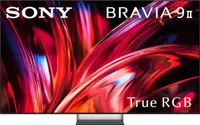
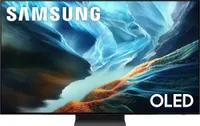
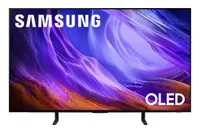
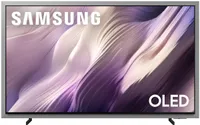
Also tested
How we test the best gaming TVs
I don't want to bury the lede here: the way we test the best gaming TVs is to game on them. There's a lot more to our testing process, but that's the core of it: to use each model in the way you would at home so we can tell you what it's like.
Before we sit ourselves down for a gaming session though, each TV passes through our testing lab first. You can read more about how we test TVs, but the short version is that we use industry-standard equipment to measure the set's output.
We look at the brightness across SDR and HDR content, measure lag, and check color reproduction and accuracy. This data makes its way to our testing spreadsheet and gives us a chance to compare the TVs objectively.
Plus, it makes it easier and more accurate for us to assess each manufacturers' technical claims and look at whether performance really improves between new and older versions of the same TV.
And this data is also why I can say that the Hisense U75QG is the best gaming TV for bright rooms, because we have the data to back it up. That's part of the reason, anyway. The other part is because we actually do sit down and use every TV we test.
We put the TVs through their paces with console games mainly, though each reviewer will play the ones they enjoy and know best to help them assess how the TV performs. Sometimes we'll use gaming PCs too, but it depends on whether the refresh rate is high enough.
Playing the games we know best also means that we're more able to focus on what the experience of the title or console is like on the specific TV we're testing. Of course, the gameplay will always be front of mind, but it definitely frees up some headspace to retrace well-known paths so we can actually keep our mind on the TV's performance.
How to choose the best TVs for gaming
Deciding which gaming TV is going to be right for your setup is a lot like choosing any new TV, but with a few more things to consider that can elevate your gameplay. The first place to start though is which size TV do you really need?
Our guide to how to choose the perfect TV size can help, though you'll want to think about where you plan to game as well. If it's in your main living room, then picking the 'sweet spot' size for viewing would work. But if you plan to game in your bedroom, then you may want to downsize a little depending on the space you have.
Once you've landed on a size, the most important specs you'll use to filter will be refresh rate and HDMI 2.1 ports. As I've mentioned (a lot) throughout the guide, these are two of the most critical for a good gaming experience. More HDMI 2.1 ports means you can plug in more consoles or gaming PCs.
The higher the refresh rate, the better the TV will perform on fast-paced action scenes. If you only play on consoles though, the current generation all output at 120Hz, so unless there's something else on the TV you like, don't feel like you need to go higher, apart from if you want to watch live sports of play PC games.
Some TVs, like the Samsung S90F, have dedicated gaming hubs or specific features to improve the software experience while gaming. These are useful, and may be worth exploring, especially if you play across platforms and genres. Many gaming TVs are priced quite high at release, but there's usually no need to break the bank.
Instead, what I'd recommend is choosing last year's models (or indeed the year before's). TVs launch at high prices and come down quite rapidly once the new model is out. And each annual refresh is usually pretty incremental, so the older versions still offer very close to the same performance but for a far lower cost.
FAQs
What is a gaming TV and do you really need one?
In some sense, there's no such thing as gaming TV. There are just TVs. But there are some hardware and software features that make the gaming experience better on particular models, which is how we come to narrow our selection.
For this guide, two of the most critical criteria I use are whether it has two or more HDMI 2.1 ports and if the refresh rate is 120Hz or above. There are other factors too, but these are the baseline I'd consider for a 'gaming TV.'
The HDMI 2.1 ports and 120Hz (or higher) refresh rate mean that you've got support for the way almost all modern consoles output to your TV. Though, these are increasingly common on most TVs, with only budget or cheaper models missing out.
But it comes down to the type gaming hardware you use, how strongly you feel about optimizing performance and whether you play competitive online games. If you love cosy games on the Nintendo Switch 2, you'd probably be okay with any modern TV.
The Switch 2 technically does support 4K HDMI 2.1, but whether you really need that depends on how much you want to spend on the TV and if you plan to play AAA games. If you're more Pokemon and Animal Crossing than Cyberpunk 2077, you'd likely be fine with a TV not hitting the 'gaming TV' specs.
For other consoles, the balance of features to price might be different, as those are generally designed for the more graphics-heavy titles like Clair Obscur: Expedition 33, or online competitive games like Call of Duty. For this type of gaming, you need everything to operate quickly, without lag or stuttering.
In this case, a dedicated Gaming Mode on the TV, which reduces system load, is important, as is the input lag from the console to the TV. We generally recommend a set with a 10ms or lower response time, but those are often (but not always) on some of the most expensive TVs.
So, while there isn't really a gaming TV category, some features make certain models better suited for gaming. If you want the best of the best, it'll often set you back (though the Samsung S90F is a fantastic combination of everything currently at a great price).

