Best Chromebook deals and prices in October 2026
Here are the best Chromebook deals right now
Chromebook deals are in high demand right now. Whether you're studying or working, in person or remote, a new Chromebook is the perfect accessory. Fortunately, there are plenty of sales on everything from low-end laptops to attractive 2-in-1s that pack Intel Core CPUs.
Currently, the some of the best Chromebook deals are coming from Best Buy. The retailer has various Chromebooks on sale from $119. The sale includes HP, Asus, Samsung, Acer, and more.
We're constantly curating and adding to this list of affordable Chromebook deals. Just remember to make your purchase quickly as Chromebook sales tend to run out almost as quickly as they're stocked. (Don't need a Chromebook? Make sure to check out our guides to the best laptop deals and best budget laptops).
Best Chromebook deals at a glance
- shop Chromebooks on sale from $199 @ Best Buy
- Asus CX14 14" Chromebook: was $379 now $199 @ Best Buy
- Acer Chromebook 315: was $349 now $229 @ Best Buy
- Lenovo Chromebook Plus i 15.3": was $469 now $349 @ Walmart
- Lenovo Chromebook Plus 2-in-1 14": was $679 now $599 @ Best Buy
Best Chromebook deals right now
Chromebooks under $250
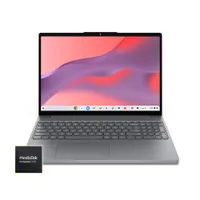
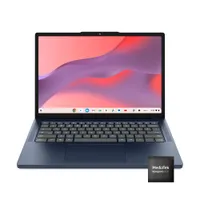
Lenovo's 2026 Chromebook M just got a significant 50% price cut, making it one of the biggest Chromebook discounts I've seen in a while. You get 4GB RAM and 64GB storage with this one.
Read moreRead less▼
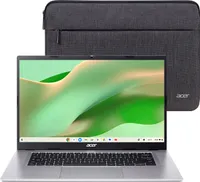
One of the cheapest Chromebook deals around right now! This one comes with a MediaTek Kompanio 540 CPU, 4GB RAM and 128GB storage. That's plenty for browsing the web and watching videos. You also get access to Google AI — and a free protective sleeve.
Read moreRead less▼
This Chromebook CX14 from Asus comes with 4GB RAM and 64GB storage. It's portable, weighing just 3.06lbs, and Best Buy also offers a Google One AI Pro plan for 3 months, free of charge.
Read moreRead less▼
Asus Chromebook CM1402 14": was $299 now $239 @ Best Buy
This Chromebook has fallen to a super cheap price. Like most budget laptops, it won't break any performance records but it's fine for everyday use like watching videos and browsing the web. This model comes with a MediaTek Kompanio 520 processor, 4GB memory and 64GB eMMC storage.
Read moreRead less▼
For $250, you can get this 2025 Chromebook with a 14-inch 2K display, 4GB RAM and 64GB storage. There's no Intel chip, but if you're just browsing the web and watching videos, it'll meet your needs.
Read moreRead less▼
Chromebooks between $250-$500
This Asus Chromebook covers the basics. A 15-inch FHD display, 4GB RAM and 64GB storage are solid if you just want to browse the web and stream videos. Plus, this discount brings it under $300.
Read moreRead less▼
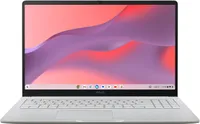
There's a cheaper version of this Chromebook available, but this one has stronger specs for better performance. You'll get 8GB RAM and 128GB storage for your photos and documents. All this comes in a stylish, lightweight Pure Grey shell.
Read moreRead less▼
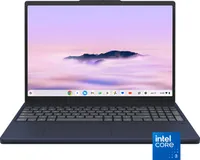
In case you didn't know, the Chromebook Plus line has better specs than most others. This one gets you an extra-sharp 2K touch display, as well as Intel Core 3 N355 performance.
Read moreRead less▼
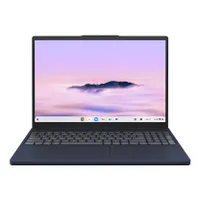
A solid pick for students, this Lenovo Chromebook Plus i has an Intel Core 3 CPU, 8GB RAM and a 128GB SSD for the power to multitask. Its 15.3-inch display is taller than average, giving you more room to view text and documents.
Read moreRead less▼
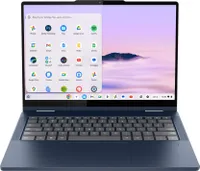
This Lenovo Chromebook Plus provides excellent value for money, especially with $80 off. Not only can it convert between laptop and tablet mode, you get an Intel Core i3 processor with 8GB RAM and 128GB storage.
Read moreRead less▼
Chromebooks over $500
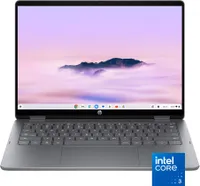
This HP Chromebook Plus is over $100 off right now. Grab it while you can! As well as a 2K touch display, this 2-in-1 device can flip between laptop and tablet mode, so you don't have to decide. You get an Intel Core 3 N355 CPU, 8GB RAM and 256GB storage.
Read moreRead less▼
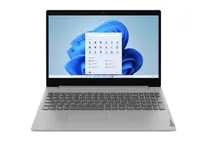
There are plenty of cheap laptops out there, but the IdeaPad 3 is one of the best around. For starters, it has a 15-inch 1920 x 1200 display. You also get an AMD Ryzen 7 5825U CPU, 16GB of RAM and a 512GB SSD. It won't play the latest PC games, but it's a reliable machine for everyday work, web-based tasks and entertainment/streaming.
Read moreRead less▼
Simply put, this is one of the best 2-in-1 laptops you can buy! We gave this device an excellent 4-star rating in our Acer Chromebook Spin 514 review, because it performs well in pretty much every category — it runs fast, it has long battery life and it's got a gorgeous display. At $699, it's one of the more expensive Chromebooks out there, but at a discount it's a great buy.
Read moreRead less▼
What is the difference between a Chromebook and a laptop?
While most laptops run on Microsoft's Windows or Apple's MacOS, Chromebooks are powered by Chrome OS, Google's cloud-native operating system. This fast and powerful Linux-based OS relies on Google's suite of applications. Among G Suite's apps are Gmail for email, and Drive for storage. G Suite productivity tools like Google Docs, Sheets, and Slides mimic Microsoft Word, Excel, and PowerPoint, respectively.
Rather than storing documents and photos directly onto the Chromebook's local storage drive, you can opt to store them in the cloud. As a result of the Chromebook's simple OS, the specs are less complex than Window-based machines.
While Chromebooks aren't ideal for tackling heavy graphics tasks, they'll get you through day to day computing. What's more, select Chromebook can run Android apps and Linux OS without having to rely on a dual boot which makes it great for developers.

Get instant access to breaking news, the hottest reviews, great deals and helpful tips.
Millie is a Deals Editor at Tom's Guide specializing in deals content. She also covers the latest tech news and and creates how-to articles about everything from phones, streaming devices, and headphones to apps and video games. In her spare time, she enjoys reading, gaming on her Nintendo Switch and creating digital art.
Next Badge:
More Comments/Likes Until Your Next Badge
You must confirm your public display name before commenting
Please logout and then login again, you will then be prompted to enter your display name.