




The best Amazon Fire Tablets offer an affordable way to stream video, read books, browse the web and use everyday apps without paying iPad or premium Android tablet prices. That means getting the full tablet experience without having to pay a fortune, making Amazon's reliable slates a great pick for families, kids, travelers and casual users.
You may have heard that Amazon Fire Tablets are dead, making way for a new lineup of Amazon Alexa Tablets. We've tested the Alexa Tablet 12 Pro and are impressed with its improved design, strong performance for everyday activities and long battery life, but Fire Tablets are more attractive than ever thanks to discounts we're seeing across the lineup.
So, if you're looking to save on budget-friendly Fire tablets instead of upgrading to pricier Alexa Tablets, this guide will help you find the right device for your family, kids or yourself. For most people, the Amazon Fire HD 10 is the best Amazon Fire tablet thanks to its useful balance of screen size, performance, battery life and value. But budget shoppers may prefer the smaller Fire HD 8 for casual browsing and reading. Specifically for children? The Fire HD 10 Kids is a great option.
Follow this guide for expert advice and in-depth reviews from our team of tablet experts right here at Tom's Guide.

With over 6 years of checking out the latest iPads and Android tablets, it's hard to deny the value Amazon's Fire Tablets offer. If all you need a tablet for is to watch shows, read books and casually browse the web, you don't need to empty your wallet on a premium tablet when a Fire Tablet does it all for a fraction of the cost (even if you have to put up with a slower Fire OS). Now, with the option to upgrade to an Alexa Tablet, Amazon's range of slates has only improved. With my team of tablet experts, I'm here to guide you through the Amazon Fire and Alexa tablets to buy today.
The best Amazon Fire Tablets to buy right now
Why you can trust Tom's Guide Our writers and editors spend hours analyzing and reviewing products, services, and apps to help find what's best for you. Find out more about how we test, analyze, and rate.
Best Amazon Fire Tablet overall


The Amazon Fire HD 10 is a great all-around tablet, which is why I generally recommend it as the best Amazon Fire tablet for most people.
While it's not the fastest or most beautiful tablet on the market, or even the most premium Amazon tablet (that honor now belongs to the Alexa Tablet 12 Pro), the Fire HD 10 hits a great sweet spot in terms of performance and price.
I say that because (according to our testing) you get great battery life, good performance, and a nice screen for a starting price of $150, making this a more affordable way to enjoy the benefits of having a tablet around without having to pay Apple or Samsung prices.
Its biggest flaws, though, are those endemic to the Amazon Fire tablets in general. Most notably, Amazon's Fire OS is still app-challenged, missing the Google Play app store — which means you can't get the full YouTube experience, for example, and you'll miss out on a lot of great apps not available on Amazon's app store.
But as long as you're happy to content yourself with the apps available to you in the Amazon App Store, you can have a lot of fun with the Fire HD 10. It definitely helps to be deeply invested in Amazon's ecosystem, as these slates are great for streaming videos, reading ebooks and browsing the web.
- Read our full Amazon Fire HD 10 review
Best budget Amazon Fire Tablet

The Amazon Fire HD 8 is a cheap tablet, and for some that's the main selling point.
I recommend this slate to Fire shoppers on a budget because it's slightly nicer than the bottom-of-the-barrel Fire 7, yet still affordable at $99. And while the 8-inch touchscreen isn't sharp enough to support 1080p content, it's more than fine for browsing the web and reading books.
This is a great utility tablet because you get good battery life (nearly 14 hours in our testing) and decent speakers, as well as easy access to Amazon's various content streaming apps and strong parental controls. Of course, the front and rear cameras are pretty bad, but who uses their tablet to take photos anyway?
And since this tablet isn't powerful enough to run many demanding apps very well anyway, you won't miss the full panoply of apps available on Android nearly as much.
- Read our full Amazon Fire 8 review
Best Amazon Alexa Tablet

The Amazon Alexa Tablet 12 Pro kicks off the company's lineup of Alexa Tablets to "replace" Fire Tablets, and is the best choice for upgrade seekers who want a bigger, sharper screen and a step up in everyday usability. It costs more than your average Fire Tablet, but this bump now makes it rival the best tablets around.
With its high-resolution 2800 x 1840 display, this tablet immediately feels more binge-friendly for streaming and reading compared to any entry-level Fire slab. It actually delivers the "premium" bump you'd expect from being a "Pro" tablet, with great brightness, color range and sharp details.
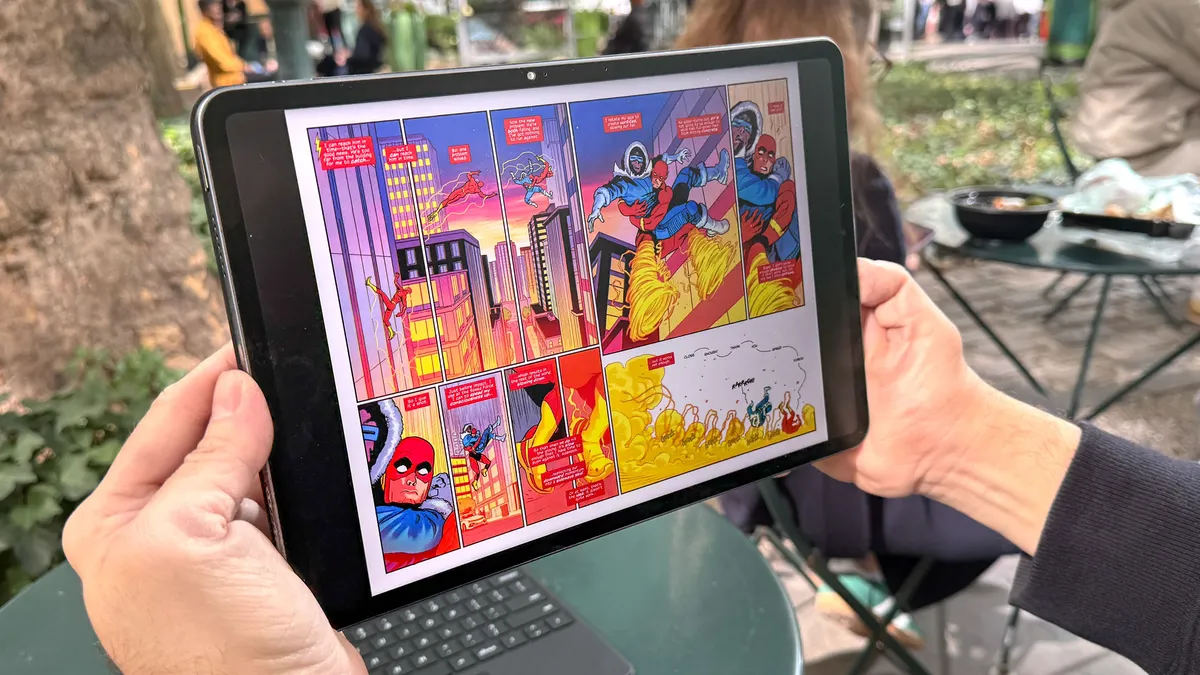
Performance is another leap forward, as the MediaTek Dimensity 8400 processor and 8GB of RAM mean apps open quickly and multitasking feels noticeably snappier than on the Fire HD 10 or Fire 8. We especially appreciated how the matte display handled glare in bright rooms, making everything from action scenes to comics look crisp and comfortable.
Battery life also stands out as a real advantage for travel or long(er) viewing sessions. In our lab, the Alexa Tablet 12 Pro managed 13 hours and 17 minutes, and that translated to never once reaching for a charger before the day was done during real-world use.
Storage starts at a generous 128GB, with a 256GB option if you need more space for downloads and work files. The only real catch is the price, as the Pro costs much more than any other Fire tablet, and upgrades (like the Nanomatte display or extra storage) push it even higher. If you want a premium media and multitasking experience, the Alexa Tablet 12 Pro is the Amazon tablet to buy.
- Read our full Amazon Alexa Tablet 12 Pro
Best Amazon Fire Tablet for older kids

The Amazon Fire HD 10 Kids Pro is, hardware-wise, nearly identical to the standard Fire HD 10, with a sharp 1920 x 1200 display that makes cartoons and reading apps look crisp. What sets it apart is the focus on kids ages 6 to 12, as you get a colorful kickstand case and a comprehensive two-year warranty, so you’re not sweating every drop or bit of rough handling.
In our testing, the Fire HD 10 Kids Pro lasted over 14 hours before needing a charge, which is a real advantage when schoolwork, streaming and games stretch into long car rides. Parental controls are extensive and easy to use right in the Amazon Kids+ app, which means you can manage content and screen time with minimal hassle. The main downside is that, at 1.1 pounds, it’s not feather-light for smaller hands, and as with all Fire tablets, you’re limited to Amazon’s app ecosystem (no Google Play Store), which can frustrate older kids who want certain mainstream apps.
This is the Fire tablet we recommend if you want something that will last through the elementary years: it comes bundled with a year of Amazon Kids+ content and covers the basics for homework, video and creative apps.
- Read our full Amazon Fire HD 10 Kids Pro review
Best Amazon Fire Tablet for younger kids

The Amazon Fire HD 10 Kids is purpose-built for families with young children, combining a durable kid-proof case with robust parental controls that let you manage what your child can access. In our hands-on testing, the tablet shrugged off drops and even a spill (one of our editors even watched it bounce harmlessly off the floor and keep working just fine!).
We found it lasted an impressive 14 hours and 32 minutes in our lab battery tests, so you won’t be hunting for a charger mid-road trip. The 10.1-inch (1920 x 1200) display is bright and sharp enough to make cartoons and storybooks pop, which matters for kids’ eyes and attention spans during long stretches of use.
Compared to the standard Fire HD 10, the Kids version is more durable and offers stronger parental controls, making it a better fit for children ages 3 to 7 — even though both share similar screen quality and battery life. For younger kids and peace of mind, though, this is the Fire Tablet I’d recommend.
- Read our full Amazon Fire HD 10 Kids review
Amazon Fire Tablets battery life compared
Amazon Fire and Alexa Tablets have shown to have great battery life, making them ideal picks for traveling or families looking to entertain younger ones with activities.
As you can see from our tests, each lasts for at least over 12 hours, which is more than you can expect from many of the best iPads. Check out the table below to see how each tablet compares.
Amazon Fire and Alexa Tablet Battery Life Tests
In our battery test, we set the tablet's display to 150 nits of brightness and have it endlessly browse the web via Wi-Fi until it runs out of juice.
Battery life (hh:mm:ss)
| Product | Value |
|---|---|
| Amazon Fire HD 10 | 12.65 |
| Amazon Fire HD 8 | 13.7 |
| Amazon Alexa Tablet 12 Pro | 13.283333333333333 |
| Amazon Fire HD 10 Kids Pro | 14.2 |
| Amazon Fire HD 10 Kids | 14.533333333333333 |

Best Amazon Fire Tablets: Frequently Asked Questions
Should I get an Amazon Fire tablet or an Amazon Kindle?
If all you want your tablet for is to read books, documents and magazines or take notes, get a Kindle. Specifically, check our guide to the best e-readers and choose which Kindle or Kindle competitor is best for your needs and budget.
But if you want to do anything else with your tablet, like browse the web, watch movies, play games or send emails, you should buy an Amazon Fire tablet. While they're limited by what apps you can install in FireOS, even the cheapest Amazon Fire tablet is a lot more capable than any Kindle because once you connect it to the internet, you can load the Fire tablet up with all sorts of apps and files.
Are Amazon Alexa Tablets worth the upgrade?
Amazon's new lineup of Amazon Alexa Tablets aims to replace the Fire Tablet lineup, with new designs, Alexa+ built in and running on Android OS. Currently, there are the following:
- Amazon Alexa Tablet 12 Pro
- Amazon Alexa Tablet 11
- Amazon Alexa Tablet 8
- Amazon Kids Tablet 8
- Amazon Kids Tablet 11
These offer lighter, modern designs, 2.5K displays and faster performance, but they also come with higher price tags. Amazon's Fire Tablets are more wallet-friendly, so if this better suits your budget, it's still worth grabbing a Fire Tablet. However, for the latest performance and designs, Alexa Tablets are a good upgrade to get.
Can you use Google Play apps on an Amazon Fire tablet?
Not officially: Fire tablets use Amazon’s Fire OS and the Amazon Appstore rather than the Google Play Store. That means some Google apps and Android apps you may use on another tablet are not readily available, including the standard Google Play version of YouTube, Gmail and Google Docs.
You can still use many services in a web browser, and experienced users can sideload some apps, but that is not the straightforward, supported experience. A Fire tablet is best for buyers happy with Amazon’s app selection and ecosystem; choose an iPad or a conventional Android tablet if Google Play access is essential.
How do I find a great deal on an Amazon Fire tablet?
One of the big selling points of Amazon's Fire Tablets is how cheap they are, but you can always do better if you know where to look.
First and foremost, check out our Amazon promo codes page for the latest offers and see if you can find a specific discount on the tablet you want or a general discount for shopping at Amazon.
Since the Fire tablets are sold by Amazon, they're always easy to buy on the website, plus they're often among the first products to get discounted during Amazon's many sales. So if you can afford to wait for a Prime sale, do so, as you'll likely be rewarded with a sweet discount on that Fire tablet you've had your eye on.
Can you remove lock-screen ads from an Amazon Fire tablet?
Yes. If you buy an ad-supported Fire tablet, Amazon allows you to remove lock-screen special offers later through its device-management settings for a one-time fee. You can also pay more for an ad-free configuration when ordering, where that option is available.
The exact fee and options can change, so check Amazon’s current listing and account settings before buying or removing ads. If lock-screen promotions will bother you, then it's well worth paying the extra fee.
How to choose the best Amazon Fire tablet for you

Still not sure which Amazon Fire tablet is right for you? Here are some important things to consider.
- Screen size: The Amazon Fire tablets come in a variety of screen sizes ranging from 7 to 10 inches. If you expect to be watching a lot of videos, you'll want the biggest, nicest screen possible, so consider the Fire HD 10 or the Alexa 12 Pro. But if you just want a tablet to browse the web and read ebooks, a smaller display, like those on the Fire HD 8, will be more than enough for your needs.
- Budget: While all of the Amazon Fire tablets are more affordable than anything Apple makes, there's still a wide price range of $50 to $200, or more if you splurge on extras. Now that Amazon Alexa Tablets are here, though, Fire Tablets are getting frequent discounts. There's no telling how long these will be on sale for, but it's well worth grabbing a discounted model if you're looking for one over the latest Alexa tablets!
- Age: How old is the person you're buying this tablet for? Obviously, if it's for you, buy whatever you like, but if you're getting a cheap Amazon Fire tablet for a younger person, there are a variety of kid-friendly options depending on their age. For those ages 3 to 7, the Amazon Fire HD 10 Kids offers decent performance, great parental controls, and a colorful drop-resistant case. The Amazon Fire HD 10 Kids Pro offers effectively the same benefits for the same price, but it's aimed at older kids in the 6 to 12 range. And if the person you're buying for is older than that, they should be well-served by the standard Amazon Fire HD 10.
How we test Amazon Fire tablets

Before we start reviewing an Amazon Fire Tablet or Alexa Tablet, we send it to our lab, where it gets run through a series of tests that help us measure its capabilities.
First, we run as many benchmarks as that tablet will allow, to see how fast they are in ways that can be compared directly against competitors. We say "will allow" as Amazon's Fire slates have trouble with sideloading the Android apps we use for testing. We then use colorimeters and light meters to measure how colorful and bright these tablets’ screens can get. After that, we put them through our in-house battery test, which times how long it takes — while surfing the web with brightness at 150 nits — to drain a tablet of a charge.
After that, we do the same things you do — browse the web, watch videos, play games, compose emails — as we use the tablet as we own it, for a week or two at least.
