




iOS 16.1.2 has popped out of its beta form and is now ready for general use, bringing with it tweaks to make the iOS experience more robust. According to Apple’s notes, it includes “Crash Detection optimizations on iPhone 14 and iPhone 14 Pro," and improved compatibility with wireless carriers.
This is the next major update to iOS 16 after iOS 16.1, and will be rolling out this month. Mostly it brings in security tweaks. And as Apple has yet to have full notes on the update, it's unclear when the features seen in the previous betas will make it into iOS 16.1.2.
In the betas we saw the introduction of a new Freeform whiteboard app designed for creating a hybrid mix of a note board and image/mood board, revamped HomeKit architecture, lock screen widgets for sleep and medication tracking, and the option to have an always-on display with a black background.
Nevertheless, you'll want to download the iOS 16.1.2 as it looks set to iron out the teething problems with Crash Detection, a new feature Apple introduced in September to its iPhones and the Apple Watches.
iOS 16.1.2 could fix iPhone 14 Crash Detection
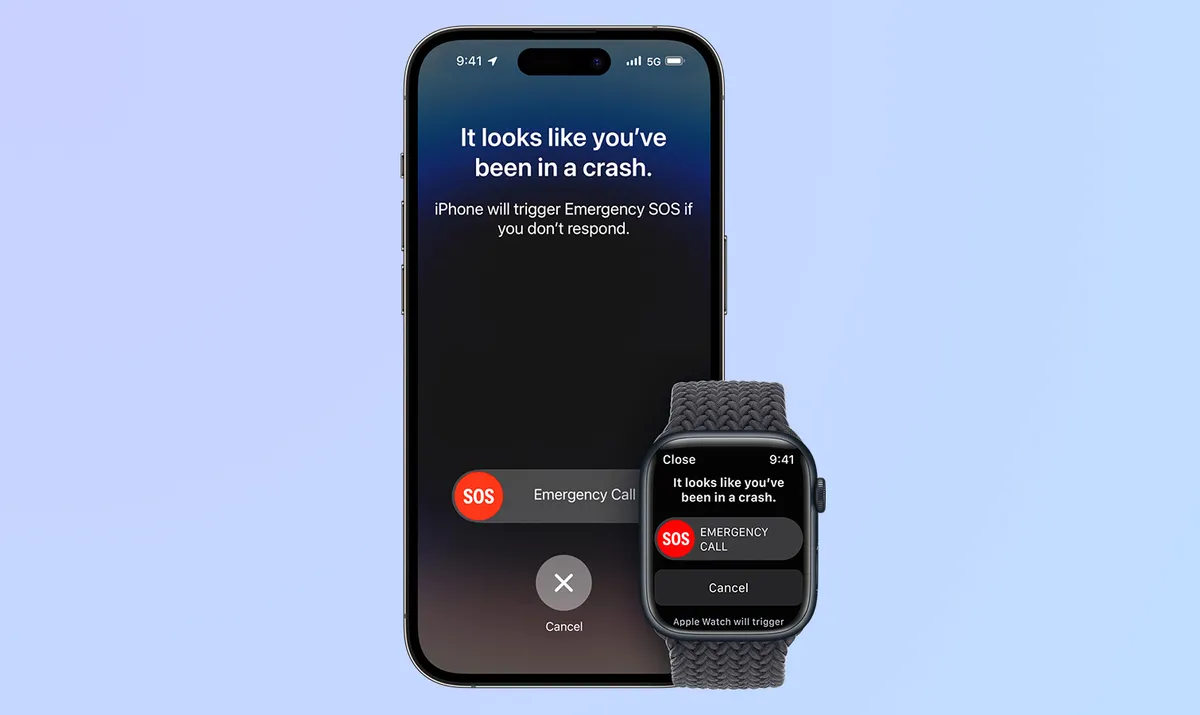
While Apple’s notes only mention Crash Detection “optimization," hopefully iOS 6.1.2 will fix the safety feature, which has fallen foul of some errors.
For the uninitiated, Crash Detection is one of Apple’s new and notable safety features introduced this year with the iPhone 14 series. The feature is supposed to activate Emergency SOS and alert emergency services in case you've been in a car crash. But many users have reported that the feature has been set off inadvertently on roller coaster rides and now, even while skiing.
There have been multiple reports of Crash Detection getting activated at amusement parks. But now, ski resorts in Utah have suddenly seen an uptick in activating emergency services without a crash. Summit County dispatchers in Utah see three to five emergency calls from Apple devices per day, and so far, none have been activated on purpose. Reddit users also reported that skiing can trigger a crash false alarm and in fact, some reported that even at a moderate pace down a slope, the feature was set off.
But with Crash Detection optimizations touted in iOS 16.1.2, Apple may have reduced the potential for false crashes to be detected by compatible iPhones and Apple Watch models, which should mean less errant emergency alerts. We don't know this for sure as Apple doesn't go into specifics, but we'd be confident that it's not skimped on making Crash Detection more accurate.
Get iOS 16.1.2 now
To download the latest version of iOS, open “Settings” on your iPhone, tap on “General” and then on “Software Update” and next on “Download and Install."
Check out some of our other iOS tutorials like how to set up Medications on your iPhone in iOS 16 or how to find your iPhone's download folder and how to turn on the Clean Energy Charging feature added with the iOS 16.1 update. We've got an iOS 16 features guide that can help you get more out of Apple's latest software update for iPhones.

