A lot of the attention during the unveiling of the iPad Pro 2021 was centered around its M1 chip and the mini-LED display in the 12.9-inch model, which has a max brightness of 1,000 nits and more than 2,500 local dimming zones. Definitely impressive.
But what caught my attention the most was the iPad's front-facing TrueDepth camera — and more specifically, its new Center Stage feature — which promises to make FaceTime calls a lot more immersive.
- AirTag vs. Tile: How Apple's keyfinder compares
- Best Zoom alternatives
- The best tablets right now
For those who didn't tune into the Apple event, Center Stage is a new feature that uses the iPad Pro's camera to digitally track a subject as they move in front of the camera; it will then digitally pan and zoom so that the subject remains in the center of the frame, as much as possible.
This means that, if you're on a FaceTime call with friends or family members, you can leave your iPad propped up on a table and not have to worry about adjusting it if you want to get up and move around.
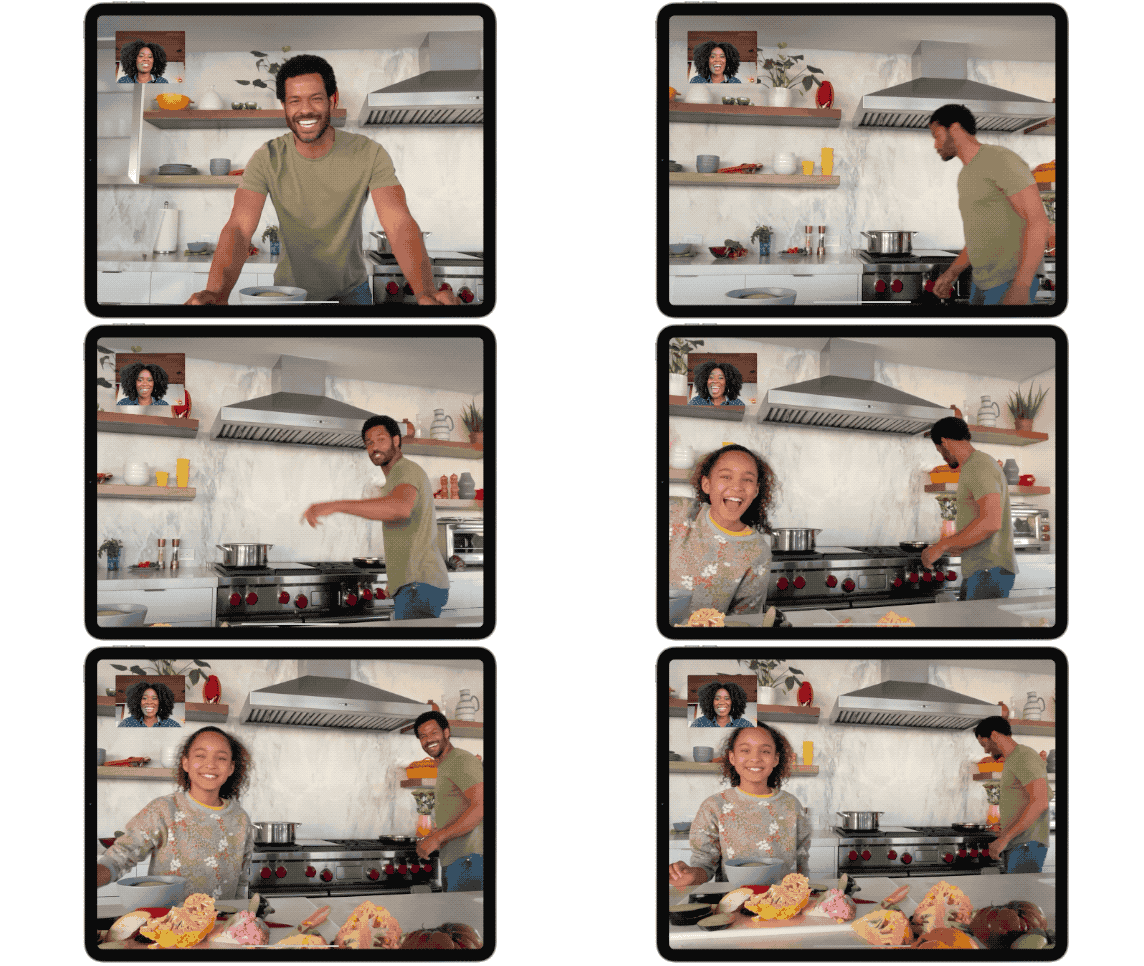
Now, this isn't a particularly revolutionary feature. You can already find something similar on smart displays such as the Google Nest Hub Max, the Facebook Portal, and the Amazon Echo Show 10 — the latter of which can physically move to keep you in frame.
However, Center Stage has one advantage over those other devices, in that you're not limited to one or just a handful of video chat apps.
For example, Google's device limits you to Google Duo, Google Meet, and Zoom. The Echo Show 10 lets you use Alexa, Chime, Skype, and Zoom. Facebook Portal is the most comprehensive of the smart displays with Facebook Messenger, WhatsApp, Workplace, BlueJeans, GoToMeeting, Webex, and Zoom.
According to the main iPad Pro page on Apple's site, Center Stage will work not just with FaceTime, but other video conferencing apps, so that presumably means that any such app you install on the iPad Pro will support this feature. So that means not just FaceTime and Zoom, but some of the best Zoom alternatives, like Discord, Twitch, and others should be able to take advantage. However, developers will need to enable the feature in their apps.
The iPad Pro's 122-degree field of view is on a par with these other smart displays: the Nest Hub Max has a 127-degree FOV, the Portal has a 114-degree FOV and the Portal+ has a 140-degree FOV.
Having used this feature on smart displays, I can tell you that it's really handy if the in-laws call while you're making dinner, and they want to see their granddaughter as she dances around your kitchen. Holding a phone and turning it back and forth gets really tiresome.
Now all Apple needs to do is add Center Stage to the upcoming iPhone 13.