Good news, Steam Deck fans: Nvidia is making it a little easier to use its GeForce Now game streaming service on Valve's handheld gaming PC.
This is important because, until now, getting the game streaming service running on a Steam Deck was possible, but tedious because Nvidia's GeForce Now Windows 11 app doesn't play well with Steam Deck's SteamOS interface. Instead, many Deck owners use GeForce Now by switching to Desktop Mode, firing up a browser window and streaming their GeForce Now games through it.
But this week, Nvidia updated its GeForce Now download page with a new Steam Deck (BETA) download link that, when clicked, downloads an applet that automagically puts a link to GeForce Now right in your Steam Deck library, alongside all your other Steam games.
What it's really doing is adding a custom Google Chrome shortcut to your Steam Deck library that's automatically configured for gamepad support and optimal game streaming to Valve's handheld. The GeForce Now app also now supports browsing via gamepad, which is a big usability upgrade from the days when Steam Deck users had to navigate the app via the handheld's trackpads.
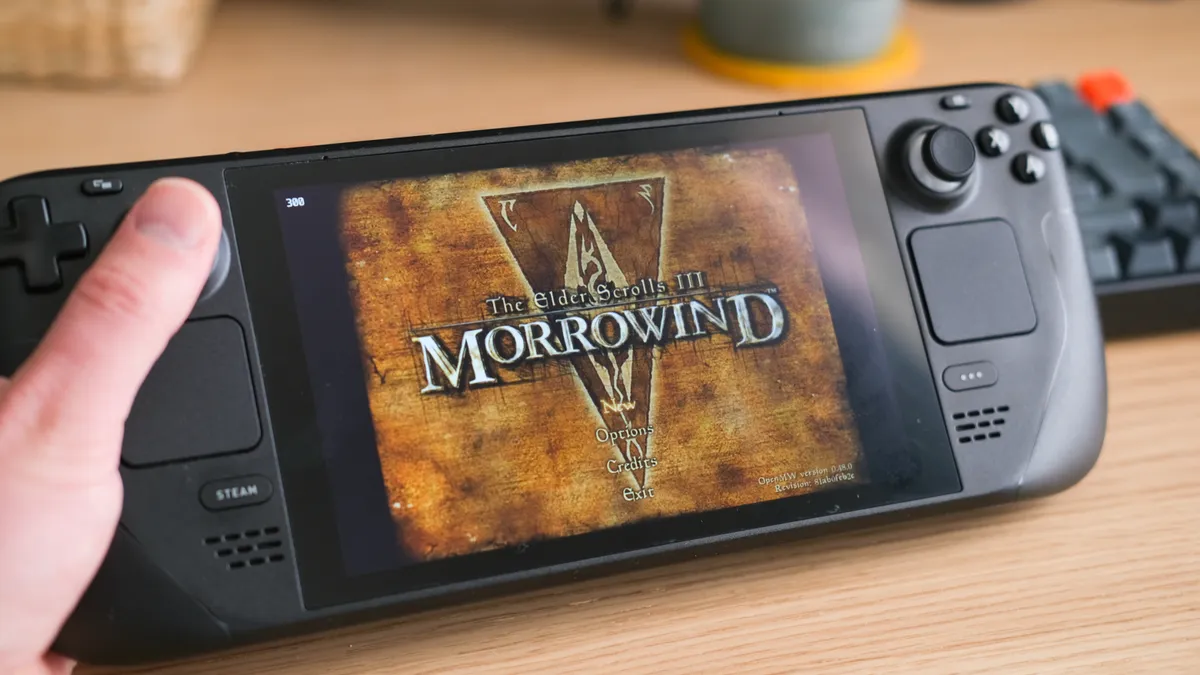
However, it's still far from perfect, which is why it's nice that Nvidia has clearly flagged this download as a beta version of the installer. If you head over to the customer support section of Nvidia's website, you can find a detailed help document outlining multiple ways to install GeForce Now on Steam Deck. This includes methods of setting it up yourself if you'd rather not use the new GeForce Now installation script.
There are some useful tips and tricks from Nvidia in that document that are worth skimming if you're planning on doing this to your Steam Deck, as there are some settings you should tweak for the optimal GeForce Now experience. Most notably, Nvidia warns that some games will require you to enable gamepad input within their in-game settings menus before you can pay using the Deck's 'pad, with Genshin Impact getting called out by name as being especially frustrating.
According to Nvidia, "In Genshin Impact, the game settings can only be accessed after you have progressed far enough in the game, which we recommend doing on another device with a keyboard and mouse." So it sounds like we still have a ways to go before streaming GeForce Now games on Steam Deck is as simple or convenient as playing games that are verified to run well on Valve's handheld.
Outlook
Still, this is a small yet significant step forward for GeForce Now on Steam Deck, as Nvidia's game streaming service has historically been kind of frustrating to use on Valve's handheld. And since the entire point of the Steam Deck is to play PC games on the go, and Nvidia's GeForce Now is one of the best cloud gaming services on the market right now, this seems like a long overdue upgrade.
More from Tom's Guide
- Steam Deck OLED is the must-buy handheld of the moment
- The best Steam games: Tried and tested
- Owning the best gaming rig and Steam Deck OLED has badly hurt my love for laptop gaming — here’s why