




An upcoming Windows 10 update looks to help gamers by making it easier to improve performance mid-game. Traditionally, your best bet — when your game's smoothness dips — was to exit the game and try and quit other applications or change settings in Windows 10 itself.
But nobody really wants to take all those steps, especially when every second lost fixing the issue is just as perilous to your success as the slowdown itself. So, Windows Latest reports that Microsoft is planning to remove the middle-man.
- The new Microsoft Surface Laptop Go is surprisingly affordable
- Microsoft Surface Pro X 2020 just unveiled
- Plus: You should delete these Chrome extensions ASAP -- here's why
The site reports that a new Resources menu — which looks a lot like Task Manager — will be coming to the Xbox Game Bar on Windows 10. The Game Bar is found by selecting Windows + G, and the new Resources section looks like a speedometer, sitting as the third to last item in screens shared by Windows Latest
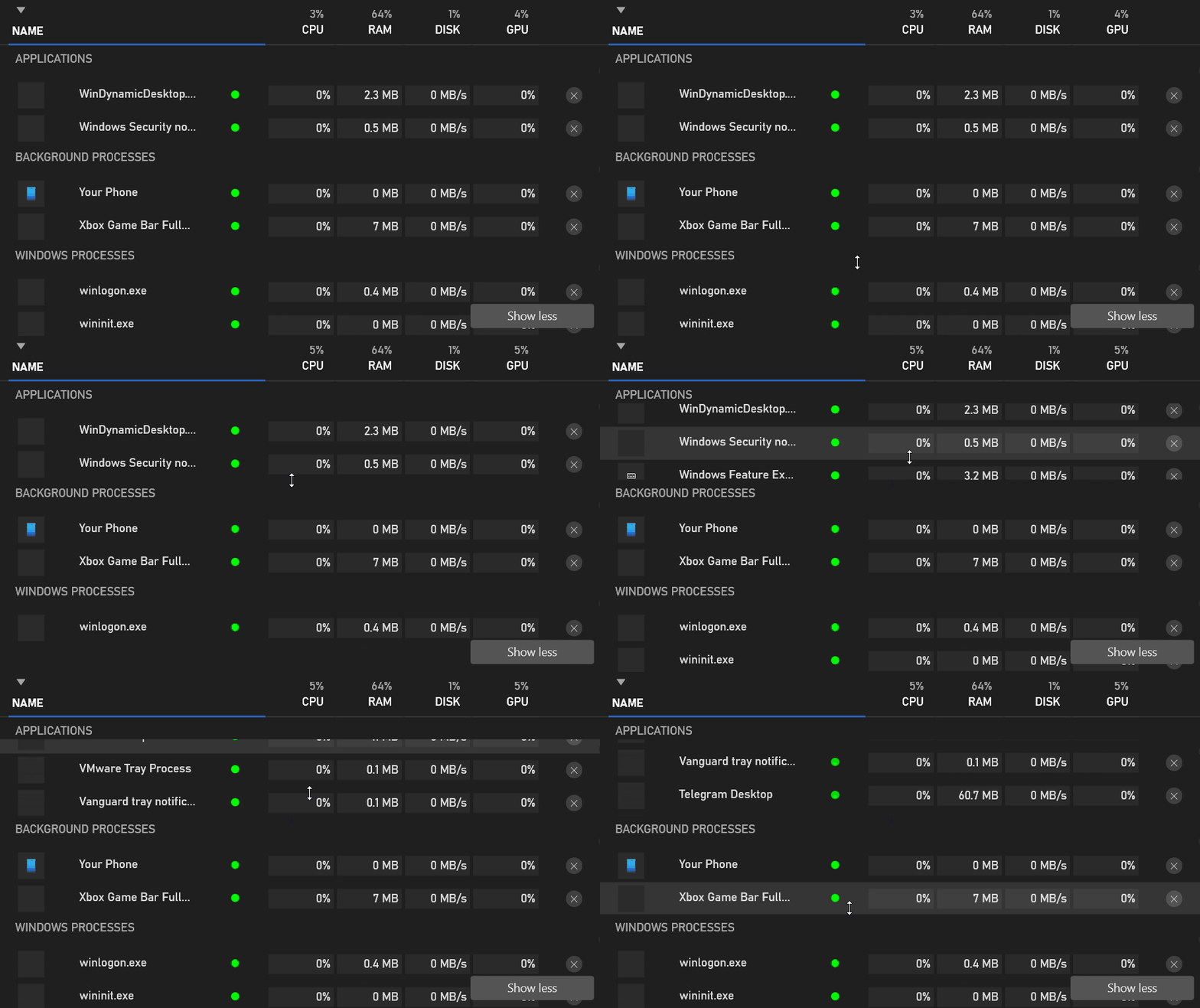
The Resources manager shows which apps are taking up CPU, RAM, GPU and disk speed, and it divides the applications up by their level of visibility. You can also sort the applications by those categories, if you're thinking the gameplay performance issues are limited to specific areas.
That way, you can see the applications that you know are running along with the background processes and Windows system-level executables that are quietly taking up resources.
A simple X on the far right of each application or process allows you to terminate that resource hog with ease, so you can get back to your game.
Making the Xbox Game Bar a more powerful part of the gaming experience is a solid way for Microsoft to make sure the PC continues to stay a strong pillar of the gaming landscape. And the move comes jus as the PS5 and Xbox Series X and S continue to take up all the oxygen in the room.
- Meet the new Asus ZenBook Flip S

