Google is making a big change to the way downloads appear in Chrome in an effort to help keep users of its browser safer from malware and other online threats.
Last year, the search giant rolled out a major redesign of the downloads experience in Chrome which moved notifications for new downloads from the bottom to the top of the browser. This time, though, Google is leveraging this redesigned downloads experience to better protect Chrome users from malicious files.
In a new blog post, the Chrome security team explained that it will swap out its old warning messages for more detailed ones to make it easier to understand the nature of a particular threat. This will be done through a two-tier download warning based on AI-powered malware verdicts from Google Safe Browsing.

Going forward, dangerous downloads will be classified as either suspicious files with a lower confidence verdict and unknown risk of user harm or as dangerous files which have a high confidence verdict and also present a high risk of user harm.
To help distinguish between suspicious files and dangerous files, Google will use different icons, colors and text. This way, Chrome users will be able to quickly and confidently decide whether or not opening a recently downloaded file is worth the risk.
Automated deep scans and encrypted archives
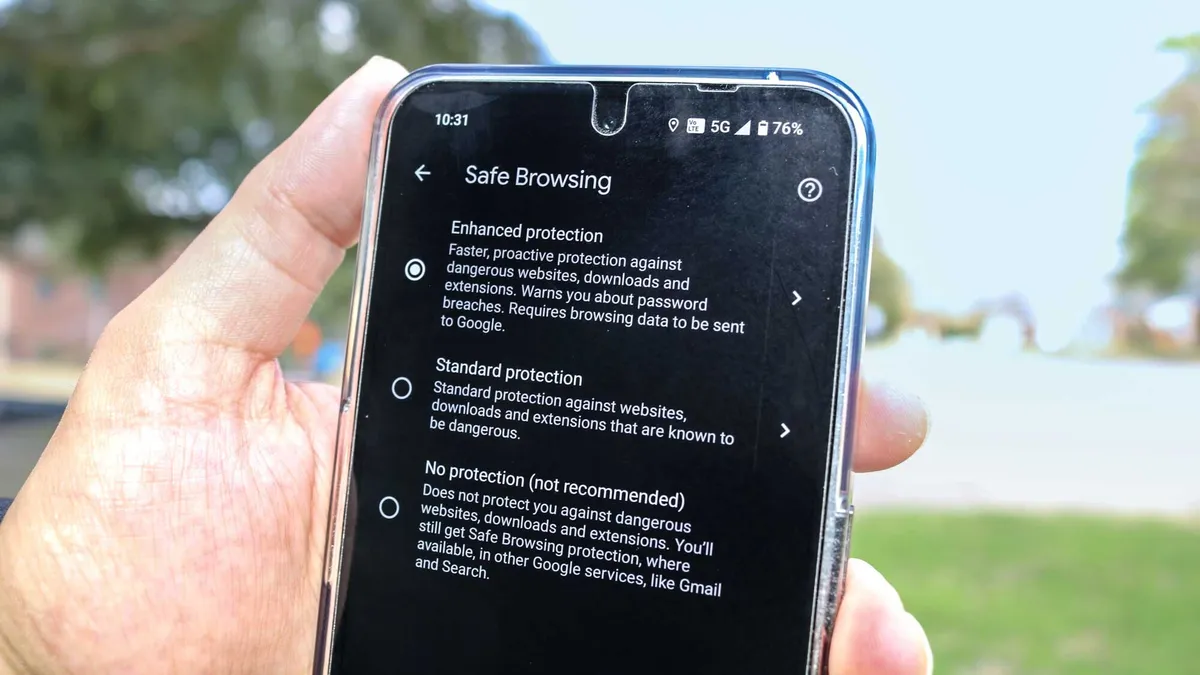
Chrome users that have signed up for Google’s Enhanced Safe Browsing mode will also now be able to send the contents of any suspicious files they’ve downloaded to Safe Browsing for a deep scan before opening them.
This feature is free to use and, in addition to dangerous sites and downloads, it can also warn you about suspicious extensions along with whether or not your passwords have been exposed in a data breach.
According to Google’s tests, these additional scans can help catch new malware strains that Safe Browsing hasn’t identified yet. In fact, files sent for deep scans are over 50 times more likely to be flagged as malware.
To make these deep scans even easier for Chrome users, Google has made them automatic for those who use Enhanced Protection since they already have agreed to send some of their downloads to Safe Browsing as part of the initiative’s additional security features. Going forward, you won’t receive a prompt to scan each suspicious download and instead, Chrome will do this for you automatically.
As hackers continue to use encrypted archives like ZIP files or those protected by a password to hide their malware, Google will now scan these types of files as well but only for users who have enabled its Enhanced Protection. However, those still using Standard Protection will continue to see a prompt when they download a suspicious encrypted archive.
How to stay safe from dangerous downloads

When it comes to staying safe from dangerous downloads, there are a few other steps you can take.
For starters, never download any attachments in emails from unknown senders as hackers often use phishing emails to get you to download malicious files onto your computer. Likewise, you want to avoid downloading files from unfamiliar sites or ones with strange web addresses that aren’t your typical “.com” or “.gov”.
From here, you want to make sure that you’re using the best antivirus software on your Windows PC, the best Mac antivirus software on your Apple computer and one of the best Android antivirus apps on your Android smartphone. Antivirus software is designed to flag and stop malware before it can do damage to your devices or steal your data.
If you haven’t yet, you might also want to consider signing up for Enhanced Safe Browsing in Chrome. It’s completely free to use and can be enabled in just a few minutes. Here’s how to enable safe browsing on both desktop and mobile if you need some extra help.
Dangerous downloads are one of the easiest ways to end up with a nasty malware infection which is why it’s great to see Google taking additional steps to keep Chrome users safe online.
More from Tom's Guide
- Google has scrapped its plan to remove third-party cookies in Chrome
- Rite Aid hit in major data breach with 2.2 million customers affected
- Macs under threat from info-stealing malware — don’t fall for this Microsoft Teams scam