Microsoft Teams is launching several big new updates that may leave Zoom quaking in its video conferencing boots, including a feature that no other video chat service has.
Via a digital briefing, Microsoft announced it has re-prioritized and accelerated these new Teams features to better serve its customers as the coronavirus pandemic continues to change how people work and learn. These include a dynamic view called Together mode, live reactions, live transcription with speaker identification and an integrated task app. The upgrades are an effort to reduce meeting fatigue, make virtual collaborations more inclusive and engaging and streamline work to save time. Microsoft's official announcement follows previous reports of the forthcoming updates, like increasing video call size to 49 participants.
- Best Zoom alternatives for video conferencing
- How to use WhatsApp video calling
- Zoom security issues: What you need to know
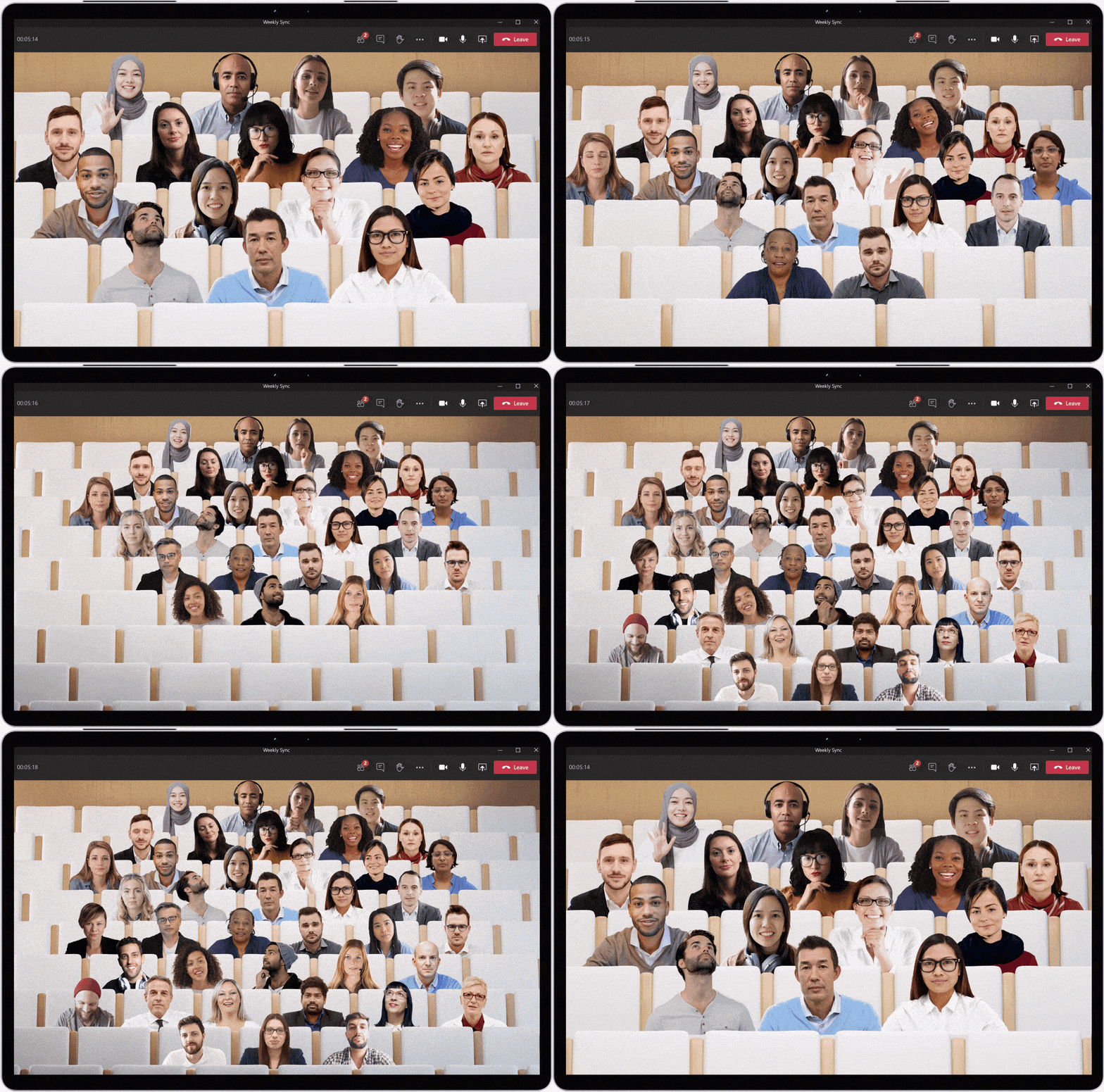
In addition to the large gallery view, the biggest new feature is Together mode, which uses AI segmentation technology to make you feel like you're sitting in the same room as your meeting collaborators. Toggle on Together mode and instead of seeing up to 49 participants in a grid, you see them in an auditorium setting.
When someone is talking, heads will turn toward the speaker, creating a more natural eye gaze. Microsoft also says it will be easier for people to take turns speaking. More settings, like a virtual conference room or cafe, are coming soon.
While in gallery view mode, Teams now supports live reactions, which allow participants to use animated emojis to "like" something, applaud or raise their hand. Chat bubbles appear in a participant's grid window to show what they typed, while suggested replies make chatting easier and faster. Live captions transcribe a speaker's words into text, while live transcription creates an on-the-go recap of what everyone is saying in a video meeting.
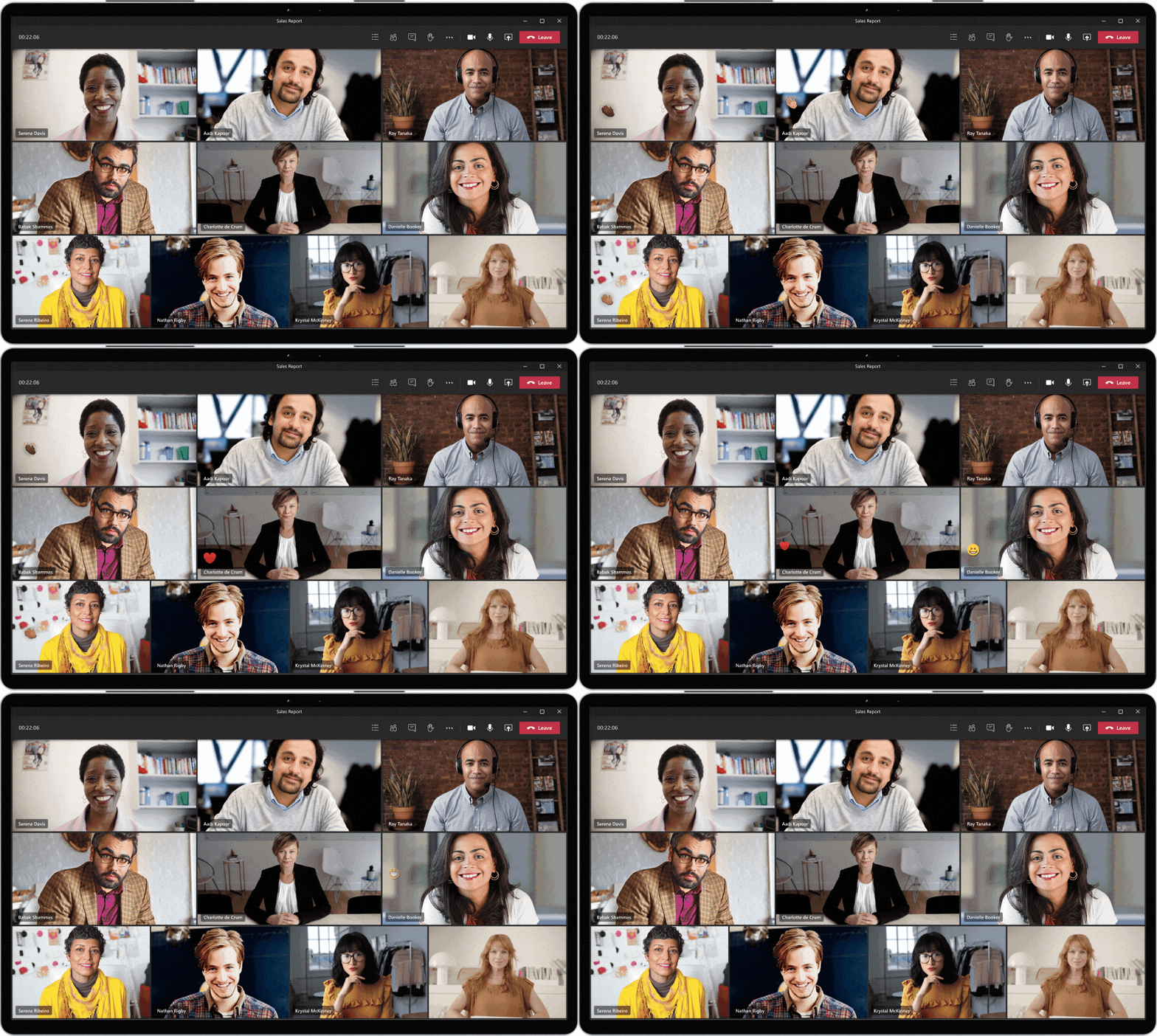
The improved meeting views prioritize video participants and provide richer options when screen sharing and presenting.
Microsoft also unveiled the deep integration of the Tasks app and the voice assistant Cortana in Teams. As Jared Spataro, corporate vice president of Microsoft 365, said in the briefing, we've seen "two years worth of digital transformation in two months" due to the pandemic quarantine. "COVID-19 has fundamentally changed the way we work."
- Microsoft Surface Pro 8 release date, rumors and more
- What to know about the Microsoft Surface Laptop 4
- Surface Go 2 vs Surface Pro 7: Which Microsoft tablet is best?