I adore cutting edge display technology, so it stands to reason that I’m obsessed with the best gaming monitors. I’ve upgraded my PC’s display way too often over the years because I love the screen advances that have been made in recent years, with OLED gaming monitors finally becoming a thing and refresh rates creeping up to increasingly speedy figures.
Right now, I rank the Razer Raptor 27 as the best gaming monitor overall for most players, but there are so many options you can go with; be it a blistering fast IPS panel or an OLED ultrawide.
Below, I’ll guide you through my pick of the best gaming monitors on the market at the moment, all of which have been thoroughly tested by the experts here at Tom’s Guide and with displays that span various budgets.
The best gaming monitors you can buy today
Why you can trust Tom's Guide Our writers and editors spend hours analyzing and reviewing products, services, and apps to help find what's best for you. Find out more about how we test, analyze, and rate.

The Razer Raptor 27 is currently our pick for the best gaming monitor overall. This 27-inch screen displays gorgeous colors with stunning accuracy, at crisp quad-HD resolutions. You can run games at more than 100 frames per second, thanks to the Raptor 27’s fast 144 Hz refresh rate. At 2560 x 1440 pixels, the screen is high-res enough to display gorgeous images, but not so high-res that you’ll need an incredibly powerful PC to make the most of it. In other words, it’s a nearly perfect midpoint of performance and accessibility.
The only real downside to the Raptor 27 is that it’s expensive, especially compared to other quad HD monitors. But you’re also paying for the monitor’s excellent physical design, which makes the ports extremely easy to access, and the cables very simple to manage.
Read our full Razer Raptor 27 review.
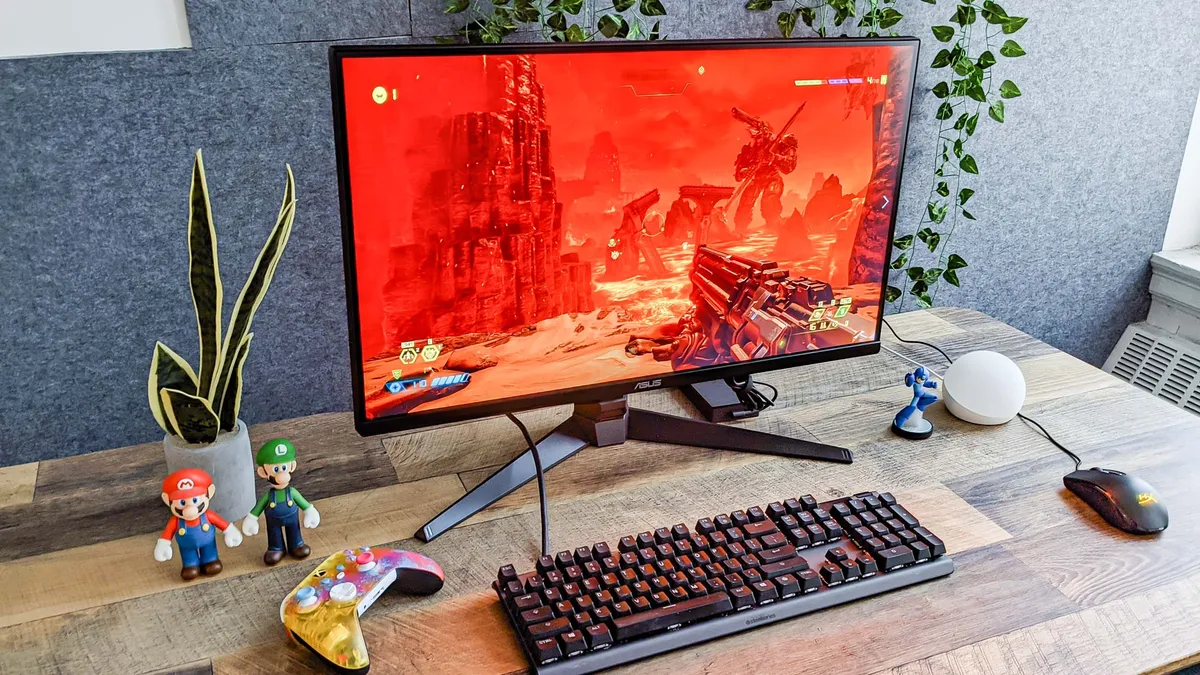
Calling the Asus TUF Gaming VG28UQL1A a 'budget' monitor when it often ranges between $530 to $750 depending on sales might sound strange. Yet in our book, a top-tier 4K monitor with a 144Hz refresh rate and two HDMI 2.1 ports is damn good value for money.
Apart from its reasonable price, the VG28UQL1A is simply a gorgeous unit, with some of the richest and most accurate colors of any gaming display we've tested. The screen's HDR capabilities are almost unmatched, especially the way it handles reds, oranges and pinks. This panel even boasts good speakers, which not many gaming monitors can claim.
Read our full Asus TUF Gaming VG28UQL1A review.

The Dell 32 4K UHD Gaming Monitor G3223Q is a brilliant screen that's also easy to setup. One of the most straightforward monitors we reviewed, this baby is a joy to game on. This 32-inch monitor isn’t showy or complicated. It’s just a plain-looking monitor with a large, sturdy stand that boasts absolutely gorgeous picture quality. While a 32-inch monitor won’t fit every desk, and an $800 monitor won’t fit every budget, the G3223Q gets just about everything right from a technical perspective.
One big advantage of the G3223Q is that it renders vivid colors in either standard or HDR modes. As such, you can experiment with Windows 11's HDR options if you're playing on one of the best gaming PCs. There are plenty of picture mode presets to choose from, too.
Read our full Dell 32 4K UHD Gaming Monitor G3223Q review.

The Samsung Odyssey OLED G8 is a stylish OLED curved gaming monitor that’s a serious rival for the Alienware AW3423DWF. Like that monitor, the Odyssey OLED G8 features an immersive 34-inch curved display with stunning picture quality. Its fast 175Hz refresh rate and low 0.03ms response time deliver solid performance, especially for games that require quick reflexes. Add Samsung’s smart TV and gaming hub apps, and you have one of the best curved monitors and best gaming monitors we’ve reviewed.
While pricey at $1,799, the Samsung Odyssey OLED G8 is an overall brilliant gaming monitor.
Read our full Samsung Odyssey OLED G8 review.

The LG UltraGear 27GR95QE-B ($999) is one of the most gorgeous gaming monitors we’ve seen yet. That’s good news considering we’ve been eager to test this OLED monitor since LG first announced it late in 2022.
But what makes the LG UltraGear 27GR95QE-B so great? It has a fairly subdued design for a gaming monitor. And at 27 inches, it’s not exactly huge. What sets it apart is its jaw-dropping visual fidelity provided by the 2.5K OLED display. Games look phenomenal on this monitor, as does streaming content. The super fast 0.03ms response time and 240Hz refresh rate also deliver an enjoyable gaming experience. The fact it’s less than $1,000 is also a big deal.
The monitor isn't perfect, however. It's considerably dimmer than some of its competitors, and the fact you can't access all menu options without a remote is also troubling. The astonishing picture quality and speedy performance mostly help you overlook these deficiencies, but they're still worth pointing out.
Read our full LG UltraGear 27 review.
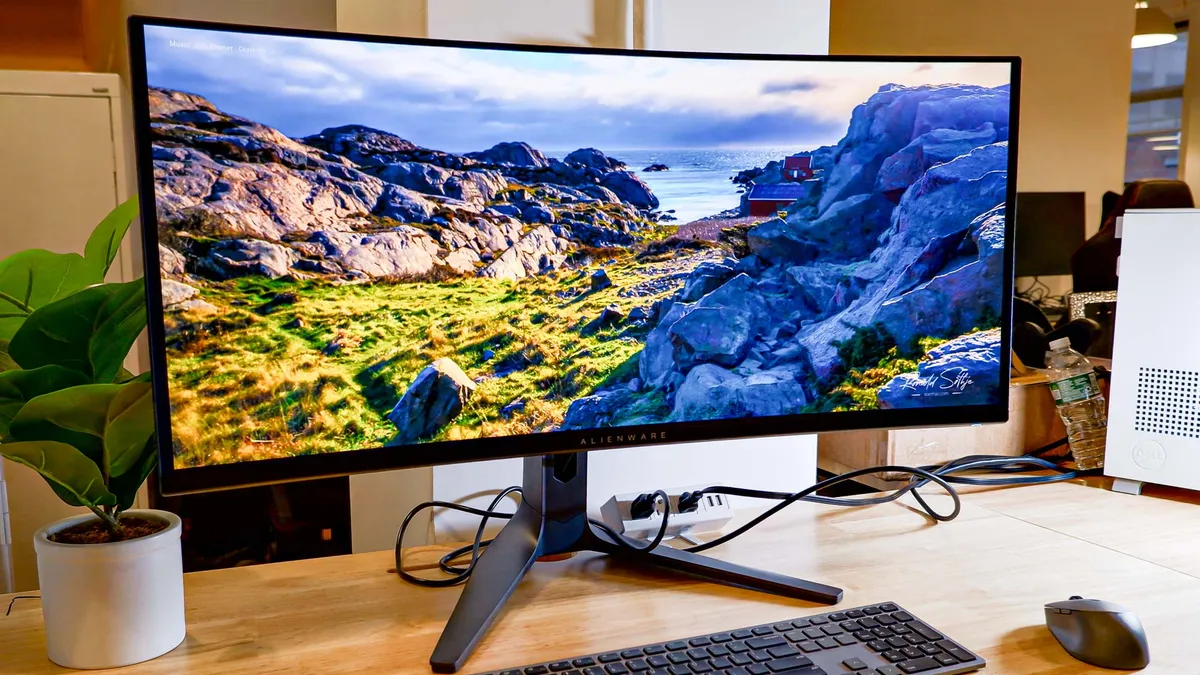
The Alienware AW3423DWF QD-OLED addresses some of the issues we had with the original model. The lower price is solid, as is the inclusion of HDMI 2.1 support. Even if it’s only an overall minor upgrade, the improvements objectively make it a stronger product.
With that said, it’s difficult to recommend this monitor to those who already bought the original version. HDMI 2.1 support is nice, but it’s not worth upgrading — especially if you primarily play PC games. And as we said, few console games even support 120Hz. If you own the AW3423DW then you’re not missing out on much.
But given how the AW3423DWF costs $1,099, it’s now an easier device to recommend to newcomers.
Read our full review of the Alienware AW3423DWF QD-OLED.

The Sony Inzone M9 gaming monitor is a fantastic device for both PC and PS5 games. At $899, this striking 27-inch 4K 144Hz gaming monitor is a great buy for anyone who plays games on PC or PlayStation 5. If you happen to do both, and want to do them on the same display, the M9 is for you.
It's also something of an oddity. It’s a Sony-manufactured gaming device from a hardware division called Inzone that’s independent of Sony Interactive Entertainment, Sony's games division. And while Inzone isn’t specifically producing hardware for the PS5, you wouldn't guess it by looking at the M9, which sports the same aesthetic as Sony's latest console. However, Sony is clearly targeting PC gamers (along with PS5 users) with this device, with its plethora of ports and 1ms response time. The built-in speakers can't offer much in the bass department, but that's a pretty minor ding on an otherwise excellent monitor.
Read our full Sony Inzone M9 review.

The Acer Predator XB323QK is a great 32-inch 4K gaming monitor that also supports Xbox Series X and PlayStation 5. If you can afford it, this 144Hz display is well-suited for work and play, though having most of the ports located on the bottom lip makes swapping out consoles or cables a real pain in the neck.
This big, beautiful display also comes with some neat features, like a customizable LED backlight and a slew of modes and display options you can use to finetune the performance when playing your favorite games. There are even a pair of built-in speakers, though the tinny sound quality will motivate you to invest in a pair of headphones or the best computer speakers.
Read our full Acer Predator XB323QK review.

The Acer Predator X32 FP ($1,499) gaming monitor balances stunning visual fidelity and rock-solid performance. This 32-inch behemoth features a gorgeous 4K mini-LED 160Hz display that’s both crisp and colorful. On top of that, the monitor comes with a ton of ports and an aggressive design that demands attention.
This is one of best gaming monitors out there thanks to its blazing-fast performance, smooth refresh rate and vibrant visuals. It takes up a lot of space on one’s desk, but the monitor’s large display helps draw you into the games you’re playing.
While more affordable options exist, the Predator X32 FP is still a great gaming monitor. It just might be a good idea to wait for a price drop before buying this premium device.
Read our full Acer Predator X32 FP gaming monitor review.

The Alienware 500Hz gaming monitor wants to be the ultimate monitor for Esports professionals. If you need the highest possible refresh rate and a super-low response time, the AW2524H delivers the goods. With support for up to 500 frames per second (if you overclock it) and a low 0.5ms response time, this is one of the fastest gaming monitors on the market.
If you mainly play single-player games or if you’re content playing Call of Duty with your friends, you don’t need the Alienware 500Hz gaming monitor. But if you’re super serious about framerates or an Esports professional, then this is arguably the monitor for you.
Read our full Alienware 500Hz (AW2524H) review.
How to choose the best gaming monitor
How to choose the best gaming monitor for you
The criteria for picking a gaming monitor is a bit different from choosing the best monitors overall. Determining the best gaming monitor for your needs comes down to three major factors: resolution, refresh rate and price.
Resolution: How much resolution you need depends on how powerful your PC is. Extremely powerful machines can run games at 4K resolutions (3840 x 2160 pixels), which means you'll probably want to pony up for a more elaborate monitor. Cheaper machines pair better with 1080p monitors, while those in-between can run at quad-HD resolutions.
Refresh rate: Refresh rate is similar, in that more powerful machines will need monitors with higher refresh rates. While refresh rate and frames per second are not exactly the same thing, it's useful to think of them in the same terms when choosing a monitor. Is your PC powerful enough to get 60 frames per second during gameplay? 120 frames per second? More? The higher the refresh rate, the higher number of frames per second the monitor can support.
Price: Price is pretty self-explanatory. Just remember that more expensive monitors will be useful for longer periods of time. A good screen can last for a decade or more, and if you decide to buy or build a new machine in the future, you may not need to replace a monitor that's sufficiently advanced.
How we test gaming monitors
How we test gaming monitors
To test our best gaming monitors, we employ a colorimeter and benchmarking software to measure a monitor's color accuracy, contrast and brightness. A monitor's brightness refers to how many nits of luminosity it can output; its color accuracy (or Delta-E) measures how lifelike its colors are; its color gamut represents how great a variety of the spectrum it can display. We can also measure a monitor's latency, and try to push it to its limits in terms of game frame rates.
Qualitatively, we run each monitor through both productivity and gaming tests. You’re not going to switch monitors each time you need to open a word processor, watch a video or send an e-mail, so every monitor on this list must be sharp and responsive for everyday use. As far as gaming goes, we run each monitor through games in a variety of genres, including FPS, RTS, MOBA, RPG and MMO, in order to ensure that it doesn’t favor one genre at another’s expense.