Artificial intelligence video generation has come a long way in a short time, going from 2-second clips with significant morphing and distortion to shots nearly indistinguishable from filmed footage. Runway is the latest player in the space to release its next-generation model.
Gen-3 was first revealed two weeks ago and after some initial testing by creative partners, is now available to anyone, at least the text-to-video version is. Text-to-image is coming soon.
Each generation produces a 10-11 second photorealistic clip with surprisingly accurate motion, including a representation of human actions that reflect the scenario and setting.
From my initial testing, it is as good as Sora in some tasks, although better than OpenAI’s video model in the fact it is widely available to everyone. It is also better than Luma Labs Dream Machine at understanding motion, but without an image-to-video model it fails on consistency.
What is Gen-3 like to work with?

I’ve been playing with it since it launched and have created more than a dozen clips to effectively refine the prompting process. "Less is more", and "be descriptive" are my key takeaways, although Runway produces a useful guide to prompting Gen-3.
You’ll want to try and get the prompts right from the start as each generation with Gen-3 costs between $1 and $2.40 per 10-second generation. The cheapest option is to top up credits which cost $10 per 1000. In contrast, on the base Luma Labs plan it costs 20c per generation.
In terms of actually using the video generator, it works exactly like Gen-2. You give it your prompt and wait for it to make the video. You can also use lip-sync which has now been integrated into the same interface as video creation and animates across the full video.
I’ve come up with five prompts that worked particularly well and shared them below. Until image-to-video launches, if you want a particular look you need to be very descriptive, but Runway’s Gen-3 image generation is impressive. You also only get 500 characters for a prompt.
1. Cyber city race
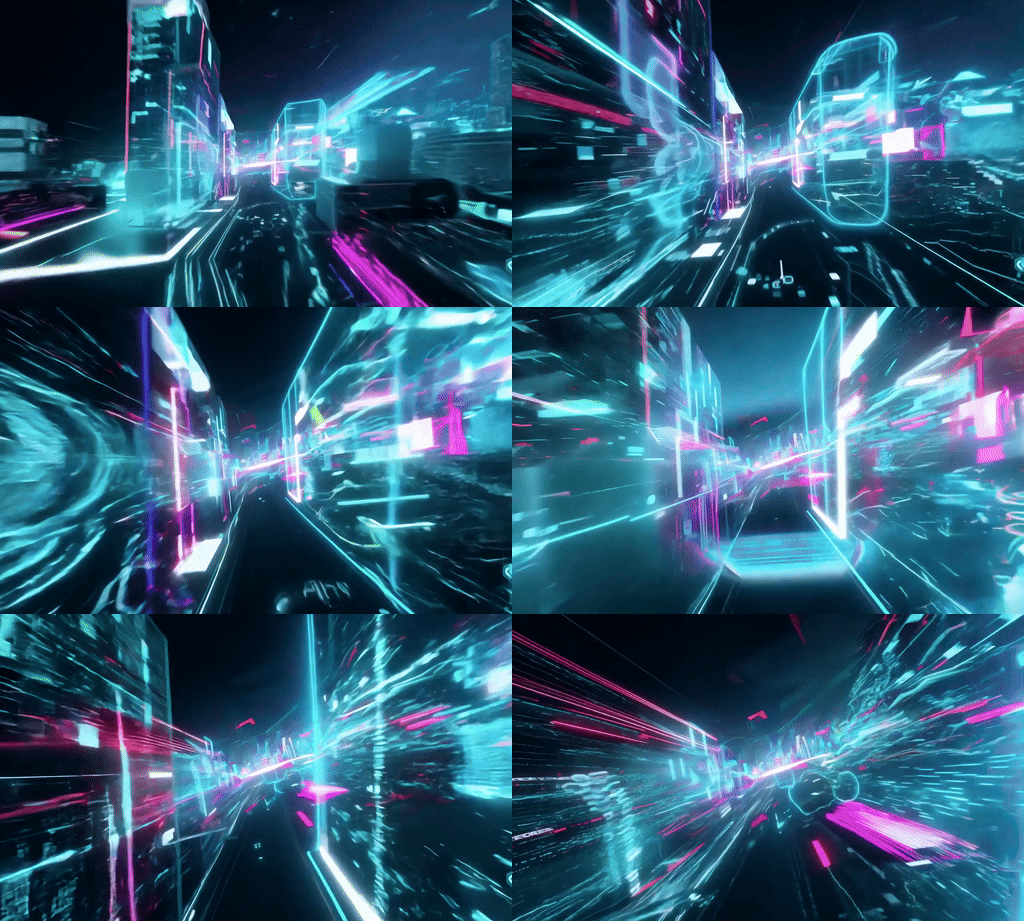
This was one of the last prompts I created and built from refinement. It is relatively short but because of the specific description of both motion and style, Runway interpreted it exactly as I expected.
Prompt:” Hyperspeed POV: Racing through a neon-lit cyberpunk city, data streams and holograms blur past as we zoom into a digital realm of swirling code.”
2. Scuba diver
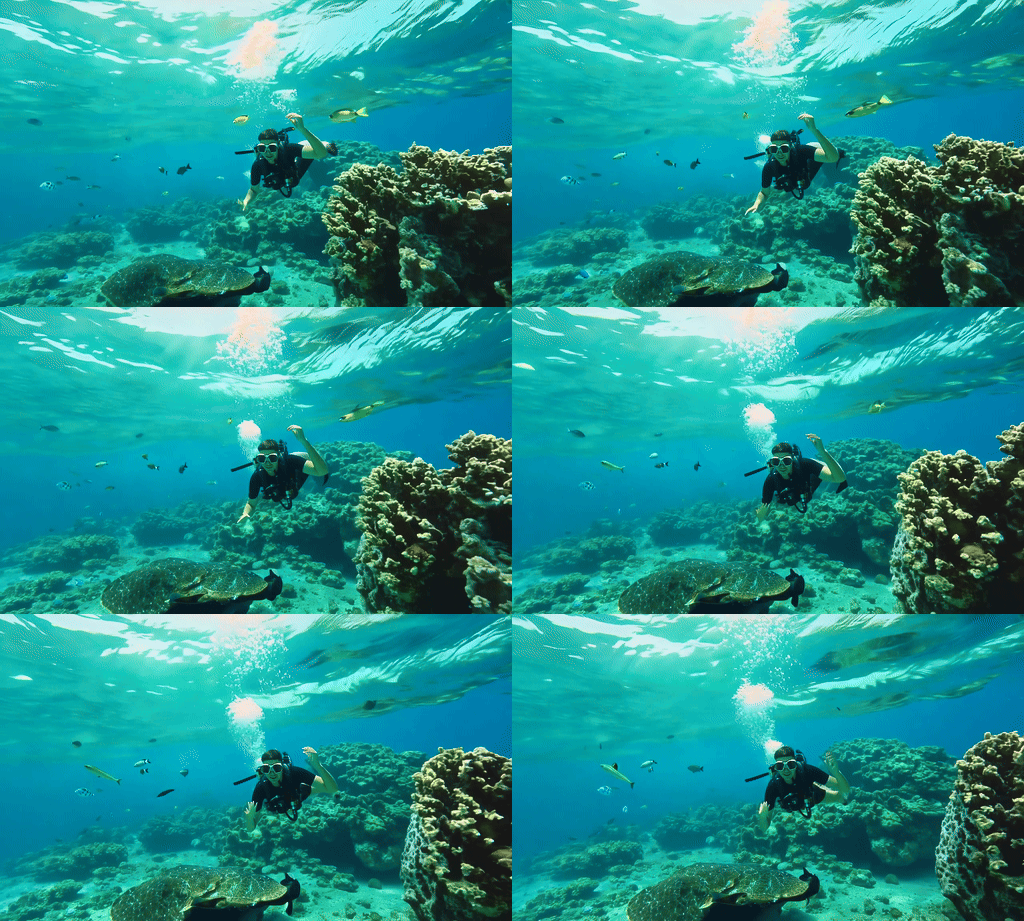
The first part of this included some weird motion blur over the eyes and elongated fingers that corrected themselves. Otherwise, it was an impressive and realistic interpretation. The issue with the motion blur was the part of the prompt suggesting sunlight piercing through. The prompt was overly complex.
Prompt: “Slow motion tracking shot: A scuba diver explores a vibrant coral reef teeming with colorful fish. Shafts of sunlight pierce through the crystal-clear water, creating a dreamlike atmosphere. The camera glides alongside the diver as they encounter a curious sea turtle.”
3. A street view
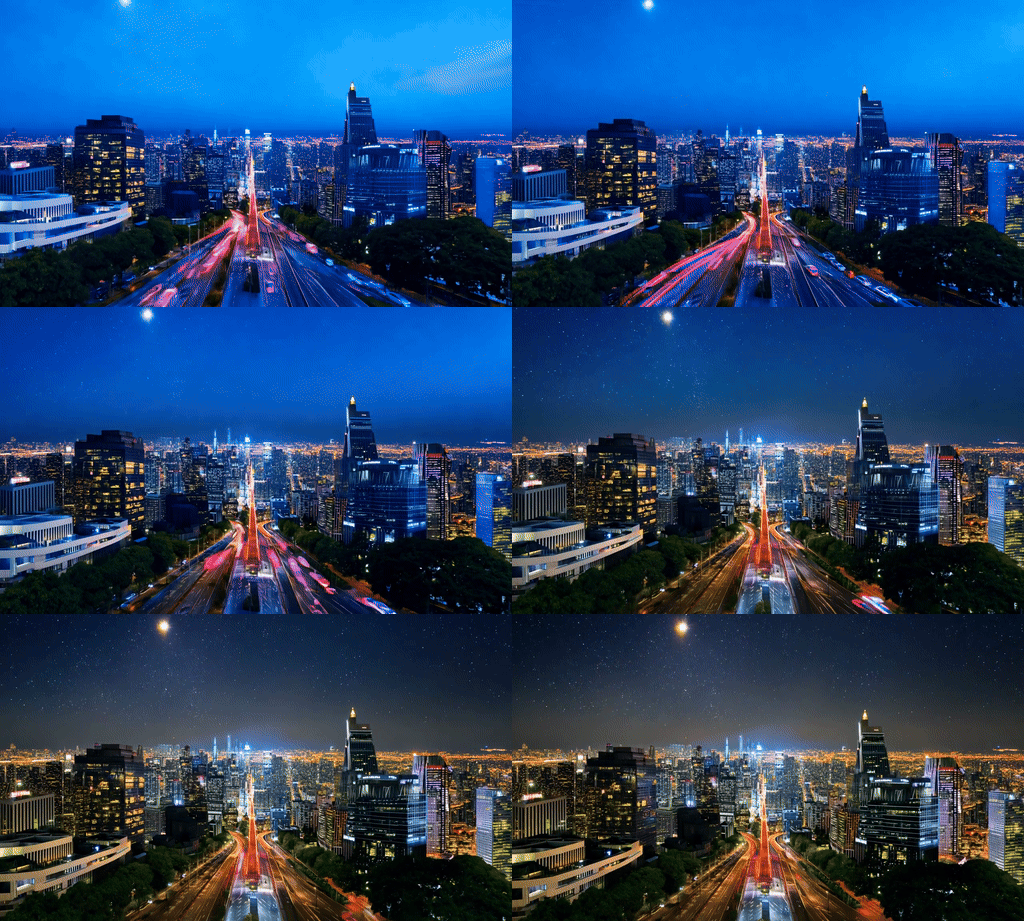
This isn't just one of my favorite videos from Runway Gen-3 Alpha but from anything I've made using AI video tools over the past year or so. It didn't exactly follow the prompt but it captures the sky changing over the day.
Prompt: “Hyperspeed timelapse: The camera ascends from street level to a rooftop, showcasing a city's transformation from day to night. Neon signs flicker to life, traffic becomes streams of light, and skyscrapers illuminate against the darkening sky. The final frame reveals a breathtaking cityscape under a starry night.”
4. The bear
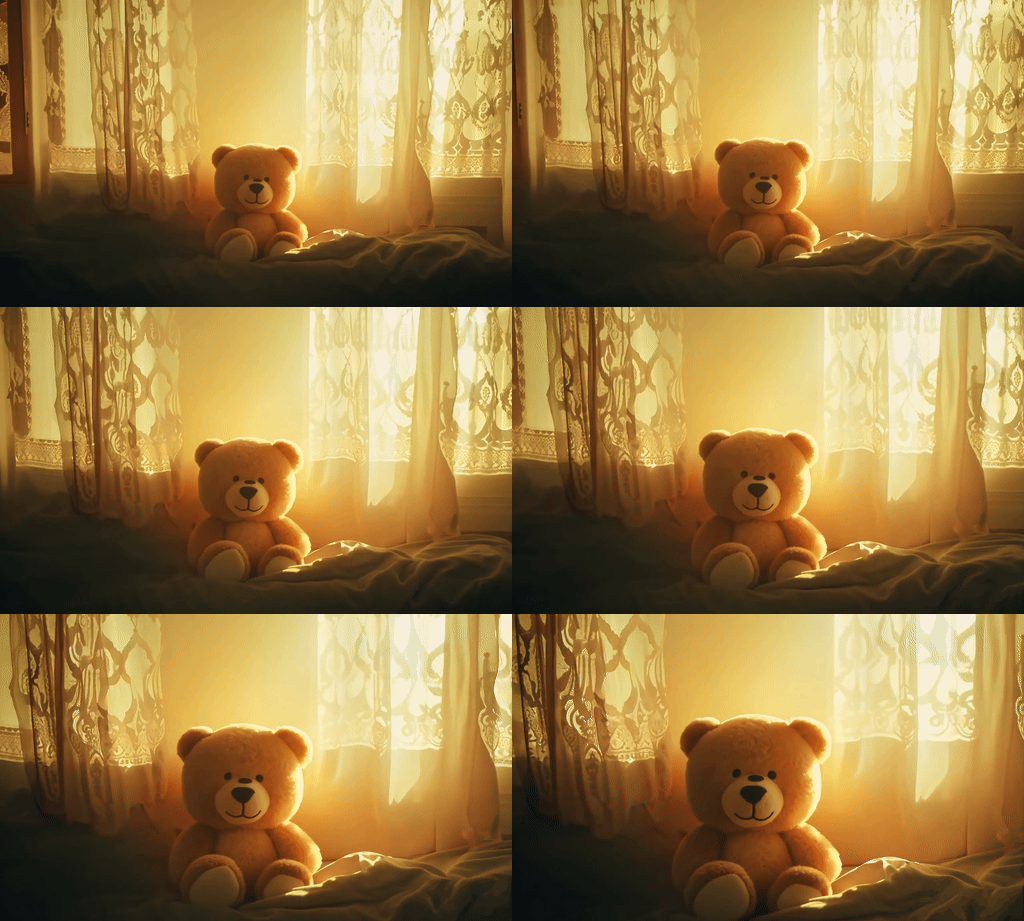
I overwrote this prompt massively. It was supposed to show the bear becoming more alive towards the end but I asked it to do too much within 10 seconds.
The prompt: "Slow motion close-up to wide angle: A worn, vintage teddy bear sits motionless on a child's bed in a dimly lit room. Golden sunlight gradually filters through lace curtains, gently illuminating the bear. As the warm light touches its fur, the bear's glassy eyes suddenly blink. The camera pulls back as the teddy bear slowly sits up, its movements becoming more fluid and lifelike."
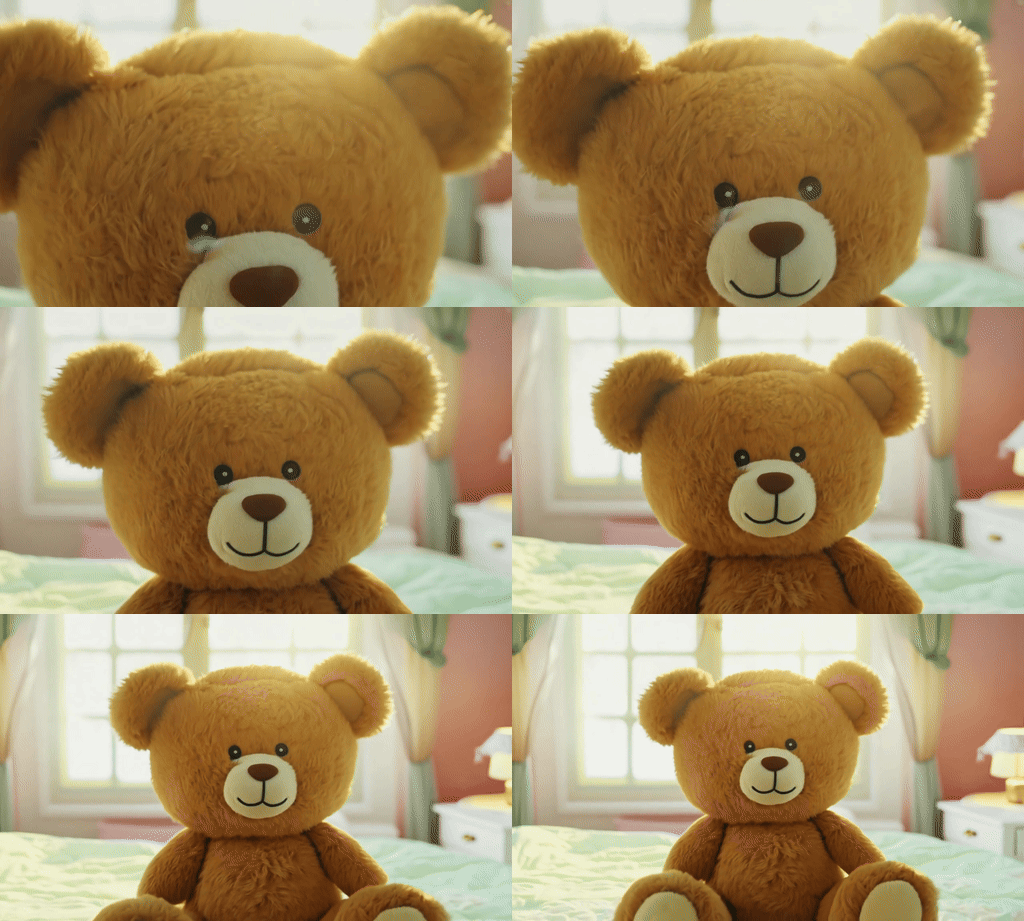
I refined the prompt to: "Slow motion close-up to wide angle: A vintage teddy bear on a child's bed blinks to life as golden sunlight filters through lace curtains, the camera pulling back to reveal the bear sitting up and becoming animated."
This gave a better motion, going in the reverse of the original although created some artifacts on the bear's face and still didn't make it sit up.
5. The old farmer
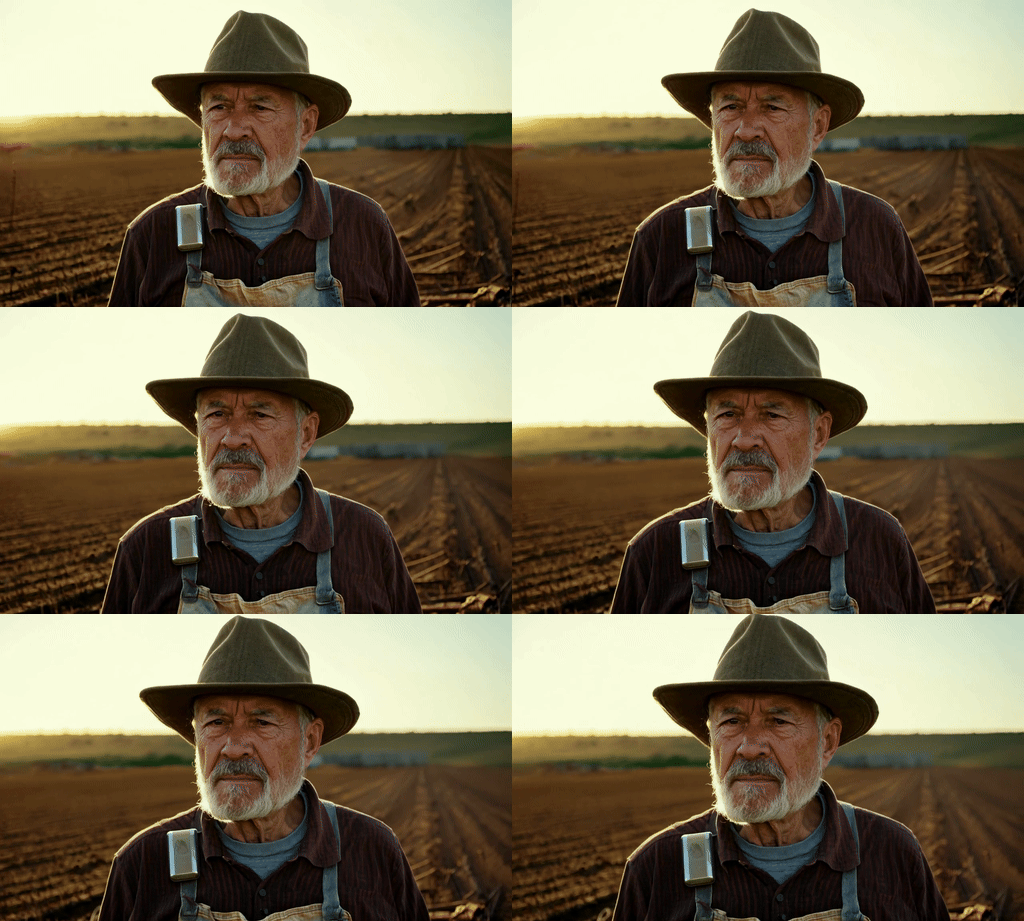
This was the first prompt I tried with Runway Gen-3 Alpha. Its overly complex and descriptive as I was trying to replicate something I'd create using image-to-video in Luma Labs Dream Machine. It wasn't the same but was very well done.
Prompt: “Sun-weathered farmer, 70s, surveys scorched field. Leathery skin, silver beard, eyes squint beneath dusty hat. Threadbare shirt, patched overalls. Calloused hands grip fence post. Golden light illuminates worry lines, determination. Camera zooms on steely gaze. Barren land stretches, distant ruins loom. Makeshift irrigation, fortified fences visible. Old man reaches into hat, reveals hidden tech. Device flickers, hope dawns."
More from Tom's Guide
- Apple is bringing iPhone Mirroring to macOS Sequoia — here’s what we know
- iOS 18 supported devices: Here are all the compatible iPhones
- Apple Intelligence unveiled — all the new AI features coming to iOS 18, iPadOS 18 and macOS Sequoia