Battery Life Under Heavy Graphics Load
The last 18 months have brought about a remarkable upsurge in the 3-D graphics subsystems built into new notebooks. This also explains why more and more users are beefing up notebooks for gaming or other graphics intensive applications. This performance jump, of course, has also meant that the components consume more power. In addition, the newly introduced PCI Express Interface (PCIe) requires significantly more power than does the more established AGP interface that older graphics processors support. That's why both of the big guns in the graphics chip business have endowed their latest graphics chips with truly impressive power-saving technologies as well. These regulate the power consumption of GPUs and video RAM in direct proportion to demands from running applications - and they do as automatically as possible. Their capabilities thus strongly resemble similar mechanisms that CPU vendors have developed, such as Intel's SpeedStep and AMD's PowerNow!
This means that modern GPUs and their video RAM chips need not always run at maximum clock rates. In addition, various function blocks in graphics chips turn themselves off automatically when not in use, which further lowers power needs.
Along with these energy-saving techniques, it's also possible to turn off one or more lanes in the PCIe interface itself, which lowers power consumption as well. But according to our highly informed sources, this mechanism either doesn't work in most notebooks or is considerably curtailed. A user whose notebook is built around a PCIe graphics chip loses up to 20 minutes of battery life, when compared to an otherwise identical system built around AGP, as shown in our own earlier measurements
Power Consumption
Notebooks that include dedicated graphics chips from ATI or NVIDIA allow users to decide how fast the clock rate for the GPU and video RAM should be set. The related configuration settings are usually accessible through the graphics drivers as PowerPlay (ATI) or PowerMizer (NVIDIA).
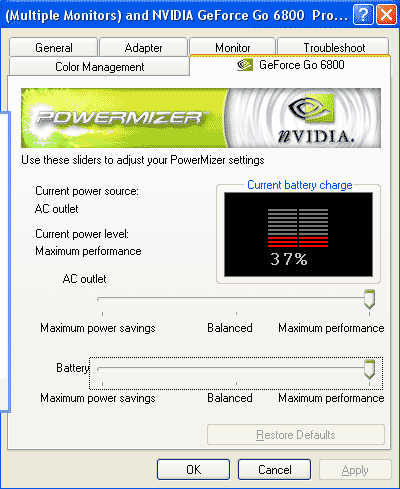
NVIDIA Powermizer: Use a slider to control the power consumption of the graphics subsystem.
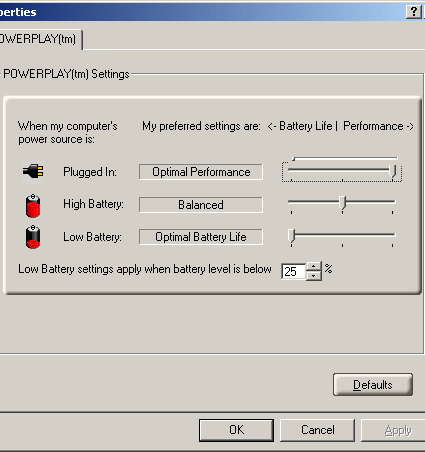
ATi-Powerplay: Sliders drive both power consumption and performance settings.
These utilities supply slider controls to manage clock rates for the GPU and video RAM. For example, those who run productivity apps almost exclusively are best served if they move the slider all the way to the left. When playing games on battery it's probably best to observe if current graphics performance settings deliver acceptable frame rates with the slider in the middle. That is because a notebook with a 15.4" widescreen display set for maximum core and memory clock rates will run out of juice after somewhere between 60 to 90 minutes of use. How much these various settings influence battery life under heavy load was revealed during our first test.