DVD Video: The Right Player Software Extends Battery Lifetime
- 1. Introduction
- 2. Battery Life Under Heavy Graphics Load
- 3. Battery Lifetime As A Function Of Graphics Card Clock Rates
- 4. 3D Games Drain The Battery Dry
- 5. Mobile CPUs Are Always Faster, But Not Noticeably More Energy-efficient
- 6. Persuading Mobile CPUs To Conserve Energy
- 7. Best Practice: How Power Scheme Selection Affects Battery Lifetime
- 8. Effects Of Display Brightness On Battery Lifetime
- 9. Repeated Data Copies To An External Hard Drive
- 10. Continuous File Reads From An Internal Hard Drive
- 11. Discussion
- 12. Working With An Optical Mouse
- 13. Discussion
- 14. DVD Video: The Right Player Software Extends Battery Lifetime
- 15. Discussion
- 16. Use Of The Optical Drive For Data Storage
- 17. Bad-quality Optical Media Shortens Battery Lifetime
- 18. Mobile TV Cuts Battery Lifetime In Half
- 19. Use Of WLAN, LAN, And PAN Components
- 20. Use Of WLAN, LAN, And PAN Components, Continued
- 21. LAN And WLAN: Which One Consumes More Power?
- 22. Bluetooth
- 23. Audio Playback: Best On A Headset Or On The Built-in Speakers?
- 24. Audio Playback, Continued
- 25. Webcam
- 26. USB Devices: Power Consumption Levels Depend Mostly On The Application Is Use
- 27. USB Devices, Continued
- 28. MobilityGuru's 10 Tips To Extend Battery Life
14. DVD Video: The Right Player Software Extends Battery Lifetime
To test battery lifetime for continuous DVD playback we slotted up the DVD for the film Apollo 13, then fired up our DVD player software inside an endless loop. To determine if the choice of player software had an impact on battery lifetime, we ran our test with each of four current DVD software players:
Mediaplayer PowerDVD from Cyberlink VLC Mediaplayer (Open Source) WinDVD from Intervideo
WinDVD Version 7.

PowerDVD Version 6.
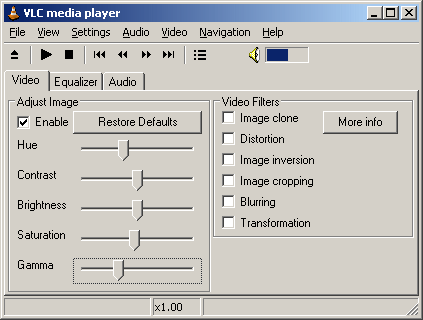
VLC Mediaplayer Version 0.8.2.

An Mpeg2-Codec makes Media Player 10 DVD-Video capable.
Naturally, we also want to see if playing a film directly from the hard disk might consume the least amount of energy. For that reason, we also made a 1:1-backup copy of the original DVD on the hard disk, and played it directly from there as well.
- Previous page Discussion
- Next page Discussion